Freedom251 › Developer Handoff Software
vrdiff
What vrdiff is
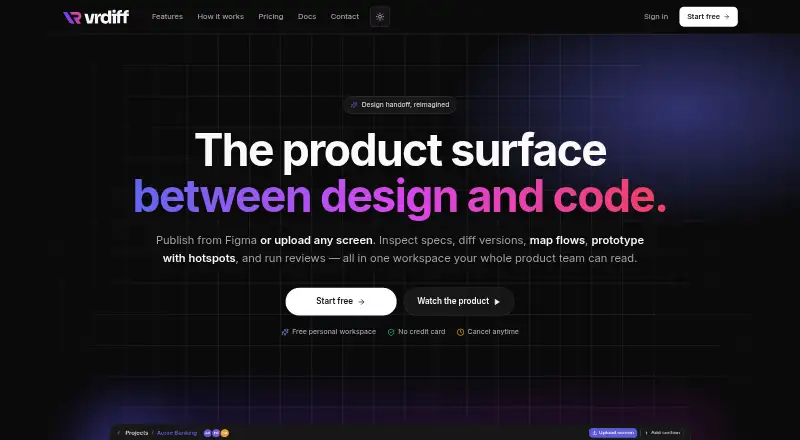
vrdiff is a browser-based design-to-code handoff platform for product teams. It brings screen publishing, design inspection, version comparison, and reviews into project workspaces. A Figma plugin sends a selected frame’s design tree, preview image, and commit message to a project; the web app also accepts PNG, JPEG, WEBP, and GIF screens up to 25 MB. For Figma-published screens, the inspector shows layer dimensions, layout, colors, typography, borders, effects, and Tailwind equivalents. Teams can compare versions side by side or with an opacity overlay, and see changed properties grouped by layer. Design data from Figma can be exported as Style Dictionary-compatible JSON for colors, text styles, and spacing.
Review features include pinned threaded comments, member mentions, review requests, and reviewer-status tracking. Projects can also contain screen journey diagrams and clickable prototypes with hotspots. Only invited people can access projects, while the activity log records workspace actions, including publishes, comments, reviews, membership changes, and subscription events, with actor and timestamp. The personal Free workspace allows one owner, one editor, two viewers, and one project. Pro is $5.99 a month, billed per editor; Max is $100 a month, billed flat.
Who it suits
vrdiff suits product and design teams that need to share Figma screens, inspect design details, compare revisions, and collect review feedback in a project space. Teams can also use it to create screen flows and clickable prototypes or export Figma design tokens.
What it does well
- Figma publishing carries the design tree, preview image, and commit message.
- Inspector includes layout details and Tailwind equivalents for Figma screens.
- Visual diffs show versions side by side or as an opacity overlay.
- Pinned threaded comments support member mentions and review requests.
- Projects include screen journey diagrams and clickable prototypes.
- Workspace logs record actions with actors and timestamps.
What to know first
- Manual uploads lack structured data for the CSS and Tailwind inspector.
- Manual uploads do not support property-level visual diff or token export.
- Free workspace is limited to one project and four seats total.
Limits
The personal Free workspace has one owner, one editor, two viewers, and one project. Manual uploads are limited to 25 MB per screen and do not provide structured design data for the CSS and Tailwind inspector, property-level visual diff, or design-token export.
Plans
| Plan | Billed and limits | Price |
|---|---|---|
| Free | 4 seats total · 1 project · personal workspace | Free |
| Max | flat / month · Unlimited members and projects · managed contract available | $100 a month |
| Pro | per editor / month · Unlimited members and projects · viewers free | $5.99 a month |
As vrdiff.com lists them, read 5 Oct 2026. The maker's own page has the final word.
Getting started
- Open https://vrdiff.com/ in a browser.
- Create an account using Google sign-in.
- Create a project in a workspace.
- Publish a selected Figma frame through the plugin, or upload a PNG, JPEG, WEBP, or GIF screen through the web app.
- Invite project members and request reviews as needed.
Verdict
Choose vrdiff if your team needs Figma-based inspection, version comparison, and review workflows together. Manual uploads can share screen images, but they do not provide the structured design data needed for the inspector, property-level diff, or token export.
Questions
Is vrdiff free?
Yes. Its Free plan costs nothing and is a personal workspace with four seats total and one project.
What do the paid plans cost?
Pro costs $5.99 a month, billed per editor per month; viewers are free. Max costs $100 a month, billed flat.
Which platforms does vrdiff support?
vrdiff is available as a web app and an extension. Its Figma plugin publishes frames to projects.
Can I upload screen images without Figma?
Yes. The web app accepts PNG, JPEG, WEBP, and GIF screens up to 25 MB. Manual uploads do not include structured data for several inspection and comparison functions.
Who can see a project?
Only invited people can see projects. Editors and viewers see only projects they have been added to.
Does vrdiff offer a free trial?
No. A Free plan is available, and the free trial is listed as unavailable.
Facts from vrdiff's own pages
- Audit trail
- The workspace activity log records actions such as publishes, comments, reviews, membership changes, and subscription events with actor and timestamp. · vrdiff.com, 5 Oct 2026
- Comments and reviews
- Teams can pin threaded comments to canvas locations, mention project members, request reviews, and track reviewer statuses. · vrdiff.com, 5 Oct 2026
- Design tokens
- Users can export colors, text styles, and spacing from Figma design data as Style Dictionary-compatible JSON. · vrdiff.com, 5 Oct 2026
- Figma publishing
- Its Figma plugin publishes a selected frame’s design tree, preview image, and commit message to a project. · vrdiff.com, 5 Oct 2026
- Flows and prototypes
- Projects support screen journey diagrams and clickable prototypes with hotspots linking screens. · vrdiff.com, 5 Oct 2026
- Free-plan limit
- A personal Free workspace is limited to one owner, one editor, two viewers, and one project. · vrdiff.com, 5 Oct 2026
- Inspector
- For Figma-sourced screens, the inspector shows layer properties including dimensions, layout, colors, typography, borders, and effects, with Tailwind equivalents. · vrdiff.com, 5 Oct 2026
- Integrations
- The documented external integrations are a Figma plugin for publishing and Google sign-in for account access. · vrdiff.com, 5 Oct 2026
- Manual uploads
- Users can upload PNG, JPEG, WEBP, or GIF screens up to 25 MB through the web app. · vrdiff.com, 5 Oct 2026
- Notable limitation
- Manual uploads do not include the structured design data required for the CSS and Tailwind inspector, property-level visual diff, or design-token export. · vrdiff.com, 5 Oct 2026
- Permissions
- Only invited people can see projects, and editors and viewers see only projects they have been added to. · vrdiff.com, 5 Oct 2026
- Purpose
- vrdiff is a browser-based design-to-code handoff platform for product teams to publish screens, inspect them, compare versions, and run reviews. · vrdiff.com, 5 Oct 2026
- Support
- The contact page says the team usually replies within one business day to sales, integration, security review, and feedback inquiries. · vrdiff.com, 5 Oct 2026
- Visual comparison
- The visual diff compares two versions side by side or as an opacity overlay and lists changed properties by layer. · vrdiff.com, 5 Oct 2026
Where vrdiff stands on Freedom251
- Developer Handoff Software#16 of 25