Freedom251 › Corporate Card Software
Volopay
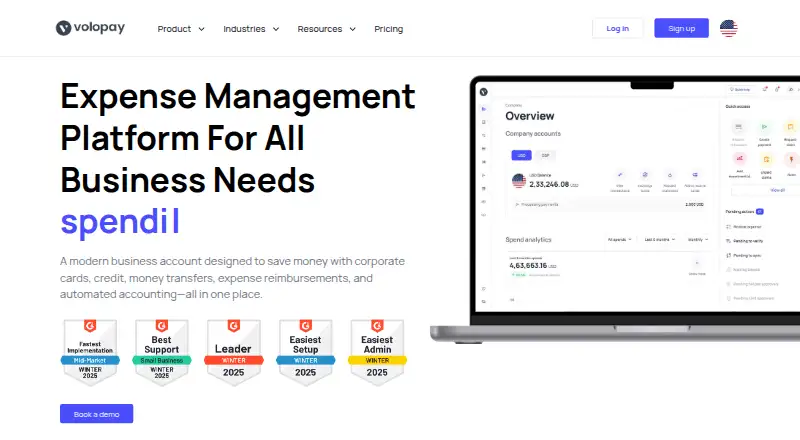
What Volopay is
Volopay is a spend management platform for business payments, expenses, and vendor payouts. It offers physical and virtual corporate cards with spending rules and card management. A single dashboard tracks corporate card and bill pay transactions in real time. Accounts payable tools cover invoice management, vendor payments, and scheduled or recurring payments, while payment workflows can have up to five approver levels.
Employees can submit expense claims through the mobile app and attach receipts. The app also supports receipt scanning, payment approvals, and expense reporting, and Volopay says it uses two-factor authentication. The platform supports SWIFT and non-SWIFT transfers to more than 130 countries. Its listed integrations include NetSuite, Xero, QuickBooks, Tally, MYOB, and Deskera, with automated syncing. Volopay states that it is SOC 2 compliant and ISO 27001 and PCI DSS compliant; it says ERP data transfers use industry-standard encryption and protocols. The service is available on Android, iOS, and the web. Pricing is paid and available on request. Listed plans include Accounts payable automation, with vendor payments, invoice management, reimbursement, unlimited users, and a $0 domestic transfer fee, and Premium card, with physical cards per user, virtual cards, a multi-currency wallet, unlimited users, and subscription management. Volopay links to a Help Center with platform guides and FAQs.
Who it suits
Volopay suits businesses managing corporate cards, expenses, vendor payments, and payment approvals in one platform. It may also suit teams that need employee reimbursements through a mobile app or listed accounting and ERP integrations.
What it does well
- Offers physical and virtual corporate cards with spending rules.
- Tracks card and bill pay transactions in real time.
- Payment workflows support up to five approver levels.
- Supports SWIFT and non-SWIFT transfers to more than 130 countries.
- Lists integrations with NetSuite, Xero, QuickBooks, Tally, MYOB, and Deskera.
What to know first
- Pricing is available on request.
- The listed pricing model is paid.
Plans
| Plan | Billed and limits | Price |
|---|---|---|
| Accounts payable automation | Vendor payments · Invoice management · Reimbursement · Unlimited users · $0 domestic transfer fee | On request |
| Premium card | Physical card per user · Virtual cards · Multi-currency wallet · Unlimited users · Subscription management | On request |
As volopay.com lists them, read 5 Oct 2026. The maker's own page has the final word.
Getting started
- Open the Volopay website.
- Choose a plan to discuss: Accounts payable automation or Premium card.
- Use the web platform or the Android or iOS app.
- Connect a listed accounting or ERP integration if needed.
- Use the Help Center for platform guides and FAQs.
Verdict
Choose Volopay if your business needs cards, payment approvals, expense claims, accounts payable tools, and international transfers in one platform. The main reason to look elsewhere is if you need listed pricing before contacting the company, since pricing is available on request.
Questions
How much does Volopay cost?
Volopay is paid, and pricing is available on request.
Which platforms does Volopay support?
Volopay is available on Android, iOS, and the web.
What plans are listed?
Accounts payable automation includes vendor payments, invoice management, reimbursement, unlimited users, and a $0 domestic transfer fee. Premium card includes a physical card per user, virtual cards, a multi-currency wallet, unlimited users, and subscription management.
Which integrations does Volopay list?
The listed integrations include NetSuite, Xero, QuickBooks, Tally, MYOB, and Deskera, with automated syncing.
Can employees submit expenses from a phone?
Yes. Employees can submit expense claims through the mobile app and attach receipts.
What security compliance does Volopay state?
Volopay states that it is SOC 2 compliant and ISO 27001 and PCI DSS compliant.
Facts from Volopay's own pages
- Accounts payable
- Its accounts payable tools include invoice management, vendor payments, and scheduled or recurring payments. · volopay.com, 5 Oct 2026
- Approvals
- Payment workflows can be configured with up to five approver levels. · volopay.com, 5 Oct 2026
- Cards
- The platform offers physical and virtual corporate cards with spending rules and card management. · volopay.com, 5 Oct 2026
- Expense tracking
- Volopay tracks corporate card and bill pay transactions in real time on a single dashboard. · volopay.com, 5 Oct 2026
- Integrations
- The site lists integrations including NetSuite, Xero, QuickBooks, Tally, MYOB, and Deskera, with automated syncing. · volopay.com, 5 Oct 2026
- Integration security
- Volopay says ERP data transfers use industry-standard encryption and protocols. · volopay.com, 5 Oct 2026
- Mobile security
- Volopay says its mobile app uses two-factor authentication and supports receipt scanning, payment approvals, and expense reporting. · volopay.com, 5 Oct 2026
- Product
- Volopay describes itself as a spend management platform for business payments, expenses, and vendor payouts. · volopay.com, 5 Oct 2026
- Reimbursements
- Employees can submit expense claims through the mobile app and attach receipts. · volopay.com, 5 Oct 2026
- Security
- The site states that Volopay is SOC 2 compliant and ISO 27001 and PCI DSS compliant. · volopay.com, 5 Oct 2026
- Support
- Volopay links to a Help Center with platform guides and FAQs. · volopay.com, 5 Oct 2026
- Transfers
- Volopay says it supports SWIFT and non-SWIFT transfers to more than 130 countries. · volopay.com, 5 Oct 2026
Where Volopay stands on Freedom251
- Corporate Card Software#21 of 23