Freedom251 › Media Player Software
VLC media player
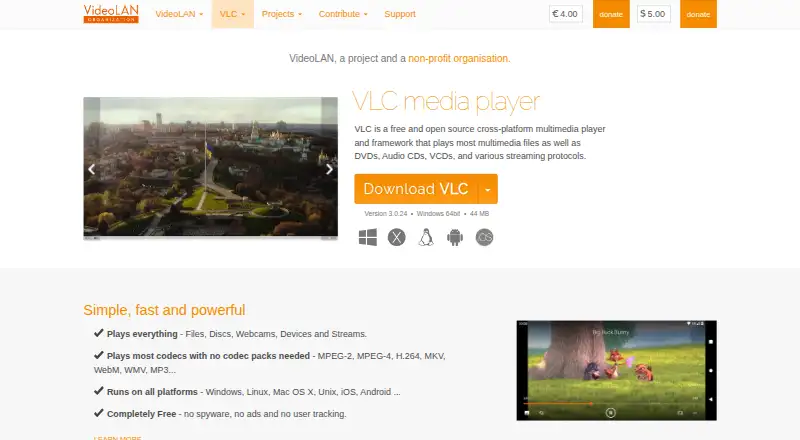
What VLC media player is
VLC media player is a free player for video, audio, discs and streams. It runs on Windows, macOS, Linux, iOS and Android, and can play files, DVDs, Audio CDs, VCDs, webcams, devices and network streams. Listed formats include MPEG-1/2, MPEG-4, H.264, DivX, XviD, WMV, MKV, MP4, MOV, AVI, WebM, MP3, AAC and FLAC. The player supports subtitles, hardware acceleration and 4K playback, as well as various streaming protocols. VideoLAN says most codecs work without codec packs. The free plan states that VLC has no spyware, ads or user tracking, and lists no other limits. Users can customize it with skins and extensions, or create skins using VLC Skin Editor. VideoLAN is a non-profit project, and its source code is available directly. Additional downloads are listed for Apple TV and a range of Linux distributions and other operating systems. VideoLAN is based in Paris, France.
Who it suits
VLC suits people who want a free media player across desktop and mobile platforms, including those who play files, discs or streams. It also offers options for users who want to customize the player with skins or extensions.
What it does well
- Free to use, with no ads or user tracking.
- Plays files, discs, webcams, devices and streams.
- Supports subtitles, hardware acceleration and 4K playback.
- Works on Windows, macOS, Linux, iOS and Android.
- Supports skins and extensions.
What to know first
- No other free-tier limits are listed.
- Codec packs may still be needed for some codecs.
Plans
| Plan | Billed and limits | Price |
|---|---|---|
| VLC media player | — | On request |
As videolan.org lists them, read 27 Sept 2026. The maker's own page has the final word.
Getting started
- Visit the VLC website.
- Choose a download for Windows, macOS, Linux, iOS or Android.
- Install or open the player on your chosen platform.
- Open a media file, disc, device or stream for playback.
- Customize the player with skins or extensions if desired.
Overview
VLC media player is a free player for people who want one app to handle local media, discs and network streams across desktop and mobile systems. Its breadth of formats and playback sources makes it a strong general-purpose choice; it is less compelling if you want a narrowly focused music player or a paid service with clearly tiered extras.
Key features
VLC plays files, DVDs, Audio CDs, VCDs, webcams, connected devices and streams. Its format support ranges from MPEG-1/2, MPEG-4 and H.264 to DivX, XviD, WMV, MKV, MP4, MOV, AVI and WebM, alongside MP3, AAC and FLAC. That range is useful when a media library mixes older and newer formats, and most codecs work without installing codec packs.
Network playback and support for various streaming protocols extend VLC beyond files stored on the device. Subtitles are supported, and hardware acceleration and 4K playback are included—practical strengths for video use as well as audio. Skins, a skin editor and extensions allow customization, though those options matter most to users who want to adjust the player rather than simply open media. VLC's source code is available directly.
Pricing
VLC media player is free, with no spyware, ads or user tracking. No other free-plan limits are stated, making it a straightforward choice for people who do not want playback access gated by a paid tier. There is no paid VLC plan to weigh against the free version.
Platforms
VLC runs on Windows, macOS, Linux, iOS and Android. The wider range of supported systems also includes Chrome OS, FreeBSD, NetBSD, OpenBSD, Solaris, QNX and OS/2. Windows users have options including 64-bit and ARM 64 versions, while downloads are also offered for Apple platforms and multiple GNU/Linux distributions. This breadth makes VLC a particularly practical pick for households or users moving between different operating systems.
Who it's for
Choose VLC if you want a no-cost player for mixed audio and video libraries, discs, subtitles and network streams, especially when codec packs are an inconvenience. It suits people who value broad operating-system coverage and customization. If you want a command-line player, mpv may fit better; VLC's strengths are broad playback support and a graphical player rather than a stated command-line focus.
Pros and cons
- Pro: Broad file, disc and stream support reduces the need to switch players for different media sources.
- Pro: The free offering has no spyware, ads or user tracking, so there is no stated advertising or tracking trade-off.
- Pro: Windows, macOS, Linux, iOS and Android coverage helps users keep to one player across common desktop and mobile systems.
- Con: The breadth of skins, extensions and source options may be more than someone seeking a simple, specialized player needs.
Alternatives
mpv is a free option with wide media-format, codec and subtitle support; choose it if you specifically want a command-line media player. KMPlayer is another free-plan option, with freemium pricing and Windows, macOS, iOS and Android coverage. SMPlayer is a free, open-source alternative for Linux, macOS and Windows. MPlayer is a free alternative for those platforms under GNU General Public License version 2.
Infuse is worth considering for Apple-platform users seeking additional video formats and high-resolution Dolby and DTS-HD audio; its Pro Monthly plan is $1.99 a month, billed monthly, with a free 7-day trial and cancellation anytime. MediaPortal is a free option with Windows, web, iOS and Android coverage. 5KPlayer offers a free plan for iOS, macOS and Windows with no subscription required. foobar2000 is a free alternative available on Android, iOS, Linux, macOS and Windows.
Browse more options in Media Player Software and Video Player Software.
Verdict
VLC is the right choice for anyone who wants a free, cross-platform player with wide format and source support, including discs and streams. Its main reason to choose it is the combination of breadth, privacy terms and no stated free-tier caps; look elsewhere if your priority is a specialized player or a different playback workflow.
Verdict
VLC covers a wide range of playback sources and formats across desktop and mobile systems. Its listed free plan has no spyware, ads or tracking, with no other limits stated.
Questions
How much does VLC media player cost?
The pricing model is free, and the plan is listed as a Free plan.
Which platforms does VLC support?
The listed platforms are Windows, macOS, Linux, iOS and Android. Downloads are also listed for Apple TV and additional systems.
What media can VLC play?
It plays multimedia files, DVDs, Audio CDs, VCDs and streams. Supported formats include MPEG-1/2, MPEG-4, H.264, MKV, WebM, WMV and MP3, among others.
Does VLC support subtitles and 4K playback?
Yes. Subtitle support and 4K playback are listed.
Can I customize VLC or access its source code?
VLC supports skins, skin creation with VLC Skin Editor and extensions. Its source code can be obtained directly.
Who makes VLC?
VideoLAN is a project and non-profit organisation based in Paris, France.
Facts from VLC media player's own pages
- Apple platforms
- Provides downloads for Mac OS X, iOS, and Apple TV. · videolan.org, 27 Sept 2026
- Codec pack requirement
- The page says most codecs play without codec packs. · videolan.org, 27 Sept 2026
- Company structure
- VideoLAN is a project and a non-profit organisation. · videolan.org, 27 Sept 2026
- Customization options
- Supports skins, skin creation with VLC Skin Editor, and extensions. · videolan.org, 27 Sept 2026
- Format support
- MPEG-1/2,MPEG-4,H.264,DivX,XviD,WMV,MKV,MP4,MOV,AVI,WebM,MP3,AAC,FLAC,DVD,Audio CD,VCD · images.videolan.org, 21 Sept 2026
- 4K playback
- Yes · images.videolan.org, 21 Sept 2026
- Free plan
- Yes · images.videolan.org, 21 Sept 2026
- Free tier limits
- The page states no spyware, ads, or user tracking, but gives no other limits. · videolan.org, 27 Sept 2026
- Hardware acceleration
- Yes · images.videolan.org, 21 Sept 2026
- Headquarters
- Paris, France · videolan.org, 23 Sept 2026
- License model
- VideoLAN software is licensed under various open-source licenses. · videolan.org, 27 Sept 2026
- Linux distributions
- Provides downloads for multiple GNU/Linux distributions, including Debian, Ubuntu, Mint, Fedora, and Arch Linux. · videolan.org, 27 Sept 2026
- Media playback
- Plays most multimedia files, DVDs, Audio CDs, VCDs, and streaming protocols. · videolan.org, 27 Sept 2026
- Network playback
- Yes · images.videolan.org, 21 Sept 2026
- Other systems
- Supports Android, Chrome OS, FreeBSD, NetBSD, OpenBSD, Solaris, QNX, and OS/2. · videolan.org, 27 Sept 2026
- Platform coverage
- Runs on Windows, Linux, Mac OS X, Unix, iOS, and Android. · videolan.org, 27 Sept 2026
- Supported platforms
- Windows,macOS,Linux,iOS,Android · images.videolan.org, 21 Sept 2026
- Playback sources
- Plays files, discs, webcams, devices, and streams. · videolan.org, 27 Sept 2026
- Pricing model
- Completely free. · videolan.org, 27 Sept 2026
- Source code
- The source code can be obtained directly. · videolan.org, 27 Sept 2026
- Streaming protocols
- Supports various streaming protocols. · videolan.org, 27 Sept 2026
- Subtitle support
- Yes · images.videolan.org, 21 Sept 2026
- Supported formats
- Supports MPEG-2, MPEG-4, H.264, MKV, WebM, WMV, and MP3. · videolan.org, 27 Sept 2026
- Trademark owner
- VideoLAN, VLC, VLC media player, and x264 are trademarks of the VideoLAN non-profit organization. · videolan.org, 27 Sept 2026
Where VLC media player stands on Freedom251
- Media Player Software#1 of 76
- Video Player Software#26 of 42