Freedom251 › Media Player Software

SMPlayer
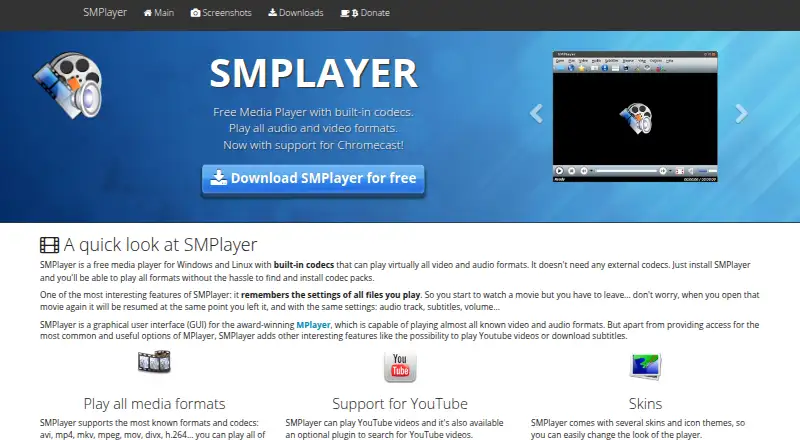
What SMPlayer is
SMPlayer is a free, open-source media player for Windows, Linux, and macOS. Its built-in codecs let it play most audio and video formats without separate codecs, and its listed format support includes AVI, WMV, MP4, Matroska, H.264, MP3, AAC, and more. It supports network playback, subtitles, hardware acceleration, and 4K playback. SMPlayer provides a graphical interface for MPlayer and can also use mpv as its playback engine. It remembers where a file stopped and settings such as the chosen audio track, subtitles, and volume. Playback controls include speed adjustment, audio and video filters, audio and subtitle delay adjustments, and a video equalizer. The player can play YouTube videos, search for subtitles through OpenSubtitles, and send local videos or online streams to Chromecast devices. The project lists versions for its three desktop platforms, provides source code, and says it is available in more than 30 languages. Its listed plan costs nothing.
Who it suits
SMPlayer suits people looking for a free desktop player with broad format support and playback controls. It may also fit viewers who want network playback, subtitles, or Chromecast streaming.
What it does well
- Built-in codecs play most audio and video formats.
- Supports network playback, subtitles, and 4K playback.
- Remembers playback position and selected settings.
- Can send local videos and online streams to Chromecast.
- Available for Windows, Linux, and macOS.
What to know first
- Listed desktop platforms are limited to Windows, Linux, and macOS.
- The website uses Google Analytics and AdSense cookies.
- The privacy policy says submitted form and email information is collected.
Plans
| Plan | Billed and limits | Price |
|---|---|---|
| SMPlayer | Free media player · open source under GPL | Free |
As smplayer.info lists them, read 3 Oct 2026. The maker's own page has the final word.
Getting started
- Visit the SMPlayer website.
- Open the official downloads page.
- Choose the version for Windows, Linux, or macOS.
- Install or run the downloaded player on that platform.
SMPlayer is a desktop media player for people with varied audio and video libraries who want playback controls beyond the basics. Its broad format support and subtitle tools make it a capable free option; it is not a fit for readers seeking a mobile player.
Overview
Built-in codecs let SMPlayer play most audio and video formats without separate codec downloads. It also supports network playback, hardware acceleration and 4K playback, covering a wide range of local and online viewing. Resume playback is especially useful for longer files: the player remembers the position along with settings such as audio track, subtitles and volume.
SMPlayer is a graphical interface for MPlayer and can also use mpv as its playback engine. It plays YouTube videos, offers an optional plugin for searching them, and can send local videos and online streams to Chromecast. Those additions stretch it beyond a local-file player, though its platform reach remains desktop-focused.
Key features
Formats and playback controls
Supported formats include AVI, ASF/WMV/WMA, QT/MOV/MP4, RealAudio/RealVideo, Ogg/OGM, Matroska, MPEG-1/2, H.264, MPEG-4, MP3, AAC, AC3 and DTS, among others. Audio and video filters, adjustable playback speed, audio and subtitle delay controls, and a video equalizer offer practical ways to address timing and picture or sound preferences. That flexibility suits people with mixed media libraries; viewers who only need straightforward playback may find the extra controls unnecessary.
Subtitles and streaming
Subtitle support includes searching for and downloading subtitles from OpenSubtitles, and playback can retain the selected subtitle and audio track when resumed. YouTube playback and Chromecast sending add useful routes for online video and larger-screen viewing. The optional YouTube search plugin is an extra rather than a core requirement, so users who mainly browse and stream through a single integrated service may prefer a different kind of player.
Pricing
SMPlayer costs nothing. The free plan is the player itself, open source under the GPL, with no trial period or paid tier to weigh against its core playback features. That makes it a straightforward choice for anyone who wants capable desktop playback without a software fee.
Platforms
SMPlayer has versions for Windows, Linux and macOS, with source code also offered. The website says it is available in more than 30 languages. It does not suit someone who needs an Android or iOS player; desktop platform coverage is its boundary.
Who it's for
SMPlayer is best for desktop users who keep varied formats, need subtitle searching or timing adjustments, or value remembering playback settings across sessions. Its filters, equalizer and speed controls also suit viewers who want to tune playback rather than accept default settings. People looking for a simple mobile-first library or a highly integrated streaming service should consider another option.
Pros and cons
- Pro: Broad format support and built-in codecs reduce the need to source separate codecs for common media.
- Pro: Subtitle downloads, timing adjustments and playback resume make it practical for files with different language or synchronization needs.
- Pro: Network playback, YouTube support and Chromecast sending expand use beyond files stored locally.
- Con: Windows, Linux and macOS are the only supported platforms, so mobile users need another player.
- Con: The range of playback adjustments is more than some viewers need for basic video watching.
Alternatives
mpv is a free, open-source option with wide media-format, codec and subtitle support; choose it if a command-line media player is a better fit than SMPlayer's graphical interface.
MPlayer is another free option under GNU General Public License version 2, for readers comparing desktop media players.
Infuse suits readers using iOS or macOS who want additional video formats and high-resolution Dolby and DTS-HD audio in its Pro plan, priced at $1.99 a month with a free 7-day trial.
5KPlayer is a free player for iOS, macOS and Windows, making it an option for readers who need iOS coverage.
DivX Player offers a free plan with playback up to 4K, playlist and media-library features, and casting to DLNA-compatible devices; consider it if those library features or DLNA casting matter to you.
RealPlayer has a free plan with 720p downloads, which may suit readers focused on downloading video.
BS.Player offers a free plan for Android and Windows, a fit for readers who want mobile as well as desktop coverage.
VLC media player is another free option available on Android, iOS, Linux, macOS and Windows.
Browse more Media Player Software or Video Player Software.
Verdict
Choose SMPlayer if you want a free desktop player with wide format support, subtitle tools and useful control over playback speed, timing and picture or sound. Its main reason to look elsewhere is equally clear: anyone who needs Android or iOS coverage will need a player with mobile versions.
Verdict
SMPlayer combines broad playback support with controls for subtitles, speed, and audio or video adjustments. Its listed versions cover desktop platforms, and the player is free and open source under GPL.
Questions
How much does SMPlayer cost?
The listed SMPlayer plan costs nothing. The player is free and open source under the GPL license.
Which platforms does SMPlayer support?
SMPlayer is available for Windows, Linux, and macOS.
Does SMPlayer support subtitles?
Yes. It supports subtitles and can search for and download them from OpenSubtitles.
Can SMPlayer play YouTube videos?
Yes. It can play YouTube videos, and an optional plugin can search for them.
Is SMPlayer open source?
Yes. It is free and open source under the GPL license, and source code is available from the downloads page.
Where can users get help?
The project directs users to its forum for help and its bug tracker to report bugs.
Facts from SMPlayer's own pages
- Chromecast
- SMPlayer can send local videos and online streams to Chromecast devices. · smplayer.info, 3 Oct 2026
- Downloads
- The official downloads page offers versions for Windows, Linux, and macOS and provides source code. · smplayer.info, 3 Oct 2026
- Format support
- AVI,ASF/WMV/WMA,QT/MOV/MP4,RealAudio/RealVideo,Ogg/OGM,Matroska,MPEG-1/2,H.264,MPEG-4,MP3,AAC,AC3,DTS,and more · smplayer.info, 21 Sept 2026
- 4K playback
- Yes · smplayer.info, 21 Sept 2026
- Free plan
- Yes · smplayer.info, 21 Sept 2026
- Hardware acceleration
- Yes · smplayer.info, 21 Sept 2026
- Languages
- The website says SMPlayer is available in more than 30 languages. · smplayer.info, 3 Oct 2026
- License
- SMPlayer is free and open source under the GPL license. · smplayer.info, 3 Oct 2026
- License model
- free · smplayer.info, 21 Sept 2026
- Media player
- SMPlayer is a free media player with built-in codecs that plays most audio and video formats without requiring external codecs. · smplayer.info, 3 Oct 2026
- Network playback
- Yes · smplayer.info, 21 Sept 2026
- Supported platforms
- Windows,Linux,macOS · smplayer.info, 21 Sept 2026
- Playback controls
- Features include audio and video filters, playback speed adjustment, audio and subtitle delay adjustment, and a video equalizer. · smplayer.info, 3 Oct 2026
- Playback engine
- SMPlayer is a graphical interface for MPlayer and also supports mpv as a playback engine. · smplayer.info, 3 Oct 2026
- Privacy
- The website privacy policy says it collects personal information submitted through its forms and email addresses. · smplayer.info, 3 Oct 2026
- Resume playback
- It remembers playback position and settings such as audio track, subtitles, and volume for files played. · smplayer.info, 3 Oct 2026
- Subtitles
- SMPlayer can search for and download subtitles from OpenSubtitles. · smplayer.info, 3 Oct 2026
- Subtitle support
- Yes · smplayer.info, 21 Sept 2026
- Support
- The project directs users to its forum for help and to its bug tracker to report bugs. · smplayer.info, 3 Oct 2026
- Website analytics
- The privacy policy says the website uses Google Analytics cookies and Google AdSense cookies for interest-based advertising. · smplayer.info, 3 Oct 2026
- YouTube
- SMPlayer can play YouTube videos, and an optional plugin can search for them. · smplayer.info, 3 Oct 2026
Where SMPlayer stands on Freedom251
- Media Player Software#7 of 76
- Video Player Software#29 of 42