Freedom251 › Media Player Software
mpv
What mpv is
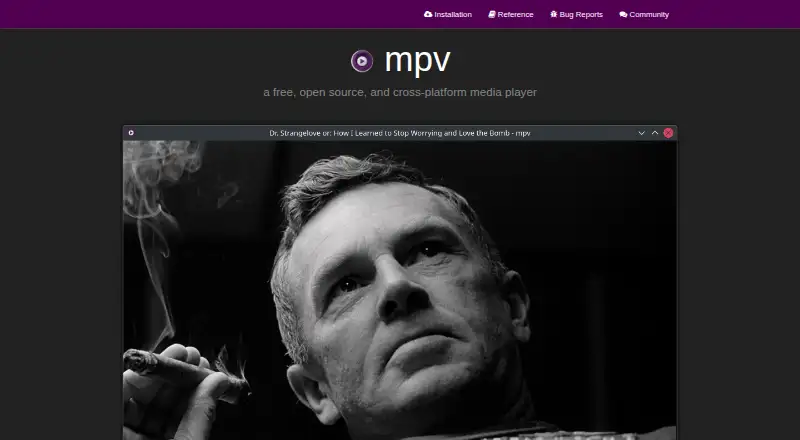
mpv is a free, open-source media player designed for command-line use, available on Windows, macOS, Linux and Android. It supports network playback, subtitles and a wide range of media formats, audio and video codecs, including MKV and MP4. The player has no full graphical interface, though a small on-screen controller provides basic controls. Its video output uses OpenGL, Vulkan and D3D11, with features such as scaling, color management, frame timing, interpolation and HDR. It supports 4K playback and can use hardware decoding APIs, including on-demand decoding while running. Scripts can extend the player, and a C API lets developers embed it in other applications. mpv is licensed under GPLv2 or later by default; builds configured with `-Dgpl=false` can use LGPLv2.1 or later. The project is actively developed, but only the latest stable release receives security updates, while older versions are unsupported and unmaintained. mpv is intended as a desktop player, not for untrusted environments, and supports scripts, subprocesses and playback control through IPC.
Who it suits
mpv suits people comfortable with a command-line-oriented media player and limited graphical controls. Its scripting and C API may also suit users extending or embedding a player.
What it does well
- Supports network playback and subtitles
- Includes 4K playback and hardware decoding
- Video features include HDR and interpolation
- Scripting and C API support
What to know first
- No full graphical interface
- Older releases are unsupported and unmaintained
- Not designed for untrusted environments
Plans
| Plan | Billed and limits | Price |
|---|---|---|
| Free and open source | command-line media player · wide media-format, codec, and subtitle support | Free |
As mpv.io lists them, read 1 Oct 2026. The maker's own page has the final word.
Getting started
- Visit https://mpv.io/ for installation guidance.
- Choose guidance for Windows, macOS, Linux, or Android.
- Install a platform package or follow the source-build guidance.
- Launch mpv from the command line and open media for playback.
- Use the on-screen controller for basic playback controls.
mpv is a free, open-source media player built for command-line use, best suited to technically comfortable viewers, script writers, and developers embedding playback. It offers unusually broad playback and video-output controls, but its minimal interface is a real obstacle if you want a conventional desktop player.
Overview
mpv supports a wide range of media formats, audio and video codecs, and subtitle types, including MKV and MP4. It also handles network playback and 4K video, with hardware acceleration across its supported platforms. That breadth makes it a capable choice for varied playback needs, but the command-line design shifts routine control away from menus and library browsing: the small on-screen controller is for basic playback, not a full graphical experience.
Key features
- Playback flexibility: Wide format, codec, and subtitle support helps avoid compatibility friction, while network playback extends use beyond local files. Hardware decoding can use most platform APIs and can be turned on while the player is running, giving users control over when decoding is offloaded.
- Video output controls: Output based on OpenGL, Vulkan, and D3D11 supports scaling, color management, frame timing, interpolation, and HDR. These options suit viewers who care about tuning rendering; they are less of a draw for someone who wants playback to stay simple.
- Scripting and integration: User scripts can substantially extend the player, and a C API lets developers embed mpv as a library in other applications. Those are meaningful advantages for customization and software integration, but they do not compensate for the sparse GUI if your priority is point-and-click use.
- Project development: Development includes refactoring, cleanup, and feature work; users can submit patches or request features. Security support is narrower: only the latest stable release receives updates, so older versions are unsupported and unmaintained. Because mpv supports scripts, subprocesses, and IPC playback control, it is not designed for untrusted environments.
Pricing
mpv is free and open source. Its Free and open source plan costs nothing and provides the command-line media player with broad format, codec, and subtitle support; there are no paid tiers to weigh against that capability. The trade-off is not a reduced free tier but the need to accept command-line-oriented use and the project’s release-support policy. The default license is GPLv2 or later; builds configured with -Dgpl=false can use LGPLv2.1 or later.
Platforms
mpv supports Windows, macOS, Linux, and Android. The project’s requirements include Windows 10 1607 or later, macOS 10.15 or later, or a not-too-ancient Linux distribution, along with a capable CPU and GPU. Installation guidance covers packages, Android, and source builds; many binaries are unofficial third-party builds. For most users building from source, the project recommends helper scripts that produce a static build with FFmpeg, libplacebo, and libass.
Who it's for
Choose mpv if you value broad playback support, detailed video rendering controls, scripting, or a C API for integrating playback into software—and are comfortable with a command-line-first player. It is a poor fit for users who expect a full graphical interface for managing and browsing media. Treat release currency as part of the decision: staying on the latest stable version matters for security updates, and mpv should not be used to handle untrusted environments.
Pros and cons
- Pro: Broad format, codec, and subtitle support, plus network and 4K playback, covers varied media without limiting the player to basic local files.
- Pro: Hardware decoding and extensive video-output controls offer useful flexibility for viewers who want to tune playback.
- Pro: Scripting and the embeddable C API make mpv adaptable for power users and developers.
- Con: No full GUI means everyday use is less approachable for anyone who prefers conventional menus and media browsing.
- Con: Older stable releases do not receive security updates, making version maintenance important.
- Con: Script, subprocess, and IPC capabilities make it unsuitable for untrusted environments.
Alternatives
VLC media player is a free option for readers who want support across Android, iOS, Linux, macOS, and Windows and value its no-spyware, no-ads, and no-tracking positioning. Bitmovin Player is worth considering for a freemium, usage-based option with 10k free impressions per month and a $1.5 charge per additional 1k impressions. KMPlayer offers free PC player options, including a 64X version described as having no advertisements. 5KPlayer is another free choice, with no subscription required, for readers looking across iOS, macOS, and Windows. GOM Player may suit readers considering a permanent-license option at $22 a month, billed as a permanent license for 1 PC. Infuse is an iOS and macOS option whose Pro monthly plan costs $1.99 a month, includes a free 7-day trial, and adds video formats and high-resolution Dolby and DTS-HD audio. Kodi is a free alternative for Android, iOS, Linux, macOS, and Windows. MPlayer is a free option for Linux, macOS, and Windows, licensed under GNU General Public License version 2.
Browse more options in Video Player Software and Media Player Software.
Verdict
mpv is the right pick for command-line-comfortable viewers, customizers, and developers who want broad playback support, tunable video output, or an embeddable player at no cost. Its strongest reason to choose it is that combination of playback breadth and extensibility; its strongest reason to look elsewhere is the absence of a full GUI, compounded by the need to keep current for security updates.
Verdict
mpv offers broad media support, video controls and extension options in a command-line-focused player. Its limited GUI and release support policy are important considerations.
Questions
How much does mpv cost?
The Free and open source plan costs nothing.
Is mpv open source?
Yes. It is licensed GPLv2 or later by default. Builds configured with `-Dgpl=false` can use LGPLv2.1 or later.
Which platforms does mpv support?
Windows, macOS, Linux, and Android are supported.
Does mpv have a graphical interface?
It has no full graphical interface, but includes a small on-screen controller for basic control.
Can mpv play network media and subtitles?
Yes. It supports network playback and subtitle types.
How long are older releases supported?
Only the most recent stable release receives security updates; older releases are unsupported and unmaintained.
Facts from mpv's own pages
- Active development
- Development focuses on refactoring, cleanups, and adding features. · mpv.io, 27 Sept 2026
- Builds
- The project says Windows and macOS binary packages are generally unofficial third-party builds, while first-party CI builds may miss features. · mpv.io, 1 Oct 2026
- Audio video codecs
- It supports a wide variety of audio and video codecs. · mpv.io, 27 Sept 2026
- Command-line player
- mpv is designed as a media player for the command line. · mpv.io, 27 Sept 2026
- Community support
- Users and developers can get help through IRC, GitHub Discussions, the issue tracker, and the public wiki. · mpv.io, 30 Sept 2026
- Development
- The project is under active development focused on refactoring, cleanup, and adding features. · mpv.io, 30 Sept 2026
- Downloads
- Official installation guidance covers Windows, macOS, Linux packages, Android, and source builds, while noting that many binaries are unofficial third-party builds. · mpv.io, 30 Sept 2026
- Embeddable C API
- A C API lets developers use mpv as a library and integrate it into applications. · mpv.io, 27 Sept 2026
- Embedding
- A C API makes mpv usable as a library for integration into other applications. · mpv.io, 1 Oct 2026
- Feature requests
- Users can post patches or request features. · mpv.io, 27 Sept 2026
- Format support
- Matroska (MKV),MP4 · mpv.io, 21 Sept 2026
- 4K playback
- Yes · mpv.io, 21 Sept 2026
- Free plan
- Yes · mpv.io, 21 Sept 2026
- Hardware acceleration
- Yes · mpv.io, 21 Sept 2026
- Hardware decoding
- mpv can use most hardware decoding APIs on all platforms, enabled at runtime when desired. · mpv.io, 1 Oct 2026
- Integrations
- Applications and scripts can control mpv through JSON IPC, the libmpv C API, or user scripts. · mpv.io, 1 Oct 2026
- License
- mpv is GPLv2 or later by default, with an LGPLv2.1-or-later option when built with -Dgpl=false. · github.com, 1 Oct 2026
- License model
- free · mpv.io, 21 Sept 2026
- Media format support
- It supports a wide variety of media file formats. · mpv.io, 27 Sept 2026
- Media support
- It supports a wide variety of media file formats, audio and video codecs, and subtitle types. · mpv.io, 1 Oct 2026
- Minimal graphical interface
- mpv provides no real GUI, but includes a small on-screen controller. · mpv.io, 27 Sept 2026
- Network playback
- Yes · mpv.io, 21 Sept 2026
- Platforms
- Official installation guidance lists Windows, macOS, Linux packages, Android, and several BSD and Haiku packages. · mpv.io, 1 Oct 2026
- Product
- mpv is a free, open source, cross-platform command-line media player. · mpv.io, 1 Oct 2026
Where mpv stands on Freedom251
- Media Player Software#2 of 76
- Video Player Software#12 of 42