Freedom251 › Media Player Software

KMPlayer
by KMPlayer
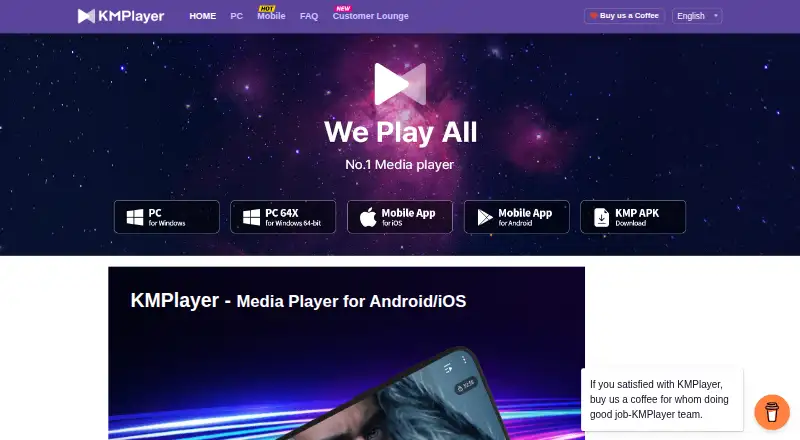
What KMPlayer is
KMPlayer is a media player for Windows, macOS, iOS, and Android. It plays video and audio formats including AVI, MP4, MKV, MOV, WMV, FLV, MPEG, MP3, AAC, FLAC, and WAV, and supports subtitles such as SRT, ASS, SSA, and WebVTT. Hardware acceleration and 4K playback are listed features; KMPlayer 64X also supports 8K, UHD, and 60FPS video. On mobile, users can transfer files between a device and a PC on the same Wi-Fi network, use cloud playback, adjust subtitle size, color, and position, and change playback speed from 0.25x to 4x. The player can run video in the background and play YouTube from an entered URL. Premium features for Android include magnet playback, GIF creation, media cropping, and MP3 conversion. The pricing note lists a free plan and a 3-day trial, but no Premium price is specified.
Who it suits
KMPlayer suits people looking for a player across desktop and mobile platforms, with subtitle controls and support for many media formats. Mobile users may also find its Wi-Fi file sharing, cloud playback, and speed controls useful.
What it does well
- Available for Android, iOS, macOS, and Windows.
- Supports hardware acceleration and 4K playback.
- Mobile subtitle size, color, and position controls.
- Mobile playback speed ranges from 0.25x to 4x.
What to know first
- Premium features are listed for Android only.
- No Premium price is specified.
- The listed trial lasts 3 days.
Limits
The listed pricing note mentions a 3-day trial. Premium features for Android include magnet playback, GIF creation, media cropping, and MP3 conversion; no Premium price is provided in the listed plan information.
Plans
| Plan | Billed and limits | Price |
|---|---|---|
| KMPlayer 64X | — | On request |
| KMPlayer PC | — | On request |
| Premium | — | On request |
As kmplayer.com lists them, read 28 Sept 2026. The maker's own page has the final word.
Getting started
- Open the KMPlayer website.
- Choose the version for Windows, macOS, iOS, or Android.
- For PC, choose the 32-bit or 64-bit edition where applicable.
- Install the player and open a media file.
- On mobile, transfer files from a PC over the same Wi-Fi network if needed.
- Enter a YouTube URL in the player to play its video.
Verdict
KMPlayer combines broad format support with subtitle and playback controls across desktop and mobile. The listed pricing information does not give a price for Premium, so check plan details if you need its additional features.
Questions
Is KMPlayer free?
KMPlayer is presented as a free video player for PC and mobile. The pricing note also mentions a free plan and a 3-day trial.
Which platforms does KMPlayer support?
It is available for Windows, macOS, iOS, and Android. PC editions include 32-bit and 64-bit versions, plus Mac.
What media formats can it play?
Listed formats include AVI, MP4, MKV, MOV, WMV, FLV, MPEG, MP3, AAC, FLAC, WAV, SRT, ASS, SSA, and WebVTT.
What features are included in Premium?
Premium features for Android include magnet playback, GIF creation, media cropping, and MP3 conversion.
Who operates KMPlayer?
KMPlayer is operated by PandoraTV. The maker identifies its headquarters as Seongnam, Gyeonggi-do, South Korea.
Does KMPlayer support 4K video?
Yes. KMPlayer supports 4K playback, and KMPlayer 64X supports 4K, 8K, UHD, and 60FPS video.
Facts from KMPlayer's own pages
- Background Playback
- KMP can play video in the background. · kmplayer.com, 28 Sept 2026
- Cloud Playback
- The mobile app includes an enhanced cloud playback function. · kmplayer.com, 28 Sept 2026
- Company Location
- The site identifies the company location as Pangyo. · kmplayer.com, 28 Sept 2026
- Company Owner
- KMPlayer is operated by PandoraTV. · kmplayer.com, 28 Sept 2026
- Format Coverage
- KMPlayer 64X supports formats including AVI, MPEG, TS, MKV, MP4, WEBM, MOV, and more. · kmplayer.com, 28 Sept 2026
- Format support
- AVI,MP4,MKV,MOV,WMV,FLV,MPEG,MP3,AAC,FLAC,WAV,SRT,ASS,SSA,WebVTT · kmplayer.com, 21 Sept 2026
- 4K playback
- Yes · kmplayer.com, 21 Sept 2026
- Free plan
- Yes · kmplayer.com, 21 Sept 2026
- Free Video Player
- KMPlayer is presented as a free video player for PC and mobile. · kmplayer.com, 28 Sept 2026
- Hardware Acceleration
- Hardware acceleration optimizes KMPlayer 64X for low-end PCs. · kmplayer.com, 28 Sept 2026
- Headquarters
- Seongnam, Gyeonggi-do, South Korea · kmplayer.com, 23 Sept 2026
- High-Quality Video
- KMPlayer 64X supports 4K, 8K, UHD, and 60FPS video. · kmplayer.com, 28 Sept 2026
- License model
- subscription · kmplayer.com, 21 Sept 2026
- Mobile Format Playback
- The Android/iOS app plays all formats with extensive features. · kmplayer.com, 28 Sept 2026
- Network Playback
- The mobile app supports enhanced SMB, FTP, and UPNP network functions. · kmplayer.com, 28 Sept 2026
- Long PC History
- The PC player has been loved worldwide for over 20 years. · kmplayer.com, 28 Sept 2026
- PC Platforms
- PC versions are available in 32-bit and 64-bit editions, plus Mac. · kmplayer.com, 28 Sept 2026
- Supported platforms
- Windows,macOS,iOS,Android · kmplayer.com, 21 Sept 2026
- Playback Speed
- KMP supports playback speeds from 0.25x slower to 4x faster. · kmplayer.com, 28 Sept 2026
- Premium Features
- Premium includes magnet playback, GIF creation, media cropping, and MP3 conversion. · kmplayer.com, 28 Sept 2026
- Subtitle Controls
- Users can adjust subtitle size, color, and position. · kmplayer.com, 28 Sept 2026
- Subtitle support
- Yes · kmplayer.com, 21 Sept 2026
- Support Phone
- The site lists a contact telephone number. · kmplayer.com, 28 Sept 2026
- URL Streaming
- KMP can play YouTube through an entered URL. · kmplayer.com, 28 Sept 2026
Where KMPlayer stands on Freedom251
- Media Player Software#3 of 76
- Video Player Software#7 of 42