VisualSubSync
What VisualSubSync is
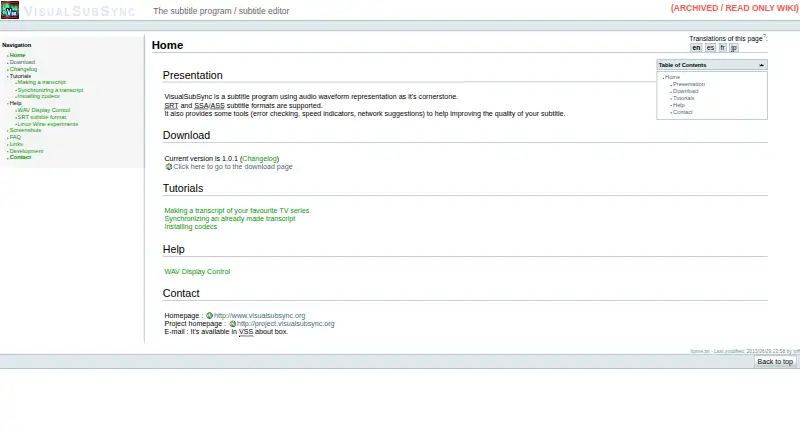
VisualSubSync is a Windows subtitle editor that uses an audio waveform to guide subtitle creation and timing. Editors can select a section of audio and enter its matching words, or load a plain-text or RTF transcript and synchronize chosen text with the sound. It works with SRT and SSA/ASS subtitles and can export SRT files. Checks flag overlaps, display times that are too short or long, and lines that exceed a configured length; speed indicators and network suggestions also support subtitle review. In network mode, other people can use a browser to send missing words or subtitle suggestions to the editor. A translation mode can show a second subtitle file as a reference, while JavaScript plugins can add error detection and correction functions. A project can be created from a video, with audio extracted to WAV for waveform-based editing. Playback uses Windows DirectShow, so some files may need codecs or splitter filters. The project is described by its maker as a hobby effort developed in Delphi and C++, and it is open source under the GNU General Public License version 2.0. Version 1.0.1 is listed as current; its changelog dates that release to 2013-06-29.
Who it suits
VisualSubSync suits Windows users who want to create or refine subtitles against an audio waveform, including editors working from transcripts. Its SRT and SSA/ASS support, browser-based suggestions, and configurable checks are useful for subtitle review and collaboration.
What it does well
- Create subtitles by selecting audio regions and entering text.
- Supports SRT and SSA/ASS, with SRT export.
- Checks overlaps, subtitle duration, and configured line length.
- Browser-based network mode accepts word and subtitle suggestions.
- Open source under the GNU General Public License version 2.0.
What to know first
- Made for Windows; other operating systems are unsupported, with Wine only suggested as a possibility.
- Some media files may need codecs or splitter filters for playback.
- WAV extraction does not check available disk space.
Limits
The plan is free. Playback uses Windows DirectShow, some files may require codecs or splitter filters, and WAV extraction does not check whether enough disk space is available.
Plans
| Plan | Billed and limits | Price |
|---|---|---|
| VisualSubSync | Subtitle editor; SRT and SSA/ASS formats; Windows | Free |
As visualsubsync.org lists them, read 9 Oct 2026. The maker's own page has the final word.
Getting started
- Visit the VisualSubSync website.
- Install it on Windows.
- Create a project from a video and extract its audio to WAV.
- Edit subtitles against the waveform, or load a plain-text or RTF transcript to synchronize text.
Verdict
Choose VisualSubSync if you need a free Windows editor centered on waveform-based subtitle creation and checks. Look elsewhere if you need an application made for a non-Windows operating system or want to avoid managing media codecs and filters.
Questions
How much does VisualSubSync cost?
The listed plan is free.
Which subtitle formats does it support?
It supports SRT and SSA/ASS formats and can export SRT.
Which operating systems does it support?
It is for Windows. The FAQ says it is not made for other operating systems and suggests Wine only as a possibility.
Is VisualSubSync open source?
Yes. SourceForge lists it under the GNU General Public License version 2.0.
Does it offer a free trial?
No; the listed facts say there is no free trial.
What version is current?
The home page lists version 1.0.1, and the changelog dates it to 2013-06-29.
Facts from VisualSubSync's own pages
- Collaboration
- A tutorial describes a built-in network mode where others can review subtitles in a web browser and submit suggestions. · visualsubsync.org, 9 Oct 2026
- Development
- The maker describes VSS as a hobby project developed in Delphi and C++. · visualsubsync.org, 9 Oct 2026
- Development status
- The 1.0.0 changelog says the developer was unsure whether work on the project would continue and describes it as open source from the start. · visualsubsync.org, 9 Oct 2026
- Error checks
- The documented checks include overlapping subtitles, too short or too long display time, and lines exceeding a configured length. · visualsubsync.org, 9 Oct 2026
- Free plan
- Yes · visualsubsync.org, 20 Sept 2026
- Known limits
- The FAQ notes that WAV extraction does not check whether enough disk space is available. · visualsubsync.org, 9 Oct 2026
- Last release
- The changelog dates version 1.0.1 to 2013-06-29. · visualsubsync.org, 9 Oct 2026
- License
- SourceForge lists VisualSubSync under the GNU General Public License version 2.0. · sourceforge.net, 9 Oct 2026
- Linux support
- The FAQ says VSS is not made for operating systems other than Windows and only suggests Wine as a possibility. · visualsubsync.org, 9 Oct 2026
- Media workflow
- The tutorial describes creating projects from video, extracting audio to WAV, and editing against the displayed waveform. · visualsubsync.org, 9 Oct 2026
- Platform
- The project's SourceForge page lists Windows as its operating system. · sourceforge.net, 9 Oct 2026
- Plugins
- The changelog says JavaScript plugins can add custom error detection and correction functions. · visualsubsync.org, 9 Oct 2026
- Purpose
- VisualSubSync is a subtitle editor built around an audio waveform display. · visualsubsync.org, 9 Oct 2026
- Quality tools
- It provides error checking, speed indicators, and network suggestions to help improve subtitles. · visualsubsync.org, 9 Oct 2026
- Spell checking
- The changelog describes a spell checker based on Hunspell and says dictionaries must be downloaded and installed separately. · visualsubsync.org, 9 Oct 2026
- SRT export
- Yes · visualsubsync.org, 20 Sept 2026
- Subtitle formats
- It supports SRT and SSA/ASS subtitle formats. · visualsubsync.org, 9 Oct 2026
- Transcription
- Users can create subtitles by selecting audio regions in the waveform and entering the corresponding text. · visualsubsync.org, 9 Oct 2026
- Transcript sync
- The text pipe can load plain text or RTF transcripts and help synchronize selected text with audio. · visualsubsync.org, 9 Oct 2026
- Translation
- The changelog describes a translation mode that displays a second subtitle file for reference without allowing it to be edited. · visualsubsync.org, 9 Oct 2026
- Version
- The home page lists version 1.0.1 as the current version. · visualsubsync.org, 9 Oct 2026
- Video scene changes
- Version 1.0.1 added basic MP4 container scene-change support using synchronization points. · visualsubsync.org, 9 Oct 2026
- Windows dependency
- The application uses Windows DirectShow for media playback and says codecs or splitter filters may be needed for some files. · visualsubsync.org, 9 Oct 2026
Where VisualSubSync stands on Freedom251
- Subtitle tools#17 of 31
- Subtitle Software#19 of 31