Freedom251 › Browser Isolation Software
VirtualBrowser
What VirtualBrowser is
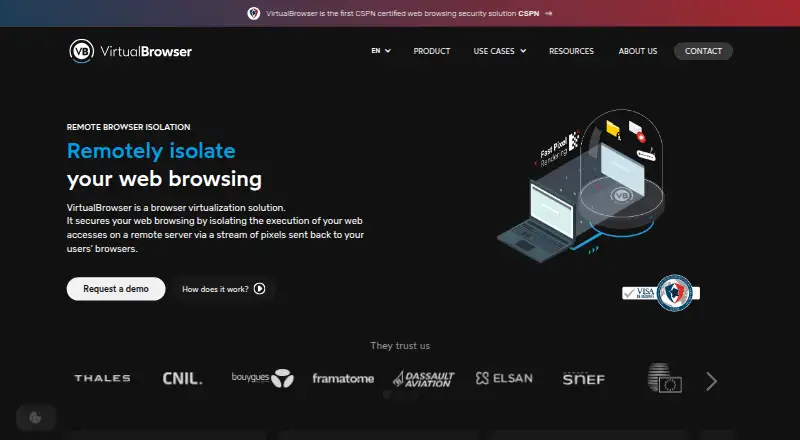
VirtualBrowser runs web browsing in a remote server or virtual container and streams a visual version of pages to users. The product says no code runs on the user’s computer, and the remote container and its data are removed at the end of a session. Administrators can set site-specific rules for keyboard input, copying and pasting, uploads, downloads, printing, read-only access, and camera or microphone use. The console also supports remote document previews and watermarks. The product says it blocks tracking cookies and includes an ad-blocking extension. It supports online meetings such as Teams, Zoom, Google Meet, and Webex, with controls for cameras, microphones, and screen sharing. Organizations can use SAML or LDAP authentication and route isolation through a proxy. Deployment is SaaS hosted in Europe or on customer servers; the on-premise option lists ICAP integration with content analysis systems, while SaaS lists antivirus analysis. Compatibility includes Chrome, Firefox, Safari, and Edge across operating systems. VirtualBrowser says its browsing security solution has CSPN certification. Pricing is on request.
Who it suits
It suits organizations seeking isolated access to risky or sensitive sites, unmanaged devices, or web applications. Its listed use cases also include SOC or OSINT investigations and browsing while mobile or in sensitive locations.
What it does well
- Remote sessions remove the container and its data afterward.
- Administrators can control file transfers and other site actions.
- SaaS and customer-server deployments are available.
- Supports SAML or LDAP authentication.
- The maker says the solution has CSPN certification.
What to know first
- Pricing is available only on request.
- Customer-server deployment is required for the listed ICAP integration.
- No numeric product price is stated.
Plans
| Plan | Billed and limits | Price |
|---|---|---|
| VirtualBrowser | SaaS or on-premise deployment · shared or dedicated server options · contact for quote | On request |
As virtualbrowser.com lists them, read 9 Oct 2026. The maker's own page has the final word.
Getting started
- Visit the VirtualBrowser website.
- Request a demo or quote through the contact page.
- Choose Europe-hosted SaaS or on-premise deployment on your servers.
- Select shared or dedicated server options when requesting a quote.
- Use a compatible browser: Chrome, Firefox, Safari, or Edge.
VirtualBrowser is remote browser isolation software for organizations that need tighter control over web sessions. It is best suited to security teams protecting access to risky sites, sensitive applications, or unmanaged devices. Its remote execution and session cleanup are compelling, but custom pricing and the choice between SaaS and on-premise deployment make it a procurement-led decision.
Overview
VirtualBrowser runs web pages in a remote server or virtual container and streams their rendered appearance to the user. The maker says web code does not execute on the user’s computer and that the container and its data are removed when a session ends. That is a strong fit for reducing exposure from untrusted browsing and limiting session residue, especially on devices an organization does not manage.
This is not a general-purpose personal browser. Administrators can apply site-specific rules to keyboard input, copying, pasting, uploads, downloads, printing, read-only access, and camera or microphone use. The console also supports remote document previews and watermarks, useful when sensitive material must be viewed without treating access as unrestricted.
Key features
Tracking cookies are blocked, and an ad-blocking extension is intended to limit trackers and browser fingerprinting. For meetings, VirtualBrowser supports online conferencing with controls for cameras, microphones, and screen sharing; the homepage names Teams, Zoom, Google Meet, and Webex. This makes it more accommodating than an isolation tool focused only on static browsing, though meeting controls remain part of an administrator-managed environment.
SAML or LDAP authentication and explicit or transparent isolation through an organization’s proxy server support integration into existing access arrangements. SaaS includes integrated antivirus analysis; the on-premise option lists ICAP integration with content analysis systems. These options give security teams a choice of scanning and hosting approach, rather than a single deployment pattern.
The maker says the solution received CSPN certification from France’s ANSSI following an independent laboratory evaluation. It is compatible with Chrome, Firefox, Safari, and Edge across operating systems. That breadth supports mixed-browser environments, while certification is relevant to organizations evaluating security credentials; it does not replace assessing the deployment and controls they need.
Pricing
VirtualBrowser: custom pricing. The plan is offered as SaaS or on-premise, with shared or dedicated server options, and buyers are directed to request a quote. No numeric price is stated, so organizations should obtain a quote before comparing total cost or deciding between hosting models.
The SaaS option is hosted in Europe and includes integrated antivirus analysis. On-premise runs on the customer’s servers and lists ICAP integration with content analysis systems. The stated plan information does not establish seat allowances or quotas, so those should be confirmed as part of a quote. Demo and quote requests are available, and technical support is listed at [email protected].
Platforms
VirtualBrowser lists Android, iOS, Linux, macOS, Windows, and web, alongside self-hosted deployment. Browser compatibility is stated for Chrome, Firefox, Safari, and Edge. The broad platform range is useful for organizations with mixed endpoints, while self-hosting is an infrastructure choice rather than an additional client platform.
Who it's for
VirtualBrowser is suited to organizations securing access to risky or uncategorized sites, sensitive web applications, unmanaged devices, and browsing during mobile work or in sensitive locations. SOC and OSINT investigators may also value remote sessions and adjustable site permissions. It is a weaker fit for individuals or buyers seeking a self-service, fixed-price browser, since the product is positioned around administrative controls and quote-based purchasing.
Pros and cons
- Pro: Remote rendering and session destruction reduce local execution and leftover session data, a useful combination for higher-risk browsing.
- Pro: Site-specific controls cover interaction, file transfer, printing, read-only access, and device media, letting administrators tailor access rather than simply allow or block it.
- Pro: European SaaS hosting and customer-server deployment offer materially different hosting choices; on-premise also lists ICAP content-analysis integration.
- Con: Custom pricing means buyers need a quote to evaluate cost, and no seat or usage allowance is stated for the plan.
- Con: The product’s administrative focus and deployment decision may be excessive for personal use or teams wanting a simple browser subscription.
Alternatives
BrowserGap is worth considering for buyers seeking a free, source-available community edition; its stated terms include AGPL-3.0 and a custom exemption, with use permitted for government, researchers, journalists, and nonprofits.
Netzilo Enterprise Browser may suit a smaller organization wanting a free entry point: its Free plan covers up to 5 users and 100 devices, with community support only.
Kasm Workspaces offers a free Community plan for five concurrent sessions, but it excludes commercial use; consider it when that constraint fits.
Menlo Security Secure Cloud Browser is another paid option with custom quote pricing and product and user counts affecting the quote.
ViewFinder is a free alternative.
Citrix Remote Browser Isolation may fit buyers comfortable with pooled-user licensing; its Single Edition subscription includes 5,000 pooled user hours, with additional hours available through Citrix or Azure Marketplace.
DefensX Remote Browser Isolation offers a free trial and paid Core and Premium plans, with Premium adding remote browser isolation and 90-day log retention.
Zscaler Private Access is an alternative paid product for private access.
For a broader category comparison, see Browser Isolation Software.
Verdict
Choose VirtualBrowser if your organization needs remote browser isolation with granular interaction controls, session cleanup, and a choice of European SaaS or on-premise hosting. Its strongest reason to buy is the combination of isolation and policy control across risky and sensitive browsing; its main drawback is that quote-based pricing leaves cost assessment to procurement, and buyers must determine which hosting model suits their environment.
Verdict
VirtualBrowser combines remote browsing isolation with administrative controls, meeting support, and SaaS or on-premise deployment. Request a quote to assess the cost and determine which hosting and controls fit your organization.
Questions
How much does VirtualBrowser cost?
Pricing is available on request; the maker directs visitors to request a quote.
Which deployment options are available?
VirtualBrowser is offered as SaaS hosted in Europe or as an on-premise deployment on the customer’s servers.
Which browsers does it support?
The product says it is compatible with Chrome, Firefox, Safari, and Edge across operating systems.
Does it scan content for malware?
Yes. The SaaS option lists integrated antivirus analysis, and the on-premise option lists ICAP integration with content analysis systems.
What authentication does it support?
The product lists SAML or LDAP authentication.
Where is VirtualBrowser based?
VirtualBrowser describes itself as a French software publisher, with research and development in Paris and Lyon. Its headquarters are in Paris, France.
Facts from VirtualBrowser's own pages
- Access controls
- Administrators can set site access policies and control keyboard input, copying, pasting, printing, uploads, and downloads. · virtualbrowser.com, 9 Oct 2026
- Authentication and proxy
- Business users can authenticate through SAML or LDAP, and browsing can use explicit isolation or transparent mode through an organization proxy. · virtualbrowser.com, 9 Oct 2026
- Certification
- VirtualBrowser states that its web browsing security solution is CSPN-certified. · virtualbrowser.com, 9 Oct 2026
- Company
- VirtualBrowser describes itself as a French software publisher specializing in remote browser isolation, with research and development in Paris and Lyon. · virtualbrowser.com, 9 Oct 2026
- Compatibility
- The company says the service works with Chrome, Firefox, Safari, and Edge across operating systems. · virtualbrowser.com, 9 Oct 2026
- Content scanning
- The on-premise option lists integration with a content analysis system using ICAP; the SaaS option lists integrated antivirus analysis. · virtualbrowser.com, 9 Oct 2026
- Document protection
- The service supports remote document preview and optional watermarking. · virtualbrowser.com, 9 Oct 2026
- Headquarters
- The contact page lists offices in Paris, Lyon, Brussels, and Vernier; it does not identify a headquarters. · virtualbrowser.com, 9 Oct 2026
- Hosting
- The service offers SaaS hosted in Europe and an on-premise virtual appliance deployment. · virtualbrowser.com, 9 Oct 2026
- Interaction controls
- Administrators can set site-specific policies for keyboard input, copy and paste, uploads, downloads, printing, read-only access, and camera or microphone use. · virtualbrowser.com, 8 Oct 2026
- No local web execution
- The product page says no code is executed on the user's computer and that the browsing container is destroyed, with its data removed, at the end of a session. · virtualbrowser.com, 8 Oct 2026
- Pricing availability
- The maker directs visitors to request a quote; no numeric product price is stated on the product page. · virtualbrowser.com, 8 Oct 2026
- Privacy features
- The product says it blocks tracking cookies and includes an ad-blocking extension. · virtualbrowser.com, 9 Oct 2026
- Product
- VirtualBrowser isolates web browsing in a remote server or virtual container and streams a visual representation of pages to users. · virtualbrowser.com, 8 Oct 2026
- Security certification
- VirtualBrowser says its RBI solution received CSPN certification from France's ANSSI, following an independent laboratory evaluation. · virtualbrowser.com, 8 Oct 2026
- Session cleanup
- The remote container is destroyed and its data removed from the server at the end of a browsing session. · virtualbrowser.com, 9 Oct 2026
- Support
- The contact page lists technical support at [email protected]. · virtualbrowser.com, 9 Oct 2026
- Support and sales
- The contact page offers demo and quote requests and lists support at [email protected]. · virtualbrowser.com, 8 Oct 2026
- Tracking protection
- The product page says it blocks tracking cookies and includes an ad-blocking extension to limit trackers and browser fingerprinting. · virtualbrowser.com, 8 Oct 2026
- Use cases
- The maker lists secure access to risky or uncategorized sites, sensitive web applications, unmanaged devices, SOC or OSINT investigations, and browsing while mobile or in sensitive locations. · virtualbrowser.com, 8 Oct 2026
- Video conferencing
- VirtualBrowser supports access to online video conferencing and controls for camera, microphone, and screen sharing. · virtualbrowser.com, 9 Oct 2026
- What it does
- VirtualBrowser isolates web browsing in a remote container and sends the user a pixel stream of the rendered content. · virtualbrowser.com, 9 Oct 2026
Where VirtualBrowser stands on Freedom251
- Browser Isolation Software#17 of 24