Freedom251 › Browser Isolation Software
ViewFinder
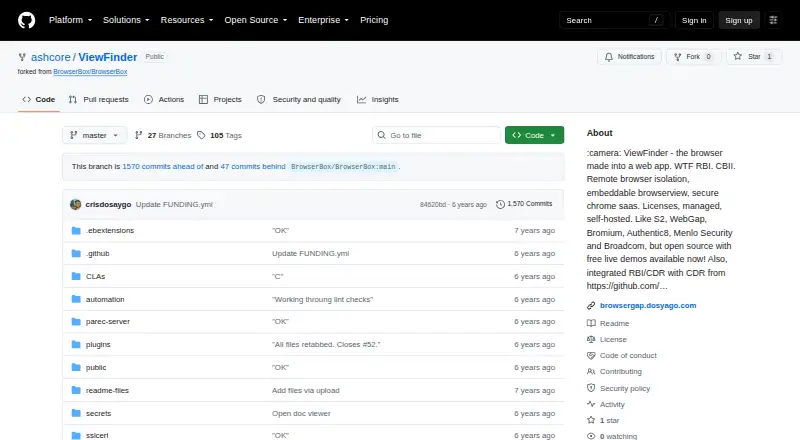
What ViewFinder is
ViewFinder is a remote browser isolation product that runs a virtualized browser inside the user’s browser. It sends the remote page as pixels, so the page’s HTML, CSS, and JavaScript do not run on the user’s device. The project describes two uses: embedding applications in another web app and providing secure browsing on locked-down internal networks. Developers can include a BrowserView in another web application for non-commercial use, and the managed API, VF.openSecurely(url), opens links in a secure remote browser context. Listed working features include file uploads and downloads, new and incognito tabs, form input, and clearing cache, history, and session cookies. ViewFinder can run locally, in a cloud, or on a server, and self-hosting instructions are provided. Windows, Mac OS, and Linux binaries are listed; Google Chrome is required. An integrated CDR viewer for secure document viewing is available on request, and a free demo of the managed cloud service is linked. The software is dual-licensed, with commercial licensing information available from the README.
Who it suits
ViewFinder may suit developers embedding browser-based applications or organizations seeking remote browsing for locked-down networks. It also offers local, cloud, and server deployment options.
What it does well
- Sends remote page pixels instead of executing page code locally.
- Supports uploads, downloads, tabs, and form input.
- Can be deployed locally, in a cloud, or on a server.
- Open source and free.
What to know first
- Google Chrome is required.
- Text selection and WebGL are unimplemented.
- Mobile zoom is buggy; multi-touch is unavailable on mobile and tablets.
- Commercial licensing information is separate from the free offering.
Limits
BrowserView embedding in another web application is for non-commercial use. Text selection, WebGL, multiple windows, browser settings, and a history-entry summary are listed as unimplemented; mobile zoom is buggy and multi-touch is not implemented on tablets and mobile devices.
Getting started
- Open the ViewFinder GitHub project page.
- Choose a Windows, Mac OS, or Linux binary; Google Chrome is required.
- Follow the README’s self-hosting instructions to deploy locally, in a cloud, or on a server.
- For managed cloud use, open the free demo linked from the README.
- For a commercial license or business and deployment enquiries, use the links or contact in the README.
ViewFinder is a remote browser isolation system that renders a virtual browser away from the user’s device. It is best suited to developers embedding controlled browsing in another web application and organizations securing access on restricted networks. Its remote pixel stream is a strong security and deployment foundation, but unfinished browser functions and a required Chrome installation narrow its everyday usefulness.
Overview
ViewFinder sends the remote page to the user as pixels, leaving the page’s HTML, CSS, and JavaScript outside the user’s browser environment. That separation is designed to reduce exposure to exploits, malware, and zero-day vulnerabilities. It is a meaningful security model for untrusted sites, though users receive a rendered remote session rather than a complete local-browser experience.
The software can run locally, on a server, in a cloud environment, or as a managed cloud service. Self-hosting is documented from source and through Docker, giving infrastructure teams control over where sessions run. A free managed-service demo is available, but there is no stated trial duration. The project is dual-licensed: open-source use is offered alongside commercial licensing information for business deployments.
Key features
Remote browsing
Working browser functions include new tabs, incognito tabs, file upload and download, form input, and clearing cache, history, and session cookies. Those capabilities cover many embedded workflows and controlled research sessions. They do not amount to feature parity with a regular browser: text selection, WebGL, multiple windows, browser settings, and a summary of history entries are unimplemented. Page zooming is buggy, while pinch or spread zoom is unreliable and multi-touch is absent on tablets and phones.
Embedding and automation
Developers can place a BrowserView inside another web application for non-commercial use. The managed API method VF.openSecurely(url) opens a link in a secure remote-browser context, which is a direct way to route selected links through isolation. The project also documents connecting Puppeteer to a running service on localhost port 5002, making automated browser workflows possible for teams that can operate the service themselves.
Document viewing
An integrated CDR viewer is described for secure document viewing and can be made available on request. That is useful when documents must be inspected inside the isolated environment rather than downloaded into a user’s normal browser context.
Pricing
ViewFinder is free and open source. There is no recurring plan price, seat allowance, usage quota, or published trial term. Commercial licensing applies to the dual-licensed project, so businesses embedding BrowserView should review the commercial licensing route rather than assuming every use is covered by the free license.
Platforms
ViewFinder is offered for API, Linux, macOS, self-hosted, web, and Windows deployments. The documented binaries target Windows, Mac OS, and Linux, and require Google Chrome to be installed. That requirement matters for locked-down machines and container designs: the operating environment must accommodate Chrome even though browsing itself is rendered remotely.
Who it's for
ViewFinder fits developers who need an isolated browser surface inside a larger web product, particularly for non-commercial embedding, and security or IT teams protecting users on internal networks with strict browsing controls. Its self-hosting and Docker options suit organizations that need deployment control, while the managed API suits teams that prefer a service endpoint.
It is a poor choice for users expecting unrestricted daily browsing, advanced graphics, multi-window work, reliable mobile gestures, or normal browser configuration. The missing functions and Chrome dependency should be treated as core selection criteria, not minor inconveniences.
Pros and cons
Pros
- Pixel-based isolation: Remote HTML, CSS, and JavaScript are not executed on the user’s device, supporting safer access to untrusted pages.
- Flexible deployment: Local, cloud, server, source, Docker, and managed-service options accommodate different infrastructure policies.
- Useful integration surface: BrowserView, VF.openSecurely(url), and documented Puppeteer connectivity support embedded and automated workflows.
- Free open-source model: Teams can start without a subscription price and evaluate the managed demo.
Cons
- Incomplete browser feature set: Text selection, WebGL, multiple windows, browser settings, and history summaries are unavailable.
- Weak mobile interaction: Zoom is buggy and multi-touch is not implemented on tablets or phones.
- Chrome dependency: Windows, macOS, and Linux binaries require Google Chrome on the host.
- Commercial licensing needs attention: Dual licensing means commercial embedding may require a separate licensing arrangement.
Alternatives
BrowserGap is worth choosing when you want a freemium, source-available community edition under AGPL-3.0 with a custom exemption for government, researchers, journalists, and nonprofits.
Netzilo Enterprise Browser is a better fit for teams seeking a freemium product with a free tier for up to five users and 100 devices, plus mobile and extension platforms.
Kasm Workspaces suits organizations wanting a community edition with five concurrent sessions and a paid named-user option, though its free community plan prohibits commercial use.
VirtualBrowser is an option when you need SaaS or on-premise deployment with shared or dedicated server choices.
Menlo Security Secure Cloud Browser is for organizations seeking a commercial secure-browser suite priced by products and user licenses.
Citrix Remote Browser Isolation fits buyers who prefer pooled-user licensing with subscriptions including 5,000 pooled user hours.
DefensX Remote Browser Isolation is a commercial alternative with a 30-day trial and tiered Core and Premium offerings.
Zscaler Private Access is for organizations needing a paid private-access platform rather than a standalone isolated browser.
Verdict
Choose ViewFinder if you need a free, deployable remote browser that can be embedded into an application or used to protect browsing on controlled networks. Its pixel streaming, self-hosting options, and integration API are the main reasons to select it. Look elsewhere if your users require complete browser controls, WebGL, multi-window work, dependable mobile gestures, or a deployment that does not depend on Chrome and potentially separate commercial licensing.
Verdict
ViewFinder combines remote browser isolation with options for embedding and self-hosting. Check its listed feature gaps and Chrome requirement against your intended setup.
Questions
Is ViewFinder free?
The pricing model is free, and the project describes the software as open source. It is dual-licensed, with commercial licensing information linked from the README.
Which platforms does ViewFinder support?
The README lists Windows, Mac OS, and Linux binaries, and Google Chrome is required. It can be deployed locally, in a cloud, or on a server.
Can developers embed ViewFinder in another application?
Yes. Developers can include a BrowserView in another web application for non-commercial use.
Does ViewFinder have a managed service demo?
The README links to a free demo of the managed cloud service.
Does it support secure document viewing?
The project describes secure document viewing through an integrated CDR viewer, available on request.
Who provides ViewFinder support?
The README directs business and deployment enquiries to [email protected].
Facts from ViewFinder's own pages
- Automation
- The README documents connecting Puppeteer to the running service on localhost port 5002. · github.com, 9 Oct 2026
- Browser features
- Listed working features include file upload and download, new tabs, incognito tabs, form input, and clearing cache, history, and session cookies. · github.com, 4 Oct 2026
- Demo
- The README links to a free demo of the managed cloud service. · github.com, 4 Oct 2026
- Document viewing
- The project describes secure document viewing using content disarm and reconstruction, with the secure document viewer available on request. · github.com, 9 Oct 2026
- Embedding
- Developers can include a BrowserView in another web application for non-commercial use. · github.com, 4 Oct 2026
- Features
- Listed browser functions include tabs, file upload, form input, incognito tabs, and clearing cache, history, and session cookies. · github.com, 9 Oct 2026
- Free access
- The README links to free demos; it does not state a trial duration. · github.com, 9 Oct 2026
- Hosting
- ViewFinder can be self-hosted from source or run using Docker, and the project also describes a managed cloud service. · github.com, 9 Oct 2026
- Integration
- The managed API `VF.openSecurely(url)` opens a link in a secure remote browser context. · github.com, 9 Oct 2026
- Known limitations
- The project lists text selection, WebGL, multiple windows, browser settings, and a summary of history entries as unimplemented. · github.com, 4 Oct 2026
- Licensing
- The software is dual-licensed, and the linked commercial licensing information says commercial distributors who do not want AGPL obligations must obtain a commercial license. · github.com, 9 Oct 2026
- Limitations
- The README lists text selection and regular browser settings as not implemented, and says page zooming is buggy. · github.com, 9 Oct 2026
- Managed API
- The documented managed API, VF.openSecurely(url), opens a link in a secure remote browser context. · github.com, 4 Oct 2026
- Mobile limitations
- The project says pinch or spread zoom is buggy and multi-touch is not implemented on tablets and mobile devices. · github.com, 4 Oct 2026
- Operating systems
- The README lists Windows, Mac OS, and Linux binaries, with Google Chrome required. · github.com, 4 Oct 2026
- Pixel streaming
- The project says it sends pixels from the remote page to the user’s device, so the page’s HTML, CSS, and JavaScript are not executed there. · github.com, 4 Oct 2026
- Platform requirements
- The README's binary instructions list Windows, Mac OS, or Linux and require Google Chrome to be installed. · github.com, 9 Oct 2026
- Product
- ViewFinder is a clientless remote browser isolation product that runs a remote browser through a browser-based interface. · github.com, 9 Oct 2026
- Remote rendering
- The project says the remote page is sent to the user's device as pixels, so its HTML, CSS, and JavaScript are not executed there. · github.com, 9 Oct 2026
- Security
- The project describes remote browser isolation as protection against exploits, malware, and zero-day vulnerabilities. · github.com, 9 Oct 2026
- Security model
- The project describes a secure browsing context intended to protect users from exploits, malware, and zero-day vulnerabilities by sending pixels from remote browsing. · github.com, 4 Oct 2026
- Support
- The README directs business and deployment inquiries to Cris at [email protected]. · github.com, 9 Oct 2026
- Supported deployment
- ViewFinder can be deployed locally, in a cloud, or on a server, and the README provides self-hosting instructions. · github.com, 4 Oct 2026
- Use cases
- The project describes using ViewFinder to embed applications in another web app or provide a browser proxy for locked-down internal networks. · github.com, 9 Oct 2026
Where ViewFinder stands on Freedom251
- Browser Isolation Software#4 of 24