Freedom251 › Screen Recording Software
Vidmore Screen Recorder
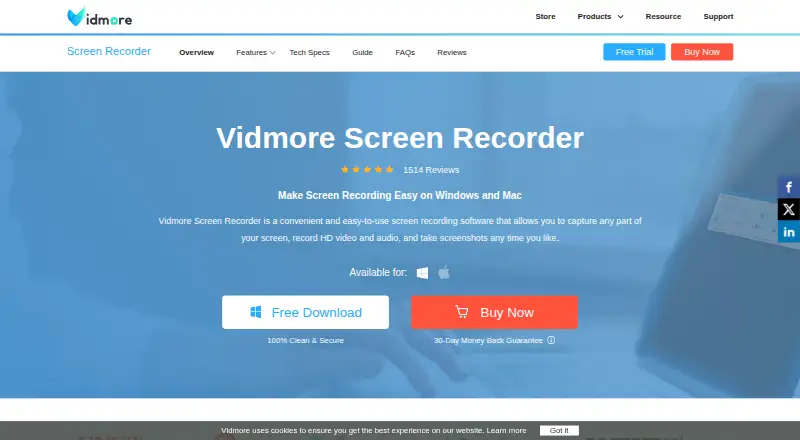
What Vidmore Screen Recorder is
Vidmore Screen Recorder is paid software for capturing screen activity, HD video, audio, and screenshots on Windows and macOS. It records a full display, a program window, a selected area, webcam video, or a mirrored mobile device. Video settings reach 4K resolution and recording rates up to 120 FPS. You can capture system audio, an external microphone, or both tracks together. Scheduled recordings can start and stop automatically, while continuous recording has no time limit when enough storage is available. Real-time annotations, mouse and keyboard effects, trimming, hotkeys, GIF output, and scrolling screenshots support capture workflows. Video exports include MP4, MOV, WMV, AVI, MKV, and GIF; screenshots can use PNG, JPG, BMP, GIF, or TIFF. The software is described for content creators, teachers, students, gamers, and business users recording meetings or seminars. Windows 7–11 and macOS 10.13 or later are supported, and activation requires internet access.
Who it suits
It suits creators, educators, students, gamers, and businesses recording meetings or seminars. It is for Windows and macOS users needing screen, webcam, and audio capture.
What it does well
- Captures screens, windows, areas, webcams, and mirrored mobile devices
- Records system audio and microphone tracks together
- Supports video up to 4K and 120 FPS
- Includes scheduling and continuous recording without a time limit
- Exports multiple video and screenshot formats
What to know first
- No free plan
- Activation requires an internet connection
- Monthly and annual licenses cover one computer
- Windows registration codes do not work on Mac versions
Plans
| Plan | Billed and limits | Price |
|---|---|---|
| 1 Month License | Auto-renew, cancel at any time · 1 PC · 1-month access to full features · 1-month free updates | $29.90 a month |
| 1 Month License (Windows) | Auto-renew, cancel at any time · 1 PC · 1-month access to full features · 1-month free updates | $14.95 a month |
| 1 Month License (macOS) | Auto-renew, cancel at any time · 1 Mac · 1-month access to full features · 1-month free updates | $14.95 a month |
| Lifetime License (macOS) | One-time purchase · 3 Macs · Lifetime access to full features · Lifetime free updates | $69.95, paid once |
| Lifetime License (Windows) | One-time purchase · 3 PCs · Lifetime access to full features · Lifetime free updates | $69.95, paid once |
As vidmore.com lists them, read 22 Sept 2026. The maker's own page has the final word.
Verdict
Vidmore Screen Recorder combines broad capture modes with high-resolution video, dual audio recording, scheduling, and editing tools. A free trial is available, but continued use requires a paid license starting at $29.90 a month.
Facts from Vidmore Screen Recorder's own pages
- Audio
- It records computer system audio or an external microphone, including simultaneous dual-track recording. · vidmore.com, 11 Oct 2026
- Editing and capture tools
- Features include real-time annotations, mouse and keyboard effects, trimming, hotkeys, GIF output, and scrolling screenshots. · vidmore.com, 11 Oct 2026
- Free plan
- No · vidmore.com, 22 Sept 2026
- Free trial
- Vidmore offers free trial versions of its programs and says trial versions may have limitations; the Screen Recorder store page does not state the trial duration. · vidmore.com, 11 Oct 2026
- Intended users
- Vidmore describes the software for content creators, teachers and students, gamers, and business users recording meetings and seminars. · vidmore.com, 11 Oct 2026
- License limits
- The support center says monthly and annual licenses cover one computer, while lifetime licenses cover three computers; Windows registration codes do not work on Mac versions. · vidmore.com, 11 Oct 2026
- Maker
- Vidmore describes itself as a provider of software products focused on PC and Mac software; the opened company page does not state a headquarters or founding year. · vidmore.com, 11 Oct 2026
- Microphone recording
- Yes · vidmore.com, 22 Sept 2026
- Output formats
- The product page lists video outputs including MP4, MOV, WMV, AVI, MKV, and GIF, and screenshot outputs including PNG, JPG, BMP, GIF, and TIFF. · vidmore.com, 11 Oct 2026
- Supported platforms
- windows,macos · vidmore.com, 22 Sept 2026
- Platforms and requirements
- The product supports Windows 7 through 11 and macOS 10.13 or later; software activation requires an internet connection. · vidmore.com, 11 Oct 2026
- Purpose
- Vidmore Screen Recorder captures screen activity, HD video and audio, and screenshots. · vidmore.com, 11 Oct 2026
- Recording modes
- It can record the full screen, program windows, customized areas, webcam video, and mirrored mobile devices. · vidmore.com, 11 Oct 2026
- Recording quality
- The product page lists resolutions up to 4K and recording rates up to 120 FPS. · vidmore.com, 11 Oct 2026
- Scheduling and duration
- Scheduled recording can start and stop automatically, and continuous recording has no time limit when sufficient storage is available. · vidmore.com, 11 Oct 2026
- Security and refund
- The store page says checkout security is provided and offers refunds within 30 days under stated product or service failure conditions. · vidmore.com, 11 Oct 2026
- Support
- Vidmore says its support team assists by email and responds within 24 hours. · vidmore.com, 11 Oct 2026
- System audio
- Yes · vidmore.com, 22 Sept 2026
- Maximum video quality
- 4k · vidmore.com, 22 Sept 2026
- Webcam recording
- Yes · vidmore.com, 22 Sept 2026
Where Vidmore Screen Recorder stands on Freedom251
- Screen Recording Software#105 of 131