Freedom251 › Screen Recording Software

Aiseesoft Screen Recorder
What Aiseesoft Screen Recorder is
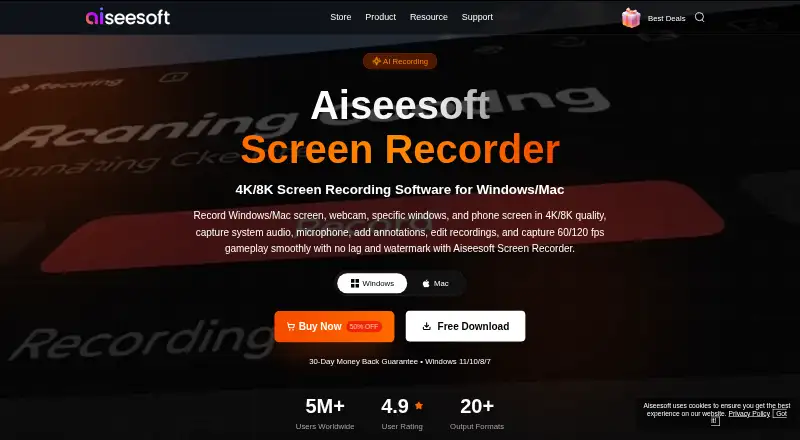
Aiseesoft Screen Recorder records computer screens, audio, and snapshots on Windows and macOS. It supports game, window, webcam, full-screen, and custom-screen modes for tutorials, gameplay, meetings, and other captures. Recording can reach 8K and 120 FPS, with selectable frame rates from 5 to 120 FPS. The product lists more than 20 video, audio, and image formats, including MP4, MOV, MP3, FLAC, WAV, PNG, and JPG. System audio and microphone input can be recorded together with separate track controls. iPhone and Android screens can be mirrored and recorded over wireless or USB connections. Annotations include arrows, text, shapes, highlights, images, serial numbers, whiteboards, magnifier, and focus tools. Scheduled recording, hotkeys, mouse-click highlighting, screenshots, and quick editing are also included. A free trial exists, but trial recordings are limited to three minutes; the paid version has no recording time limit. AI webcam background removal requires an NVIDIA GeForce RTX 20 Series card or higher.
Who it suits
This recorder suits Windows and macOS users capturing screens, webcams, audio, phone displays, tutorials, gameplay, or meetings. It also fits users who need annotations and scheduled captures.
What it does well
- Supports Windows and macOS
- Records up to 8K and 120 FPS
- Captures system audio and microphone together
- Mirrors iPhone and Android screens
- Offers many annotation tools
What to know first
- No free plan
- Trial recordings limited to three minutes
- AI webcam removal requires RTX 20 Series or higher
Plans
| Plan | Billed and limits | Price |
|---|---|---|
| 1 Month License | 1 Month/1 PC · 1 PC | $12.50 a month |
| Lifetime License | Lifetime/1 PC · 1 PC | $49.96, paid once |
| Multi-user License | Multi-user License · Multi-user; quantity selectable | $79.96, paid once |
As aiseesoft.com lists them, read 12 Oct 2026. The maker's own page has the final word.
Verdict
Aiseesoft Screen Recorder offers broad capture modes, high-resolution recording, phone mirroring, and annotation tools. The trial is useful for short tests, but longer recordings require the paid version.
Facts from Aiseesoft Screen Recorder's own pages
- Annotations
- During recording, users can add arrows, text, shapes, highlights, images, serial numbers, and whiteboards, and use magnifier and focus tools. · aiseesoft.com, 12 Oct 2026
- Audio recording
- It can record system audio and microphone input simultaneously with separate track controls. · aiseesoft.com, 12 Oct 2026
- Capture modes
- Recording modes include game, window, webcam, full-screen, and custom-screen recording. · aiseesoft.com, 12 Oct 2026
- Company background
- Aiseesoft says it started in 2008 and develops mobile, PC/Mac, multimedia, Blu-ray/DVD, and PDF software. · aiseesoft.com, 12 Oct 2026
- Founded
- 2008 · aiseesoft.com, 28 Sept 2026
- Free plan
- No · aiseesoft.com, 21 Sept 2026
- Microphone recording
- Yes · aiseesoft.com, 21 Sept 2026
- Other recording tools
- The product includes scheduled recording, custom hotkeys, mouse click highlighting, screenshots, and quick editing tools. · aiseesoft.com, 12 Oct 2026
- Output formats
- The product page says it supports 20+ video, audio, and image output formats, including MP4, MOV, MP3, FLAC, WAV, PNG, and JPG. · aiseesoft.com, 12 Oct 2026
- Payment security
- Aiseesoft says ordering data is SSL-secured, and its privacy policy says payment information is encrypted by payment processors before transmission. · aiseesoft.com, 12 Oct 2026
- Phone capture
- It can mirror and record iPhone or Android screens on a computer through a wireless or USB connection. · aiseesoft.com, 12 Oct 2026
- Supported platforms
- Windows,macOS · aiseesoft.com, 21 Sept 2026
- Privacy and activation
- The privacy policy says full-version activation requires an internet connection and transmits the license key, a checksum, product code, and version numbers. · aiseesoft.com, 12 Oct 2026
- Purpose
- The software records computer screens, audio, and snapshots for uses such as tutorials, gameplay, and online meetings. · aiseesoft.com, 12 Oct 2026
- Resolution and frame rate
- It supports recording up to 8K and 120 FPS, with configurable frame rates from 5 to 120 FPS. · aiseesoft.com, 12 Oct 2026
- Support
- The purchase page says purchase, order, and payment questions receive a reply within 24 hours at [email protected]. · aiseesoft.com, 12 Oct 2026
- Supported operating systems
- The requirements page lists Windows and macOS support, with listed systems ranging from Windows XP through Windows 11 and macOS Sierra through macOS 27 Golden Gate. · aiseesoft.com, 12 Oct 2026
- System audio
- Yes · aiseesoft.com, 21 Sept 2026
- Trial limit
- The purchase page lists a three-minute screen recording limit for the free trial and no recording time limit for the paid version. · aiseesoft.com, 12 Oct 2026
- Webcam AI requirement
- AI webcam background removal and replacement requires an NVIDIA GeForce RTX 20 Series graphics card or higher. · aiseesoft.com, 12 Oct 2026
- Webcam recording
- Yes · aiseesoft.com, 21 Sept 2026
Where Aiseesoft Screen Recorder stands on Freedom251
- Screen Recording Software#103 of 131