Freedom251 › Screen Recording Software
FocuSee
by FocuSee
What FocuSee is
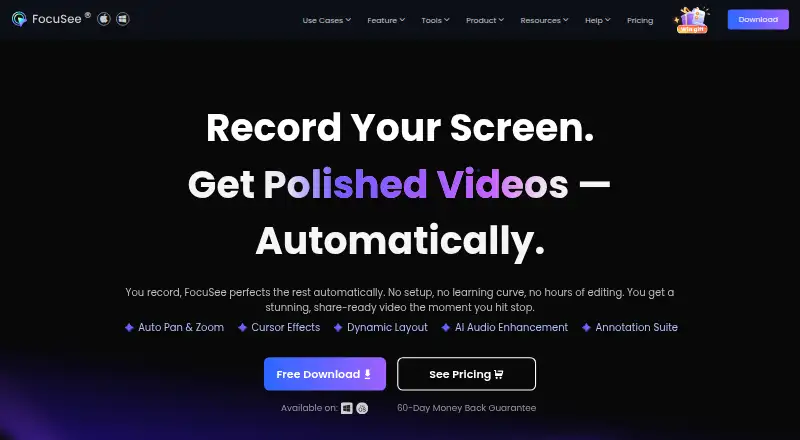
FocuSee is an AI-powered screen recorder for Windows and macOS. It records the screen, webcam, microphone, and system sound in one take, with full-screen, window, or custom-area capture. Automatic effects include click zoom, cursor tracking, captions, and dynamic camera layouts. Editing tools add 3D motion, annotations, subtitle editing, background audio, and removal of filler words and silence. Speech recognition creates subtitles in more than 50 languages, with stated accuracy above 98%. Videos export at up to 4K and 60 fps, and GIF export is available. Paid users can upload to cloud storage and share controlled links; local saving and processing are the default. A free trial allows one high-quality export up to 4K, while some AI features require a subscription and credits. Plans include Standard at $49.99 a year and Advanced at $79.99 a year.
Who it suits
It suits developers, creators, educators, support teams, and marketers making demos, tutorials, courses, or marketing videos. It requires Windows 10 or later or macOS 10.15 or later and 8 GB RAM.
What it does well
- Captures screen, webcam, microphone, and system audio
- Exports up to 4K at 60 fps
- Subtitles support over 50 languages
- Local processing by default
- GIF export available
What to know first
- No free plan
- Some AI features require subscription credits
- Free trial permits one high-quality export
- Requires 8 GB RAM
Plans
| Plan | Billed and limits | Price |
|---|---|---|
| Standard | Billed at $49.99/year · 1 computer · 5 GB cloud storage | $49.99 a year |
| Advanced | Billed at $79.99/year · Up to 3 computers · 3,600 credits/year · 300 credits issued monthly | $79.99 a year |
| Standard (monthly subscription) | 1-Month Subscription · 1 computer (Win/Mac) · Unlimited videos · Unlimited recording duration · 4K & 60 FPS export · 5 GB cloud storage | $19.99 a month |
| Advanced (one-time purchase) | One-Time Purchase · Up to 5 computers (Win/Mac) · 1000 AI credits valid for 1 year · Lifetime access to FocuSee 2.x · 5 GB cloud storage | $199.99, paid once |
| Advanced (monthly subscription) | 1-Month Subscription · Up to 3 computers (Win/Mac) · 300 AI credits/month · Includes Standard features · 5 GB cloud storage | $24.99 a month |
| Standard (yearly subscription) | Billed at $49.99 /year · 1 computer (Win/Mac) · Unlimited videos · Unlimited recording duration · 4K & 60 FPS export · 5 GB cloud storage | $49.99 a year |
| Advanced (yearly subscription) | Billed at $79.99 /year · Up to 3 computers (Win/Mac) · 3600 AI credits/year · Includes Standard features · 5 GB cloud storage | $79.99 a year |
As focusee.imobie.com lists them, read 22 Sept 2026. The maker's own page has the final word.
Verdict
FocuSee emphasizes automated presentation polish alongside screen and camera capture. Its plan choice depends on computer limits, cloud storage, and included AI credits.
Facts from FocuSee's own pages
- AI subtitles
- The homepage says FocuSee generates subtitles using speech recognition in over 50 languages and reports accuracy above 98%. · focusee.imobie.com, 11 Oct 2026
- Audience
- The maker identifies product demos, tutorials, online courses, and marketing videos as use cases for developers, creators, support teams, educators, and marketing teams. · focusee.imobie.com, 11 Oct 2026
- Editing
- Editing features include auto zoom, 3D motion, annotations, subtitle editing, background audio, camera layouts, and automatic removal of filler words and silence. · focusee.imobie.com, 11 Oct 2026
- Exports
- FocuSee exports video up to 4K at 60 fps and can also export GIFs. · focusee.imobie.com, 11 Oct 2026
- Founded
- 2011 · focusee.imobie.com, 28 Sept 2026
- Free trial limit
- The free trial allows exploration of standard features and export of one high-quality video up to 4K; some advanced AI features require a subscription and credits. · focusee.imobie.com, 11 Oct 2026
- Integrations and destinations
- The maker says recordings can be adapted to TikTok, YouTube, Instagram, Facebook, and Twitter specifications. · focusee.imobie.com, 11 Oct 2026
- Microphone recording
- Yes · focusee.imobie.com, 22 Sept 2026
- Supported platforms
- Windows,macOS · focusee.imobie.com, 22 Sept 2026
- Privacy
- The maker says recordings are saved and processed locally by default, and cloud upload is optional. · focusee.imobie.com, 11 Oct 2026
- Recording
- It can record the screen, webcam, microphone, and system sound in one take, as well as full-screen, window, or custom-area captures. · focusee.imobie.com, 11 Oct 2026
- Security
- The homepage states optional cloud uploads use SSL encryption and that cursor tracking, click detection, and shortcut recognition are processed locally. · focusee.imobie.com, 11 Oct 2026
- Sharing
- Paid users can upload videos to cloud storage and share links with password and visibility controls. · focusee.imobie.com, 11 Oct 2026
- Support
- The pricing page says customer support is available by live chat or email and guarantees a response within 24 hours. · focusee.imobie.com, 11 Oct 2026
- System audio
- Yes · focusee.imobie.com, 22 Sept 2026
- System requirements
- FocuSee requires Windows 10 or later or macOS 10.15 or later, with at least 8 GB RAM on either platform. · focusee.imobie.com, 11 Oct 2026
- Maximum video quality
- 4k · focusee.imobie.com, 22 Sept 2026
- Webcam recording
- Yes · focusee.imobie.com, 22 Sept 2026
- What it does
- FocuSee is an AI-powered screen recorder that automatically polishes recordings with effects such as click zoom, cursor tracking, captions, and dynamic camera layouts. · focusee.imobie.com, 11 Oct 2026
Where FocuSee stands on Freedom251
- Screen Recording Software#102 of 131
- Screen and Video Capture Software#23 of 29