Freedom251 › AI Video Restoration Software
Videvra Restore
What Videvra Restore is
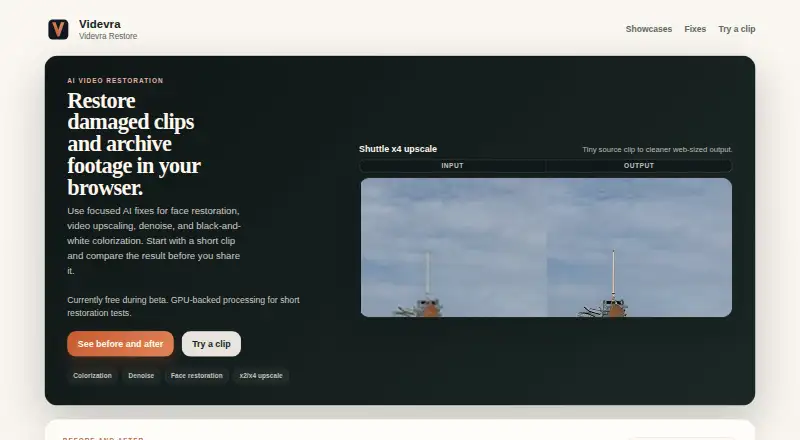
Videvra Restore is a browser-based service for applying focused AI fixes to damaged clips and archive footage. The workflow is to upload one clip, choose a restoration tool, follow processing progress, and download the result. Available options are face restoration, video upscaling, denoise, and black-and-white colorization. Upscaling offers x2 and x4 for small clips, but it cannot turn badly blurred or over-compressed footage into a true high-resolution master. Face restoration targets compressed talking-head footage and is a poor fit for tiny, heavily motion-blurred, obstructed, or very dark faces. Colorization is intended as a believable first pass on steady, readable black-and-white footage, not historically exact matching. Denoise targets visible grain, low-light noise, and compression noise, rather than missed focus or camera shake. Videvra describes the service as an experimental public beta provided as is and as available; it may be changed, paused, or withdrawn. The Free public beta costs nothing and includes short restoration tests with GPU-backed processing. Uploads and outputs are temporary and may be deleted at any time, so results should be downloaded promptly. The hosted beta is not designed as a private archive, and the maker cautions that perfect security cannot be promised.
Who it suits
It suits people who want browser-based restoration for clips with visible grain, compression noise, or readable black-and-white footage. It is a poor fit for users who need a private archive, guaranteed retention, or restoration of badly blurred footage into a high-resolution master.
What it does well
- Offers face restoration, upscaling, denoise, and colorization
- Upscaling includes x2 and x4 options
- Free public beta includes GPU-backed processing
What to know first
- Uploads and outputs may be deleted at any time
- Hosted beta cannot promise perfect security
- Service may be changed, paused, or withdrawn
Limits
The Free public beta is for short restoration tests. Upscaling is x2 or x4 for small clips and cannot create a true high-resolution master from badly blurred or over-compressed footage; face restoration, colorization, and denoising also have stated footage limitations.
Plans
| Plan | Billed and limits | Price |
|---|---|---|
| Free public beta | Currently free during beta · Short restoration tests · GPU-backed processing | Free |
As videvra.com lists them, read 9 Oct 2026. The maker's own page has the final word.
Getting started
- Open https://videvra.com/ in a browser.
- Upload one clip.
- Choose a restoration fix.
- Follow the processing progress.
- Download the result when ready.
Videvra Restore is a browser service for applying targeted AI repairs to damaged clips and archival footage. It suits people who need a quick, single-clip correction without installing software. The free beta is useful for short experiments, but temporary storage and an unstable service lifecycle rule out dependable archival use.
Overview
The workflow handles one clip at a time: upload, select a correction, monitor progress, and download the result. That narrow path is sensible for a specific problem such as visible noise or a small-file upscale, but it is not a replacement for an editor, batch-processing system, or managed media library.
Videvra Restore is an experimental hosted service supplied as is and as available. It may be changed, paused, or withdrawn. Uploads and outputs are temporary and can be deleted at any time, so any wanted result should be downloaded promptly. The operator limits access to uploads and outputs to its team and necessary infrastructure, but does not promise perfect security or position the beta as a private archive. Run analytics are intended to have IP-linked data redacted after about seven days and deleted after about 14 days. Email support is best effort, and immediate deletion from every system is not guaranteed.
Key features
- Face restoration: Concentrates on compressed talking-head footage. It makes sense when faces remain recognizable but compression has softened them; tiny, obstructed, very dark, or heavily motion-blurred faces are poor candidates.
- Video upscaling: Provides x2 and x4 modes for small clips. This can enlarge usable footage, but it cannot reconstruct a genuinely high-resolution master from badly blurred or over-compressed material.
- Denoise: Addresses visible grain, low-light noise, and compression noise. It is not a remedy for missed focus or camera shake, so those problems need a different source or workflow.
- Black-and-white colorization: Produces a believable starting pass on steady, readable monochrome footage. It should not be treated as historically exact color matching.
- GPU-backed processing: The browser handles processing progress for short restoration tests, avoiding a local installation while keeping the job centered on an individual upload.
Pricing
| Plan | Price | Includes |
|---|---|---|
| Free public beta | free | Currently free during beta; short restoration tests and GPU-backed processing |
There is no paid tier, seat structure, renewal charge, or published quota beyond the plan's short-test positioning. This is an easy way to evaluate the four enhancement modes at no cost, but it offers no paid-service commitment or continuity if the beta changes or disappears.
Platforms
Videvra Restore runs on the web through a browser upload workflow. No integrations are stated, so it is best considered a stand-alone tool for manually submitting clips and retrieving results.
Who it's for
Choose it for a short, focused repair: a compressed talking head, noisy low-light footage, a modest enlargement, or a first colorization pass on readable black-and-white video. It is particularly practical when installing desktop software is undesirable. Look elsewhere for batch jobs, guaranteed retention, private archival storage, or a workflow that must remain available over time.
Pros and cons
Pros
- Free access: The public beta costs nothing, making experiments low risk.
- Four targeted modes: Face recovery, x2/x4 upscaling, denoise, and colorization cover common restoration attempts.
- Browser-based workflow: Uploading and downloading avoids local setup for an individual clip.
Cons
- Temporary files: Uploads and outputs may disappear, so it cannot serve as dependable storage.
- Material-dependent results: Severe blur, tiny or dark faces, missed focus, camera shake, and exact historical color remain outside the stated strengths.
- Experimental availability: The service can change, pause, or be withdrawn, with only best-effort email support.
- Hosted-beta privacy ceiling: The operator offers access controls but no promise of perfect security or immediate deletion everywhere.
Alternatives
SeedVR2 is a free option for Linux, macOS, Windows, or self-hosting, with no paid plans or usage limits stated. Pick it when local or self-hosted deployment matters more than a browser-only trial.
Vapourkit is free, open source, and GPL-3.0 on Linux and Windows; choose it when inspectable software and local control are priorities.
Aiarty Video Enhancer offers desktop apps and a free version limited to videos under 120 seconds, with watermarked exports and no batch export; its paid Standard License is $79 a year. Choose it when you need a more established paid desktop route.
Klarity is a free local, offline restoration tool for Linux and Windows, preferable when clips should stay on your machine.
RestoraX is free, open-source MIT software for web, Linux, APIs, and self-hosting with GPU/CPU processing; choose it for deployment control.
TensorPix has a free-forever tier with weekly login credits, 720p input, 1 GB storage, and basic models, making it a better fit when an account-based hosted service and defined storage are useful.
HitPaw VikPea spans desktop, mobile, web, and API options and offers a paid 1 Month License at $43.19 a month with automatic renewal; choose it when broad platform coverage and paid features outweigh subscription cost.
Intelion Video Lab targets on-premise or secure hybrid-cloud deployments with custom pricing, suited to organizations needing enterprise installation rather than a free browser beta.
For broader comparisons, see AI Video Restoration Software and AI Video Upscalers.
Verdict
Videvra Restore is a sensible first stop for a free, single-clip experiment using one of four focused corrections in a browser. Choose it for convenience and zero cost; choose another tool when retention, privacy, local control, batch work, or dependable long-term availability is central to the job.
Verdict
Videvra Restore offers several focused fixes for video clips in a browser, with a free public beta. Its temporary files and experimental status make prompt downloads important; it is not intended as a private archive.
Questions
What does Videvra Restore do?
It offers face restoration, video upscaling, denoising, and black-and-white colorization through a browser workflow.
How much does it cost?
The Free public beta is currently free, priced at $0.
How do I use it?
Upload one clip, select a fix, follow processing progress, and download the result when ready.
What are the upscaling options?
Upscaling supports x2 and x4 for small clips. It cannot turn badly blurred or over-compressed footage into a true high-resolution master.
Are uploaded clips kept?
Uploads and outputs are temporary and may be deleted at any time. The maker advises downloading results promptly.
Is the service a private archive?
No. The maker says the hosted beta is not designed as a private archive and cannot promise perfect security.
Facts from Videvra Restore's own pages
- Analytics retention
- The stated beta policy intends to redact IP-linked run analytics after about 7 days and delete them after about 14 days. · videvra.com, 9 Oct 2026
- Colorization
- Colorization is intended as a believable first pass on steady, readable black-and-white footage, not historically perfect color matching. · videvra.com, 9 Oct 2026
- Denoise
- Denoise targets visible grain, low-light noise, and compression noise, and is not intended to fix missed focus or camera shake. · videvra.com, 9 Oct 2026
- Face restoration
- Face recovery targets compressed talking-head footage and is a weak fit for tiny, heavily motion-blurred, obstructed, or very dark faces. · videvra.com, 9 Oct 2026
- Integrations
- The opened maker pages describe a browser upload workflow and do not state any integrations. · videvra.com, 9 Oct 2026
- Privacy and security
- The maker says access to uploads and outputs is limited to the operator and required infrastructure, while cautioning that the hosted beta cannot promise perfect security and is not designed as a private archive. · videvra.com, 9 Oct 2026
- Purpose
- Videvra Restore uses focused AI fixes to restore damaged clips and archive footage in a browser. · videvra.com, 9 Oct 2026
- Restoration tools
- The site offers face restoration, video upscaling, denoise, and black-and-white colorization. · videvra.com, 9 Oct 2026
- Service status
- The maker describes Videvra Restore as an experimental service provided as is and as available, and says the beta may be changed, paused, or withdrawn at any time. · videvra.com, 9 Oct 2026
- Support
- Support is best effort by email, and the maker says immediate deletion from every system is not guaranteed. · videvra.com, 9 Oct 2026
- Temporary files
- Uploads and outputs are temporary and may be deleted at any time, so users are advised to download results promptly. · videvra.com, 9 Oct 2026
- Upscaling
- Upscaling supports x2 and x4 for small clips, but the maker says it cannot turn badly blurred or over-compressed footage into a true high-resolution master. · videvra.com, 9 Oct 2026
- Workflow
- Users upload one clip, choose a fix, follow processing progress, and download the result when ready. · videvra.com, 9 Oct 2026
Where Videvra Restore stands on Freedom251
- AI Video Restoration Software#10 of 25
- AI Video Upscalers#24 of 32