Freedom251 › AI Video Restoration Software
AVCLabs Video Enhancer AI
What AVCLabs Video Enhancer AI is
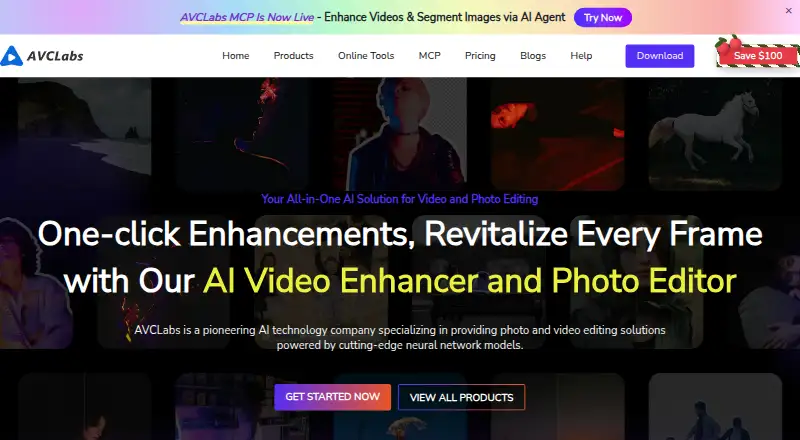
AVCLabs Video Enhancer AI is desktop software for improving, restoring, upscaling, and editing video, including blurry or low-resolution footage. It runs on Windows and macOS and lists output up to 8K, with a maximum upscale factor of 4× and frame rates up to 120 FPS. Its AI tools include colorization, frame interpolation, denoising, blur reduction, stabilization, and object removal. Multiple videos can be processed in a batch using the same settings.
The maker says processing happens locally and offline, without video uploads or cloud dependencies. GPU acceleration supports Apple M series, NVIDIA, AMD, and Intel graphics cards. A free trial allows unlimited conversions, while trial exports carry a watermark and are limited to 30 seconds. Listed system requirements include 64-bit Windows 10 or 11, or macOS 12–26, at least 16 GB of RAM, and more than 20 GB of free space.
Plans are $39.95 per month, $95.96 per year, or $149.90 as a one-time payment. The monthly and yearly subscriptions auto-renew and can be canceled anytime. Displayed license plans include free updates and 24/7 support. The maker also describes AVCLabs Media MCP as a way to connect media enhancement to agent-ready and API-style workflows.
Who it suits
AVCLabs Video Enhancer AI suits professionals and enthusiasts who want to enhance or restore video on a Windows or macOS computer. Its batch tools and local processing may suit people working with multiple video files or who prefer not to upload them for processing.
What it does well
- Upscales video to 8K, with a maximum 4× upscale factor.
- AI tools include colorization, denoising, stabilization, and object removal.
- Batch processing applies the same settings to multiple videos.
- Local offline processing avoids video uploads and cloud dependencies.
- GPU acceleration supports Apple M series, NVIDIA, AMD, and Intel graphics.
What to know first
- The trial adds a watermark and limits exports to 30 seconds.
- The monthly and yearly plans auto-renew.
- Each displayed license covers one PC.
Limits
Trial exports have a watermark and are limited to 30 seconds, despite unlimited conversions. The $39.95 per month plan covers one license and one PC.
Plans
| Plan | Billed and limits | Price |
|---|---|---|
| PERPETUAL PLAN | $149.90 one-time payment (page also shows $299.90) · 1 license · 1 PC · 30-day money-back guarantee · free updates · 24/7 support | $149.90, paid once |
| 1-MONTH PLAN | $39.95 for 1 month; auto-renews, cancel anytime · 1 license · 1 PC · 5-day money-back guarantee · free updates · 24/7 support | $39.95 a month |
| 1-YEAR PLAN | $95.96 for 1 year (page also shows $119.95); auto-renews, cancel anytime · 1 license · 1 PC · 5-day money-back guarantee · free updates · 24/7 support | $95.96 a year |
As avclabs.com lists them, read 3 Oct 2026. The maker's own page has the final word.
Getting started
- Open the AVCLabs Video Enhancer AI product page.
- Choose Windows or macOS, subject to the listed system requirements.
- Start with the free trial or select a paid plan.
- Install the desktop software and process video locally.
- For a paid subscription, note that it auto-renews and can be canceled anytime.
Verdict
Choose AVCLabs Video Enhancer AI if you need desktop video restoration and upscaling, batch processing, or local offline processing. Look elsewhere if you need trial exports without a watermark or longer than 30 seconds, or a license for more than one PC.
Questions
Is there a free plan or trial?
There is no free plan, but a free trial is available. Trial conversions are unlimited; exported videos have a watermark and are limited to 30 seconds.
How much does AVCLabs Video Enhancer AI cost?
The listed options are $39.95 per month, $95.96 per year, and $149.90 as a one-time payment. The monthly and yearly subscriptions auto-renew and can be canceled anytime.
Which platforms does it support?
It runs on Windows and macOS. Listed requirements include 64-bit Windows 10 or 11, or macOS 12–26.
Does it process video in the cloud?
The maker says video processing is local and offline, with no uploads or cloud dependencies for this desktop product.
What does each displayed license include?
Each listed plan covers one license and one PC, and includes free updates and 24/7 support.
Facts from AVCLabs Video Enhancer AI's own pages
- AI features
- Listed features include video colorization, frame interpolation, denoising, blur, and stabilization. · avclabs.com, 3 Oct 2026
- Batch workflow
- The product supports batch processing multiple videos with the same settings. · avclabs.com, 3 Oct 2026
- Founded
- 2006 · avclabs.com, 28 Sept 2026
- GPU acceleration
- The product page says GPU acceleration supports Apple M series, NVIDIA, AMD, and Intel graphics cards. · avclabs.com, 3 Oct 2026
- Headquarters
- New York, NY, USA · avclabs.com, 28 Sept 2026
- Integrations
- The maker’s pricing page describes AVCLabs Media MCP as providing agent-ready media enhancement and API-style workflow integration. · avclabs.com, 3 Oct 2026
- Intended users
- The about page describes its professional-grade image and video enhancement solutions as intended for professionals and enthusiasts. · avclabs.com, 3 Oct 2026
- Object removal
- The about page says an AI object removal feature is available in Video Enhancer AI. · avclabs.com, 3 Oct 2026
- Processing and privacy
- The maker says video processing is local and offline, with no uploads or cloud dependencies for this desktop product. · avclabs.com, 3 Oct 2026
- Purpose
- The software enhances, upscales, restores, and edits video, including blurry or low-resolution footage. · avclabs.com, 3 Oct 2026
- Refund policy
- The maker lists a 5-day money-back guarantee for one-month and one-year subscriptions and 30 days for the perpetual plan. · avclabs.com, 3 Oct 2026
- Resolution and frame rate
- The product page says it can upscale video to 4K or 8K and deliver results up to 120 FPS. · avclabs.com, 3 Oct 2026
- Support
- The purchase page lists free updates and 24/7 support with each displayed license plan. · avclabs.com, 3 Oct 2026
- System requirements
- The listed requirements include Windows 10 or 11 64-bit or macOS 12–26, at least 16 GB RAM, and more than 20 GB free space. · avclabs.com, 3 Oct 2026
- Trial limits
- The trial allows unlimited video conversions, but exports have a watermark and are limited to 30 seconds. · avclabs.com, 3 Oct 2026
Where AVCLabs Video Enhancer AI stands on Freedom251
- AI Video Restoration Software#11 of 25
- AI Video Stabilization Software#23 of 33
- Video Upscaling Software#30 of 40
- AI Video Upscalers#26 of 32