Freedom251 › AI Video Restoration Software

Vapourkit
What Vapourkit is
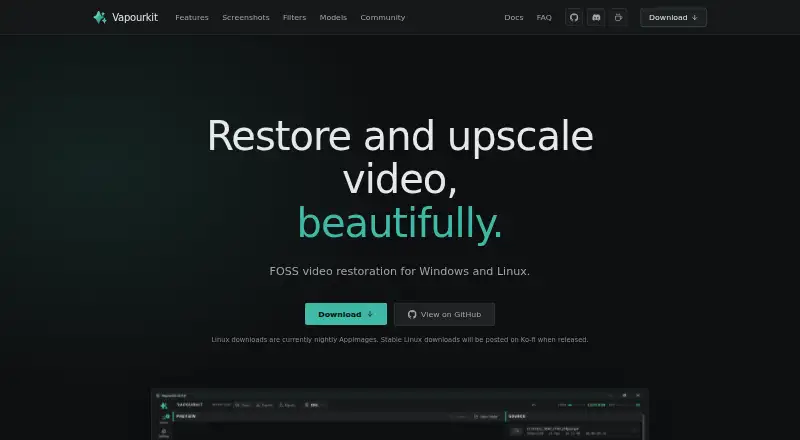
Vapourkit is a free, open-source desktop app for restoring and upscaling video on Windows and Linux. It processes videos using models and filters, including tools for denoising, artifact removal, and frame interpolation. A real-time preview shows output frames as processing advances, so users can adjust filters and rerun a workflow. A side-by-side viewer compares source and output; Video Compare is built into Windows and optional on Linux. Users can queue multiple videos with custom workflows, write custom VapourSynth filters, and save or share portable workflow files. Listed models include TSPAN / TFDAT VSR, AnimeJaNai, and AnimeSharpV4, with support for importing a user's own ONNX model. Inference backends include TensorRT, DirectML, and NCNN Vulkan, depending on operating system and GPU. Windows has a stable download; Linux downloads are nightly AppImages. Supported systems include Windows 10/11 x64 and compatible x86_64 glibc-based Linux distributions. The maker recommends at least 8 GB RAM and 6 GB VRAM.
Who it suits
Vapourkit may suit people restoring or upscaling video, from those using a simple load-and-process workflow to users building custom filters and batch pipelines. It is for Windows and compatible Linux systems.
What it does well
- Free and open source under GPL 3.0
- Previews output while processing advances
- Queues multiple videos with custom workflows
- Supports importing a user's own ONNX model
What to know first
- Linux downloads are currently nightly AppImages
- DirectML is available on Windows only
- Linux uses a curated filter catalog
- Maker recommends at least 8 GB RAM and 6 GB VRAM
Limits
The free plan is the app itself. DirectML is Windows-only, and Linux uses a curated verified filter catalog rather than the full Windows catalog; Linux downloads are currently nightly AppImages.
Plans
| Plan | Billed and limits | Price |
|---|---|---|
| Vapourkit | Free, open-source app; Windows stable download; Linux nightly AppImage | Free |
As vapourkit.app lists them, read 4 Oct 2026. The maker's own page has the final word.
Getting started
- Visit the Vapourkit website.
- Download the stable Windows build or the Linux nightly AppImage.
- On Linux, use a compatible x86_64 glibc-based distribution that can run AppImage; setup installs packages in a private Python environment under the user configuration directory.
- On Linux, have Python 3.12 or 3.13, FFmpeg/ffprobe, and a working Vulkan runtime available.
- Load a video, choose models or filters, and process it; adjust filters from the preview and rerun the pipeline as needed.
- Queue additional videos and save or share workflows as .vkfilter or .vkworkflow files.
Vapourkit is a free desktop app for restoring and upscaling video with filters and AI models. It suits people who want to shape their own processing workflows, from a single video to repeatable batches. Its breadth of control is appealing, but Linux users face nightly downloads and a smaller filter catalog.
Overview
Vapourkit combines VapourSynth filters, FFmpeg and AI inference in workflows that can begin with loading a video and processing it or extend to custom filters and batch queues. Live output preview lets users judge frames as processing progresses, adjust filters and rerun the pipeline. A side-by-side source and output view adds a useful way to assess changes, though Video Compare is built in on Windows and optional on Linux.
Key features
Models, backends and filters
Built-in models include TSPAN / TFDAT VSR, AnimeJaNai and AnimeSharpV4, with support for importing a user's own ONNX model. TensorRT, DirectML and NCNN Vulkan provide inference options, but availability depends on the operating system and GPU; DirectML is Windows-only. The app also covers denoising, artifact removal and frame interpolation, alongside VapourSynth filters for tasks such as deinterlacing, restoration, sharpening, anti-aliasing, dehalo and debanding. This range favors users prepared to choose and tune a pipeline over those seeking a single fixed enhancement path.
Custom and repeatable workflows
Users can write custom filters, queue multiple videos with tailored workflows, and save or share portable .vkfilter and .vkworkflow files. That makes Vapourkit better suited to repeatable processing than a one-off utility, although building custom pipelines calls for more involvement than simply loading a file and processing it. Windows has more filters; Linux provides a curated, verified catalog.
Pricing
Vapourkit is free and open source under GPL 3.0, with a free plan priced at $0. There is no paid tier or trial to weigh against a feature-capped free edition. The trade-off is practical rather than financial: Windows has a stable download, while Linux downloads are nightly AppImages, with stable Linux downloads planned for Ko-fi when released.
Platforms
Vapourkit is a desktop app for Windows 10/11 x64 and x86_64 glibc-based Linux distributions that can run AppImage. The maker recommends at least 8 GB RAM and 6 GB VRAM, so modest systems may not meet the recommended setup. Linux also requires Python 3.12 or 3.13, FFmpeg/ffprobe and a working Vulkan runtime. Its setup creates a private Python virtual environment under the user's configuration directory, without installing Python packages globally or requiring sudo. Windows users get DirectML and the broader filter catalog; Linux users have fewer filter choices and an optional Video Compare component.
Who it's for
Vapourkit fits video restorers and upscalers who want local desktop processing, a choice of models and filters, and the option to build custom pipelines or queue batches. It is also a reasonable fit for users comfortable managing the requirements of a Linux AppImage setup. It is a weaker match for anyone who needs a stable Linux release now, wants the full Windows filter selection on Linux, or prefers a minimal, fixed workflow over custom processing.
Pros and cons
- Pros: Live preview and side-by-side comparison help users assess adjustments while refining a video pipeline.
- Pros: Custom filters, batch queues and portable workflow files support tailored, repeatable jobs.
- Pros: Free, open-source licensing avoids a paid plan barrier.
- Cons: Linux currently relies on nightly AppImages and a curated filter catalog, limiting release stability and parity with Windows.
- Cons: Recommended memory and VRAM requirements, plus Linux's Python, FFmpeg and Vulkan dependencies, may rule out some setups.
- Cons: DirectML is limited to Windows, so backend options differ across platforms.
Alternatives
AI Video Restoration Software is the broader category to explore when comparing restoration tools. Choose Aiarty Video Enhancer instead if macOS support or a paid product with a free trial is a better fit; its free version limits videos to under 120 seconds, adds export watermarks and excludes batch export. Klarity is another free Linux and Windows restoration option for users considering a similar cross-platform choice. RestoraX may suit users who prefer MIT-licensed, self-hosted processing across GPU or CPU, rather than a desktop app. TensorPix is a web, API and self-hosted alternative with a forever-free plan based on weekly login credits and capped project and input limits. HitPaw VikPea is worth considering for its broader platform coverage, including mobile and web; its listed one-month Windows license costs $43.19 a month and renews automatically, with cancellation allowed at any time. Intelion Video Lab offers self-hosted or on-premise-oriented options for buyers considering a paid deployment, with custom pricing. Cognitech Video Investigator is a paid alternative with a listed annual cloud plan at $1,399 a year. Loki Automation is another paid option for readers comparing web or Windows software.
Verdict
Choose Vapourkit if you want free, open-source desktop video restoration with room to customize filters, inspect previews and build batch workflows. Its flexibility is the main reason to choose it; Linux's nightly releases, reduced filter catalog and setup requirements are the main reasons to look elsewhere.
Verdict
Vapourkit offers video restoration workflows ranging from preview-and-adjust processing to custom filters and batch queues. Check the operating-system, GPU, memory, and Linux setup requirements before choosing it.
Questions
How much does Vapourkit cost?
The Vapourkit plan is free. The maker describes the app as free and open source.
Which platforms does Vapourkit support?
It supports Windows 10/11 x64 and x86_64 glibc-based Linux distributions that can run AppImage.
Is Vapourkit open source?
Yes. The project describes it as free and open source, and its repository lists the GPL-3.0 license.
Which models and inference backends are available?
Listed models include TSPAN / TFDAT VSR, AnimeJaNai, and AnimeSharpV4, and users can import their own ONNX model. Backends include TensorRT, DirectML, and NCNN Vulkan, with availability depending on the operating system and GPU.
What does Linux setup require?
Linux requires Python 3.12 or 3.13, FFmpeg/ffprobe, and a working Vulkan runtime. Setup creates a private Python virtual environment under the user's config directory without installing Python packages globally or requiring sudo.
Where can users get help?
The maker points users to Discord for help and feature requests.
Facts from Vapourkit's own pages
- AI backends
- Its inference backends include TensorRT, DirectML, and NCNN Vulkan, with availability depending on operating system and GPU. · vapourkit.app, 4 Oct 2026
- Batch processing
- Users can queue multiple videos with custom workflows. · vapourkit.app, 4 Oct 2026
- Batch workflows
- Users can queue multiple videos with custom workflows and save or share .vkfilter and .vkworkflow files. · vapourkit.app, 4 Oct 2026
- Comparison
- The app can compare source and output side by side; Video Compare is built in on Windows and optional on Linux. · vapourkit.app, 4 Oct 2026
- Custom filters
- Users can write custom filters and use a platform-verified VapourSynth filter catalog, with more filters available on Windows. · vapourkit.app, 4 Oct 2026
- Downloads
- Windows has a stable download, while Linux downloads are currently nightly AppImages; stable Linux downloads are planned for Ko-fi when released. · vapourkit.app, 4 Oct 2026
- Filters
- The app includes a catalog of VapourSynth filters for tasks such as deinterlacing, interpolation, restoration, denoising, sharpening, anti-aliasing, dehalo, and debanding, and supports custom filters. · vapourkit.app, 4 Oct 2026
- Inference backends
- The site lists TensorRT, DirectML, and NCNN Vulkan, with availability depending on operating system and GPU. · vapourkit.app, 4 Oct 2026
- Integrations
- Vapourkit uses VapourSynth, FFmpeg, and AI inference backends; Linux setup requires Python, FFmpeg/ffprobe, and Vulkan, while Video Compare is optional there. · vapourkit.app, 4 Oct 2026
- Intended users
- The maker presents Vapourkit for people restoring or upscaling video, from a simple load-and-process workflow to custom filters and batch pipelines. · vapourkit.app, 4 Oct 2026
- License
- The project describes Vapourkit as free and open source, with a GPL 3.0 license. · github.com, 4 Oct 2026
- Linux setup
- Linux setup creates a private Python virtual environment and installs packages under the user's config directory without installing Python packages globally or requiring sudo. · vapourkit.app, 4 Oct 2026
- Models
- Users can select bundled models or import their own ONNX model. · ko-fi.com, 4 Oct 2026
- Open source
- The maker describes Vapourkit as free and open source, and its repository lists the GPL-3.0 license. · github.com, 4 Oct 2026
- Platform limitation
- DirectML is available on Windows only, and Linux uses a curated verified filter catalog rather than every filter in the Windows build. · vapourkit.app, 4 Oct 2026
- Platform limits
- Vapourkit supports Windows 10/11 x64 and x86_64 glibc-based Linux distributions that can run the AppImage; Linux offers a curated verified filter catalog rather than the full Windows catalog. · vapourkit.app, 4 Oct 2026
- Platform requirements
- The docs support Windows 10/11 x64 and x86_64 glibc-based Linux distributions that can run AppImage. · vapourkit.app, 4 Oct 2026
- Preview
- Real-time preview shows output frames as processing advances, and users can adjust filters and rerun the pipeline. · vapourkit.app, 4 Oct 2026
- Preview and comparison
- Vapourkit offers real-time output preview and a side-by-side source and output viewer; Video Compare is built in on Windows and optional on Linux. · vapourkit.app, 4 Oct 2026
- Privacy and local setup
- Linux setup creates a private Python virtual environment under the user's configuration directory and does not install Python packages globally or require sudo. · vapourkit.app, 4 Oct 2026
- Purpose
- Vapourkit is a video restoration and upscaling app that processes videos using models and filters. · vapourkit.app, 4 Oct 2026
- Support
- The maker points users to Discord for help and feature requests, and says donations support development. · vapourkit.app, 4 Oct 2026
- System requirements
- The maker recommends at least 8 GB RAM and 6 GB VRAM, and Linux requires Python 3.12 or 3.13, FFmpeg/ffprobe, and a working Vulkan runtime. · vapourkit.app, 4 Oct 2026
- Workflow files
- Users can save and share portable .vkfilter and .vkworkflow files. · vapourkit.app, 4 Oct 2026
Where Vapourkit stands on Freedom251
- AI Video Restoration Software#9 of 25