Freedom251 › AI Video Background Removers
Video Background Remover Android
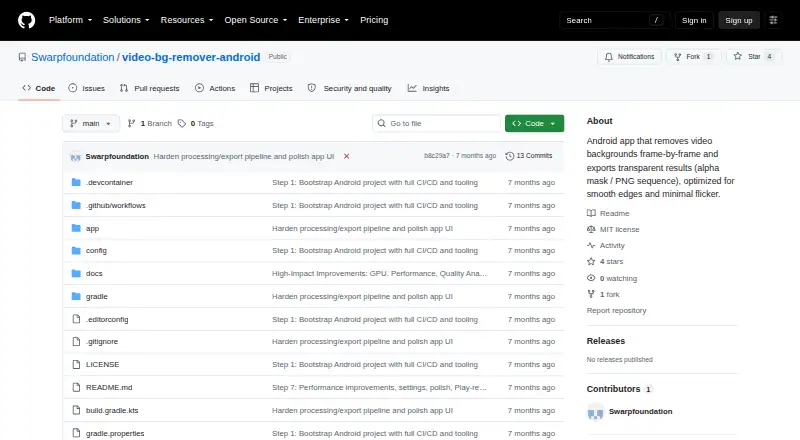
What Video Background Remover Android is
Video Background Remover Android is a free, open-source Android app that separates people from video backgrounds frame by frame and exports transparent results. Processing runs locally with MediaPipe’s selfie segmentation model, so the app works offline without an account or internet permission. Import clips through Android’s Storage Access Framework; supported inputs include MP4, MKV, WebM, and other formats. Person segmentation includes temporal smoothing plus adjustable threshold, morphology, and feather settings. A live preview can show the original footage, the mask, or a composite over a transparency checkerboard. Exports are either ZIP archives of alpha-transparent PNG frames or grayscale H.264 MP4 mask videos for compositing. Documentation covers workflows for DaVinci Resolve, After Effects, Premiere Pro, Final Cut Pro, Blender, and other editors using PNG sequences or luma mattes. The app requires Android 8.0 or later, 2 GB RAM, and 200 MB free storage. The MVP limits videos to 60 seconds and processing to 1080p. Settings and logs stay local, while cache clears after processing or restart.
Who it suits
It suits Android users who need person-only background isolation for editing workflows and want local, offline processing. It is also aimed at users working with PNG sequences or mask videos in desktop editors.
What it does well
- Free and open source
- Processes videos locally and offline
- Supports MP4, MKV, WebM, and more
- Exports alpha PNG frames or mask videos
- Includes temporal smoothing and adjustable controls
What to know first
- Person-only segmentation
- Maximum video duration is 60 seconds
- Processing resolution is limited to 1080p
- GitHub Releases currently lists no releases
Limits
The MVP allows videos up to 60 seconds, with a configurable duration limit, and processes at up to 1080p. Segmentation is limited to people.
Getting started
- Open the project website on GitHub
- Use an Android 8.0-or-later device with 2 GB RAM and 200 MB free storage
- Import a video through Android’s Storage Access Framework
- Choose person segmentation and adjust smoothing or mask settings
- Preview the source, mask, or checkerboard composite
- Export PNG frames or a grayscale MP4 mask
Verdict
Video Background Remover Android provides local person segmentation with editing-friendly exports and previews. Its Android requirement, 60-second limit, and lack of a current release listing are important considerations.
Questions
Is Video Background Remover Android free?
Yes. It is free and open source under the MIT License.
Which devices can run it?
It requires Android 8.0 or later, at least 2 GB of RAM, and 200 MB of free storage.
Does it work offline?
Yes. The README says no account or internet permission is required, and processing runs locally.
What can it export?
It exports ZIP archives of alpha-transparent PNG frames or grayscale H.264 MP4 mask videos.
Can it remove any type of background?
Segmentation is limited to people, and the listed background-replacement capability is no.
Where can users get support?
The project directs users to open a GitHub issue or read its documentation.
Facts from Video Background Remover Android's own pages
- Availability
- The repository links to GitHub Releases for the latest APK, but its releases page currently says there are no releases. · github.com, 8 Oct 2026
- Data storage
- The policy says settings and logs are stored locally, processing cache is automatically cleared, and exported files are saved to a location chosen by the user. · github.com, 8 Oct 2026
- Editing integrations
- The project documents workflows for DaVinci Resolve, After Effects, Premiere Pro, Final Cut Pro, Blender, and other editors that support PNG sequences or luma mattes. · github.com, 8 Oct 2026
- Editor workflows
- The documentation describes workflows for DaVinci Resolve, After Effects, Premiere Pro, Final Cut Pro, Blender, and other editors. · github.com, 8 Oct 2026
- Export formats
- Exports include a ZIP of PNG frames with alpha transparency and an MP4 grayscale mask video for compositing. · github.com, 8 Oct 2026
- Exports
- It exports ZIP archives of PNG frames with alpha transparency or grayscale H.264 MP4 mask videos for compositing. · github.com, 8 Oct 2026
- Internet and account
- The README says no account or internet permission is required, and the app works offline. · github.com, 8 Oct 2026
- License
- The repository states that the project is licensed under the MIT License. · github.com, 8 Oct 2026
- Limits
- The MVP lists a maximum video duration of 60 seconds, configurable in settings, processing resolution up to 1080p, and person-only segmentation. · github.com, 8 Oct 2026
- Local data
- The policy says settings and technical logs are stored locally, and processing cache is automatically cleared after processing or on app restart. · github.com, 8 Oct 2026
- On-device processing
- Video segmentation runs on-device using MediaPipe's selfie segmentation model. · github.com, 8 Oct 2026
- Preview
- The live preview can show the original video, mask, or composited view against a transparency checkerboard. · github.com, 8 Oct 2026
- Privacy
- The privacy policy says videos are processed locally and are not collected, transmitted, or stored on external servers. · github.com, 8 Oct 2026
- Processing
- Background processing uses WorkManager with a foreground service, progress notifications with a cancel option, and batch frame processing. · github.com, 8 Oct 2026
- Purpose
- The Android app removes video backgrounds frame by frame and exports transparent results. · github.com, 8 Oct 2026
- Requirements
- The app requires Android 8.0 or later, at least 2 GB RAM, and 200 MB of free storage. · github.com, 8 Oct 2026
- Segmentation
- The app supports person or human segmentation, temporal smoothing, and configurable threshold, morphology, and feather settings. · github.com, 8 Oct 2026
- Support
- The project directs users to open a GitHub issue or read the project documentation for support. · github.com, 8 Oct 2026
- Video import
- It imports videos through Android's Storage Access Framework and supports MP4, MKV, WebM, and other formats. · github.com, 8 Oct 2026
Where Video Background Remover Android stands on Freedom251
- AI Video Background Removers#27 of 29