Freedom251 › Keyboard and Mouse Customization Software
USB Overdrive
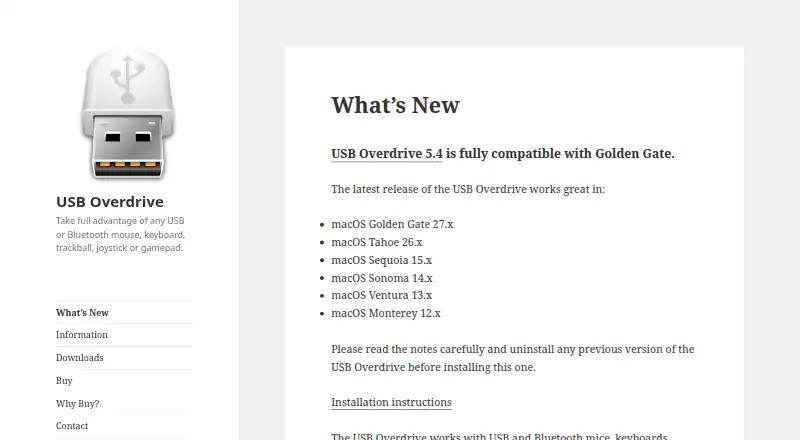
What USB Overdrive is
USB Overdrive is a macOS device driver for configuring USB and Bluetooth input hardware. It supports compliant mice, trackballs, trackpads, joysticks, gamepads, external keyboards, multimedia controllers, and other input devices. Controls can be set globally or separately for particular applications and devices, with per-app profiles available. Assignable actions include clicking, typing, scrolling, launching applications, and opening documents. Apple Magic Mouse, Magic Trackpad, and Magic Keyboard are handled by macOS instead, so USB Overdrive does not provide their multitouch support. The driver is intended for input devices, not printers, scanners, webcams, audio devices, or storage drives. Some Logitech and Razer mice may have buttons it cannot fully handle because of vendor-specific behavior. The unregistered version has no feature or time limits, but shows a login reminder and countdown when its interface opens. A free trial is available. Version 5.4 runs on macOS 15 or later; older version 4 or earlier installations must be removed first.
Who it suits
USB Overdrive suits macOS users who need custom actions or separate settings for supported USB and Bluetooth input devices. It is less suitable for Apple Magic peripherals or non-input hardware.
What it does well
- Global, per-app, and per-device settings
- Supports many compliant input device types
- Assigns clicks, typing, scrolling, and app launches
- Unregistered version has no feature or time limits
- License does not expire, according to the maker
What to know first
- Does not handle Apple Magic peripherals
- Not for printers, scanners, webcams, or storage
- Some Logitech and Razer buttons may be incomplete
- Requires macOS 15 or later for version 5.4
Plans
| Plan | Billed and limits | Price |
|---|---|---|
| USB Overdrive | No feature or time limits while unregistered · license does not expire | On request |
As usboverdrive.com lists them, read 12 Oct 2026. The maker's own page has the final word.
Verdict
USB Overdrive focuses on detailed input-device configuration on macOS, including application-specific behavior and custom actions. Check device compatibility and the macOS requirement before installing.
Facts from USB Overdrive's own pages
- Apple device limitation
- USB Overdrive does not handle Apple Magic Mouse, Magic Trackpad, or Magic Keyboard, leaving them to macOS for multitouch support. · usboverdrive.com, 12 Oct 2026
- Assignable actions
- Device controls can be assigned actions such as clicking, typing, scrolling, launching apps, and opening documents. · usboverdrive.com, 12 Oct 2026
- Current release
- Version 5.4 is listed for macOS 27, 26, and 15 and is dated 2026-09-16. · usboverdrive.com, 12 Oct 2026
- Custom settings
- Settings can be configured globally or for specific applications and devices. · usboverdrive.com, 12 Oct 2026
- Device support
- It supports compliant mice, trackballs, trackpads, joysticks, gamepads, external keyboards, multimedia controllers, and other input devices. · usboverdrive.com, 12 Oct 2026
- Driver approval
- macOS may require the user to enable the USB Overdrive driver extension in System Settings, potentially authenticating with Touch ID or an admin password. · usboverdrive.com, 12 Oct 2026
- Free evaluation
- The unregistered version has no feature or time limits, but shows a login reminder and a countdown when its interface opens. · usboverdrive.com, 12 Oct 2026
- Free plan
- Yes · usboverdrive.com, 20 Sept 2026
- License
- The maker says the license does not expire and original registration codes are still accepted. · usboverdrive.com, 12 Oct 2026
- Other device limits
- It handles input devices and does not support devices such as printers, scanners, webcams, audio devices, or storage drives. · usboverdrive.com, 12 Oct 2026
- Partial compatibility
- Some Logitech and Razer mice may have buttons that USB Overdrive cannot fully handle because of undisclosed vendor-specific behavior. · usboverdrive.com, 12 Oct 2026
- Per-app profiles
- Yes · usboverdrive.com, 20 Sept 2026
- Purchase security
- The store says it uses industry-standard encryption to protect personal information and that FastSpring handles purchase and fulfillment. · sites.fastspring.com, 12 Oct 2026
- Purpose
- USB Overdrive is a macOS device driver for configuring USB or Bluetooth input devices. · usboverdrive.com, 12 Oct 2026
- Supported operating systems
- macos · usboverdrive.com, 20 Sept 2026
- Version requirement
- Version 5.4 only runs on macOS 15 or later, and versions 4 or earlier must be uninstalled before installing it. · usboverdrive.com, 12 Oct 2026