Freedom251 › Keyboard and Mouse Customization Software
Mouseless
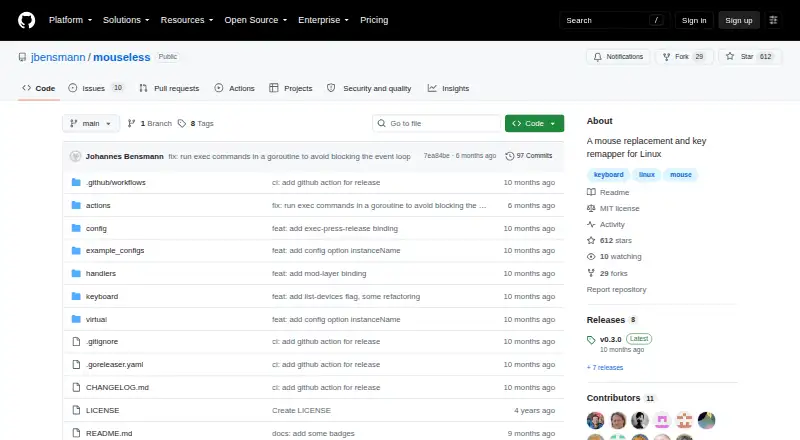
What Mouseless is
Mouseless is a free Linux utility that controls the mouse pointer from the keyboard and also remaps keys. It works across Linux distributions, including Wayland systems. Keyboard bindings can move the pointer continuously, change pointer speed, click, grab, and scroll. Users can organize remapped keys into arbitrary configurable layers. Bindings may run shell commands, reload configuration, disable keys, map mouse buttons, or trigger actions on key press and release. Simultaneous key combinations can launch actions, with timing controlled by the comboTime setting. Configuration uses YAML, with examples in the README and repository. Installation is available through a precompiled Linux binary or by building from source with Go. The project documents startup through a systemd service and explains operation with sudo or without root privileges. It is released under the MIT license. The README warns that keyboard-device access can let applications read keystrokes and advises checking an installation convenience script before running it.
Who it suits
Mouseless suits Linux users who want keyboard-only pointer control, precise movement, remapping, or operation without a mouse. It also fits people working with poor touchpads or keeping their hands on the keyboard.
What it does well
- Works across Linux distributions
- Supports Wayland
- Continuous movement and speed control
- Configurable remapping layers
- MIT licensed
What to know first
- Linux only
- Keyboard-device permissions carry security implications
- Setup can require sudo
- Keys may stick if startup steps are skipped
Verdict
Mouseless provides extensive keyboard pointer control and remapping through YAML-configured bindings on Linux. Users should review permissions and startup guidance before enabling it.
Facts from Mouseless's own pages
- Additional actions
- Bindings can run commands, reload the configuration, disable a key, or trigger actions on key press and release. · github.com, 12 Oct 2026
- Configuration
- Mouseless uses a YAML configuration file for layers, bindings, device selection, and speed settings. · github.com, 12 Oct 2026
- Custom actions
- Configuration actions include running shell commands, reloading the configuration, and mapping mouse buttons. · github.com, 11 Oct 2026
- Free plan
- Yes · github.com, 22 Sept 2026
- Installation
- The project provides a precompiled Linux binary and instructions to install from source with Go. · github.com, 12 Oct 2026
- Intended users
- The README lists keeping hands on the keyboard, using a laptop with a poor touchpad, lacking a mouse, being unable to use one, precise control, and experimentation as reasons to use Mouseless. · github.com, 12 Oct 2026
- Key combinations
- Simultaneously pressed key combinations can trigger actions, with their timing controlled by the comboTime setting. · github.com, 12 Oct 2026
- Key remapping
- It can remap keys and define arbitrary layers with configurable bindings. · github.com, 12 Oct 2026
- License
- The repository identifies its license as MIT. · github.com, 12 Oct 2026
- Linux support
- The README says it works across Linux distributions, including those running Wayland. · github.com, 11 Oct 2026
- Macro support
- Yes · github.com, 22 Sept 2026
- Mouse actions
- Users can click, grab, and scroll with keyboard bindings. · github.com, 11 Oct 2026
- Notable setup note
- The README cautions users to release all keys and wait one second after starting, or keys may remain stuck in the pressed state. · github.com, 11 Oct 2026
- Permissions
- Running without root requires keyboard-device read access and permission to create virtual input devices; the README warns that input-group membership lets all applications under that user read keyboards. · github.com, 12 Oct 2026
- Pointer control
- It supports continuous pointer movement, on-the-fly speed changes, clicking, grabbing, and scrolling. · github.com, 12 Oct 2026
- Purpose
- Mouseless controls the mouse pointer with the keyboard and works across Linux distributions, including Wayland. · github.com, 12 Oct 2026
- Remapping and layers
- Users can remap keys and define arbitrary layers with configurable bindings. · github.com, 11 Oct 2026
- Security consideration
- The README warns that granting a user access to keyboard devices lets all applications running as that user read from the keyboards. · github.com, 11 Oct 2026
- Security note
- The installation instructions advise checking the convenience script before running it because it comes from an untrusted source. · github.com, 12 Oct 2026
- Sensitivity controls
- Yes · github.com, 22 Sept 2026
- Startup
- The README describes configuring Mouseless to start at boot with systemd, either system-wide or for a user. · github.com, 12 Oct 2026
- Supported operating systems
- linux · github.com, 22 Sept 2026