Freedom251 › Keyboard and Mouse Customization Software
mousemap
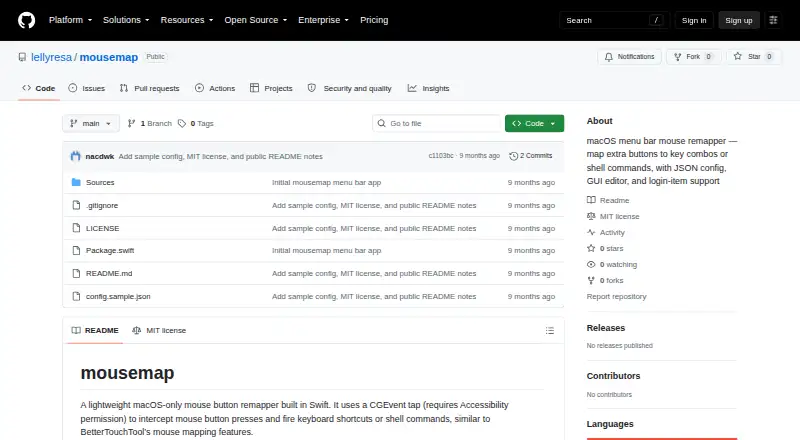
What mousemap is
mousemap is a free, open-source macOS utility written in Swift for remapping mouse buttons. It can assign regular or extra side buttons to keyboard combinations or shell commands, and each mapping may also pass the original click through to an application. Configuration uses JSON, with ~/.config/mousemap/config.json as the default path. Its menu bar app includes an editor for adding, changing, removing, and saving mappings, then reloads the configuration automatically. A Start at Login option installs a LaunchAgent that points to the built binary. mousemap requires macOS Accessibility permission to intercept and post input events. The maker says it runs locally, reads only the configuration file, and does not collect or send data. Supported shortcut keys include letters, digits, arrows, common editing and navigation keys, and F1–F12. The repository links an MIT license and documents Swift Package Manager builds for command-line and menu bar apps.
Who it suits
It suits Mac users who want configurable mouse-button shortcuts or shell commands. It is especially relevant to users comfortable editing JSON or running Swift-built tools.
What it does well
- Free and open source
- Maps extra mouse buttons
- Can run shell commands
- Optional click pass-through
- Automatic configuration reload
What to know first
- macOS only
- Requires Accessibility permission
- Repository showed no releases
- Configuration uses JSON
Verdict
mousemap offers focused mouse-button remapping with both menu bar and command-line builds. Its macOS permission requirement and developer-oriented configuration shape the experience.
Facts from mousemap's own pages
- Actions
- It maps mouse buttons, including extra side buttons, to keyboard shortcuts or shell commands. · github.com, 12 Oct 2026
- App interface
- The menu bar app includes a JSON settings editor that can add, edit, and remove mappings, save them, and auto-reload configuration. · github.com, 5 Oct 2026
- Build
- The README provides a Swift release-build command and describes both CLI and menu bar app binaries. · github.com, 12 Oct 2026
- Click behavior
- Each mapping can optionally pass the original click through to apps. · github.com, 5 Oct 2026
- Compatibility
- The project describes itself as macOS-only and requires macOS Accessibility access. · github.com, 12 Oct 2026
- Configuration
- Mappings use JSON, defaulting to ~/.config/mousemap/config.json, and can be supplied from a custom path. · github.com, 12 Oct 2026
- Distribution
- The repository links an MIT license and describes building the CLI and menu bar app with Swift Package Manager. · github.com, 5 Oct 2026
- Interface
- The menu bar app includes a JSON settings editor with add, edit, remove, save, and automatic reload functions. · github.com, 12 Oct 2026
- Login
- The menu’s Start at Login option installs a LaunchAgent pointing to the built binary. · github.com, 5 Oct 2026
- Login support
- The menu bar app can start at login by installing a LaunchAgent plist. · github.com, 12 Oct 2026
- Mappings
- Supported shortcut keys include letters, digits, arrows, common editing and navigation keys, and F1–F12. · github.com, 12 Oct 2026
- Pass-through
- Each mapping can optionally let the original click reach apps alongside the mapped action. · github.com, 12 Oct 2026
- Permission
- The app requires macOS Accessibility permission to intercept and post input events for remapping. · github.com, 5 Oct 2026
- Permissions
- macOS Accessibility permission is required to receive and post input events for remapping. · github.com, 12 Oct 2026
- Privacy
- The app says it runs locally, does not collect or send data, and only reads its config file. · github.com, 12 Oct 2026
- Purpose
- mousemap is a lightweight, macOS-only mouse button remapper built in Swift. · github.com, 12 Oct 2026
- Releases
- The repository page showed no releases when opened. · github.com, 5 Oct 2026
- Support
- The README invites contributions through pull requests with a clear description and any testing done. · github.com, 12 Oct 2026
- Supported operating systems
- macos · github.com, 22 Sept 2026
- Who it serves
- The maker describes it as a macOS menu bar tool for mapping extra mouse buttons to shortcuts or shell commands. · github.com, 5 Oct 2026