Freedom251 › ZX Spectrum Emulators
Unreal Speccy Portable
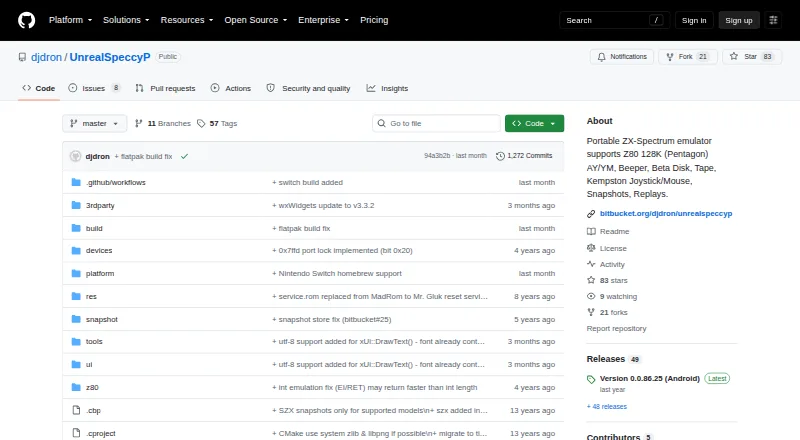
What Unreal Speccy Portable is
Unreal Speccy Portable is a free emulator for ZX-Spectrum systems, including Z80 and 128K (Pentagon) machines. It supports AY/YM and beeper audio, plus peripherals such as Beta Disk, tape, Kempston joystick and mouse. Users can work with snapshots and replays in formats including SNA, Z80, SZX and RZX; tape formats include TAP, TZX and CSW. Other supported formats include TRD, SCL, FDI, TD0, UDI and ZIP. The listed platforms are Windows, Linux, macOS and Android. The latest listed Android release targets Android 15 and requires Android 5.0 or later. Its release note says SD card access permission was removed and identifies an app-specific files path for copying images. Official releases are available from GitHub Releases and Bitbucket Downloads. The software is open source under GNU GPL version 3 or later. Its license disclaims warranties, including implied warranties of merchantability or fitness for a particular purpose.
Who it suits
It suits people looking to run ZX-Spectrum software on Windows, Linux, macOS or Android, with support for snapshots, replays and listed peripherals.
What it does well
- Supports Z80 and 128K (Pentagon) systems
- Includes AY/YM and beeper audio
- Supports snapshots and replays
- Available for Windows, Linux, macOS and Android
What to know first
- Latest listed Android release requires Android 5.0 or later
- Android release note says SD card access permission was removed
- License provides no warranty
Plans
| Plan | Billed and limits | Price |
|---|---|---|
| Unreal Speccy Portable | GNU GPL v3 or later | Free |
| Free | GPLv3-or-later software · no paid tiers listed | Free |
As github.com lists them, read 29 Sept 2026. The maker's own page has the final word.
Getting started
- Open the Unreal Speccy Portable project website.
- Choose an official release from GitHub Releases or Bitbucket Downloads.
- Use the release for Android, Linux, macOS, or Windows.
- On Android, use Android 5.0 or later.
Unreal Speccy Portable is a portable ZX-Spectrum emulator for people with software across tape, disk and snapshot formats. It suits Spectrum users who want classic peripherals and support across desktop and Android; those who prize straightforward Android file access may prefer a desktop option.
Overview
Support for Z80 and 128K (Pentagon) systems, snapshots and replays gives it range within the Spectrum family. The broad media support is a practical advantage for collections in mixed formats, and its peripheral coverage goes beyond loading images alone. It remains a focused Spectrum emulator, not a multi-system tool.
Key features
Machines, sound and peripherals
The emulator supports Z80 and 128K (Pentagon) systems, with AY/YM and Beeper audio. Beta Disk, Tape, Kempston Joystick and Mouse support make it a stronger fit for software or setups that rely on classic input and disk peripherals than a basic snapshot player. Readers who need other machines or peripherals should look elsewhere.
Media and sessions
Snapshot support covers SNA, Z80, SZX and RZX; tape support covers TAP, TZX and CSW. It also handles TRD, SCL, FDI, TD0, UDI and ZIP, alongside snapshots and replays. This breadth can reduce format gaps for users with varied collections, though it does not establish compatibility with every Spectrum title.
Pricing
Unreal Speccy Portable is free: its plan costs nothing and is released under GNU GPL v3 or later. There is no paid tier or free trial to weigh against a cheaper option. The license makes the software open source, but it comes without any warranty, including implied warranties of merchantability or fitness for a particular purpose.
Platforms
It runs on Windows, Linux, macOS and Android, giving desktop users a choice of host platforms and extending the same Spectrum focus to Android. The latest listed Android release targets Android 15 and requires Android 5.0 or later. An Android release note says SD card access permission was removed and directs users to copy images into an app-specific files path, a real inconvenience for anyone managing a collection on removable storage.
Official releases are available from GitHub Releases and Bitbucket Downloads. The project credits SMT, Dexus, Alone Coder and deathsoft for the PC version, and djdron and scor for the portable version.
Who it's for
Choose it if you want a free Spectrum emulator with support for multiple tape, disk and snapshot formats, replays and named classic peripherals across desktop systems or Android. It is less suitable if your priority is uncomplicated Android file management, or if you need systems beyond Z80 and 128K (Pentagon).
Pros and cons
- Pro: Broad tape, disk and snapshot format support suits users with collections in more than one image format.
- Pro: AY/YM and Beeper audio, plus Beta Disk, Kempston Joystick and Mouse support, serve users whose Spectrum setup depends on those peripherals.
- Pro: Four host platforms make it an option for desktop users on Windows, Linux or macOS as well as Android users.
- Con: Android users must work with the app-specific files path after SD card access permission was removed.
- Con: The program carries no warranty, so it is a poor fit for anyone who needs warranty-backed software.
Alternatives
For other options, browse ZX Spectrum Emulators. JNEXT is another free, open-source choice for Linux, macOS and Windows; choose it if those desktop platforms are enough and you want software offered under GPLv3. CSpect is a free option for Linux, macOS and Windows with a name-your-own-price plan; its terms say support and warranty are absent and updates are not guaranteed. GZX is free and open source for Linux and Windows, under an MIT-style license except for ZX Spectrum ROM files. Spectral is a free, open-source option for Linux, macOS and Windows, but is experimental and its code is prone to change. ZEsarUX is a free, open-source alternative for Linux, macOS, Windows and self-hosted use, with optional donations. EightyOne is a free, open-source Windows alternative. JSSpeccy 3 is a free, open-source web or self-hosted alternative. RustZX is a free, open-source option for Linux and Windows.
Verdict
Unreal Speccy Portable is a strong choice for Spectrum users who want broad file-format and peripheral support without paying, especially across multiple desktop platforms. Its Android storage-path compromise is the clearest reason to look elsewhere, and the warranty disclaimer matters to anyone seeking guaranteed coverage.
Verdict
Unreal Speccy Portable supports multiple ZX-Spectrum systems, peripherals and file formats across four host platforms. Android users should note the release’s storage-path guidance and minimum requirement.
Questions
How much does Unreal Speccy Portable cost?
It is free under the GNU General Public License version 3 or later.
Which platforms does it support?
Android, Linux, macOS, and Windows.
Which ZX-Spectrum systems does it support?
It supports Z80 and 128K (Pentagon) systems.
Is Unreal Speccy Portable open source?
Yes. It is free software under GNU GPL version 3 or any later version.
Where can I get a release?
Official releases are available from GitHub Releases and Bitbucket Downloads.
Facts from Unreal Speccy Portable's own pages
- Android architectures
- The F-Droid build provides arm64-v8a, armeabi-v7a, x86 and x86_64 variants. · f-droid.org, 19 Oct 2026
- Android minimum version
- F-Droid says version 0.0.86.29 requires Android 6.0 or newer. · f-droid.org, 19 Oct 2026
- Android permissions
- The F-Droid package requests full network access and an app-specific non-exported dynamic receiver permission. · f-droid.org, 19 Oct 2026
- Android release
- GitHub identifies version 0.0.86.25 as an Android release targeting Android 15 while retaining Android 5.0 as the minimum. · github.com, 19 Oct 2026
- Android requirement
- The latest listed Android release says it targets Android 15 and requires Android 5.0 or later. · github.com, 29 Sept 2026
- Android storage
- An Android release note says SD card access permission was removed and describes an app-specific files path for copying images. · github.com, 29 Sept 2026
- Android storage change
- A release removed external-storage permission and mapped the Android file area to the app-specific /sdcard/Android/data/app.usp/files path. · github.com, 19 Oct 2026
- Audio emulation
- The emulator supports AY/YM sound chips and the Spectrum beeper. · github.com, 19 Oct 2026
- Authors
- Listed contributors are SMT, Dexus, Alone Coder, deathsoft, djdron and scor. · github.com, 19 Oct 2026
- Buildability
- The Raspberry Pi discussion says a Makefile is supplied in build/rpi for self-building. · forums.raspberrypi.com, 19 Oct 2026
- Company facts
- The opened project pages identify an individual GitHub/SourceForge maintainer account named djdron rather than a legal company, headquarters or employee count. · sourceforge.net, 19 Oct 2026
- Disk and tape devices
- It emulates Beta Disk and tape hardware. · github.com, 19 Oct 2026
- Distribution
- The project says official releases are available from GitHub Releases and Bitbucket Downloads. · github.com, 29 Sept 2026
- Documentation
- The GitHub wiki currently contains only a welcome page and a prompt to create the first documentation page. · github.com, 19 Oct 2026
- File formats
- Supported formats include sna, z80, szx, rzx, tap, tzx, csw, trd, scl, fdi, td0, udi and zip. · f-droid.org, 19 Oct 2026
- Graphics and platform backends
- SourceForge lists OpenGL, OpenAL, SDL, GLESv2, PNaCl, Qt and wxWidgets among the project technologies. · sourceforge.net, 19 Oct 2026
- Independent catalog registration
- SourceForge records the project as registered on January 13, 2010. · sourceforge.net, 19 Oct 2026
- Independent catalog status
- SourceForge classifies the project as Alpha and shows one review. · sourceforge.net, 19 Oct 2026
- Input devices
- Kempston joystick and mouse input are supported. · github.com, 19 Oct 2026
- Latest F-Droid version
- F-Droid lists version 0.0.86.29, added August 3, 2026, with a 10 MiB APK. · f-droid.org, 19 Oct 2026
- License
- The source code is licensed under GNU GPL version 3 or any later version. · github.com, 19 Oct 2026
- Limit: 60 Hz scrolling
- The project author warned that 60 Hz modes produce jerks in scrolling demos during Raspberry Pi testing. · forums.raspberrypi.com, 19 Oct 2026
- Limit: display compatibility
- A Raspberry Pi user reported a blank screen on an older DVI monitor at 1024x768, and another noted DMT mode problems at 1024x768 or lower. · forums.raspberrypi.com, 19 Oct 2026
- Limit: Raspberry Pi graphics
- The author reported that the tested Raspberry Pi build required OpenGL ES 2.0 hardware acceleration in fullscreen; an X-server wxWidgets build was untested. · forums.raspberrypi.com, 19 Oct 2026
Where Unreal Speccy Portable stands on Freedom251
- ZX Spectrum Emulators#3 of 23