Freedom251 › ZX Spectrum Emulators
Klive IDE
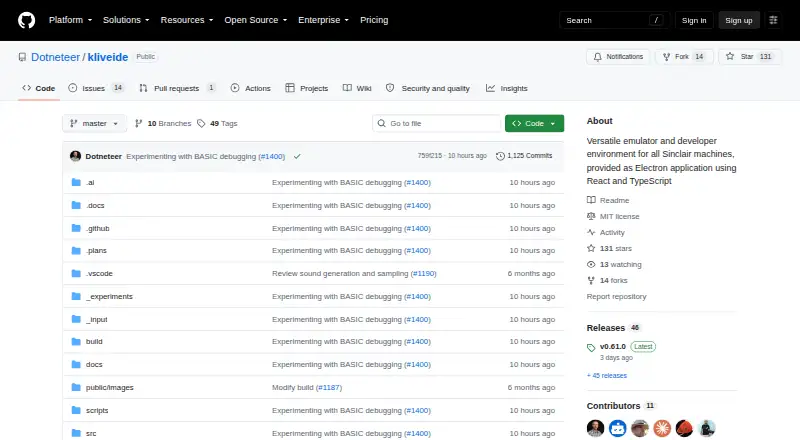
What Klive IDE is
Klive IDE is a free development environment and emulator for making software for Sinclair Z80-based computers. It supports Linux, macOS and Windows, and actively emulates the ZX Spectrum 48K and 128K, ZX Spectrum +2E/+3E, and Cambridge Z88. ZX Spectrum Next support is in progress. The IDE works with Z80 Assembly, ZX BASIC (Boriel's Basic) and SJASMPLUS; its native Klive assembler is built in, while the latter two use external toolchains. A one-click build flow compiles a project, loads it into the emulated machine, and runs or debugs it with breakpoints. The Monaco-based editor includes VS Code keyboard shortcuts, syntax highlighting, diagnostics, code folding and symbol navigation. Debugging views include CPU and ULA state, memory, disassembly, watches, BASIC listings and system variables. Klive handles TAP and TZX tape files and DSK disks for ZX Spectrum +3E, and can export TAP, TZX or Intel HEX. It also offers scripting for IDE commands and build pipelines, plus video recording with stereo audio. The project is MIT-licensed and described by its maker as a passion project for retro-computing enthusiasts.
Who it suits
Klive suits retro-computing enthusiasts who want to write, build and debug programs for supported Sinclair Z80 machines. It is available for macOS, Windows and Linux.
What it does well
- Built-in native Klive assembler
- One-click compile, inject, run and debug flow
- Includes breakpoints, watches and machine-state views
- Exports TAP, TZX and Intel HEX
- Free and MIT-licensed
What to know first
- ZX Spectrum Next support is still in progress
- ZX BASIC and SJASMPLUS use external toolchains
- macOS installer may be flagged as untrusted
Plans
| Plan | Billed and limits | Price |
|---|---|---|
| Klive IDE | Not-for-profit passion project · macOS, Windows x64, Linux | Free |
As github.com lists them, read 5 Oct 2026. The maker's own page has the final word.
Getting started
- Open the Klive IDE project website on GitHub.
- Choose the macOS, Windows, or Linux version.
- Install and launch Klive IDE.
- If installing on macOS, follow the guide to allow the installer through Privacy & Security settings.
- Choose a supported emulated machine and work with Z80 Assembly, ZX BASIC, or SJASMPLUS.
Klive IDE is a free, open-source workspace that combines development tools with emulators for several Sinclair Z80 computers. It suits retro-computing developers who want editing, building, machine-level debugging and emulation in one application. Its integrated Z80 workflow is compelling for Spectrum and Z88 projects, but ZX Spectrum Next work remains a weaker fit while that emulator is still in progress.
Overview
Klive is designed around the classic-computer development loop rather than general-purpose software projects. Active emulators cover the ZX Spectrum 48K and 128K, ZX Spectrum +2E/+3E, and Cambridge Z88. Support for ZX Spectrum Next is in progress, which matters if Next is your primary target: Klive cannot yet be treated as a finished Next-focused environment.
The project is MIT-licensed and presented as a not-for-profit passion project. There is no commercial subscription to budget for, making it an accessible choice for hobbyists and preservation-minded developers. The trade-off is that its maker invites contributions and provides a contact address rather than describing a commercial support package.
Key features
The native Klive assembler is built in and has no external dependencies, so Z80 Assembly projects can go from source to running program without assembling elsewhere. A one-click build workflow compiles the code, injects it into the selected emulated machine, and either runs it or starts a debug session. That short path is Klive's strongest practical advantage for iterative retro development.
The Monaco-based editor uses familiar VS Code keyboard shortcuts and adds semantic syntax highlighting, diagnostics, code folding and symbol navigation. These features make larger assembly or BASIC projects more manageable than a minimal text editor, while still keeping the work close to the target hardware.
Debugger views expose CPU and ULA state, memory, disassembly, breakpoints, watches, BASIC listings and system variables. This is useful when a bug depends on registers, memory layout or hardware state rather than high-level logic. Virtual keyboard and floppy-disk-drive support provide controls for interacting with the emulated machines.
Klive loads TAP and TZX tape images and DSK disks for ZX Spectrum +3E, and exports TAP, TZX or Intel HEX. ZX BASIC (Boriel's Basic) and SJASMPLUS are supported, but those languages use external toolchains, so they do not offer the same self-contained setup as the native assembler. The project also documents integration with the PASTA/80 Pascal compiler, whose assembler backend is SjasmPlus.
A JavaScript-like scripting engine can automate IDE commands and custom build pipelines. The emulator can record video with stereo audio to MP4, WebM or MKV, with FFmpeg bundled for that purpose. On macOS, installation may require allowing the installer through Privacy & Security if the operating system flags it as untrusted.
Pricing
Klive IDE — free
The free plan is the complete not-for-profit passion project for macOS, Windows x64 and Linux. It includes the editor, native assembler, emulators, debugger, file conversion, scripting and recording capabilities described above. There are no paid tiers, seat charges or usage quotas to weigh, making it suitable for individual learners, hobby projects and open-source retro releases. Commercial teams that require a paid support contract or guaranteed service terms should look elsewhere.
Platforms
Klive runs on Linux, macOS and Windows x64. Its active machine coverage is concentrated on ZX Spectrum 48K/128K, +2E/+3E and Cambridge Z88. Tape support covers TAP and TZX; DSK support is for ZX Spectrum +3E. Spectrum Next support is still being developed.
Who it's for
Choose Klive if you write Z80 Assembly, ZX BASIC or SJASMPLUS code and want the emulator, build step and debugger beside the editor. It is particularly well suited to enthusiasts studying hardware behaviour, producing software for supported Spectrum models, or automating repeatable builds with scripts.
It is a less suitable choice for developers whose main target is ZX Spectrum Next today, or for teams that need commercial support commitments. BASIC and SJASMPLUS users should also allow for installing and maintaining their external toolchains.
Pros and cons
Pros
- Integrated edit-build-debug loop: one command compiles, injects and runs or debugs code in the emulator.
- Self-contained Z80 Assembly: the native assembler removes an external dependency for assembly projects.
- Hardware-focused diagnostics: CPU, ULA, memory, disassembly, watches and system-variable views support low-level investigation.
- Broad retro file workflow: TAP, TZX and +3E DSK loading plus TAP, TZX and Intel HEX export help move projects between tools.
- Free and MIT-licensed: there is no purchase barrier and the code can be used under the project license.
Cons
- ZX Spectrum Next support is unfinished: Next developers may need another primary environment.
- Some languages need external tools: ZX BASIC and SJASMPLUS are not as self-contained as native assembly.
- Non-commercial support model: the project does not offer a paid support or warranty arrangement.
- macOS installation can need manual approval: an untrusted-source warning may require a Privacy & Security override.
Alternatives
For a broader emulator directory, see ZX Spectrum Emulators. JNEXT is a free, GPLv3 open-source option for Linux, macOS and Windows when you want an emulator without ads or commercial sales. Unreal Speccy Portable adds Android coverage while remaining free and GPLv3-or-later.
zx_go is another free MIT-licensed emulator for Linux, macOS and Windows; its Spectrum Next ROMs are not bundled. CSpect is free across those desktop platforms, but its name-your-own-price plan provides no support or warranty and does not guarantee updates. GZX is free, open source and MIT-style licensed for Linux and Windows.
SpeccyDate is a free macOS and Windows option from a family-oriented indie game studio. Spectral is free public-domain software for Linux, macOS and Windows, though it is explicitly experimental. ZEsarUX supports Linux, macOS, Windows and self-hosted use as free software with optional donations.
Verdict
Klive IDE is the right choice for retro developers who want a no-cost, open-source workspace that unifies Z80 editing, assembling, emulation and detailed debugging across several classic Sinclair machines. Its main reason to choose it is the efficient one-click path from source to an inspectable running system. Look elsewhere if ZX Spectrum Next is your immediate target, if your language workflow depends on avoiding external toolchains, or if you need commercial support and warranty terms.
Verdict
Klive brings an editor, build workflow and emulator together for several Sinclair Z80 machines. Its supported file formats, debugger views and scripting engine make it suitable for retro-computing development without a listed price.
Questions
How much does Klive IDE cost?
The Klive IDE plan is free. It is described as a not-for-profit passion project.
Is Klive IDE open source?
Yes. The project is open source and the GitHub repository identifies its license as MIT.
Which computers does it emulate?
Active emulators include the ZX Spectrum 48K and 128K, ZX Spectrum +2E/+3E, and Cambridge Z88. ZX Spectrum Next support is in progress.
Which operating systems does it support?
Klive IDE is available for macOS, Windows, and Linux.
Which programming languages does it support?
It supports Z80 Assembly, ZX BASIC (Boriel's Basic), and SJASMPLUS. The native Klive assembler is built in; ZX BASIC and SJASMPLUS use external toolchains.
Facts from Klive IDE's own pages
- Automation
- Klive includes a JavaScript-like scripting engine for IDE commands and custom build pipelines. · github.com, 5 Oct 2026
- Automation API
- The product documents a klive ide command-line interface and JSON-RPC 2.0 automation protocol over a local socket or named pipe. · dotneteer.github.io, 15 Oct 2026
- Automation security
- Automation is disabled by default, stays local, uses a per-start token and offers read, control and full permission levels. · dotneteer.github.io, 15 Oct 2026
- Build and debug
- A one-click workflow compiles code, injects it into the emulated machine, and runs or debugs it with breakpoints. · github.com, 5 Oct 2026
- Build limitation
- The developer wiki says emulator WebAssembly builds require a separate wat2wasm/native WebAssembly step and a multi-process development workflow. · github-wiki-see.page, 15 Oct 2026
- Built-in assembler
- The native Klive Z80 assembler supports documented and undocumented Z80 instructions, ZX Spectrum Next instructions, compile-time control flow and parameterized macros. · github.com, 15 Oct 2026
- CI testing
- The klive test command runs unit tests without the GUI and emits JUnit XML and LCOV coverage files for CI dashboards. · dotneteer.github.io, 15 Oct 2026
- Company profile
- Istvan Novak's personal site describes SoftwArt as a small Hungarian IT consultancy and identifies him as its principal and chief technology consultant. · istvannovak.me, 15 Oct 2026
- Debugger views
- The emulator exposes CPU, ULA, live memory, disassembly, breakpoints, system variables and BASIC-listing views. · dotneteer.github.io, 15 Oct 2026
- Developer architecture
- The mirrored developer wiki describes separate Electron emulator and VS Code-extension packages managed in a Lerna monorepo. · github-wiki-see.page, 15 Oct 2026
- Documentation depth
- The documentation includes installation, first-run, scripting, automation, debugging, navigation and unit-testing sections, with several pages updated in October 2026. · dotneteer.github.io, 15 Oct 2026
- Editor
- The IDE uses Monaco with VS Code keyboard shortcuts, syntax highlighting, diagnostics, folding, symbol navigation, inlay hints and rename support. · github.com, 15 Oct 2026
- Emulator controls
- Users can start, pause, continue, restart and single-step machines, with CPU speed adjustable from 1x to 24x. · dotneteer.github.io, 15 Oct 2026
- Emulator tools
- Debugging views expose CPU and ULA state, memory, disassembly, breakpoints, watches, BASIC listings, and system variables. · github.com, 5 Oct 2026
- File support
- Klive loads tape files in TAP and TZX formats and disk files in DSK format for ZX Spectrum +3E, and exports TAP, TZX, or Intel HEX. · github.com, 5 Oct 2026
- Independent feature description
- The same Espamática article describes the extension as combining a debugger, IDE, emulator and syntax highlighting inside VS Code. · espamatica.com, 15 Oct 2026
- Input formats
- Klive loads TAP and TZX tape images and DSK disks for ZX Spectrum +3/+3E systems. · dotneteer.github.io, 15 Oct 2026
- Installers
- Official releases provide macOS PKG, Windows x64 EXE or portable ZIP, and Linux AppImage packages. · dotneteer.github.io, 15 Oct 2026
- Integrations
- ZX BASIC and SJASMPLUS use external toolchains, and the IDE also documents integration with the PASTA/80 Pascal compiler, which uses SjasmPlus as its assembler backend. · dotneteer.github.io, 5 Oct 2026
- Language integrations
- Projects can use Klive Z80 Assembly, Boriel ZX BASIC and SJASMPLUS; the latter two require external toolchains. · github.com, 15 Oct 2026
- Languages
- The IDE supports Z80 Assembly, ZX BASIC (Boriel's Basic), and SJASMPLUS, with the native Klive assembler built in and no external dependencies. · github.com, 5 Oct 2026
- License
- The public repository identifies Klive IDE as MIT licensed. · github.com, 15 Oct 2026
- Limit: extension usability
- An Espamática article reports a user initially could not get the VS Code extension running and later still needed to work out debugging. · espamatica.com, 15 Oct 2026
- Limit: external toolchains
- ZX BASIC and SJASMPLUS projects need separately installed toolchains, unlike the built-in Klive assembler. · github.com, 15 Oct 2026
Where Klive IDE stands on Freedom251
- ZX Spectrum Emulators#2 of 23