Freedom251 › PDF Converter Software
Universal Document Converter
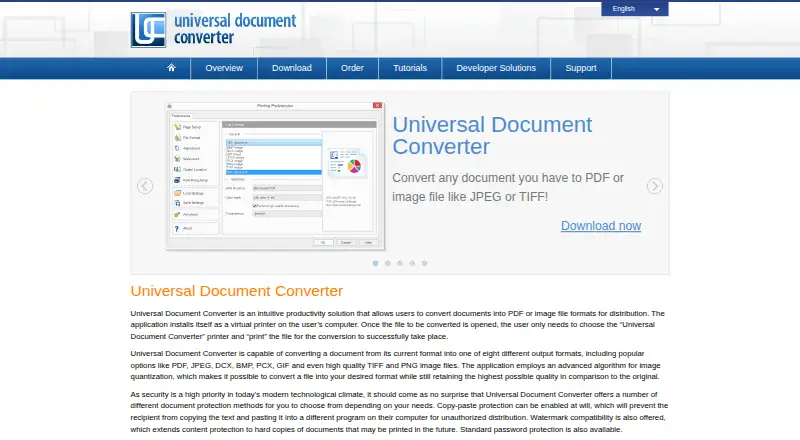
What Universal Document Converter is
Universal Document Converter turns printable documents into PDF or image files through a Windows virtual printer. Users select it as the printer for a document and print to create PDF, JPEG, TIFF, PNG, GIF, PCX, DCX, or BMP output. It can combine different documents into a multipage PDF, TIFF, or DCX file, and provides password protection, watermarks, and copy-paste protection. Its image quantization algorithm is intended to retain output quality relative to the original. The software can work over a network by delegating processing to a print server, according to the maker. A public API and code examples support integration into applications; listed automation examples cover Word, Excel, Outlook, PowerPoint, AutoCAD, Visio, and Adobe PDF workflows. Supported systems listed include Windows 7, 8, 8.1, and 10, plus Windows Server 2008 or 2012, with 32-bit and 64-bit support. It does not print for DOS applications. There is no free plan, but a demo exposes all features and adds a watermark to each output. The single-user Business License is $69, paid once. fCoder, the company associated with the product, was founded in 1998 and is based in Riga, Latvia.
Who it suits
It suits Windows users and application developers who need to convert printable documents into PDF or image formats. It may also fit organizations that need network processing or multi-user licensing.
What it does well
- Converts to eight listed PDF and image formats.
- Can combine documents into multipage files.
- Includes password, watermark, and copy-paste protection.
- Public API includes integration examples.
- Network processing can use a print server.
What to know first
- No free plan is offered.
- Demo outputs carry a watermark.
- Does not print for DOS applications.
- Listed platform support covers older Windows versions.
Plans
| Plan | Billed and limits | Price |
|---|---|---|
| Business License — up to 50 users | Up to 50 users · $25 per unit | $1,250, paid once |
| Business License — up to 5 users | Up to 5 users · $39 per unit | $195, paid once |
| Business License — up to 100 users | Up to 100 users · $20 per unit | $2,000, paid once |
| Business License — up to 10 users | Up to 10 users · $35 per unit | $350, paid once |
| Developer license | Unlimited users accessing your application · distribution with application · approval required | $4,500, paid once |
| Business License — up to 20 users | Up to 20 users · $30 per unit | $600, paid once |
| Business License — single user | 1 user | $69, paid once |
| Server license | One server · connects up to 33 users | $999, paid once |
The first 8 of 10 plans, as print-driver.com lists them, read 11 Oct 2026. The maker's own page has the final word. Every plan
Verdict
Universal Document Converter uses a virtual printer approach and offers multiple output formats, document protection, and API integration. Buyers should confirm the listed Windows support matches their systems and account for the watermark on demo outputs.
Facts from Universal Document Converter's own pages
- API
- The package includes a public API and code examples for integrating its capabilities into software applications. · print-driver.com, 11 Oct 2026
- Automation examples
- The maker lists API examples for Microsoft Word, Excel, Outlook, PowerPoint, AutoCAD, Visio and Adobe PDF workflows. · print-driver.com, 11 Oct 2026
- Combining documents
- The product can combine different documents into one multipage PDF, TIFF or DCX file. · print-driver.com, 11 Oct 2026
- Company history
- fCoder says it was founded in 1998, and that its document imaging division launched in 2000 and released the first Universal Document Converter version the following year. · print-driver.com, 11 Oct 2026
- Conversion
- The virtual printer converts documents to PDF or image files in eight output formats: PDF, JPEG, TIFF, PNG, GIF, PCX, DCX and BMP. · print-driver.com, 11 Oct 2026
- Document protection
- Available protection methods include password protection, watermarks and copy-paste protection. · print-driver.com, 11 Oct 2026
- Founded
- 1998 · print-driver.com, 28 Sept 2026
- Headquarters
- Riga, Latvia · print-driver.com, 28 Sept 2026
- How it works
- The application installs as a virtual printer, and users convert a document by selecting it as the printer and printing the file. · print-driver.com, 11 Oct 2026
- Image quality
- The product uses an image quantization algorithm intended to retain high output quality relative to the original. · print-driver.com, 11 Oct 2026
- Network deployment
- The maker says the software can work over a network and delegate document processing to a print server. · print-driver.com, 11 Oct 2026
- Notable limit
- The product does not print for DOS applications. · print-driver.com, 11 Oct 2026
- Platform support
- The download page lists Windows 7, 8, 8.1 and 10, and Windows Server 2008 or 2012, with 32-bit and 64-bit support. · print-driver.com, 11 Oct 2026
- Privacy and security
- The privacy policy says the website uses industry-standard firewall and password protections and encrypts registration passwords and sensitive information before transmission; the policy was last updated April 2, 2017. · print-driver.com, 11 Oct 2026
- Support
- The support center offers tutorials, FAQs, video tutorials and a contact form. · print-driver.com, 11 Oct 2026
- Trial limitation
- The demo exposes all available features and adds a watermark to each output file. · print-driver.com, 11 Oct 2026
Where Universal Document Converter stands on Freedom251
- PDF Converter Software#37 of 47