Freedom251 › PDF Converter Software
Enolsoft PDF Converter OCR
What Enolsoft PDF Converter OCR is
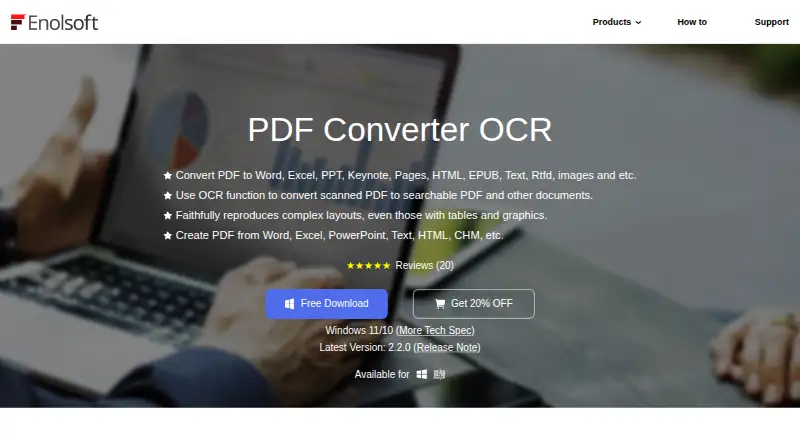
Enolsoft PDF Converter OCR is a paid desktop application for converting PDF files on Windows and macOS. It supports OCR conversion and batch conversion, and its output targets span office documents, text files, web pages, and images. Document targets include DOC, DOCX, PPTX, XLSX, RTF, and CSV; TXT and HTML are also supported. For image output, the listed formats are PNG, JPEG, JPG, TIFF, and BMP. Batch conversion lets users handle multiple files in one operation, while OCR conversion is available for PDF conversion workflows. Enolsoft was founded in 2011. The product’s stated platforms are Windows and macOS, so it is aimed at desktop users on either system. Its pricing model is paid, and no price or plan details are provided in the listed facts. The range of destinations makes it relevant when PDF content needs to be converted into different document, text, web, or image formats. Buyers can weigh that format coverage, OCR, and batch processing against the paid model and its Windows and macOS platform support.
Who it suits
It suits Windows and macOS users who need to convert PDFs into office documents, text, HTML, or image formats. Its OCR and batch conversion support may fit workflows involving scanned PDFs or multiple files.
What it does well
- Converts PDFs to office document formats including DOCX, PPTX, and XLSX.
- Supports TXT, RTF, CSV, and HTML output.
- Offers PNG, JPEG, JPG, TIFF, and BMP targets.
- OCR conversion is supported.
- Batch conversion can process multiple files in one operation.
What to know first
- The pricing model is paid.
- Supported platforms are Windows and macOS.
Plans
| Plan | Billed and limits | Price |
|---|---|---|
| Annual Plan | Auto-renew, cancel anytime · 1, 2, or 5 devices; one-year free updates; one-year free support | On request |
| Business Plan | One-time Payment · 1, 2, or 5 devices; commercial use; lifetime free updates; lifetime free support | On request |
| Lifetime Plan | One-time Payment · 1, 2, or 5 devices; lifetime free updates; lifetime free support | On request |
As enolsoft.com lists them, read 11 Oct 2026. The maker's own page has the final word.
Verdict
Choose Enolsoft PDF Converter OCR if you need PDF conversion across its listed document, text, HTML, and image formats, with OCR and batch conversion support. Look elsewhere if you need a free pricing model or a platform beyond Windows and macOS.
Questions
What platforms does Enolsoft PDF Converter OCR support?
It supports Windows and macOS.
What file formats can it convert PDFs to?
Listed targets are PDF, DOC, DOCX, PPTX, XLSX, TXT, RTF, CSV, HTML, PNG, JPEG, TIFF, BMP, and JPG.
Does it support OCR?
Yes, OCR conversion is supported.
Can it convert multiple files at once?
Yes, batch conversion is supported.
Is Enolsoft PDF Converter OCR free?
Its pricing model is paid.
When was Enolsoft founded?
Enolsoft was founded in 2011.
Facts from Enolsoft PDF Converter OCR's own pages
- Batch processing
- It can batch convert multiple PDFs and convert entire files or selected pages. · enolsoft.com, 11 Oct 2026
- Commercial licensing
- The Business Plan is designated for commercial use and includes lifetime updates and support. · enolsoft.com, 11 Oct 2026
- Company
- Enolsoft says it was established in 2011 and has more than 8 million users in over 100 countries. · enolsoft.com, 11 Oct 2026
- Device limit
- The purchase page offers licenses for 1, 2, or 5 devices and asks buyers needing more than 5 devices to contact sales. · enolsoft.com, 11 Oct 2026
- Encrypted files
- The product converts encrypted PDFs and says it can automatically remove PDF restriction passwords before conversion. · enolsoft.com, 11 Oct 2026
- Encryption handling
- The product page says it can automatically remove PDF restriction passwords before conversion. · enolsoft.com, 11 Oct 2026
- Formats
- The product page lists Word, Excel, PowerPoint, Keynote, Pages, HTML, EPUB, text, RTFD, and image formats as conversion outputs. · enolsoft.com, 11 Oct 2026
- Formatting preservation
- The maker says conversion preserves original formatting, layout, resolution, fonts, margins, tables, and charts. · enolsoft.com, 11 Oct 2026
- Founded
- 2011 · enolsoft.com, 28 Sept 2026
- License options
- The maker's store lists Annual, Lifetime, and Business plans, with licenses for 1, 2, or 5 devices; the page's price fields are not rendered as readable prices. · enolsoft.com, 11 Oct 2026
- macOS requirements
- The Mac version supports Intel or Apple Silicon and lists macOS 10.14 Mojave through macOS 26 Tahoe. · enolsoft.com, 11 Oct 2026
- OCR
- It recognizes text from scanned PDFs in more than 50 languages. · enolsoft.com, 11 Oct 2026
- Payment security
- The privacy policy says third-party payment processors, including PayPal, encrypt customer information before it is sent to Enolsoft. · enolsoft.com, 11 Oct 2026
- PDF conversion
- Converts native and scanned PDFs to Word, Excel, PowerPoint, Keynote, Pages, HTML, EPUB, text, RTFD, and image formats. · enolsoft.com, 11 Oct 2026
- PDF creation
- It creates PDFs from more than 10 file types and can merge multiple PDFs or documents in different formats into one PDF. · enolsoft.com, 11 Oct 2026
- Platforms
- The maker offers separate PDF Converter OCR versions for Windows and macOS. · enolsoft.com, 11 Oct 2026
- Privacy
- Enolsoft's privacy policy says personal information is collected for stated purposes and is not shared beyond what is necessary to fulfill its obligations. · enolsoft.com, 11 Oct 2026
- Product support
- The support center directs product or order questions to [email protected] and sales questions to [email protected]. · enolsoft.com, 11 Oct 2026
- Purchase terms
- The purchase page states a 30-day money-back guarantee, secure payment encryption, and 24H/7 one-to-one expert support. · enolsoft.com, 11 Oct 2026
- Purpose
- The software converts native and scanned PDFs into editable documents and images, and creates PDFs from other file types. · enolsoft.com, 11 Oct 2026
- Quality
- The product page says conversion preserves original formatting, layout, and image resolution. · enolsoft.com, 11 Oct 2026
- Support
- The support center directs product and order questions to [email protected] and sales or multi-user license questions to [email protected]. · enolsoft.com, 11 Oct 2026
- Supported platforms
- The maker provides separate PDF Converter OCR versions for macOS and Windows. · enolsoft.com, 11 Oct 2026
- Windows requirements
- The Windows version requires 64-bit Windows 10 or Windows 11, a 1GHz or faster Intel or AMD processor, at least 512MB RAM, and 1GB free installation space. · enolsoft.com, 11 Oct 2026
Where Enolsoft PDF Converter OCR stands on Freedom251
- PDF Converter Software#38 of 47