Freedom251 › PDF Converter Software
UniPDF
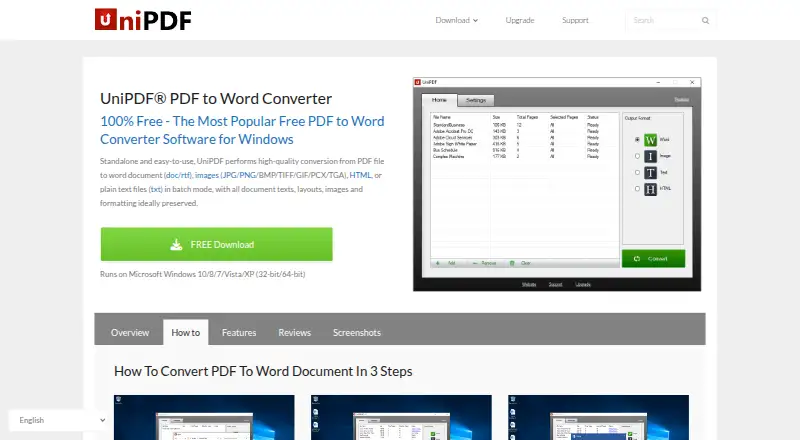
What UniPDF is
UniPDF is a Windows desktop application for converting PDF files into editable documents and other formats. It can create Word files in DOC or RTF, images, plain text, and HTML; listed image targets include JPG, PNG, BMP, TIF, GIF, PCX, and TGA. Users can select page ranges for Word and image conversions, or convert multiple PDFs in one session. The maker says conversions retain the original document design and formatting, and take place locally without uploading files to an online service. The Free plan costs nothing and allows three conversions per day for personal, non-commercial use; batch conversion and commercial use are unavailable on that plan. Expert costs $29.97, paid once for a lifetime commercial license for three PCs. Business costs $99.97, paid once for a lifetime commercial license covering unlimited PCs. Both paid plans list unlimited daily conversions, batch conversion, automatic updates, and priority support. The download page lists Windows 10, 8, 7, Vista, and XP in both 32-bit and 64-bit versions, plus support for English, Chinese, Spanish, Portuguese, Italian, German, French, Korean, and Japanese.
Who it suits
UniPDF suits Windows users who want to convert PDFs locally into editable documents, images, text, or HTML. The free edition is described for infrequent personal, non-commercial use; paid licenses cover commercial use.
What it does well
- Converts PDFs to documents, images, text, and HTML.
- Batch conversion is available on paid plans.
- Select page ranges for Word and image conversions.
- Desktop conversion takes place locally.
- Paid licenses include lifetime use.
What to know first
- Free edition allows three conversions per day.
- Free edition is for personal, non-commercial use.
- The listed platform is Windows.
- OCR conversion is not supported.
Limits
The Free plan allows three conversions per day for personal, non-commercial use on one PC; batch conversion and commercial use are unavailable. Expert covers three PCs, while Business supports unlimited PCs.
Plans
| Plan | Billed and limits | Price |
|---|---|---|
| Free | 3 conversions per day · personal and non-commercial use · 1 PC · batch conversion and commercial use unavailable | Free |
| Expert | Lifetime license for 3 PCs; page lists $29.97 · Unlimited daily conversions · batch conversion · commercial use · automatic updates and priority support | $29.97, paid once |
| Business | Page lists $99.97; lifetime commercial license · Unlimited daily conversions · batch conversion · third-party service use · automatic updates and priority support · unlimited PCs | $99.97, paid once |
As unipdf.com lists them, read 9 Oct 2026. The maker's own page has the final word.
Getting started
- Visit the UniPDF website.
- Download the Windows application for a listed Windows version and 32-bit or 64-bit system.
- Choose the Free, Expert, or Business plan based on your use and PC needs.
- Install and open the desktop application.
- Select PDF files and choose an output format; select a page range for Word or image conversion if needed.
Verdict
UniPDF offers local PDF conversion with multiple output formats and page selection. The free edition has a daily limit; paid licenses add commercial use and batch conversion.
Questions
How much does UniPDF cost?
The Free plan costs nothing. Expert is $29.97, paid once, and Business is $99.97, paid once.
What does the Free plan include?
It allows three conversions per day for personal, non-commercial use on one PC. Batch conversion and commercial use are unavailable.
Which platforms does UniPDF support?
Windows is listed. The download page lists Windows 10, 8, 7, Vista, and XP in 32-bit and 64-bit versions.
What formats can UniPDF create?
It converts PDFs to DOC, RTF, JPG, PNG, BMP, TIF, GIF, PCX, TGA, TXT, and HTML.
Does UniPDF include OCR?
No. OCR conversion is not available.
Who makes UniPDF, and what support is available?
The site footer names SharpNight Co., Ltd. Technical, sales, purchase, registration, and upgrade questions can be directed to [email protected].
Facts from UniPDF's own pages
- Batch conversion
- The product supports converting multiple PDF files in one session. · unipdf.com, 9 Oct 2026
- Formatting
- The product says it retains the original document design and formatting after conversion. · unipdf.com, 9 Oct 2026
- Free edition limit
- The free edition is described as suitable for infrequent personal, non-commercial use and limited to three conversions per day. · unipdf.com, 9 Oct 2026
- Local conversion
- The maker says desktop conversion can be done locally without uploading files to an online service. · unipdf.com, 9 Oct 2026
- Maker
- The site footer names SharpNight Co., Ltd.; the pages reviewed do not state its headquarters or founding year. · unipdf.com, 9 Oct 2026
- Output formats
- It converts PDFs to Word (.doc/.rtf), images, plain text (.txt), and HTML. · unipdf.com, 9 Oct 2026
- Page selection
- Users can choose a page range for Word and image conversions. · unipdf.com, 9 Oct 2026
- Paid license
- The order page describes the Expert license as lifetime, commercial, and valid for three PCs, and Business as supporting unlimited PCs. · unipdf.com, 9 Oct 2026
- Payment security
- The order page says online payments are processed by Avangate and that Avangate Services are PCI DSS Level 1 certified. · unipdf.com, 9 Oct 2026
- Purpose
- UniPDF is a standalone desktop application for converting PDF files to editable documents and other formats. · unipdf.com, 9 Oct 2026
- Refund
- The order page offers a 30-day money-back guarantee for purchases. · unipdf.com, 9 Oct 2026
- Support
- The support center directs users with technical, sales, purchase, registration, and upgrade questions to [email protected]. · unipdf.com, 9 Oct 2026
- Supported languages
- The download page lists support for English, Simplified and Traditional Chinese, Spanish, Portuguese, Italian, German, French, Korean, and Japanese. · unipdf.com, 9 Oct 2026
- Windows support
- The download page lists Windows 10, 8, 7, Vista, and XP, in both 32-bit and 64-bit versions. · unipdf.com, 9 Oct 2026
Where UniPDF stands on Freedom251
- PDF Converter Software#22 of 47