UniPCemu
What UniPCemu is
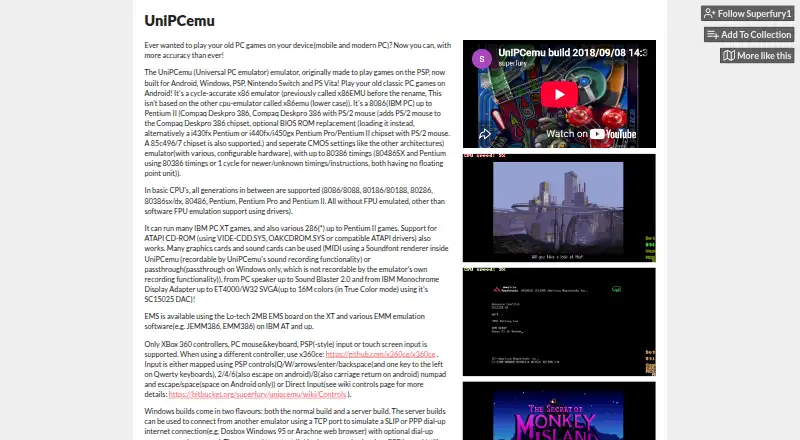
UniPCemu is a free x86 emulator for running classic PC games on Windows and Android, with additional builds listed for PSP, Nintendo Switch, and PS Vita. Its CPU emulation covers generations from the 8086/8088 through the Pentium II, with software FPU emulation available through drivers. Users can configure emulated hardware, including graphics ranging from IBM MDA to ET4000/W32 SVGA and sound ranging from the PC speaker to Sound Blaster 2.0. Input options include Xbox 360 controllers, mouse and keyboard, PSP-style controls, and touch screens. Windows MIDI passthrough is supported, and the listing points users of other controllers to x360ce. Windows server builds connect over TCP to simulate SLIP or PPP dial-up connections; the packet server handles multiple clients and several protocols, and can restrict login attempts by calling IP address or use an IP whitelist. The listed disk image formats are DSK, IMD, CUE, IMG, and IMA, and audio CD support is included. Users supply ROMs for AT systems and above, as well as other disk images. On Android, saved data in the app data folder may be permanently deleted on uninstall unless redirected, and it is not backed up automatically. Windows server builds require WinPcap or a compatible product with WinPcap compatibility.
Who it suits
UniPCemu suits people who want to run classic PC games on Windows or Android and configure emulated CPUs, graphics, and sound. Its listed controller options and additional PSP, Switch, and PS Vita builds may also suit users of those platforms.
What it does well
- Free plan with Windows and Android listed.
- Emulates CPU generations from 8086/8088 through Pentium II.
- Configurable graphics and sound hardware options.
- Supports touch, mouse and keyboard, and Xbox 360 controllers.
- Windows server builds simulate SLIP or PPP over TCP.
- Includes audio CD support and five listed disk image formats.
What to know first
- Users must supply ROMs and other disk images.
- Android app data is not backed up automatically.
- Windows server builds require WinPcap or a compatible product.
- Android uninstalling can permanently delete app-folder data.
Limits
UniPCemu is free. Users must provide ROMs for AT systems and above, along with other disk images; Windows server builds require WinPcap or a compatible product. Android data in the app data folder is not automatically backed up and may be deleted on uninstall unless redirected.
Plans
| Plan | Billed and limits | Price |
|---|---|---|
| UniPCemu | Downloadable emulator · Windows and Android listed as platforms · Windows, Android, PSP, Nintendo Switch and PS Vita builds mentioned | Free |
As superfury.itch.io lists them, read 8 Oct 2026. The maker's own page has the final word.
Getting started
- Open the UniPCemu download page.
- Choose a Windows or Android build, or a listed PSP, Nintendo Switch, or PS Vita build.
- Install or launch the build for your platform.
- Supply the ROMs and disk images you want to use.
- For Windows server builds, provide WinPcap or a compatible product with WinPcap compatibility.
Verdict
Choose UniPCemu if you want a free emulator with configurable classic PC hardware and input options across Windows and Android. Account for supplying your own ROMs and disk images, and take care to redirect Android data you want to keep before uninstalling.
Questions
How much does UniPCemu cost?
The listed plan is free, at no cost.
Which platforms are supported?
Windows and Android are listed, and builds are also mentioned for PSP, Nintendo Switch, and PS Vita.
What CPUs does it emulate?
Its supported generations run from 8086/8088 through Pentium II. Software FPU emulation is available using drivers.
Do I need to supply game files?
Yes. Users must supply ROMs for AT systems and above, as well as other disk images.
Does it support controllers and MIDI?
Listed input includes Xbox 360 controllers, mouse and keyboard, PSP-style input, and touch screens. Windows MIDI passthrough is supported.
Where can I report a bug?
The maker asks users to report issues and bugs through the Bitbucket issue tracker.
Facts from UniPCemu's own pages
- Android data
- The listing warns that uninstalling can permanently delete saved data in the app data folder unless it has been redirected, and says data is not backed up automatically. · superfury.itch.io, 8 Oct 2026
- Downloads
- The download section lists Android APK, Nintendo Switch NRO, PS Vita VPK, PSP ZIP, and 32-bit and 64-bit Windows ZIP builds, including server variants. · superfury.itch.io, 8 Oct 2026
- Emulated CPUs
- It supports CPU generations from 8086/8088 through Pentium II, with software FPU emulation support using drivers. · superfury.itch.io, 8 Oct 2026
- Hardware emulation
- The listing describes configurable emulated hardware, including graphics from IBM MDA through ET4000/W32 SVGA and sound from PC speaker through Sound Blaster 2.0. · superfury.itch.io, 8 Oct 2026
- Input
- The listing says supported input includes Xbox 360 controllers, PC mouse and keyboard, PSP-style input, and touch-screen input. · superfury.itch.io, 8 Oct 2026
- Integrations
- Windows MIDI passthrough is supported, and the listing points users of other controllers to x360ce. · superfury.itch.io, 8 Oct 2026
- Maker
- The maker profile describes Superfury1 as the creator of UniPCemu and various PSP-related homebrew tools. · superfury.itch.io, 8 Oct 2026
- Networking
- Windows server builds can connect over TCP to simulate SLIP or PPP dial-up connections, and the packet server supports several protocols and multiple clients. · superfury.itch.io, 8 Oct 2026
- Purpose
- UniPCemu is a cycle-accurate x86 emulator for running classic PC games on mobile devices and modern PCs. · superfury.itch.io, 8 Oct 2026
- Server access controls
- The packet server configuration can limit login attempts by calling IP address and whitelist IP addresses. · superfury.itch.io, 8 Oct 2026
- Support
- The maker asks users to report issues and bugs through the Bitbucket issue tracker. · superfury.itch.io, 8 Oct 2026
- System requirements
- Windows server builds require WinPcap or a compatible product such as Win10Pcap or Npcap with WinPcap compatibility for proper functionality. · superfury.itch.io, 8 Oct 2026
- User-supplied files
- The listing says users must supply copyrighted ROMs for AT systems and above, and other disk images must also be supplied by the user. · superfury.itch.io, 8 Oct 2026
Where UniPCemu stands on Freedom251
- MS-DOS Emulators#22 of 26