Retro-DOS
What Retro-DOS is
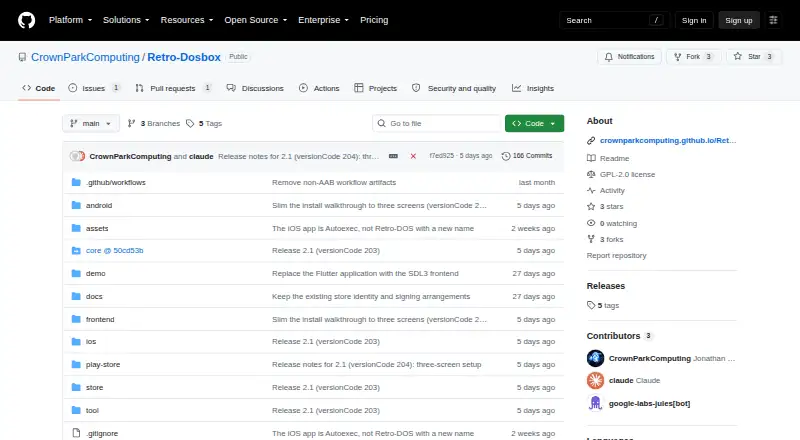
Retro-DOS is a DOS games launcher and emulator for handhelds, built on DOSBox-X with an SDL3 and Dear ImGui interface. Its Library organizes DOS games and applications with alphabetical browsing and search. Games launch mounted as C:, using a game's own dosbox.conf when available or a runnable selected from its directory. The app also includes Windows 98 and FreeDOS setup walkthroughs and can boot a hard disk image from C:.
Players can use physical gamepads or on-screen controls, with per-game mappings, presets, and in-game remapping. RetroMedia can fetch box art after sign-in; administrators can download games where the platform permits it. Downloads depend on the platform and account, and are unavailable in App Store builds. Android users can choose a persistent read/write folder through the system picker or use app storage on any volume. The Linux desktop build is a native executable that reads assets and demo content from beside the binary and uses system SDL3. On iOS, dynamic CPU cores are disabled because the platform does not permit memory that is both writable and executable. The repository is owned by CrownParkComputing and marked GPL-2.0; bundled FreeDOS and demonstration content have separate terms.
Who it suits
Retro-DOS suits handheld users who want to launch DOS games and applications, with physical or on-screen controls and configurable mappings. It may also suit users who want to browse a DOS library or follow the included Windows 98 and FreeDOS setup walkthroughs.
What it does well
- Library supports alphabetical browsing and search.
- Supports physical gamepads and on-screen controls.
- Offers per-game mappings, presets, and in-game remapping.
- Includes Windows 98 and FreeDOS setup walkthroughs.
- Source is available under a repository marked GPL-2.0.
What to know first
- Game downloads depend on platform and account.
- Game downloads are unavailable in App Store builds.
- iOS disables dynamic CPU cores.
- Bundled FreeDOS and demonstration content have separate terms.
Limits
Game downloads require both a supported platform and an account, and are not offered in App Store builds. On iOS, dynamic CPU cores are disabled.
Getting started
- Visit the CrownParkComputing GitHub repository.
- Choose a supported build for your device.
- On Android, select a persistent read/write folder through the system picker or use app storage.
- Add DOS games or applications to the Library.
- Use the Library index or search to find a title.
- Sign in to RetroMedia if you want to fetch box art.
Verdict
Consider Retro-DOS if you want a DOS launcher with searchable library browsing and flexible control options. Check its platform-specific restrictions before choosing it, particularly if you need game downloads in an App Store build or dynamic CPU cores on iOS.
Questions
How much does Retro-DOS cost?
The listed pricing model is free, with a free plan.
Which platforms are listed?
The platforms listed are Android, iOS, Linux, and Windows. The supported host platforms are listed as Android and iOS.
Can I download games through the app?
Administrators can download games where the platform allows it. Downloads depend on both platform and account, and are unavailable in App Store builds.
Does Retro-DOS support gamepads?
Yes. It supports physical gamepads and on-screen controls, along with per-game mappings, presets, and in-game remapping.
Is Retro-DOS open source?
The repository is marked GPL-2.0, and source is available. Bundled FreeDOS and demonstration content have separate terms.
Who makes Retro-DOS?
The GitHub repository is owned by CrownParkComputing.
Facts from Retro-DOS's own pages
- Android storage
- Android users can choose a persistent read/write folder through the system picker or use app storage on any volume without granting storage permission. · github.com, 8 Oct 2026
- Controls
- The app supports physical gamepads and on-screen controls, with per-game mappings, presets, and in-game remapping. · github.com, 8 Oct 2026
- Game launch
- Games are mounted as C:, and the launcher uses a game's own dosbox.conf when present or selects a runnable from its directory. · github.com, 8 Oct 2026
- Game library
- The library organizes DOS games and applications and includes alphabetical browsing and search. · github.com, 8 Oct 2026
- iOS constraint
- The iOS build disables dynamic cores because iOS does not permit memory that is both writable and executable. · github.com, 8 Oct 2026
- iOS limitation
- The iOS build disables the dynamic CPU cores and uses core=auto because iOS does not permit memory that is both writable and executable. · github.com, 8 Oct 2026
- Library
- Its Library lists DOS games and applications with an A–Z/0–9 index and search. · github.com, 8 Oct 2026
- License
- The repository is marked GPL-2.0, and the README notes separate terms for the bundled FreeDOS image and demonstration program. · github.com, 8 Oct 2026
- Licensing
- The project identifies DOSBox-X as GPL-licensed and says bundled FreeDOS and demo content have separate terms. · github.com, 8 Oct 2026
- Linux
- The Linux desktop build is a native executable that reads its assets and demo content from beside the binary. · github.com, 8 Oct 2026
- Linux requirement
- The Linux desktop build uses system SDL3, and its RetroMedia client is compiled in only when libcurl and minizip are present. · github.com, 8 Oct 2026
- Machines
- The app includes Windows 98 and FreeDOS setup walkthroughs and supports booting a hard disk image from C:. · github.com, 8 Oct 2026
- Maker
- The GitHub repository is owned by CrownParkComputing. · github.com, 8 Oct 2026
- Media
- RetroMedia can fetch box art after sign-in; administrators can also download games. · github.com, 8 Oct 2026
- Platform limit
- Game downloads are gated by both platform and account, and are not offered in App Store builds. · github.com, 8 Oct 2026
- Product
- Retro-DOS is a DOS games launcher and emulator for handhelds, built on DOSBox-X with an SDL3 and Dear ImGui frontend. · github.com, 8 Oct 2026
- Purpose
- Retro-DOS is a DOS games launcher and emulator for handhelds, built on DOSBox-X with an SDL3 and Dear ImGui frontend. · github.com, 8 Oct 2026
- RetroMedia
- Signing in to media.crownparkcomputing.com fetches box art, and administrators can download games where the platform allows it. · github.com, 8 Oct 2026
- Signing
- The repository says iOS signing happens in CI using an encrypted signing setup and a repository secret. · github.com, 8 Oct 2026
- Storage
- On Android, users can select a folder through the system picker or use app storage on any volume. · github.com, 8 Oct 2026
Where Retro-DOS stands on Freedom251
- MS-DOS Emulators#18 of 26