DOSBox 3DS
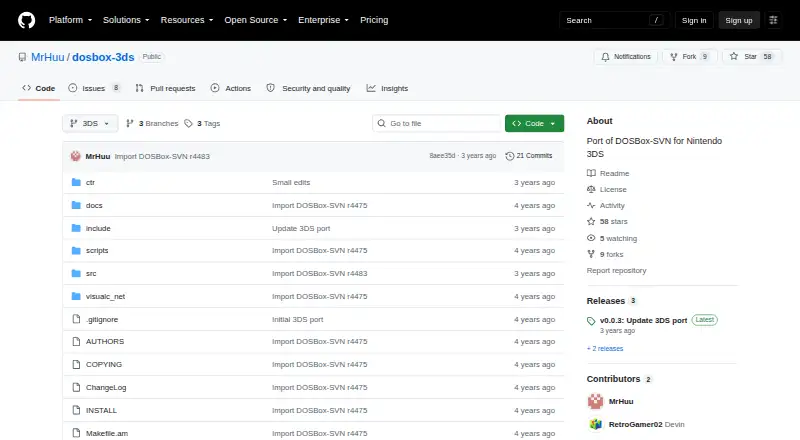
What DOSBox 3DS is
DOSBox 3DS is a port of DOSBox-SVN for Nintendo 3DS, intended for people who want to run DOS software on that handheld. DOSBox emulates a PC’s CPU, sound and graphics cards, and other peripherals so it can run DOS applications. The project lists DOS-compatible software as its target. It can work with ISO, CUE/BIN and CUE/IMG disk images, as well as floppy and hard-drive images; gamepad and audio CD support are also listed. The emulated sound hardware includes devices such as the PC speaker, AdLib, Sound Blaster, Gravis Ultrasound and MPU-401. DOSBox can also emulate a serial null-modem connection over a network or the internet for multiplayer connections. Users can adjust configuration settings, including CPU cycles, frame skipping and sound. On first run, it creates a configuration file. Drive access requires a mount command to make directories accessible. DOSBox 3DS is free, with no free trial. Its source code and a COPYING license file are available in the repository. The project notes that it does not run every PC program and uses one CPU core; performance on a high-end machine is described as roughly equivalent to a Pentium I PC.
Who it suits
DOSBox 3DS suits Nintendo 3DS users who want to run DOS-compatible software and can work with disk images or mounted directories. It may also suit users who want configurable emulation, gamepad support, audio CD support or serial multiplayer connections.
What it does well
- Free to use, with source code available.
- Designed as a DOSBox-SVN port for Nintendo 3DS.
- Supports ISO, CUE/BIN, CUE/IMG and disk images.
- Includes gamepad and audio CD support.
- Offers configurable CPU, graphics and sound settings.
- Can emulate serial multiplayer connections over a network or internet.
What to know first
- Does not run every PC program.
- Uses only one CPU core.
- Host drives require directories to be mounted.
- Intended host platform is Nintendo 3DS.
Limits
DOSBox does not run every PC program and uses only one CPU core. The free plan is the listed plan; no free trial is available.
Getting started
- Visit the project repository.
- Use a Nintendo 3DS as the host platform.
- Use a DOS-compatible program or one of the listed disk image types.
- Mount directories that you want DOSBox to access.
- Adjust the configuration file created on first run if needed.
Verdict
Choose DOSBox 3DS if you want a free way to run DOS software on a Nintendo 3DS, with configurable emulation and support for several disk image types. Consider another option if your target program is not compatible or you need a host platform other than Nintendo 3DS.
Questions
Is DOSBox 3DS free?
Yes. The listed pricing model is free, with a free plan and no free trial.
Which platform is DOSBox 3DS for?
Its supported host platform is Nintendo 3DS.
What kinds of software can it run?
It is intended to run DOS-compatible software, though DOSBox does not run every PC program.
Which disk image formats are listed?
ISO, CUE/BIN, CUE/IMG, floppy images and hard-drive images.
Is its source code available?
Yes. The repository provides source code and a COPYING license file.
How do users make directories accessible?
DOSBox does not expose host drives automatically; users make directories accessible with the mount command.
Facts from DOSBox 3DS's own pages
- Audience
- The project is intended for running DOS software on a Nintendo 3DS, according to its repository description. · github.com, 7 Oct 2026
- Compatibility limit
- The manual says DOSBox does not yet run every program made for the PC. · github.com, 7 Oct 2026
- Configuration
- DOSBox creates a configuration file on first run, and its settings can be changed to customize behavior. · github.com, 7 Oct 2026
- Customization
- The manual describes configurable CPU cycles, graphics frame skipping, and sound settings. · github.com, 7 Oct 2026
- Downloads
- The repository page has no listed releases. · github.com, 7 Oct 2026
- Drive access
- DOSBox does not automatically expose host drives; users make directories accessible with the mount command. · github.com, 7 Oct 2026
- Emulation
- DOSBox emulates a PC’s CPU, sound and graphics cards, and other peripherals to run DOS applications. · github.com, 7 Oct 2026
- Hardware emulation
- The manual lists emulation for legacy sound devices including SoundBlaster, AdLib, Gravis Ultrasound, and MPU-401. · github.com, 7 Oct 2026
- Limit
- The README says DOSBox does not run every PC program and describes performance on a high-end machine as roughly equivalent to a Pentium I PC. · github.com, 7 Oct 2026
- Multiplayer
- DOSBox can emulate a serial nullmodem cable over a network or the internet for multiplayer connections. · github.com, 7 Oct 2026
- Networking
- The manual describes serial null-modem multiplayer over a network or the internet. · github.com, 7 Oct 2026
- Performance limit
- The README says DOSBox uses only one CPU core. · github.com, 7 Oct 2026
- Project
- The repository describes DOSBox 3DS as a port of DOSBox-SVN for Nintendo 3DS. · github.com, 7 Oct 2026
- Purpose
- DOSBox 3DS is a port of DOSBox-SVN for Nintendo 3DS. · github.com, 7 Oct 2026
- Security
- The README says DOSBox cannot harm a computer more than any other resource-demanding program. · github.com, 7 Oct 2026
- Sound emulation
- The README lists emulation for legacy devices including PC speaker, AdLib, Sound Blaster, Gravis Ultrasound and MPU-401. · github.com, 7 Oct 2026
- Source availability
- The repository provides source code and a COPYING license file. · github.com, 7 Oct 2026
- Support
- The included manual directs users with questions to the DOSBox site and forum. · github.com, 7 Oct 2026
- Target audience
- The project is for Nintendo 3DS users who want to run DOS software. · github.com, 7 Oct 2026
Where DOSBox 3DS stands on Freedom251
- MS-DOS Emulators#15 of 26