Freedom251 › Game Profiling Software

Unigine Profiler
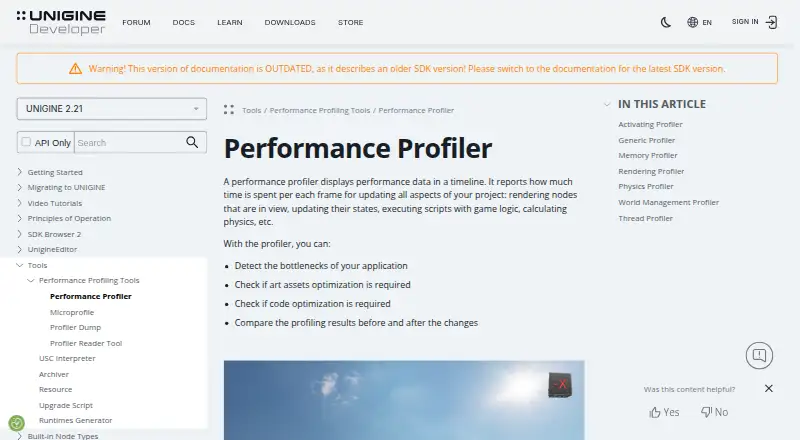
What Unigine Profiler is
Unigine Profiler displays per-frame performance data on a timeline to help development teams locate application bottlenecks and compare performance before and after changes. Its modes include Generic, Rendering, Memory, Physics, World Management, and Thread profiling. Timings can cover rendering visible nodes, updating node states, executing game logic, and calculating physics. Profiling statistics can be enabled at runtime with the show_profiler 1 console command and disabled with show_profiler 0.
Microprofile gathers CPU and GPU performance data for frame-by-frame inspection through a local web server, with results saveable as HTML. It can profile up to 1,000 frames and is available only in Development engine builds. C++ developers can instrument code regions with Profiler::begin() and Profiler::end(). For offline work, Profiler Reader interprets binary profiler dumps, exposes system and engine configuration, and summarizes average metric values. The tools are part of UNIGINE’s SDK for teams building interactive 3D applications, including C++ and C# programmers and 3D artists. Supported platforms are Windows and Linux. The Community Free SDK is available to eligible users; paid plans include Entertainment at $9,995 per year and Academic Research at $15,595 per year.
Who it suits
Unigine Profiler suits development teams building interactive 3D applications, including C++ and C# programmers and 3D artists. It is useful when a team needs frame-level CPU, GPU, memory, or other performance analysis on Windows or Linux.
What it does well
- Shows per-frame performance data on a timeline.
- Includes six profiling modes, including Rendering, Memory, and Physics.
- Microprofile collects CPU and GPU data and can save HTML results.
- C++ code regions can be instrumented for profiling.
- Profiler Reader summarizes average metric values from dumps.
What to know first
- Microprofile is limited to 1,000 frames.
- Microprofile is available only in Development engine builds.
- The free Community SDK has revenue and industry eligibility exclusions.
- Entertainment SDK costs $9,995 per year.
Limits
Microprofile can profile up to 1,000 frames and is available only in Development engine builds. The free Community SDK is for hobbyists, small indie teams, and students whose revenue and/or funding was below $200,000 in the preceding 12 months, and excludes defense, energy, mining, and gambling. The Academic Research SDK is for non-commercial university research; projects with commercial or defense funding above 30% of budget require a Sim license.
Plans
| Plan | Billed and limits | Price |
|---|---|---|
| Community Free SDK | Free · hobbyists, small indie teams and students · revenue and/or funding below $200,000 in preceding 12 months · excludes defense, energy, mining and gambling | Free |
| Academic Research SDK | $15,595 / year · 10 seats · $25,995 for 30 seats · non-commercial university research; projects with commercial or defense funding above 30% of budget require a Sim license | $15,595 a year |
| Entertainment SDK | $9,995 / year · 10 seats · commercial creative, visualization, entertainment and XR studios · excludes defense, energy, mining and gambling | $9,995 a year |
| Sim SDK | Contact Us · Enterprise simulation, AI learning and verification, GIS, BIM, CAD, smart city and digital twin projects · full feature evaluation available on request | On request |
As developer.unigine.com lists them, read 7 Oct 2026. The maker's own page has the final word.
Getting started
- Open the UNIGINE Profiler documentation website.
- Choose the Community Free SDK if your team meets its eligibility rules, or select a paid SDK plan.
- Use the SDK on Windows or Linux.
- Enable profiler statistics at runtime with show_profiler 1.
- Instrument C++ regions with Profiler::begin() and Profiler::end() if needed.
- Use Profiler Reader to interpret binary dumps for offline analysis.
Verdict
Choose Unigine Profiler if your team builds interactive 3D applications and needs timeline based bottleneck analysis, multiple profiling modes, or offline dump review. The Community SDK is limited by its eligibility rules, while paid SDK plans carry substantial annual costs; Microprofile also has a 1,000-frame limit and requires Development engine builds.
Questions
Is Unigine Profiler free?
A Community Free SDK is available to hobbyists, small indie teams, and students whose revenue and/or funding was below $200,000 in the preceding 12 months. It excludes defense, energy, mining, and gambling.
What do the listed paid plans cost?
Entertainment SDK is $9,995 per year for 10 seats. Academic Research SDK is $15,595 per year for 10 seats, with a 30-seat option at $25,995.
Which platforms does it support?
The supported platforms are Windows and Linux.
What kinds of performance can it profile?
Its modes include Generic, Rendering, Memory, Physics, World Management, and Thread profiling. CPU, GPU, memory, and frame-time profiling are listed.
Can it analyze profiler data offline?
Yes. Profiler Reader interprets binary dumps, exposes system and engine configuration, and summarizes average metric values.
Who makes Unigine Profiler?
It is part of UNIGINE’s SDK. UNIGINE says it was established in 2005 and focuses on real-time 3D technologies.
Facts from Unigine Profiler's own pages
- Controls
- Profiler statistics can be enabled at runtime with the show_profiler 1 console command and disabled with show_profiler 0. · developer.unigine.com, 7 Oct 2026
- Custom code
- C++ code can be instrumented with Profiler::begin() and Profiler::end() so the region appears in Profiler and Microprofile. · developer.unigine.com, 7 Oct 2026
- Dump format
- Profiler dump files are binary and cannot be read directly; the Profiler Reader tool or ProfilerDump class API is used to interpret them. · developer.unigine.com, 7 Oct 2026
- Founded
- 2005 · developer.unigine.com, 28 Sept 2026
- Headquarters
- Abu Dhabi, United Arab Emirates · developer.unigine.com, 28 Sept 2026
- Intended users
- The UNIGINE SDK is designed for development teams, including C++ and C# programmers and 3D artists, building interactive 3D applications. · unigine.com, 7 Oct 2026
- Maker and founding
- UNIGINE says it was established in 2005 and describes itself as a global company focused on real-time 3D technologies. · unigine.com, 7 Oct 2026
- Measured work
- Profiler timings cover frame work such as rendering visible nodes, updating node states, executing game logic and calculating physics. · developer.unigine.com, 7 Oct 2026
- Microprofile
- UNIGINE's Microprofile collects CPU and GPU performance data for frame-by-frame inspection and displays it through a local web server, with results saveable as HTML. · developer.unigine.com, 7 Oct 2026
- Microprofile limit
- Microprofile can profile up to 1,000 frames and is available only in Development engine builds, not Debug or Release builds. · developer.unigine.com, 7 Oct 2026
- Offline analysis
- Profiler dumps can be converted to readable text, inspected for system and engine configuration, and summarized by average metric values using Profiler Reader. · developer.unigine.com, 7 Oct 2026
- Platforms
- UNIGINE states that it supports Windows and Linux; its pricing page provides Community SDK downloads for both platforms. · developer.unigine.com, 7 Oct 2026
- Profiler modes
- Available modes include Generic, Rendering, Memory, Physics, World Management and Thread profiling. · developer.unigine.com, 7 Oct 2026
- Purpose
- The Performance Profiler displays per-frame performance data on a timeline to help identify application bottlenecks and compare performance before and after changes. · developer.unigine.com, 7 Oct 2026
- Support
- The pricing comparison lists forum support for Community and helpdesk, email and forum support for Entertainment and Academic Research editions. · unigine.com, 7 Oct 2026
Where Unigine Profiler stands on Freedom251
- Game Profiling Software#19 of 25