Freedom251 › Desktop Search Software
UltraSearch
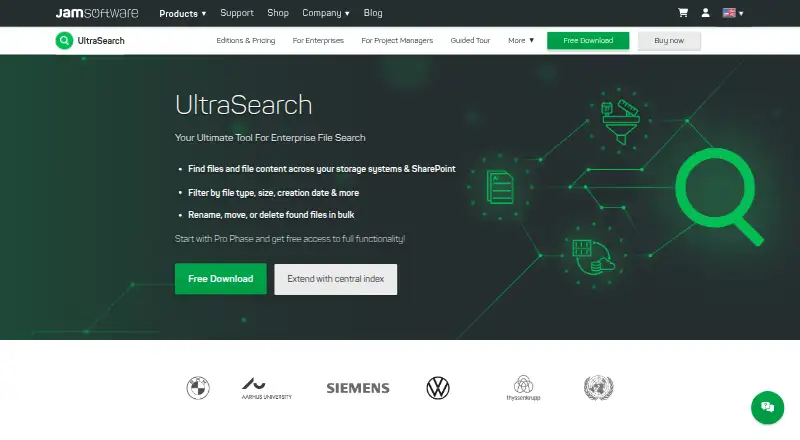
What UltraSearch is
UltraSearch is a Windows search tool for locating file names and content across local and external drives, USB sticks, SD cards, company networks, and SharePoint. It displays results as you type. Searches can look for text or phrases in file contents and use wildcards, regular expressions, and AND/OR terms. Direct searches in SharePoint do not require indexing.
The Free edition is for private, non-commercial use and includes 30 days of Professional features. Professional adds filters by file type, date, and file size, searches inside ZIP files, and actions to move, archive, delete, or rename multiple files from results. It also searches Google Drive and can connect to DataCentral, a central full-text and metadata index for multiple users. DataCentral runs on premises, keeps its index locally, and, according to its maker, integrates with NTFS permissions and Active Directory. UltraSearch was founded in 1998 and is headquartered in Trier, Germany. Downloads are available without registration; the maker offers an online manual and contact-form support.
Who it suits
UltraSearch suits Windows users who need to find files across drives, removable storage, networks, or SharePoint. Professional is aimed at teams and power users who need its additional search locations, filters, bulk actions, or centralized indexing.
What it does well
- Shows results as you type.
- Searches file contents using phrases, wildcards, and regular expressions.
- Covers local, network, external, and removable storage.
- Professional searches Google Drive and inside ZIP files.
- DataCentral keeps its index on premises.
What to know first
- Free use is restricted to private, non-commercial purposes.
- Professional costs $30 a year, billed annually.
- The listed platform is Windows.
Limits
The Free edition is limited to private, non-commercial use and includes 30 days of Professional features. Professional costs $30 a year with annual billing.
Plans
| Plan | Billed and limits | Price |
|---|---|---|
| Free | Windows Desktop · Private, non-commercial use · 30 days of Professional features | Free |
| Professional | Annual billing · Windows Desktop & Windows Server · Teams and power users · From $30.00 per user per year | $30 a year |
As jam-software.com lists them, read 8 Oct 2026. The maker's own page has the final word.
Getting started
- Download UltraSearch from the maker's website; registration is not required.
- Install it on a Windows system.
- Use the Free edition for private, non-commercial use, or choose Professional for teams and power users.
- Search supported storage locations using text, phrases, wildcards, regular expressions, or AND/OR terms.
- For Professional features, use its filters, ZIP searches, bulk actions, Google Drive search, or connect to DataCentral.
Verdict
Choose UltraSearch for Windows file searches across local storage, networks, removable drives, and SharePoint, with results appearing as you type. Professional is the fit for teams needing Google Drive searches, ZIP search, bulk actions, or DataCentral; the Free edition is not suitable for business use.
Questions
What does UltraSearch cost?
The Free plan costs nothing. Professional costs $30 a year, billed annually.
Is there a free plan or trial?
Yes. Free is for private, non-commercial use and includes 30 days of Professional features.
Which platforms does UltraSearch support?
The supported platform is Windows. Professional is available for Windows Desktop and Windows Server.
Can it search cloud storage?
Professional supports searches in SharePoint and Google Drive, alongside local and network drives. Direct SharePoint searches do not require indexing.
What is DataCentral?
It creates a central full-text and metadata index for multiple users. It runs on premises, stores its index locally, and integrates with NTFS permissions and Active Directory, according to the maker.
Do I need to register to download it?
No registration is required to download UltraSearch. The maker provides an online manual and support through a contact form.
Facts from UltraSearch's own pages
- Bulk file actions
- Professional supports moving, archiving, deleting, and bulk renaming files from search results. · jam-software.com, 8 Oct 2026
- Central index
- Professional can connect to DataCentral, which creates a central full-text and metadata index for multiple users. · jam-software.com, 8 Oct 2026
- Download and registration
- The maker says users do not need to register to download UltraSearch. · jam-software.com, 8 Oct 2026
- Filters
- Professional can filter by file type, dates, and file size. · jam-software.com, 8 Oct 2026
- Founded
- 1998 · jam-software.com, 28 Sept 2026
- Headquarters
- Trier, Germany · jam-software.com, 28 Sept 2026
- Integrations
- Professional supports searching SharePoint and Google Drive in addition to local and network drives. · jam-software.com, 8 Oct 2026
- Permissions
- The maker says DataCentral integrates with NTFS permissions and Active Directory. · jam-software.com, 8 Oct 2026
- Purpose
- UltraSearch searches file names and file contents across local storage, company networks, and SharePoint. · jam-software.com, 8 Oct 2026
- Search options
- Search supports text and phrases in file contents, wildcards, regular expressions, and AND/OR query terms. · jam-software.com, 8 Oct 2026
- Search speed
- The product provides search results as you type, without requiring indexing for direct SharePoint searches. · jam-software.com, 8 Oct 2026
- Security and data location
- DataCentral runs on premises, stores its index locally, and does not require or use cloud services. · jam-software.com, 8 Oct 2026
- Support
- The maker provides an online manual and says its support team can be contacted through a contact form. · jam-software.com, 8 Oct 2026
- Usage limit
- The Free edition is limited to private, non-commercial use; the maker says it is not suitable for business use. · jam-software.com, 8 Oct 2026
- ZIP search
- Professional can search inside ZIP files. · jam-software.com, 8 Oct 2026
Where UltraSearch stands on Freedom251
- Desktop Search Software#22 of 57