
typedesk
What typedesk is
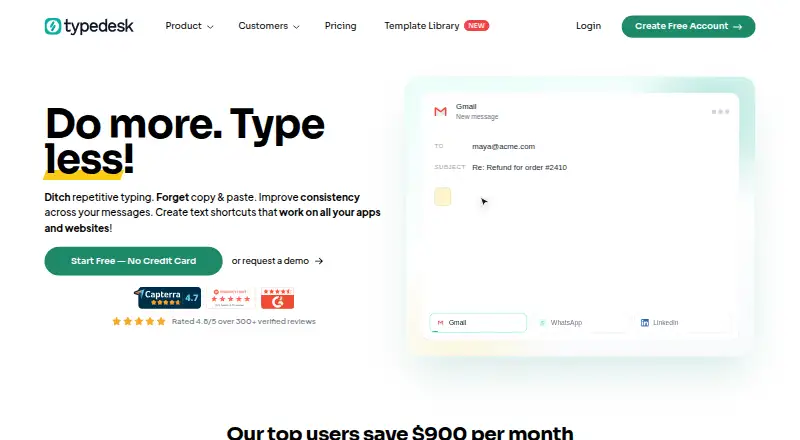
typedesk is a text template tool for inserting saved responses in inboxes, CRMs, back-office tools, documents, apps, and websites. It works across those places without requiring an integration. Users can search for and insert templates with customizable keyboard shortcuts. Dynamic placeholders can fill in information or perform calculations within a template.
The free plan includes unlimited templates, a desktop app, browser extensions, and one user, with use capped at 50 times per week. Premium costs $5 a month and adds unlimited usage, team support and sharing, uploads, webhooks, and AI integration. Teams can share and sync responses, set folder permissions, and receive update notifications. Premium +AI adds advanced AI integrations, quick replies, custom templates, variables, workflows, and access to all AI models. Enterprise includes SSO, custom integrations, SLA guarantees, advanced security, and account management.
typedesk supports macOS, Windows, and web, with extensions for Chrome, Firefox, Brave, and Chromium-based browsers. Listed integrations include Gmail, Outlook, Zendesk, Yahoo, X, LinkedIn, Slack, Teams, Discord, Intercom, and Salesforce. New accounts are automatically upgraded to a five-seat plan during the trial period. A 30-day money-back guarantee applies; after that period, subscriptions can be cancelled but are not refundable.
Who it suits
typedesk suits individuals who reuse written responses across different apps and websites, especially those who want shortcuts and dynamic placeholders. Its team sharing and administration features also fit groups that need shared, managed templates.
What it does well
- Free plan includes unlimited templates and 50 weekly uses.
- Works across apps and websites without an integration requirement.
- Keyboard shortcuts support template search and insertion.
- Teams can share and sync responses with folder permissions.
- Dynamic placeholders can fill information or perform calculations.
What to know first
- Free plan is limited to one user and 50 uses per week.
- Premium costs $5 a month.
- Mobile application access is listed as coming soon.
Limits
The free plan is limited to one user and 50 uses per week. Premium costs $5 a month and adds unlimited usage; higher plan prices are not given.
Plans
| Plan | Billed and limits | Price |
|---|---|---|
| Free | 50 uses per week · 1 user | Free |
| Premium | billed monthly · Unlimited templates · Unlimited usage · Teams support · Share templates with your team · Desktop application · Browser extensions | $5 a month |
| Premium +AI | Advanced AI integrations · AI Quick Reply · Custom AI templates · AI variables autofill · Custom AI workflows · Training and onboarding | On request |
| Enterprise | SSO and auto-join · Dedicated account manager · Custom integrations · SLA guarantees · Advanced security · Team Metrics | On request |
As typedesk.com lists them, read 28 Sept 2026. The maker's own page has the final word.
Getting started
- Visit the typedesk website.
- Choose the free plan or review the paid plans.
- Use the desktop app or browser extensions on a supported platform.
- Create templates and insert them with keyboard shortcuts.
- Use the trial period, during which new accounts are upgraded to a five-seat plan.
Overview
typedesk turns recurring text into reusable templates that can be inserted across work apps, documents and websites. It is strongest for people who repeat customer or internal responses in several tools, and for teams that need to keep shared wording current. Its main trade-off is a low ceiling on the free plan; regular users will need a paid tier for unrestricted use.
Key features
Templates wherever you work
Customizable keyboard shortcuts let you search for and insert templates, while dynamic placeholders can fill in information or perform calculations. Advanced expansion rules and usage analytics extend the system beyond simple saved replies. Because typedesk works across inboxes, CRMs, back offices, Word documents, apps and websites without requiring an integration, it can suit mixed workflows; named integrations include Gmail, Outlook, Zendesk, Yahoo, X, LinkedIn, Slack, Teams, Discord, Intercom and Salesforce.
Shared responses and administration
Premium lets teams share and sync responses, manage folder permissions and receive notifications when shared templates change. That is useful when several people need consistent answers, but it does mean teams must pay rather than rely on the single-user free plan. Enterprise adds auto-join, managed account creation and imports, metrics and onboarding, alongside SSO, a dedicated account manager, custom integrations, SLA guarantees and advanced security.
AI options
Premium +AI adds advanced AI integrations, quick replies, custom AI templates, variable autofill, workflows and access to all AI models. These tools are relevant to teams seeking more than static responses, but the tier's price is custom pricing, so its cost should be weighed against the value of those additions.
Pricing
Free costs nothing and is free forever. It includes unlimited templates, the desktop app and browser extensions, but limits use to 50 per week and one user. It is a sensible personal starter plan; frequent use or team sharing quickly makes the cap restrictive.
Premium costs $5 a month, billed monthly, with monthly or yearly billing options shown. It includes unlimited templates and usage, team support and sharing, the desktop app and browser extensions. This is the clearest fit for regular individual use or teams that need shared responses. A mobile application is described as coming soon for Premium, not as current mobile support.
Premium +AI has custom pricing and adds the AI features, custom templates, variables, workflows, quick replies, and training and onboarding. Choose it when those additions justify moving beyond Premium; otherwise the lower tier covers the core expansion and sharing needs.
Enterprise also has custom pricing. It is aimed at organizations needing SSO, auto-join, account management, custom integrations, SLA guarantees, security and team metrics. Volume discounts start at 15 users, with larger enterprise accounts handled through contact. New accounts are automatically upgraded to a five-seat plan during the trial period. A 30-day money-back guarantee applies; after that, subscriptions may be cancelled but are not refundable.
Platforms
typedesk supports Windows and Mac desktop use, plus Chrome, Firefox, Brave and Chromium-based browser extensions, as well as web access. Mobile support is not currently available, which limits its fit for people who need to expand text primarily on phones or tablets.
Who it's for
Choose typedesk if you reuse responses across several desktop apps or websites and want shortcuts, dynamic fields or shared templates. The free plan works for light personal use, while Premium fits regular users and teams. Organizations that require SSO, bespoke integrations or service-level guarantees should consider Enterprise; users who need mobile support now should look elsewhere.
Pros and cons
- Broad workflow reach: Works across apps, documents and websites without requiring a dedicated integration, reducing dependence on a single platform.
- Useful team controls: Shared and synced responses, folder permissions and update notifications help keep team replies aligned.
- Free usage is capped: One user and 50 weekly uses make the no-cost plan unsuitable for sustained high-volume work.
- Mobile is not ready: The Premium mobile app is coming soon, so mobile-first users cannot rely on it today.
- Advanced costs are opaque: Premium +AI and Enterprise use custom pricing, making budget comparisons harder.
Alternatives
TextExpander is worth considering if its broader listed platform range, including iOS and Linux, matters more than typedesk's cross-app workflow and team tools; its free plan includes five active snippets.
Briskine may suit users prioritizing Android or iOS access, with a free tier limited to 30 templates for one person and Premium at $7 a month.
PhraseExpress is an alternative for people seeking a lifetime-license option or iOS, macOS and Windows support; its listed plans include professional use and phrase sharing.
Espanso is a free, open-source choice for Linux, macOS or Windows users.
Rocket Typist is a Mac and iOS alternative with a free plan capped at 10 snippets.
Snippety is an Apple-device alternative, with a pay-once Mac plan and a separate all-Apple-devices option.
Text Blaze is another freemium option for extension, macOS and Windows users, with its free tier limiting snippets and sharing.
AutoKey is a free Linux text-expansion utility.
For a broader shortlist, see Text Expanders Software and Text Expansion Software.
Verdict
typedesk is a strong choice for desktop users who want reusable responses available across many apps, with dynamic fields and a practical path to team sharing. Its free plan is useful for occasional personal use, but the 50-use weekly limit makes Premium the better fit for routine work. Look elsewhere if mobile access is essential now, or if you need enterprise-grade controls without moving to custom pricing.
Verdict
Pick typedesk if you want reusable responses across multiple apps, with shortcuts and dynamic fields. Teams that need sharing can use Premium, while groups seeking SSO, custom integrations, or SLA guarantees should look at Enterprise. The free plan is limited to one user and 50 weekly uses.
Questions
Is typedesk free?
Yes. The Free plan is free forever and includes unlimited templates, one user, and 50 uses per week.
How much does Premium cost?
Premium is listed at $5 a month. Monthly or yearly billing options are shown, but no yearly price figure is given.
Which platforms does typedesk support?
It supports macOS, Windows, and web, with extensions for Chrome, Firefox, Brave, and Chromium-based browsers.
Can teams share templates?
Yes. Teams can share and sync responses, set folder permissions, and receive update notifications.
What do Premium +AI and Enterprise add?
Premium +AI includes advanced AI integrations, quick replies, custom templates, variables, workflows, and all AI models. Enterprise includes SSO, account management, custom integrations, SLA guarantees, and advanced security.
Does typedesk integrate with other apps?
Listed integrations include Gmail, Outlook, Zendesk, Yahoo, X, LinkedIn, Slack, Teams, Discord, Intercom, and Salesforce. It can also work across apps and websites without requiring an integration.
Facts from typedesk's own pages
- Enterprise administration
- Enterprise includes SSO, auto-join, managed account creation, managed import, metrics, and onboarding. · typedesk.com, 28 Sept 2026
- AI tier features
- Premium +AI adds advanced AI integrations, quick replies, custom templates, variables, workflows, and all AI models. · typedesk.com, 28 Sept 2026
- Company facts
- The site describes Typedesk as used by 10,000+ users and lists copyright for 2026. · typedesk.com, 28 Sept 2026
- Mobile availability
- A mobile application is listed as coming soon on the Premium plan. · typedesk.com, 28 Sept 2026
- Dynamic variables
- Dynamic placeholders can fill in information or perform calculations inside templates. · typedesk.com, 28 Sept 2026
- Enterprise features
- Enterprise adds chat and Zoom assistance, SSO, account management, custom integrations, SLA guarantees, and security. · typedesk.com, 28 Sept 2026
- Free plan
- Yes · typedesk.com, 20 Sept 2026
- Free plan limits
- Free forever with unlimited templates, 50 uses per week, desktop app, browser extensions, and one user. · typedesk.com, 28 Sept 2026
- Trial access
- New accounts are automatically upgraded to a five-seat plan during the trial period. · typedesk.com, 28 Sept 2026
- Named integrations
- Listed integrations include Gmail, Outlook, Zendesk, Yahoo, X, LinkedIn, Slack, Teams, Discord, Intercom, and Salesforce. · typedesk.com, 28 Sept 2026
- Keyboard shortcuts
- Keyboard shortcuts support fast searching, customization, and insertion of templates. · typedesk.com, 28 Sept 2026
- Premium features
- Premium adds unlimited usage, team support, sharing, mobile application access, AI integration, uploads, and webhooks. · typedesk.com, 28 Sept 2026
- Refund policy
- A 30-day money-back guarantee is offered; after that, subscriptions can be cancelled but are not refundable. · typedesk.com, 28 Sept 2026
- Paid from
- 5 · typedesk.com, 20 Sept 2026
- Supported platforms
- Typedesk has apps for Windows, Mac, major browsers, Chromebooks, and a web app. · typedesk.com, 28 Sept 2026
- Support options
- Support includes AI/forum assistance, email assistance, a Help Center, and enterprise Chat & Zoom assistance. · typedesk.com, 28 Sept 2026
- Team sharing
- Teams can share and sync responses, set folder permissions, and receive update notifications. · typedesk.com, 28 Sept 2026
- Volume discounts
- Volume discounts are available starting at 15 users, with larger enterprise accounts handled by contact. · typedesk.com, 28 Sept 2026
- App compatibility
- It works across inboxes, CRMs, back offices, Word documents, apps, and websites without an integration requirement. · typedesk.com, 28 Sept 2026
Where typedesk stands on Freedom251
- Text expanders#4 of 20
- Text Expansion Software#19 of 31
- Text Expanders Software#13 of 20