Freedom251 › Text Expansion Software

Briskine
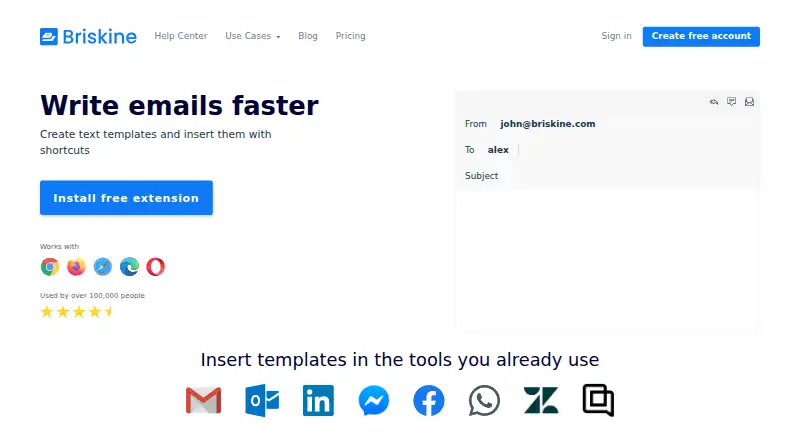
What Briskine is
Briskine is a text expansion tool for creating reusable templates and inserting them on websites and in web apps. Templates can include dynamic or custom variables, advanced formatting, images and links. They can fill email fields such as Subject, To, CC and BCC. The editor supports Chrome, Firefox, Safari, Edge and Opera, with mobile browsers on Android and iOS also supported. Templates can be shared and synced with a team, and the service says they can be inserted on almost any website or web app. The free plan is for one person and includes 30 templates; creating an account does not require a credit card. Premium includes unlimited templates and team members. The listed starting price is $7/user/mo. Plans can be upgraded, downgraded or canceled at any time, and yearly billing provides two months free. Briskine provides email support and lists discounts for teams of 30 or more, nonprofits and educational institutions.
Who it suits
Briskine suits individuals who reuse formatted text across websites and email fields, as well as teams that want to share and sync templates. Its browser and mobile-browser support makes it relevant to users on the listed platforms.
What it does well
- Free plan includes 30 templates for one person.
- Templates support dynamic and custom variables.
- Can fill Subject, To, CC and BCC fields.
- Templates can be shared and synced with a team.
- Yearly billing provides two months free.
What to know first
- Free plan is limited to 30 templates.
- Free plan is for one person.
- Premium starts at $7/user/mo.
Limits
The Free plan is limited to one person and 30 templates. Premium includes unlimited templates and team members.
Plans
| Plan | Billed and limits | Price |
|---|---|---|
| Free | billed monthly · 30 templates · 1 person | Free |
| Premium | no annual price on the source page · Unlimited templates · Unlimited team members | On request |
As briskine.com lists them, read 28 Sept 2026. The maker's own page has the final word.
Getting started
- Visit the Briskine website.
- Create a free account without entering a credit card.
- Use the extension in Chrome, Firefox, Safari, Edge, or Opera, or use a mobile browser on Android or iOS.
- Create templates, adding dynamic or custom variables and rich formatting as needed.
- Share and sync templates with a team, or choose Premium for unlimited templates and team members.
Briskine turns recurring text into reusable templates for browser-based work. It is a strong fit for people who need formatted replies with changeable fields, and for teams that want to share a common library. Its best advantage is combining rich templates with email-field filling; the free plan’s small, single-user allowance is the main constraint.
Overview
Briskine expands templates on almost any website or web app, so its usefulness is not confined to email. The mix of formatting, variables and email-field support suits polished, repeatable correspondence better than a tool limited to plain text. Individuals can begin without a credit card, but anyone building a substantial library or collaborating with colleagues will need Premium.
Key features
Templates can include advanced formatting, images and links, as well as dynamic and custom variables. That lets users adapt a standard message without maintaining separate copies for every variation. Briskine can also fill Subject, To, CC and BCC fields, which is useful when recurring emails need consistent routing as well as a prepared body.
Teams can share and sync templates, making a common library possible rather than leaving each person to manage snippets alone. The Free plan is restricted to one person, however, so collaboration is a Premium use case. Browser support spans Chrome, Firefox, Safari, Edge and Opera; Briskine also supports Android and iOS mobile browsers.
Pricing
Free costs nothing and includes one person and 30 templates. No credit card is required to create an account. That is enough room for an individual to try a focused set of recurring messages, but the cap becomes restrictive as a library grows, and the single-person limit excludes shared team use.
Premium starts at $7 a year, with annual billing available. It includes unlimited templates and unlimited team members, removing the two central Free-plan constraints. Yearly billing provides 2 months free. Plans can be upgraded, downgraded or canceled at any time; teams of 30 or more, nonprofits and educational institutions can receive discounts. Premium is the relevant choice for collaboration or a large template library, while a person with modest needs can stay on Free.
Platforms
Briskine works as an extension for Chrome, Firefox, Safari, Edge and Opera, and supports mobile browsers on Android and iOS. That range makes it suitable for people who move between supported browsers and mobile browsing, rather than those seeking a Linux or desktop-native app. Briskine also provides email support at [email protected].
Who it's for
Briskine suits people who repeatedly write formatted responses across email and web apps, especially when variable details or recipient fields need to change from one message to the next. Premium is a better fit for teams that need synced templates or individuals whose libraries exceed 30 entries. It is less compelling for a single user who needs only a small number of plain snippets, since the rich editor and team tier may offer more than that workflow requires.
Pros and cons
- Pros: Rich formatting, images, links and variables make templates more adaptable than fixed text.
- Pros: Filling Subject, To, CC and BCC supports repeatable email workflows beyond inserting message text.
- Pros: Premium offers unlimited templates and team members, with flexible plan changes and annual billing savings.
- Cons: Free is limited to one person and 30 templates, so it cannot serve as a shared team library and may constrain frequent users.
- Cons: Its supported workflow centers on browsers and mobile browsers, which may not suit users seeking a Linux or desktop-native option.
Alternatives
TextExpander is worth considering for users who want broader stated platform coverage, including Linux, macOS and Windows, and can work within its Free plan’s 5 active snippets and 3 team members. Choose PhraseExpress if a lifetime-license option or professional phrase sharing is a better fit; its Standard plan includes 12 months of updates and upgrades.
typedesk may suit someone seeking a lower monthly entry point: Premium is $5 a month, while its Free plan allows 50 uses per week for one user. Espanso is the free, open-source option for Linux, macOS or Windows users who prefer software under the GPL-3 license.
Text Blaze is another freemium text-expansion option. AutoKey is a free Linux utility. Rocket Typist is a freemium option for iOS and macOS, with a free plan limited to 10 snippets. Texpand is an Android alternative; its free plan includes 10 phrases and Premium costs $6.99 a month.
For more choices, browse Text Expanders Software and Text Expansion Software.
Verdict
Choose Briskine if your work involves recurring, formatted messages across web apps and you want variables, email-field filling or a shared team library. Its most convincing advantage is the breadth of its templates; look elsewhere if you need a desktop-native workflow or if the Free plan’s 30-template, one-person ceiling is too limiting.
Verdict
Briskine provides reusable, formatted templates across supported browsers and mobile browsers, with team sharing on Premium. The free plan is limited to one person and 30 templates; paid pricing starts at $7/user/mo.
Questions
Is Briskine free?
Yes. The Free plan costs nothing and includes 30 templates for one person.
How much does Premium cost?
Paid plans start at $7/user/mo. Yearly billing provides two months free.
Which browsers and platforms does Briskine support?
The extension supports Chrome, Firefox, Safari, Edge, and Opera. Briskine also supports mobile browsers on Android and iOS.
Can teams share templates?
Yes. Templates can be shared and synced with a team. Premium includes unlimited team members.
Can templates fill email fields?
Yes. Templates can fill Subject, To, CC, and BCC fields.
Who makes Briskine?
The site identifies the company as Briskine SRL.
Facts from Briskine's own pages
- Annual discount
- Yearly billing provides 2 months free. · briskine.com, 28 Sept 2026
- Billing flexibility
- Plans can be upgraded, downgraded, or canceled at any time. · briskine.com, 28 Sept 2026
- Company entity
- The site identifies the company as Briskine SRL. · briskine.com, 28 Sept 2026
- Card requirement
- Creating a free account does not require a credit card. · briskine.com, 28 Sept 2026
- Dynamic variables
- Templates support dynamic variables and custom variables. · briskine.com, 28 Sept 2026
- Email fields
- Templates can fill Subject, To, CC, and BCC fields. · briskine.com, 28 Sept 2026
- Free plan
- Yes · briskine.com, 20 Sept 2026
- Free templates
- The free plan includes 30 templates. · briskine.com, 28 Sept 2026
- Free users
- The free plan is for 1 person. · briskine.com, 28 Sept 2026
- Other discounts
- Discounts are available for nonprofits and educational institutions. · briskine.com, 28 Sept 2026
- Premium members
- Premium includes unlimited team members. · briskine.com, 28 Sept 2026
- Premium templates
- Premium includes unlimited templates. · briskine.com, 28 Sept 2026
- Rich text
- The editor supports advanced formatting, images, links, and other features. · briskine.com, 28 Sept 2026
- Paid from
- 7 · briskine.com, 20 Sept 2026
- Email support
- Briskine provides email support via [email protected]. · briskine.com, 28 Sept 2026
- Supported browsers
- The extension works with Chrome, Firefox, Safari, Edge, and Opera. · briskine.com, 28 Sept 2026
- Supported platforms
- Chrome, Firefox, Safari, Edge, Opera; Android and iOS mobile browsers · briskine.com, 20 Sept 2026
- Team discounts
- Discounts are available for teams of 30 or more people. · briskine.com, 28 Sept 2026
- Team snippet sharing
- Yes · briskine.com, 20 Sept 2026
- Team sharing
- Templates can be shared and synced with a team. · briskine.com, 28 Sept 2026
- Users
- Briskine says it is used by over 100,000 people. · briskine.com, 28 Sept 2026
- Web app insertion
- Templates can be inserted on almost any website or web app. · briskine.com, 28 Sept 2026
Where Briskine stands on Freedom251
- Text Expansion Software#3 of 31
- Text Expanders Software#2 of 20
- Text expanders#7 of 20