Freedom251 › Text Expansion Software

Espanso
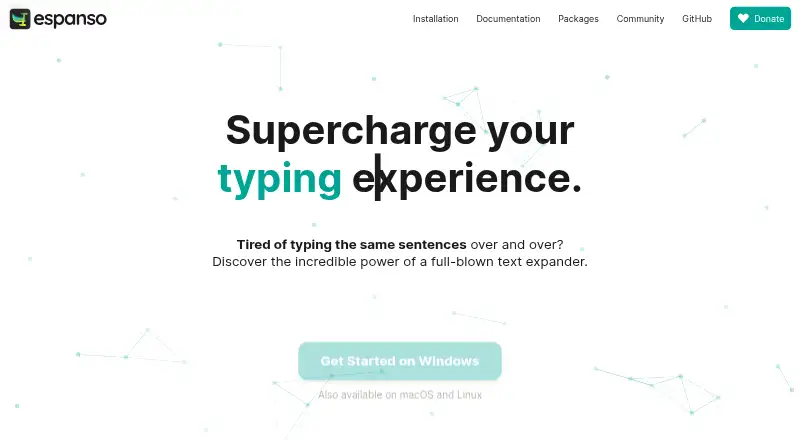
What Espanso is
Espanso is a free, open-source text expansion tool for Windows, macOS and Linux. It detects configured keywords as they are typed and replaces them with saved text, including reusable templates for customer support replies, sales pitches and medical reports. A search bar opened with Alt+Space helps users find and insert snippets. Snippets can also insert dates or emoji shortcuts, run shell commands or custom scripts, and use forms to pass values to those scripts. Users can install or create reusable packages through Espanso Hub, which includes a package manager and store. Espanso says it works with most applications and supports app-specific configurations. Setup is managed through YAML files; a graphical interface is described as planned for the future. Configuration can be synchronized through cloud storage such as Dropbox or Google Drive, or through GitHub, though the unmanaged-directory method is experimental. The software is licensed under GPL-3. It ships with few built-in matches, and some trigger types are not currently supported but are on the roadmap.
Who it suits
Espanso suits people who regularly type repeated text and want configurable snippets across Windows, macOS or Linux. Its scripting and forms may suit users who want more than simple text replacement.
What it does well
- Free and open-source under GPL-3.
- Search snippets with Alt+Space.
- Snippets can run scripts and accept form values.
- Supports reusable packages through Espanso Hub.
- Offers app-specific configurations.
What to know first
- Configuration uses YAML files.
- The homepage says a GUI is planned for the future.
- It ships with very few built-in matches.
- Some trigger types are not currently supported.
Limits
The free plan is the Espanso software, priced at $0. It ships with few built-in matches, and some match triggers are not currently supported.
Plans
| Plan | Billed and limits | Price |
|---|---|---|
| Espanso | Open-source software · GPL-3 license | Free |
As espanso.org lists them, read 2 Oct 2026. The maker's own page has the final word.
Getting started
- Visit the Espanso website.
- Choose the version for Windows, macOS, or Linux.
- Configure text replacements in YAML files.
- Create or install reusable packages through Espanso Hub.
- Open search with Alt+Space to find and insert snippets.
Espanso is a free, open-source text expander for Windows, macOS and Linux. It suits people who want reusable snippets, templates and scripted text insertion across applications—and are willing to configure them in YAML. Its flexibility is the draw; sparse built-in matches and unsupported trigger types make it less suitable for anyone who wants a ready-made, broadly compatible setup.
Overview
Espanso watches for typed keywords and replaces them with configured text. That can turn repeated replies, pitches or reports into reusable templates, and app-specific configurations let users tailor behavior to particular applications. The trade-off is that Espanso ships with very few built-in matches: expect to create or install the snippets you need rather than start with a large library.
A search bar opened with Alt+Space provides another way to find and insert snippets. For users who remember what they want but not its trigger, that makes a growing collection easier to navigate.
Key features
Templates cover recurring material such as customer support replies, sales pitches and medical reports. Date snippets can insert past or future dates, while emoji shortcuts handle common symbols. These features are useful for predictable, repetitive text, though their value depends on configuring the matches that suit your work.
Snippets can run shell commands or custom scripts, and forms can pass values to those scripts. This gives Espanso room for dynamic workflows beyond fixed text, but it also makes the tool a better fit for users comfortable managing configuration than for those seeking a purely visual editor.
Users can install or create reusable packages through Espanso Hub, which includes a package manager and store. Configuration can be synced through cloud storage such as Dropbox or Google Drive, or through GitHub; the unmanaged-directory approach is experimental. Espanso says it works with most applications and supports app-specific configurations, but some match triggers are not currently supported and remain on the roadmap.
Configuration uses YAML files, and the homepage says a GUI is planned for the future. For help with bugs or feature ideas, the project directs users to open an issue on GitHub. Its security documentation directs readers to the project file for security information.
Pricing
Espanso costs nothing under its open-source GPL-3 license. The free plan is the product, not a limited tier with a published usage cap: the available plan information identifies advanced expansion rules and usage analytics. There are no paid Espanso tiers to weigh against those capabilities.
Platforms
Espanso supports Windows, macOS and Linux. It is a desktop option across those three systems, with app-specific configurations for adapting its behavior to different applications.
Who it's for
Espanso is a strong fit for people who want a free text-expansion tool they can shape with templates, scripts, forms and reusable packages. It is especially compelling for technically comfortable users who can work in YAML and maintain their own matches. Those who need a large built-in snippet library, a graphical configuration interface now, or a trigger type Espanso does not support should consider another tool.
Pros and cons
Pros
- Free and open source: The Espanso plan is free under GPL-3, with no paid tier required to use the product.
- Flexible expansion: Templates, date and emoji snippets, shell commands, scripts and forms support more than static text replacement.
- Reusable packages: Espanso Hub combines a store and package manager for installing or creating packages.
- Multiple sync options: Configuration can be synced through cloud storage or GitHub, giving users more than one route to keep settings aligned.
Cons
- YAML configuration: Users must manage configuration files rather than use a GUI; a graphical interface is only planned for the future.
- Little built in: Espanso ships with very few matches, so users must build or find packages for the snippets they want.
- Trigger gaps: Some match triggers are not currently supported, which can rule out workflows that depend on them.
- Experimental sync method: The unmanaged-directory approach is experimental, so users should choose a cloud-storage or GitHub method instead if they want to avoid that caveat.
Alternatives
For a broader comparison, browse Text Expanders Software or Text Expansion Software.
- TextExpander is worth considering for readers who prefer a freemium alternative with a Free plan capped at 5 active snippets, rather than Espanso's YAML-based, open-source approach.
- Briskine may suit users who want a web, Android or iOS option; its Free plan allows 30 templates for one person, while Premium is $7 a month.
- PhraseExpress is an alternative for readers seeking a tool with a free trial and plans including lifetime licensing or professional use; its listed plans have no published prices.
- typedesk may fit someone who wants a free personal-use option with a defined allowance of 50 uses per week for one user, or a paid Premium plan at $5 a month.
- Rocket Typist is an option for Apple users who want a free tier capped at 10 snippets or a Pro plan for iOS and iPadOS at $9.99 a month.
- Snippety is another choice for macOS and iOS users, with a Mac plan described as a pay-once lifetime purchase at $39.99 a month or an all-Apple-devices plan at $2.99 a month.
- Text Blaze may suit readers looking for a freemium option on browser extensions, macOS or Windows; its Free plan has limited snippets and sharing, along with access to selected features.
- AutoKey is a free Linux alternative for users looking for an X11 desktop utility.
Verdict
Choose Espanso if you want free, open-source text expansion with room for templates, scripts, forms and reusable packages—and are comfortable configuring it in YAML. Its flexibility across Windows, macOS and Linux is persuasive, but the sparse built-in matches, missing trigger support and lack of a current GUI make it a poor fit for users who want a polished, ready-to-use setup.
Verdict
Espanso provides text expansion with support for templates, scripts and reusable packages. Users should be comfortable configuring it through YAML and checking whether their preferred trigger types are supported.
Questions
Is Espanso free?
Yes. Its listed plan is free, and the software is open-source under the GPL-3 license.
Which platforms does Espanso support?
It supports Windows, macOS, and Linux.
How do I search for snippets?
The search bar opens with Alt+Space and lets you find and insert snippets.
Can Espanso run scripts?
Yes. Snippets can use shell commands or custom scripts, and forms can pass values to scripts.
Can I synchronize my configuration?
Configuration can be synchronized through cloud storage such as Dropbox or Google Drive, or through GitHub. The unmanaged-directory method is described as experimental.
Facts from Espanso's own pages
- App support
- Espanso says it works with most applications and supports app-specific configurations. · espanso.org, 2 Oct 2026
- Configuration
- Configuration uses files in YAML format, and the homepage says a GUI is planned for the future. · espanso.org, 2 Oct 2026
- Dates and emojis
- Espanso supports date snippets, including past and future dates, and emoji shortcuts. · espanso.org, 2 Oct 2026
- Free plan
- Yes · espanso.org, 20 Sept 2026
- Limits
- Espanso ships with very few built-in matches, and some match triggers are listed as not currently supported but on the roadmap. · espanso.org, 2 Oct 2026
- Packages
- Users can install or create reusable packages through the Espanso Hub, which has a built-in package manager and store. · espanso.org, 2 Oct 2026
- Scripts and forms
- Snippets can use shell commands or custom scripts, and forms can pass values to scripts. · espanso.org, 2 Oct 2026
- Search
- The search bar opens with Alt+Space so users can search for and insert snippets. · espanso.org, 2 Oct 2026
- Security
- The Security documentation page directs readers to the project file for security information. · espanso.org, 2 Oct 2026
- Support
- The site directs users with bugs or feature ideas to open an issue on GitHub. · espanso.org, 2 Oct 2026
- Supported platforms
- Windows, macOS, Linux · espanso.org, 20 Sept 2026
- Synchronization
- Users can sync configuration through cloud storage such as Dropbox or Google Drive, or through GitHub; the unmanaged-directory method is described as experimental. · espanso.org, 2 Oct 2026
- Templates
- It supports reusable templates for customer support replies, sales pitches, and medical reports. · espanso.org, 2 Oct 2026
- What it does
- Espanso detects typed keywords and replaces them with configured text while you type. · espanso.org, 2 Oct 2026
Where Espanso stands on Freedom251
- Text Expansion Software#4 of 31
- Text Expanders Software#3 of 20
- Text expanders#5 of 20