Snippety
What Snippety is
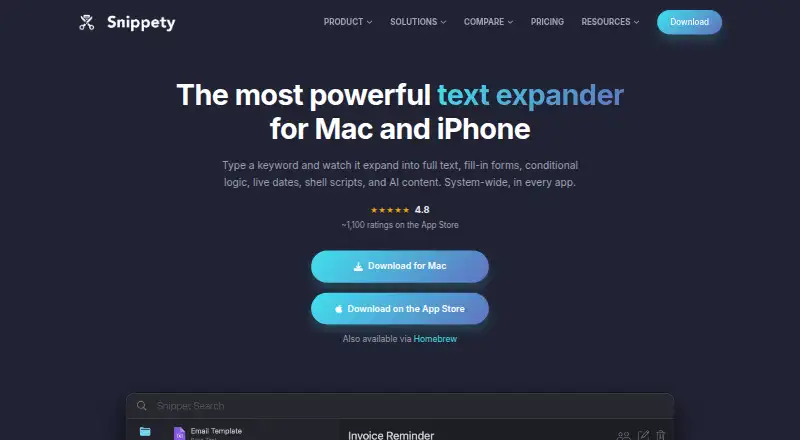
Snippety is a text expander and snippet manager for macOS, iOS, and iPadOS. It replaces short keywords with saved text in apps and text fields. Templates can include fill-in fields, dropdowns, dates, clipboard contents, AI-generated text, and conditional blocks. On Mac, App Rules can display different snippets in different applications; automation options include a command-line interface, Apple Shortcuts actions, Siri, and shell scripts inside snippets. Snippets can be stored as rich text, HTML, RTF, or Markdown, with syntax highlighting for more than 50 languages. On iPhone and iPad, the custom Snippety Keyboard lets users browse and expand snippets in text fields. Collections sync and can be shared through iCloud, and users can connect an AI provider with their own API key. Pricing options include a free tier, $39.99 a month for the Mac plan (billed once), $19.99, paid once for iPhone and iPad, and an optional $2.99 a month subscription for all Apple devices.
Who it suits
Snippety suits people who reuse text in their work, including developers, support and sales staff, recruiters, writers, and legal or medical professionals. Its Mac automation and iPhone and iPad keyboard are relevant to users working across Apple devices.
What it does well
- Expands short keywords into saved text
- Templates support fields, dropdowns, dates, and conditional blocks
- App Rules can vary snippets by application
- Supports rich text, HTML, RTF, and Markdown
- Free tier available for as long as users like
What to know first
- Standalone Mac license activates on up to two Macs
- App Store version is sandboxed, limiting some script features
- Mac plan is $39.99 a month, billed once
Limits
The standalone Mac license activates on up to two Macs. The App Store version is sandboxed, which limits some script features.
Plans
| Plan | Billed and limits | Price |
|---|---|---|
| Mac | one-time payment · 1 user · up to 2 active Macs · macOS Pro features · iPhone/iPad sold separately | $39.99, paid once |
| All Apple devices | one-time payment · Mac, iPhone and iPad · one Apple ID · Pro features · iCloud sync and sharing | $49.99, paid once |
| iPhone & iPad | one-time payment · iPhone and iPad Pro features · keyboard · iCloud collaboration | $19.99, paid once |
| Free | Free to try for as long as you like. · Free tier; Pro upgrade available | Free |
| Pro monthly | monthly; cancel anytime · App Store Pro access · Mac, iPhone and iPad | $2.99 a month |
As snippety.app lists them, read 15 Oct 2026. The maker's own page has the final word.
Getting started
- Visit https://snippety.app/.
- Choose the free tier or a listed paid plan.
- Use Snippety on macOS, iOS, or iPadOS.
- On iPhone or iPad, use the custom Snippety Keyboard to browse and expand snippets.
- Sync or share collections through iCloud if needed.
Snippety is an Apple-focused text expander and snippet manager for people who reuse structured text across Mac, iPhone, and iPad. It is best suited to writers, developers, support teams, recruiters, and other professionals whose work involves repeated, variable responses. Its combination of deep templates and Mac automation is compelling, but the two-Mac activation limit and App Store sandbox matter when choosing a license.
Overview
Snippety replaces short keywords with full text in apps and text fields. It goes well beyond storing fixed phrases: templates can ask for fill-in values, offer dropdowns, insert dates or clipboard contents, generate text through a configured AI provider, and apply conditional blocks. That makes it useful for structured replies, forms, and repeatable documents, provided you are willing to build templates rather than only save occasional snippets.
Collections sync and share through iCloud across supported Apple devices. The maker says snippets and locally entered text are not collected, while iCloud data remains in the user's iCloud account and is inaccessible to the maker. Shared snippet links are stored encrypted through Firebase, with the decryption key kept only on the user's device. Direct Paddle purchases involve the buyer's email and transaction ID, plus an encrypted device hostname used to enforce license limits.
Key features
App Rules can present different snippets according to the application currently in use. That is valuable when the same shortcut needs different wording in, for example, a support system and a document editor. Syntax highlighting covers more than 50 languages, and snippets can retain rich text, HTML, RTF, and Markdown, making the manager relevant to technical as well as business writing.
On Mac, Snippety includes a command-line interface, Apple Shortcuts actions, Siri support, and shell-script execution inside snippets. These facilities make it suitable for automation-heavy workflows rather than simple text replacement. The App Store build is sandboxed, however, so some script features are limited; the standalone Mac license is the better fit when scripting is central.
The custom Snippety Keyboard lets iPhone and iPad users browse and expand snippets directly in text fields. Shortcuts and Siri extend the same collection into Apple automation, while an API-key connection to a user-selected AI provider enables AI-generated template text. Team snippet sharing and direct developer support, including purchasing help for larger seat counts, add value for small groups, though no team-seat pricing is given.
Pricing
| Plan | Price and terms | Best fit |
|---|---|---|
| Free | 0.00 USD; free to try for as long as you like. Pro upgrade available. | People evaluating the workflow before paying. |
| Mac | $39.99 a month, billed “Pay once, own forever”; 1 user and 2 active Macs. | A single user who needs the full Mac application and its automation. |
| All Apple devices | $2.99 a month, billed monthly; cancel anytime. Optional monthly Pro subscription via the App Store. | Users who want Pro features across Mac, iPhone, and iPad without a lifetime purchase. |
| iPhone & iPad | 19.99 USD one-time, billed “Pay once, own forever.” Includes Pro features, Snippety Keyboard, iCloud sync and sharing, and personal and commercial use. | People whose work is mobile and does not require the Mac app. |
The free tier has no stated quota in these plans, while paid terms clearly separate device coverage. The Mac license activates on two Macs, not an unlimited number, and the monthly all-device option can be cancelled at any time. There is no free trial beyond the free tier.
Platforms
Snippety supports macOS, iOS, and iPadOS. The custom keyboard is for iPhone and iPad, while the CLI, shell scripts, Shortcuts actions, and Siri support are features of the Mac app. That makes it a strong choice inside Apple's ecosystem but a poor match for Windows, Linux, or Android users.
Who it's for
Developers can preserve code and Markdown with syntax highlighting; support, sales, recruiting, legal, medical, and writing professionals can turn recurring responses into parameterized templates. AI and ChatGPT users may value API-connected generation and clipboard-aware fields. Teams benefit from shared collections, but organizations needing many Mac seats should confirm purchasing terms because the standard Mac plan is for one user and two active Macs.
Pros and cons
Pros
- Templates combine fields, dropdowns, dates, clipboard data, conditional logic, and AI text, supporting structured content rather than only canned phrases.
- Mac automation includes a CLI, Shortcuts, Siri, and shell scripts, giving advanced users several ways to trigger snippets.
- iCloud sync and sharing, plus a dedicated iPhone and iPad keyboard, keep collections usable across Apple's main devices.
- Rich-text, HTML, RTF, Markdown, and code syntax support cover both business and technical material.
- The maker says snippets, local text, and keyboard keystrokes are not collected.
Cons
- The standalone Mac license is limited to two active Macs and one user.
- The App Store version's sandbox restricts some script features.
- There are no Windows, Linux, Android, or web clients.
- AI integration requires the user to configure an AI provider with an API key.
Alternatives
Choose TextExpander instead if you need extension, web, Windows, Linux, macOS, and iOS coverage alongside its free tier. Briskine is an option for Android, iOS, and web users, with a free plan limited to 30 templates for one person and a 7.00 USD monthly Premium plan.
PhraseExpress suits readers seeking iOS, macOS, and Windows support, a free trial, and lifetime-license options. typedesk covers macOS, web, and Windows; its free plan allows 50 uses per week for one user. Espanso is the free, GPL-3 open-source choice for Linux, macOS, and Windows.
Rocket Typist is another Apple-focused option, with a free plan capped at 10 snippets. Text Blaze is browser-oriented with macOS and Windows support and a limited free tier. AutoKey is a free Linux-only utility.
For broader text-expander comparisons, see Text Expanders Software and Text Expansion Software.
Verdict
Snippety is a strong recommendation for Apple users who need reusable, data-aware templates and Mac-level automation, especially when rich formatting and cross-device sharing matter. Choose it for that depth and the privacy posture described by its maker. Look elsewhere if you need non-Apple platforms, more than two active Macs, or unrestricted scripting from the App Store build.
Verdict
Snippety combines reusable text, customizable templates, and automation across Apple platforms. Check which plan fits your devices and note that the Mac license and App Store version have different limits.
Questions
Is Snippety free to use?
Yes. Its Free plan is listed as free, and the free tier is available for as long as you like.
Which platforms does Snippety support?
Snippety supports macOS, iOS, and iPadOS.
Can teams share snippets?
Yes. Team snippet sharing is supported, and the maker offers help with larger seat purchases.
How much do the listed plans cost?
Free costs nothing. Mac is listed at $39.99 a month with billing described as pay once, own forever; iPhone & iPad is $19.99, paid once; All Apple devices is $2.99 a month.
Does Snippety connect to AI services?
Yes. It can connect to a user-configured AI provider using an API key, and templates can include AI-generated text.
What are the Mac license limits?
The standalone Mac license activates on up to two Macs. The App Store version is sandboxed, limiting some script features.
Facts from Snippety's own pages
- AI assistant
- The AI assistant can generate template content, insert content at the cursor and create placeholders, using an internet connection unless a local custom API model is configured. · snippety.app, 15 Oct 2026
- AI provider requirement
- AI features require a configured provider and the maker says users need an OpenAI account and API key or another provider. · snippety.app, 15 Oct 2026
- Analytics and diagnostics
- The policy describes collection of anonymized interaction, device, crash and log data, and the App Store lists usage data and diagnostics not linked to identity. · snippety.app, 15 Oct 2026
- App Rules
- Pro users can restrict which collections and tags appear in particular applications and can set different filters for the expander and compact interface. · snippety.app, 15 Oct 2026
- Automation
- Snippety can simulate key presses and execute shell scripts inside snippets to generate dynamic content or automate workflows. · snippety.app, 15 Oct 2026
- Changelog
- The changelog records CLI, Shortcuts, App Rules and migration-tool additions in August 2026, plus image-editor and AI configuration updates on August 31, 2026. · snippety.app, 15 Oct 2026
- CLI
- Snippety Pro includes a command-line tool for creating, searching and expanding snippets; it communicates with the running app instead of directly opening the database. · snippety.app, 15 Oct 2026
- CLI limitation
- The App Store build is sandboxed and requires manual creation of the command-line symlink, while the standalone build can request administrator permission. · snippety.app, 15 Oct 2026
- Code highlighting
- The editor provides syntax highlighting for more than 60 programming and markup languages. · snippety.app, 15 Oct 2026
- Collaboration
- Users can share collections through iCloud collaboration with teammates or friends without an extra collaboration charge. · snippety.app, 15 Oct 2026
- Company location
- Wojciech Kulik's public GitHub profile lists Wrocław, Poland. · github.com, 15 Oct 2026
- Documentation depth
- The documentation includes guides for templates, placeholders, conditional blocks, synchronization, import/export, deeplinks, CLI, Shortcuts and troubleshooting. · snippety.app, 15 Oct 2026
- Encrypted links
- Snippet links are stored on Firebase in encrypted form, with the decryption key kept on the user's device and embedded in the shared link. · snippety.app, 15 Oct 2026
- Encrypted sharing
- Snippet links are stored encrypted through Firebase, with the decryption key held only on the user’s device. · snippety.app, 5 Oct 2026
- Formatting
- Snippety supports syntax highlighting for over 50 languages and stores rich text, HTML, RTF, and Markdown snippets. · snippety.app, 5 Oct 2026
- Founded
- An independent MacSources review states that the first Snippety version was released in 2020. · macsources.com, 15 Oct 2026
- Free plan
- Yes · snippety.app, 20 Sept 2026
- Global expansion
- On macOS, snippets can expand system-wide in text fields using a global shortcut; on mobile, the custom keyboard expands snippets wherever users type. · snippety.app, 15 Oct 2026
- Installation
- The maker offers a downloadable DMG, App Store installation and Homebrew installation using brew install snippety. · snippety.app, 15 Oct 2026
- Integrations
- Snippety syncs and shares collections through iCloud, supports Shortcuts and Siri, and can connect to a user-configured AI provider using an API key. · snippety.app, 5 Oct 2026
- Intended users
- The maker presents Snippety for developers, customer support, sales, recruiters, AI and ChatGPT users, lawyers, doctors, and writers. · snippety.app, 5 Oct 2026
- Keyboard privacy
- The maker says Snippety Keyboard does not collect or transmit keystrokes and cannot access text entered using other keyboards. · snippety.app, 5 Oct 2026
- Limit: expansion timing and images
- An App Store reviewer reported occasional expansion insertion several characters behind fast typing, restrictions on large images and crashes while inserting images. · apps.apple.com, 15 Oct 2026
- Limit: iCloud sync
- MacSources encountered an iCloud synchronization error during setup and resolved it by toggling between local storage and iCloud synchronization. · macsources.com, 15 Oct 2026
Where Snippety stands on Freedom251
- Text expanders#10 of 20
- Text Expanders Software#12 of 20
- Text Expansion Software#21 of 31