Freedom251 › Digital Painting Software
Tux Paint
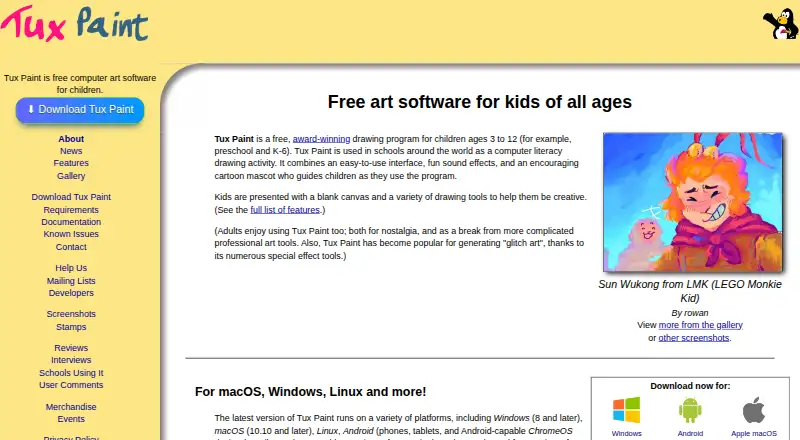
What Tux Paint is
Tux Paint is free computer art software designed for children, available for Windows, macOS, Linux, and Android. It runs on the user's computer and does not require an Internet connection. Drawing options include brushes, stamps, shapes, text and label tools, plus more than 90 Magic effects. Children can save pictures to a virtual picturebook, export them, view them as slideshows, or make animated GIFs from saved drawings. Parents and teachers can add brushes, stamps, and fonts, and use Tux Paint Config to adjust program behavior. Classroom controls include full-screen mode and options to disable printing and quitting or limit printing frequency. Optional accessibility settings include an on-screen keyboard, keyboard or joystick pointer control, and adjustable button size and interface font. The project says parts of the software have been translated into 129 languages. Android installation sources include Google Play and F-Droid, while Linux packages include Flatpak and Snap. Tux Paint is distributed under the GNU General Public License, version 2, and can be installed on as many machines as desired. The official site also lists an unofficial iOS port for iOS 15.6 or later; it is not free and contains in-app advertisements.
Who it suits
Tux Paint suits children drawing at home or in classrooms, and parents or teachers who want to adjust tools and printing controls. Its optional accessibility settings may also suit users who need alternative pointer or keyboard controls.
What it does well
- Free and open source under GPL version 2
- Works without an Internet connection
- More than 90 Magic effects
- Classroom controls can restrict printing and quitting
What to know first
- Pressure sensitivity is not supported
- The listed iOS port is unofficial and not free
- The iOS port contains in-app advertisements
Plans
| Plan | Billed and limits | Price |
|---|---|---|
| Tux Paint | Free and open source under GPL v2 · install on as many machines as you wish | Free |
As tuxpaint.org lists them, read 8 Oct 2026. The maker's own page has the final word.
Getting started
- Visit https://tuxpaint.org/.
- Choose a download for Windows, macOS, Linux, or Android.
- On Android, use Google Play or F-Droid; on Linux, use Flatpak or Snap.
- Install Tux Paint on as many machines as desired.
- Use Tux Paint Config to adjust program behavior or add brushes, stamps, and fonts.
Tux Paint is free, open-source computer art software built specifically for children. It suits families, teachers, and community computers that need a controlled drawing space rather than a professional studio. Its strongest case is a broad, playful toolset paired with unusually practical classroom and accessibility controls.
Overview
Tux Paint focuses on making drawing approachable for young users while giving adults control over how the program behaves. Children get brushes, stamps, shapes, text and label tools, plus more than 90 Magic effects for playful experimentation. The software runs locally, so an internet connection is not required, an important advantage for classrooms, travel, and restricted networks.
Work can be saved to a virtual picturebook, exported, viewed as a slideshow, or turned into animated GIFs. That makes it more than a one-session sketchpad: children can revisit a growing collection and present it as a sequence. The trade-off is that pressure sensitivity is not supported, and color management is basic, so it is not aimed at pen-display precision or color-critical production.
Key features
Drawing and customization
Brushes, stamps, shapes, text, labels, and the Magic effects cover both freehand work and guided activities. Brush customization and layer support add room for more structured projects, although the lack of pressure sensitivity limits expressive control for stylus users. Parents and teachers can add brushes, stamps, and fonts, then use Tux Paint Config to change program behavior. This lets an adult tailor the workspace to an age group or lesson instead of accepting a fixed tool palette.
Saving and sharing
The virtual picturebook gives children a clear home for saved drawings. Slideshow viewing supports review sessions or simple presentations, while animated GIF export can turn a series of drawings into motion. Export options also make it possible to move work beyond the application when a family or class needs a file to share.
Classroom and accessibility controls
Full-screen mode reduces distractions. Administrators can disable printing and quitting, or limit how often printing is allowed, which is useful on shared machines where accidental exits or excessive print jobs are a concern. Optional accessibility features include an on-screen keyboard, keyboard or joystick pointer control, adjustable button size, and adjustable interface font. Parts of the software have been translated into 129 languages, helping multilingual settings, though that does not imply every feature is translated in every language.
Pricing
Tux Paint — free. It is free and open source under the GNU General Public License, version 2, and can be installed on as many machines as you wish. There is no free trial because the software is already free, and there are no paid tiers, seat charges, usage quotas, or renewal terms to manage. This is a strong fit for families, schools, and nonprofits deploying it widely without a software budget.
Platforms
Supported desktop and mobile platforms are Windows, macOS, Linux, and Android. Android installation sources include Google Play and F-Droid; Linux packages include Flatpak and Snap. The official site also identifies an unofficial iOS port for iOS 15.6 or later. That port is paid and contains in-app advertisements, so iPad and iPhone users do not receive the same free, official distribution described for the other platforms.
Who it's for
Tux Paint is the right choice for children learning basic digital drawing, parents who want configurable creative software, and teachers managing shared computers. Its local operation, full-screen classroom settings, print controls, language coverage, and accessibility options make it particularly practical in schools and offline environments. It is a poor match for artists who need pressure-sensitive brushwork, advanced color management, or a professional production workflow.
Pros and cons
Pros
- Designed for children: The tool mix combines guided stamps and effects with standard drawing, shape, and text tools.
- Useful classroom controls: Full-screen mode and restrictions on quitting or printing help teachers manage shared devices.
- Flexible output: Picturebook saving, slideshows, exports, and animated GIF creation support both storage and presentation.
- Deploys broadly: Free GPL v2 licensing and installation on unlimited machines suit whole classrooms or households.
- Adaptable access: Optional keyboard, joystick, sizing, and font controls address different physical and visual needs.
Cons
- No pressure sensitivity: Stylus users cannot vary strokes by pressure.
- Basic color management: Color-critical or print-focused work belongs in another application.
- Uneven iOS proposition: The listed iOS port is unofficial, paid, and ad-supported.
Alternatives
Choose Drawpile when collaborative drawing and a wider mix of Android, iOS, web, API, and self-hosted options matter more than Tux Paint's child-focused controls; its free GPLv3 plan includes official community servers. Choose ibisPaint for a freemium mobile and desktop app with unlimited usage in its free version, 64MB of cloud storage, and advertisements, or consider its 4.49 U premium membership. Choose Krita when you want free, open-source software with no subscriptions or trials across Windows, macOS, Linux, and Android.
Light Brush is another free option on Android, Linux, macOS, web, and Windows. Pixia offers free software on Android, iOS, Linux, and Windows, with user support not provided for its free software. Choose Sketchbook for a free mobile application with brushes, layers, guides, rulers, and stroke tools, with a premium bundle offering custom brush creation at custom pricing. FireAlpaca is a free Windows, macOS, and Linux choice with customizable brushes, layered artwork, animation tools, and CMYK display. GrafX2 is a free GPLv2 option for Linux and Windows with no warranty stated. Browse the Digital Painting Software list for the wider category.
Verdict
Choose Tux Paint for a child-centered drawing environment that schools and families can configure, deploy widely, and run offline at no cost. Look elsewhere if pressure-sensitive input, advanced color handling, or an official free iOS app is central to your decision.
Verdict
Tux Paint offers child-focused drawing tools, picturebook saving, and classroom controls across four listed platforms. Note that pressure sensitivity is not supported, and the listed iOS port is unofficial, paid, and ad-supported.
Questions
How much does Tux Paint cost?
The Tux Paint plan is free. It is free and open source under GPL version 2.
Is there a free plan or free trial?
The plan is free, and the listed free plan is available. There is no free trial.
Which platforms does Tux Paint support?
The listed platforms are Windows, macOS, Linux, and Android.
Is Tux Paint open source?
Yes. It is distributed under the GNU General Public License, version 2.
Can I use Tux Paint without Internet access?
Yes. It runs on the user's computer and does not require Internet access.
Is there an iOS version?
The official site lists an unofficial port for iOS 15.6 or later. It is not free and contains in-app advertisements.
Facts from Tux Paint's own pages
- Accessibility
- Optional accessibility features include an on-screen keyboard, keyboard or joystick pointer control, adjustable button size, and adjustable interface font. · tuxpaint.org, 8 Oct 2026
- Classroom controls
- Controls include full-screen mode and options to disable printing and quitting or limit how often printing is allowed. · tuxpaint.org, 8 Oct 2026
- Customization
- Parents and teachers can add brushes, stamps, and fonts, and use Tux Paint Config to change program behavior. · tuxpaint.org, 8 Oct 2026
- Drawing tools
- It includes brushes, stamps, shapes, text and label tools, and more than 90 Magic special-effects tools. · tuxpaint.org, 8 Oct 2026
- Integrations
- The official download page lists Google Play and F-Droid as Android installation sources and Flatpak and Snap packages for Linux. · tuxpaint.org, 8 Oct 2026
- Internet requirement
- Tux Paint runs on the user's computer and does not require Internet access. · tuxpaint.org, 8 Oct 2026
- iOS availability
- The official site lists an unofficial iOS port for iOS 15.6 or later and says it is not free and contains in-app advertisements. · tuxpaint.org, 8 Oct 2026
- Languages
- The features page says parts of Tux Paint have been translated into 129 languages. · tuxpaint.org, 8 Oct 2026
- License
- The project distributes Tux Paint under the GNU General Public License, version 2. · tuxpaint.org, 8 Oct 2026
- Purpose
- Tux Paint is free computer art software designed for children. · tuxpaint.org, 8 Oct 2026
- Save and export
- Pictures can be saved to a virtual picturebook and exported, and saved drawings can be viewed as slideshows or exported as animated GIFs. · tuxpaint.org, 8 Oct 2026
- Support and community
- The project provides documentation, contact details, and mailing lists, and says hundreds of people worldwide have contributed. · tuxpaint.org, 8 Oct 2026
Where Tux Paint stands on Freedom251
- Digital Painting Software#22 of 46