Freedom251 › Mobile Scanning Apps
TurboScan
by TurboScan
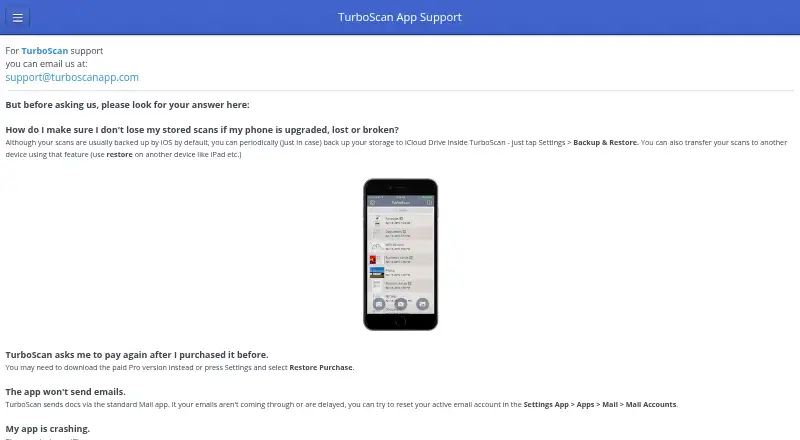
What TurboScan is
TurboScan turns an iOS or Android phone into a scanner for documents, receipts, notes, whiteboards, photos, and other text. It detects document edges, corrects perspective, and can create multipage PDF or JPEG files. SureScan takes three pictures of one document to produce sharper scans, especially in low light. You can name and search documents, add or reorder pages, and organize scans into folders. Files can be emailed or messaged as PDF or JPEG, saved to Photos, or opened in Google Drive and other PDF cloud apps. Listed integrations include iCloud Drive, AirDrop, AirPrint, and Turbo Fax. An API lets another app invoke single- or multipage scanning when TurboScan is installed. The free Android version costs nothing and allows three multipage documents. TurboScan Pro for Android costs $5.99, paid once, while TurboScan Premium for iOS costs $19.99, paid once. On iOS, processing occurs on the device and the maker says scanned documents and listed tracking data are not collected. Android documents remain local unless shared, though anonymized aggregated usage information may be collected.
Who it suits
It suits phone users who need document capture, multipage PDFs, organization, and sharing. The free Android tier is suited to occasional scanning of up to three multipage documents.
What it does well
- Automatic edge detection and perspective correction
- Multipage PDF and JPEG scanning
- SureScan mode for low-light scans
- Folder organization and document search
- iOS and Android availability
What to know first
- Free Android version limited to three multipage documents
- Android may collect anonymized usage information
- Paid iOS and Android plans cost separately
- iCloud-stored documents follow Apple's privacy policies
Plans
| Plan | Billed and limits | Price |
|---|---|---|
| Free | 3 multipage documents | Free |
| Pro for Android | Multipage document scanning · PDF and JPEG export · Document search and organization | On request |
| TurboScan for iOS | Multipage PDF and JPEG scanning · Automatic document capture · SureScan mode | On request |
| TurboScan free version (Android) | Up to three multipage documents | Free |
| TurboScan Premium (iOS) | One-time purchase; no subscriptions · Premium in-app purchase | $19.99, paid once |
| TurboScan Pro (Android) | One-time cost for life · Paid Pro version | $5.99, paid once |
As turboscanapp.com lists them, read 22 Sept 2026. The maker's own page has the final word.
Verdict
TurboScan provides scanning, organization, export, and app integrations on both major mobile platforms. Check the platform-specific limits, prices, and privacy behavior before selecting a version.
Facts from TurboScan's own pages
- Android analytics
- The Android privacy policy says the app may collect anonymized, aggregated information such as device type, operating system, and app usage. · turboscanapp.com, 11 Oct 2026
- Android app
- Yes · turboscanapp.com, 22 Sept 2026
- Android document storage
- The Android privacy policy says documents are stored locally unless users send them to another app or service, and that Piksoft has no access to document or image data. · turboscanapp.com, 11 Oct 2026
- Android support contact
- The Google Play listing directs feedback and software problems to [email protected]. · play.google.com, 11 Oct 2026
- App-to-app API
- TurboScan provides an API for another app to invoke single- or multipage scanning when TurboScan is installed on the device. · turboscanapp.com, 11 Oct 2026
- Auto capture
- Yes · turboscanapp.com, 22 Sept 2026
- Automatic capture
- The app detects document edges and corrects perspective. · apps.apple.com, 11 Oct 2026
- Export formats
- Scans can be emailed or messaged as PDF or JPEG, and documents can be saved to Photos. · apps.apple.com, 11 Oct 2026
- Free plan
- Yes · turboscanapp.com, 22 Sept 2026
- Headquarters
- Alameda, California, United States · turboscanapp.com, 28 Sept 2026
- iCloud storage
- If users enable iCloud storage, documents are stored by Apple under Apple’s privacy policies, and Piksoft says it cannot access that iCloud data. · turboscanapp.com, 11 Oct 2026
- Integrations
- The listing describes opening PDFs or JPEGs in Google Drive and other PDF cloud apps, using iCloud Drive, AirDrop, and AirPrint, and sending faxes through Turbo Fax. · apps.apple.com, 11 Oct 2026
- iOS app
- Yes · turboscanapp.com, 22 Sept 2026
- Multipage PDF
- Yes · turboscanapp.com, 22 Sept 2026
- Organizing scans
- Users can name and search documents, add or reorder pages, and organize documents into folders. · apps.apple.com, 11 Oct 2026
- Privacy on iOS
- The maker says TurboScan does not collect scanned documents, location, personal or usage data, or analytics and tracking data; document processing happens on the device. · turboscanapp.com, 11 Oct 2026
- Purpose
- TurboScan turns a phone into a scanner for documents, receipts, notes, whiteboards, photos, and other text, and can save or send scans as multipage PDF or JPEG files. · play.google.com, 11 Oct 2026
- Support
- The maker lists [email protected] for iPhone support and [email protected] for Android privacy questions. · turboscanapp.com, 11 Oct 2026
- SureScan
- SureScan takes three pictures of a document to produce sharper scans, especially in low-light conditions. · apps.apple.com, 11 Oct 2026
Where TurboScan stands on Freedom251
- Mobile Scanning Apps#35 of 76
- Scanner apps#37 of 76