Freedom251 › Text-to-speech tools
TTS-Story
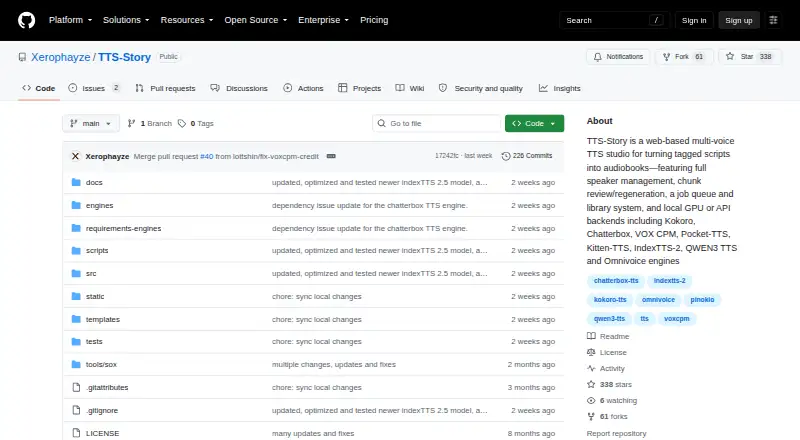
What TTS-Story is
TTS-Story is a free, web-based text-to-speech application for producing narrated stories and audiobooks. It offers twenty generation choices spanning local CPU, local GPU, self-hosted, and cloud speech engines. Speaker tags support multi-voice narration, and compatible engines offer reference voice cloning and voice-design workflows. Optional manuscript preparation connects to Gemini, Atlas Cloud, OpenRouter, LM Studio, or Ollama. For longer works, the app detects chapters and sections, allowing separate chapter exports or one combined output. Its job queue supports progress tracking, pausing, resuming, cancellation, retries, and recovery checkpoints. The Audio Library supports chunk review, regeneration, rebuilding, and MP3 or M4B exports; other listed formats are WAV and OGG. Per-speaker pitch and speed controls, pause markers, silence controls, and ACX-oriented processing are also included. Local engines keep manuscript text and synthesis on the computer after required downloads, while cloud providers receive text for synthesis and cloud cloning services may receive reference audio. Settings and API keys are stored locally in config.json as plain text, which users are advised not to share. Some heavier local engines need substantial GPU memory or may be impractical on CPU.
Who it suits
TTS-Story may suit creators making multi-voice stories or audiobooks who want local, self-hosted, or cloud engine choices. Users should consider the project’s note about plain-text credential storage and the demands of some local engines.
What it does well
- Twenty generation choices across four deployment types
- Supports multi-speaker narration and compatible voice cloning
- Detects chapters for separate or combined exports
- Queue supports pause, resume, retries, and recovery
- Exports MP3, WAV, OGG, and M4B
What to know first
- Settings and API keys are stored as plain text
- Some local engines need substantial GPU memory
- Cloud providers receive submitted synthesis text
Limits
The application is free, but hosted engines can require provider accounts, credits, subscriptions, or usage billing. Some heavier local engines require substantial GPU memory and may be very slow or impractical on CPU; commercial hosted Breeze output requires an active paid subscription at generation time.
Plans
| Plan | Billed and limits | Price |
|---|---|---|
| Free | Application freely available · hosted engines may require provider accounts, credits, subscriptions, or usage billing | Free |
As github.com lists them, read 13 Oct 2026. The maker's own page has the final word.
Getting started
- Open the TTS-Story GitHub website
- Install it using the Windows, Linux, macOS, or Pinokio instructions
- Choose and install local engines individually, or connect a hosted provider
- Prepare a manuscript and optionally connect Gemini, Atlas Cloud, OpenRouter, LM Studio, or Ollama
- Use speaker tags, detect chapters, and queue narration jobs
- Review chunks in the Audio Library and export the finished audio
Verdict
TTS-Story combines audiobook-oriented editing and export tools with a broad selection of speech generation approaches. Users choosing cloud services should account for text sharing, and users choosing local engines should check their hardware demands.
Questions
Is TTS-Story free?
Yes. The Free plan is listed as free, and the application is freely available. Hosted engines may still require provider accounts, credits, subscriptions, or usage billing.
Which platforms can run TTS-Story?
Listed platforms are API, Linux, macOS, self-hosted, web, and Windows. Installation instructions also include a Pinokio option.
Can it clone voices?
Yes. Compatible engines support reference voice cloning and voice-design workflows. Cloud cloning services may receive reference audio.
What audio formats can it export?
TTS-Story lists MP3, WAV, OGG, and M4B exports. It can export separate chapters or a combined full-story output.
Where is manuscript data processed?
Local engines keep manuscript text and synthesis on the computer after required downloads. Cloud providers receive the text they synthesize.
What license covers the application?
The application code is licensed under Apache 2.0. Third-party code, model weights, voice samples, and hosted services retain their own terms.
Facts from TTS-Story's own pages
- Audiobook tools
- It detects chapters and sections and supports separate chapter exports or a combined full-story output. · github.com, 12 Oct 2026
- Cloud providers
- Listed hosted speech connections include Replicate, Microsoft Azure Speech, Microsoft Edge TTS, ElevenLabs, Breeze API, and OpenAI-compatible TTS. · github.com, 12 Oct 2026
- Commercial limits
- Commercial hosted Breeze outputs require an active paid subscription at generation time, and local Breeze model restrictions also apply. · github.com, 13 Oct 2026
- Credential storage
- Settings and API keys are stored in local config.json as plain text, and the maker advises users not to share or commit that file. · github.com, 13 Oct 2026
- Engine choices
- It offers twenty normal generation choices across local CPU, local GPU, self-hosted, and cloud generation. · github.com, 12 Oct 2026
- Engines
- It offers twenty generation choices across local CPU, local GPU, self-hosted, and cloud speech generation. · github.com, 13 Oct 2026
- Export formats
- MP3,WAV,OGG,M4B · github.com, 20 Sept 2026
- Export processing
- It includes per-speaker pitch and speed controls, pause markers, silence controls, and ACX-oriented processing. · github.com, 13 Oct 2026
- Free plan
- Yes · github.com, 20 Sept 2026
- Installation
- The project provides installation instructions for Windows, Linux, and macOS, plus a Pinokio installation option. · github.com, 12 Oct 2026
- License
- The application code is licensed under Apache 2.0, while third-party models, voice samples, and hosted services have separate terms and may not grant commercial output rights. · github.com, 13 Oct 2026
- Limits
- The README notes that some heavier local engines need substantial GPU memory and can be very slow or impractical on CPU. · github.com, 12 Oct 2026
- Local engines
- Local engines can be installed individually, each in its own virtual environment and model/cache folder. · github.com, 12 Oct 2026
- Narration
- Speaker tags support multi-speaker narration, and voice options include built-in voices, custom blends, reference cloning, and voice design workflows. · github.com, 13 Oct 2026
- Platforms
- The maker documents installation on Windows, Linux, and macOS, plus installation through Pinokio. · github.com, 13 Oct 2026
- Privacy
- Local engines keep manuscript text and synthesis on the computer after required downloads, while cloud TTS and LLM providers receive the text sent to them. · github.com, 13 Oct 2026
- Production features
- The app detects chapters, queues jobs with pause and resume, and provides chunk review, speaker regeneration, MP3 downloads, and M4B packaging. · github.com, 13 Oct 2026
- Purpose
- TTS-Story is a web-based multi-voice text-to-speech application for creating narrated stories and audiobooks. · github.com, 13 Oct 2026
- Queue and library
- The job queue supports progress, pause and resume, cancellation, retries, and recovery checkpoints, while the Audio Library supports chunk review, regeneration, rebuilding, and MP3/M4B exports. · github.com, 12 Oct 2026
- Remote administration
- Engine installation, removal, and backend restart are localhost-only unless authenticated remote administration is explicitly enabled. · github.com, 13 Oct 2026
- Self-hosted connection
- TTS-Story can connect to an existing self-hosted LocalAI server and discover compatible TTS models and server voices. · github.com, 13 Oct 2026
- Support
- The maker directs users to open GitHub issues for bugs, feature requests, or questions and provides a searchable in-app Help tab. · github.com, 13 Oct 2026
- Text preparation
- Optional manuscript preparation connects to Gemini, Atlas Cloud, OpenRouter, LM Studio, or Ollama. · github.com, 13 Oct 2026
- Voice cloning
- Yes · github.com, 20 Sept 2026
Where TTS-Story stands on Freedom251
- Text-to-speech tools#37 of 232
- Text-to-Speech Software#92 of 223