Freedom251 › Legal Transcription Software

TRX TranscriptionPro
What TRX TranscriptionPro is
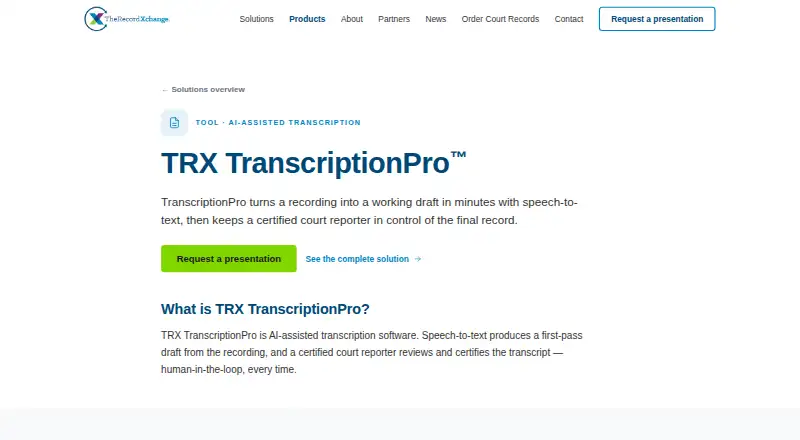
TRX TranscriptionPro is a web-based tool for creating first-pass drafts from court recordings. It uses VoiceCopy speech-to-text, with speaker identification, to produce an automated transcript draft. A certified court reporter then reviews and corrects the draft and certifies the transcript before delivery. The product is intended for court reporters, judges, and court administrators, and sits within TheRecordXchange’s court-record technology offering for the justice system.
Provider users access TranscriptionPro through TRX Request Central. To process a recording, the user needs an uploaded and transcoded file, VoiceCopy audio that has been processed, and a Designation. Once processing finishes, the TPro file downloads automatically and is saved in that request’s File Manager. The browser-based reporter interface supports the review workflow. Drafts can be exported as RTF/CRE files so reporters can continue working in software they already use; no specific external software integrations are named.
TheRecordXchange was founded in 2014 and is based in Tempe, Arizona. It says its service has SOC 2 Type II certification, AES-256 encryption at rest, TLS encryption in transit, role-based access controls, and immutable audit logs. It offers courts structured pilots with dedicated support during an evaluation period. Pricing is available by request, and prospective users can request a presentation.
Who it suits
TranscriptionPro suits court reporters who want an automated first draft from court recordings followed by certified human review. Its stated audiences also include judges and court administrators, particularly courts evaluating a court-record workflow through a structured pilot.
What it does well
- VoiceCopy turns court recordings into automated first-pass drafts.
- A certified court reporter reviews, corrects, and certifies each transcript.
- Speaker identification is available.
- RTF/CRE exports let reporters continue in their existing software.
- SOC 2 Type II certification and encryption controls are stated.
What to know first
- Pricing is available only on request.
- Access is for Provider users in TRX Request Central.
- Processing requires an uploaded, transcoded recording, processed VoiceCopy audio, and a Designation.
Plans
| Plan | Billed and limits | Price |
|---|---|---|
| Not publicly listed | Pricing not stated; request a presentation | On request |
As trxchange.com lists them, read 8 Oct 2026. The maker's own page has the final word.
Getting started
- Request a presentation from TheRecordXchange.
- Access TranscriptionPro as a Provider user in TRX Request Central.
- Upload and transcode a court recording.
- Process the recording with VoiceCopy and provide a Designation.
- Process it in TranscriptionPro; the file downloads automatically and is saved in the request’s File Manager.
Verdict
Choose TRX TranscriptionPro if your court workflow needs automated first drafts with certified reporter review and RTF/CRE export. Courts that need a stated price before evaluating it will need to request a presentation, and users must meet the specified TRX workflow requirements.
Questions
How much does TRX TranscriptionPro cost?
The product page does not state a price. Prospective users can request a presentation.
Which platforms does it support?
TranscriptionPro is web-based, and its reporter review interface runs in a browser.
Who reviews the transcript?
A certified court reporter reviews and corrects each transcript and certifies it before delivery.
What does a user need to process a recording?
The workflow requires an uploaded and transcoded recording, processed VoiceCopy audio, and a Designation.
Can drafts be used in other software?
Drafts can be exported as RTF/CRE files for finishing in the reporter’s existing software. No specific integrations are named.
What security measures are stated?
TheRecordXchange says it is SOC 2 Type II certified and uses AES-256 encryption at rest, TLS in transit, role-based access controls, and immutable audit logs.
Facts from TRX TranscriptionPro's own pages
- Access and input requirements
- The help guide says TPro is available to Provider users in TRX Request Central, and requires an uploaded and transcoded recording, processed VoiceCopy, and a Designation. · help.trxchange.com, 8 Oct 2026
- Access controls
- TheRecordXchange says it uses role-based access controls and logs access events to an immutable audit log. · trxchange.com, 8 Oct 2026
- Browser workflow
- The maker describes the reporter review interface as browser-based. · trxchange.com, 8 Oct 2026
- Company focus
- TheRecordXchange says it builds court record technology exclusively for the justice system. · trxchange.com, 8 Oct 2026
- Company history
- TheRecordXchange says it was founded in 2014 by court technology veterans. · trxchange.com, 8 Oct 2026
- Draft handling
- After processing, the TPro file downloads automatically and is saved in the request’s File Manager. · help.trxchange.com, 8 Oct 2026
- Encryption
- TheRecordXchange says court records are encrypted at rest with AES-256 and data in transit with TLS. · trxchange.com, 8 Oct 2026
- Export format
- Drafts can be exported as RTF/CRE files for finishing in the reporter’s existing software. · trxchange.com, 8 Oct 2026
- Founded
- TheRecordXchange says it was founded in 2014 by court technology veterans. · trxchange.com, 8 Oct 2026
- Headquarters
- Tempe, Arizona, United States · trxchange.com, 28 Sept 2026
- Human review
- A certified court reporter reviews, corrects, and certifies every transcript before delivery. · trxchange.com, 8 Oct 2026
- Integration
- The product page says TranscriptionPro exports RTF/CRE files so reporters can continue work in software they already use. · trxchange.com, 8 Oct 2026
- Integrations
- The product page says drafts can be exported for use in the reporter's existing software; it does not name specific integrations. · trxchange.com, 8 Oct 2026
- Intended users
- The product page lists court reporters, judges, and court administrators as its audiences. · trxchange.com, 8 Oct 2026
- Output handling
- After processing, the TranscriptionPro file downloads automatically and is saved to the request's File Manager. · help.trxchange.com, 8 Oct 2026
- Pricing
- The product page directs prospective users to request a presentation and does not state a TranscriptionPro price. · trxchange.com, 8 Oct 2026
- Purpose
- TRX TranscriptionPro uses speech-to-text to turn court recordings into a first-pass transcript draft. · trxchange.com, 8 Oct 2026
- Reporter certification
- A certified court reporter reviews, corrects, and certifies every transcript before delivery. · trxchange.com, 8 Oct 2026
- Security certification
- The maker says TheRecordXchange is SOC 2 Type II certified and can provide its report to courts undergoing procurement review. · trxchange.com, 8 Oct 2026
- Security controls
- The security page says TRX records are encrypted at rest with AES-256 and in transit with TLS, with role-based access controls and immutable audit logs. · trxchange.com, 8 Oct 2026
- Speech engine
- VoiceCopy is the speech-to-text engine inside TranscriptionPro. · trxchange.com, 8 Oct 2026
- Support and evaluation
- The company offers structured pilots with a dedicated support evaluation period for courts. · trxchange.com, 8 Oct 2026
- Workflow
- Provider users, including court reporters, can access TranscriptionPro inside TRX Request Central; the workflow requires an uploaded recording, processed VoiceCopy audio, and a designation. · help.trxchange.com, 8 Oct 2026
Where TRX TranscriptionPro stands on Freedom251
- Legal Transcription Software#22 of 24