Freedom251 › Legal Transcription Software
SoniClear RealTime 10
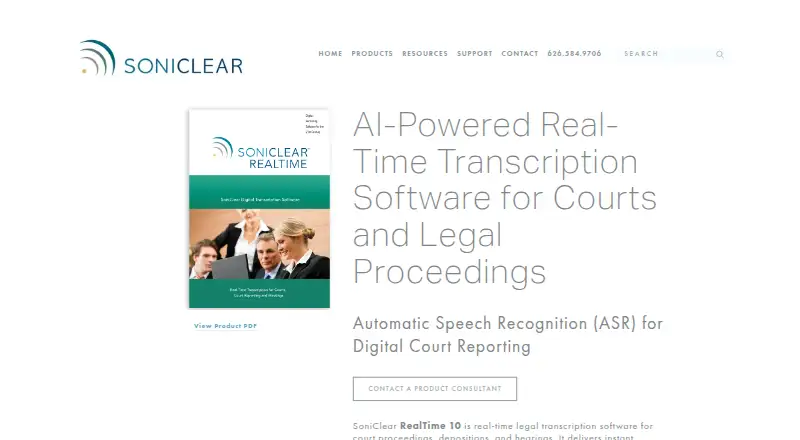
What SoniClear RealTime 10 is
SoniClear RealTime 10 provides live AI speech-to-text for court proceedings, depositions, and hearings. It runs on Windows and sends audio over an internet connection to a cloud transcription server; text appears on the computer in 1–2 seconds. During transcription, users can correct wording and speaker attribution, while the software assigns speakers by their order of appearance. Live, Edit, and Final Draft views show incoming text, a working transcript, and a legal-format transcript with line and page numbers. The Edit view organizes text by speaker turn and supports full-text search, with freeform and marker-based notes also available. Each view can be exported as a text file, including a rough ASCII draft with line and page numbers or a clean version for word processing. The product page says it transcribes in ten languages; its FAQ names English, Spanish, French, German, Italian, and Portuguese, and says English and Spanish can be used simultaneously. Court Recorder 10 integration can synchronize transcripts with audio and reporter notes. SoniClear says data is encrypted, transcripts are not kept in the cloud after a session, and on-site hosting is available for high-security projects.
Who it suits
It is intended for judges, digital court reporters, court clerks, hearing officers, and steno and voice reporters. Buyers need an internet connection for cloud transcription; SoniClear directs prospective customers to a Product Consultant for rates and getting started.
What it does well
- Correct wording and speaker attribution during transcription
- Three views include legal formatting with line and page numbers
- Edit view supports search and speaker-turn organization
- Exports include rough ASCII drafts and clean text
- Court Recorder 10 can synchronize audio and reporter notes
What to know first
- Windows platform only
- Cloud transcription requires an internet connection
- No free plan; pricing is available on request
Limits
Cloud transcription requires an internet connection, and usage fees are based on transcription session time. The software runs on Windows 11; on-site hosting is available for high-volume or high-security projects.
Plans
| Plan | Billed and limits | Price |
|---|---|---|
| SoniClear RealTime 10 | Cloud-based usage fees are based on transcription session time; contact a Product Consultant for rates. · Windows 11 · requires an internet connection for cloud transcription · on-site hosted transcription available for high-volume or high-security projects | On request |
As soniclear.com lists them, read 4 Oct 2026. The maker's own page has the final word.
Getting started
- Open the RealTime 10 product website
- Use a Windows 11 computer
- Connect the computer to the internet
- Contact a SoniClear Product Consultant for rates and getting started
- Choose cloud transcription or request on-site hosting for a high-security project
- Integrate Court Recorder 10 when transcript, audio, and notes need synchronization
Verdict
RealTime 10 combines live transcription, transcript editing, and legal-format output for court-related work. Its internet-based transcription and pricing-on-request model are important considerations before getting started.
Questions
What does RealTime 10 cost?
SoniClear lists cloud usage fees based on transcription session time. Buyers should contact a Product Consultant for rates.
Which operating system does it support?
The listed plan requires Windows 11.
Does it work offline?
Cloud transcription requires an internet connection because audio is sent to a cloud transcription server.
Which languages are supported?
The product page says ten languages are supported. The FAQ names English, Spanish, French, German, Italian, and Portuguese, with simultaneous English and Spanish.
Are transcripts stored in the cloud?
SoniClear says transcripts are not stored in the cloud after completion and remain on the user’s computer. On-site hosting is available for high-security projects.
Who makes RealTime 10?
SoniClear makes it; the company says it was founded in 1978 and is located in La Canada, California.
Facts from SoniClear RealTime 10's own pages
- Export
- Each view can be exported as a text file, including a rough ASCII draft with line and page numbers or a clean version for word processing. · soniclear.com, 4 Oct 2026
- Founded
- 1978 · soniclear.com, 28 Sept 2026
- Headquarters
- La Canada, California, United States · soniclear.com, 28 Sept 2026
- Integration
- RealTime 10 can integrate with Court Recorder 10, synchronizing the transcript with audio and reporter notes. · soniclear.com, 4 Oct 2026
- Intended users
- The product page identifies judges, digital court reporters, court clerks, hearing officers, and steno and voice reporters as users. · soniclear.com, 4 Oct 2026
- Languages
- The product page says it transcribes in ten languages; its language FAQ names English, Spanish, French, German, Italian, and Portuguese, and says simultaneous English and Spanish is supported. · soniclear.com, 4 Oct 2026
- Latency and connection
- Audio is sent over an internet connection to a cloud transcription server, and the resulting text displays on the computer in 1–2 seconds. · soniclear.com, 4 Oct 2026
- Live correction
- Users can correct transcript wording and speaker attribution while transcription is running. · soniclear.com, 4 Oct 2026
- Maker
- SoniClear says it was founded in 1978 and is located in La Canada, California. · soniclear.com, 4 Oct 2026
- Purpose
- RealTime 10 provides live AI speech-to-text for court proceedings, depositions, and hearings. · soniclear.com, 4 Oct 2026
- Readbacks and notes
- Edit view organizes text by speaker turn and supports full-text search; users can also take freeform or marker-based notes. · soniclear.com, 4 Oct 2026
- Security and data handling
- SoniClear says data is encrypted, transcripts are not stored in the cloud after completion, and the transcript resides only on the user's computer; on-site hosting is available for high-security projects. · soniclear.com, 4 Oct 2026
- Speaker attribution
- The software automatically attributes speakers based on order of appearance. · soniclear.com, 4 Oct 2026
- Support
- SoniClear offers live customer service and directs buyers to contact a Product Consultant to get started. · soniclear.com, 4 Oct 2026
- Transcript views
- Live, Edit, and Final Draft views provide the incoming text, working transcript, and legal-format transcript with line and page numbers. · soniclear.com, 4 Oct 2026
Where SoniClear RealTime 10 stands on Freedom251
- Legal Transcription Software#19 of 24