Freedom251 › AI Video Caption Generators
Trndinn Auto Caption Generator
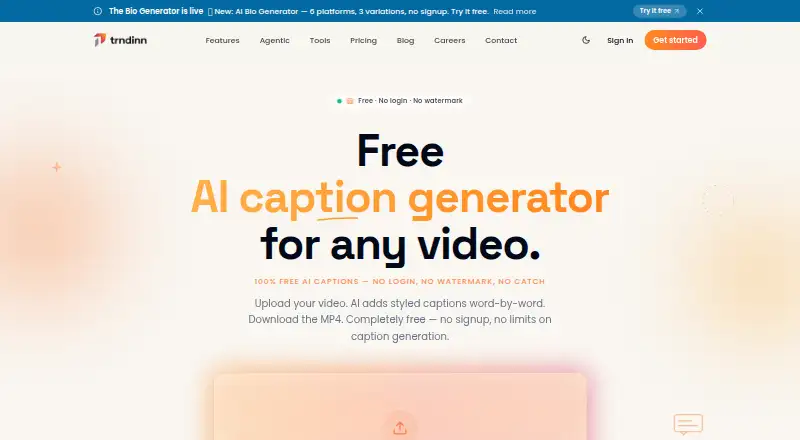
What Trndinn Auto Caption Generator is
Trndinn Auto Caption Generator is a browser tool that transcribes video speech and adds synchronized captions for download as a captioned MP4. It supports more than 99 languages and offers six caption styles: Hormozi, MrBeast, Minimal, Karaoke, Typewriter and Gradient Pop. Supported inputs include MP4, MOV, WebM, AVI, MKV, M4V, 3GP and FLV. Exports use MP4 with H.264 video and AAC audio, up to 1080p; captions can also be exported as SRT or VTT files. The tool requires no login or software installation and adds no watermark. Trndinn says uploaded videos are not stored beyond one hour, and downloads are available for a one-hour window. The free plan allows two videos per day, each up to 1.5 minutes and 100 MB. Trndinn says the tool is for content users own or have permission to use, does not scrape users' feeds or train AI on platform data, and is not affiliated with Instagram, TikTok or YouTube.
Who it suits
The tool suits creators, founders, marketers and teams publishing social content who need captions on their own videos or content they have permission to use. Its free plan is limited to two short videos per day.
What it does well
- Transcribes speech in 99+ languages
- Offers six caption styles
- Exports MP4, SRT and VTT
- No login, installation or watermark
- Free plan allows two videos daily
What to know first
- Free videos are limited to 1.5 minutes each
- Free uploads are limited to 100 MB
- Output resolution is capped at 1080p
- Uploads and downloads have one-hour windows
Limits
The Free plan costs nothing and allows two videos per day. Each video can be up to 1.5 minutes and 100 MB; output resolution is capped at 1080p.
Plans
| Plan | Billed and limits | Price |
|---|---|---|
| Free | 2 videos/day · up to 1.5 min · max 100 MB · no login · no watermark | Free |
As trndinn.com lists them, read 11 Oct 2026. The maker's own page has the final word.
Getting started
- Open the Trndinn Auto Caption Generator website
- Upload a supported video file
- Choose a caption style
- Generate the captioned video
- Download the MP4 or optional SRT/VTT file within the one-hour window
Verdict
Trndinn provides styled, synchronized captions in a browser, with MP4 and subtitle-file exports. Check the daily, duration and file-size limits if you plan to use the free plan.
Questions
How much does Trndinn Auto Caption Generator cost?
A free plan is available. Paid access starts at $0.86/mo.
Which platforms does it support?
It runs on the web in a browser and requires no software installation.
Do I need an account?
No login is required to use the listed free plan.
What files can I upload and download?
Uploads include MP4, MOV, WebM, AVI, MKV, M4V, 3GP, and FLV. Downloads include MP4, with optional SRT or VTT captions.
How long are videos and downloads retained?
Trndinn says uploaded videos are not stored beyond one hour, and downloads have a one-hour window.
Can it caption any video?
Trndinn says the tool is for captioning your own content or content you have permission to use.
Facts from Trndinn Auto Caption Generator's own pages
- Access
- The tool requires no login, adds no watermark, and requires no software installation. · trndinn.com, 11 Oct 2026
- Burn-in captions
- Yes · trndinn.com, 19 Sept 2026
- Caption styles
- Six styles are listed: Hormozi, MrBeast, Minimal, Karaoke, Typewriter, and Gradient Pop. · trndinn.com, 11 Oct 2026
- Caption styling
- Yes · trndinn.com, 19 Sept 2026
- Connected platforms
- The product page says Trndinn is not affiliated with Instagram, TikTok, or YouTube. · trndinn.com, 11 Oct 2026
- Exports
- The tool outputs MP4 (H.264 + AAC), with optional SRT or VTT captions and a maximum output resolution of 1080p. · trndinn.com, 11 Oct 2026
- Fair use
- Trndinn says the tool is for captioning your own content or content you have permission to use. · trndinn.com, 11 Oct 2026
- Free plan
- Yes · trndinn.com, 19 Sept 2026
- Input formats
- Supported formats include MP4, MOV, WebM, AVI, MKV, M4V, 3GP, and FLV. · trndinn.com, 11 Oct 2026
- Intended users
- Trndinn describes its broader platform as serving creators, founders, marketers, and teams publishing social content. · trndinn.com, 11 Oct 2026
- Languages
- The tool transcribes speech in 99+ languages. · trndinn.com, 11 Oct 2026
- Maker privacy approach
- Trndinn says it does not scrape users’ feeds or train AI on platform data. · trndinn.com, 11 Oct 2026
- Purpose
- A browser tool that transcribes videos and adds auto-synced, styled captions for download as captioned MP4. · trndinn.com, 11 Oct 2026
- Paid from
- 0.86 · trndinn.com, 19 Sept 2026
- Subtitle export
- srt and vtt · trndinn.com, 19 Sept 2026
- Support
- The page lists FAQs about supported formats, caption accuracy, editing, styles, languages, and video storage. · trndinn.com, 11 Oct 2026
- Video retention
- Trndinn says uploaded videos are not stored beyond one hour, and downloads have a one-hour window. · trndinn.com, 11 Oct 2026
Where Trndinn Auto Caption Generator stands on Freedom251
- AI Video Caption Generators#43 of 99