Freedom251 › AI Video Caption Generators
Blink Captions
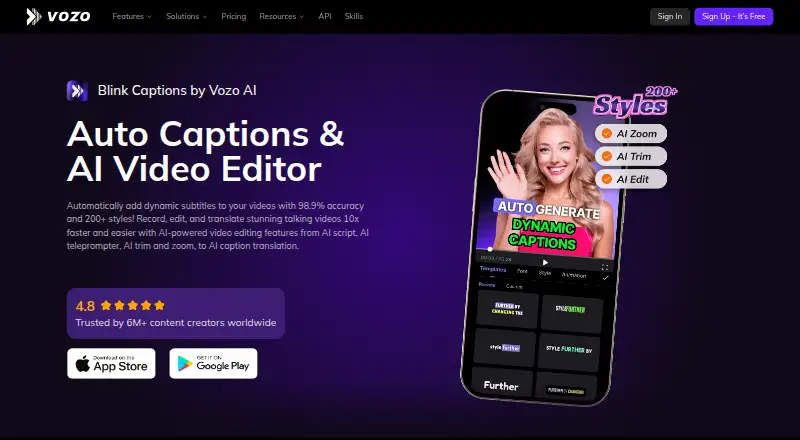
What Blink Captions is
Blink Captions is an iOS video captioning and editing app from Blink Captions, based in Sunnyvale, California. It can style captions, burn them into video, apply brand caption presets, and export subtitles in other formats. The app offers more than 200 subtitle styles, supports 118 caption languages, and can translate captions into 120 languages. Caption accuracy is advertised at over 98.9%. Editing tools include AI script writing, trimming, zoom, and a teleprompter that scrolls in step with the speaker’s pace. Audio features can isolate vocals, reduce noise, and adjust background sound levels. Lyrics mode detects and transcribes song lyrics for music videos. GIFs, emojis, sound effects, beauty filters, and real-time background swapping provide additional editing options.
The Free plan costs nothing and includes 20 AI points. It allows 3 projects, 1 seat, 1 concurrent task, and videos up to 20 minutes. Creator costs $29 a month, with 150 AI points per month, 1 seat, 2 concurrent tasks, and videos up to 60 minutes. Studio costs $99 a month and includes 600 AI points, 3 seats, 6 concurrent tasks, and videos up to 120 minutes. The app is also available on Google Play.
Who it suits
Blink Captions suits video creators who want to add styled, translated captions and edit videos on a mobile device. Its teleprompter, audio tools, lyrics mode, and visual effects also suit creators who want several editing tools alongside captioning.
What it does well
- Offers more than 200 dynamic subtitle styles.
- Caption translation supports 120 languages.
- Teleprompter scrolls with the speaker’s pace.
- Audio tools include vocal isolation and denoising.
- Lyrics mode transcribes song lyrics.
- Supports brand presets and burn-in captions.
What to know first
- Free plan allows only 3 projects.
- Free plan videos are limited to 20 minutes.
- Creator plan has 1 seat.
- Paid plan purchases are not refunded.
Limits
The Free plan includes 3 projects, 1 seat, 1 concurrent task, 20 AI points, and videos up to 20 minutes. Creator costs $29 a month and allows videos up to 60 minutes; Studio costs $99 a month and allows videos up to 120 minutes.
Plans
| Plan | Billed and limits | Price |
|---|---|---|
| Free | billed monthly · 3 projects · 1 seat · 1 concurrent task · 20 min per video | Free |
| Creator | Billed monthly - cancel anytime · 1 seat · 2 concurrent tasks · 60 min per video · 150 AI points per month | $29 a month |
| Studio | Billed monthly - cancel anytime · 3 seats · 6 concurrent tasks · 120 min per video · 600 AI points per month | $99 a month |
| Studio XL | 6 seats · 12 concurrent tasks · 1,500 AI points per month | Free |
| Studio XXL | 10 seats · 20 concurrent tasks · 4,000 AI points per month | Free |
| Enterprise | Large volume discounts · API access · Enterprise-grade SLA · Dedicated account manager · Priority customer support | On request |
As vozo.ai lists them, read 27 Sept 2026. The maker's own page has the final word.
Getting started
- Open the Blink Captions website or get the app on iOS or Google Play.
- Start with the Free plan, which includes 20 AI points.
- Create a project and add a video of up to 20 minutes on the Free plan.
- Choose Creator or Studio for higher video length limits, more seats, and more concurrent tasks.
Verdict
Choose Blink Captions if you want mobile video captioning with styling, translation, and editing tools in one app. The free plan is limited to three projects and 20-minute videos; longer videos and more concurrent tasks require a paid plan.
Questions
Is Blink Captions free?
Yes. The Free plan costs nothing and includes 20 AI points, 3 projects, 1 seat, and 1 concurrent task.
How much do the paid plans cost?
Creator costs $29 a month and Studio costs $99 a month. Creator includes 150 AI points per month; Studio includes 600.
What platforms does Blink Captions support?
It is available on iOS and Google Play.
How long can videos be?
The Free plan supports videos up to 20 minutes, Creator up to 60 minutes, and Studio up to 120 minutes.
Can Blink Captions translate captions?
Yes. One-click caption translation supports 120 languages.
Facts from Blink Captions's own pages
- Audio tools
- Users can isolate vocals, denoise audio, and adjust background sound levels. · vozo.ai, 27 Sept 2026
- Brand caption presets
- Yes · vozo.ai, 22 Sept 2026
- Burn-in captions
- Yes · vozo.ai, 22 Sept 2026
- Caption accuracy
- Captions are advertised with over 98.9% accuracy. · vozo.ai, 27 Sept 2026
- Caption languages
- 118 · vozo.ai, 22 Sept 2026
- Caption styles
- The app offers more than 200 dynamic subtitle styles. · vozo.ai, 27 Sept 2026
- Caption styling
- Yes · vozo.ai, 22 Sept 2026
- Creator reach
- Vozo says it is trusted by more than 6 million content creators worldwide. · vozo.ai, 27 Sept 2026
- Free plan
- Yes · vozo.ai, 22 Sept 2026
- Headquarters
- Sunnyvale, California, United States · vozo.ai, 19 Oct 2026
- Max video length
- 60 · vozo.ai, 22 Sept 2026
- Mobile platforms
- The app is available on iOS and Google Play. · vozo.ai, 27 Sept 2026
- Music captions
- Lyrics mode detects and transcribes song lyrics for music videos. · vozo.ai, 27 Sept 2026
- Payment methods
- Supported methods include Stripe cards, Apple Pay, Google Pay, Alipay, Link, and others. · vozo.ai, 27 Sept 2026
- Refund policy
- Paid plan purchases are not refunded; failed projects have automatically refunded points. · vozo.ai, 27 Sept 2026
- Security compliance
- The pricing page identifies Vozo as GDPR compliant and SOC 2 Type II trusted. · vozo.ai, 27 Sept 2026
- Paid from
- 29 · vozo.ai, 22 Sept 2026
- Subtitle export
- other formats · vozo.ai, 22 Sept 2026
- Support contact
- Support is available through the page chat icon or [email protected]. · vozo.ai, 27 Sept 2026
- Team seats
- Paid plans provide between 1 and 10 seats, depending on the plan. · vozo.ai, 27 Sept 2026
- Voice-synced teleprompter
- The teleprompter scrolls synchronously with the user's speaking speed. · vozo.ai, 27 Sept 2026
- Translation languages
- One-click caption translation supports 120 languages. · vozo.ai, 27 Sept 2026
- Free plan limits
- The Free plan allows 3 projects, 1 seat, 1 concurrent task, and videos up to 20 minutes. · vozo.ai, 27 Sept 2026
- Trial AI points
- New users receive 20 AI points for trial use on the Free plan. · vozo.ai, 27 Sept 2026
Where Blink Captions stands on Freedom251
- AI Video Caption Generators#45 of 99