Freedom251 › Data Storytelling Tools
TimelineJS
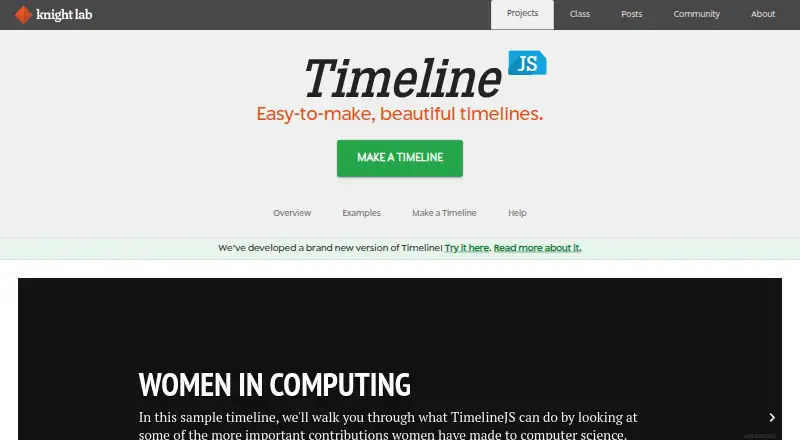
What TimelineJS is
TimelineJS is an open-source tool for making interactive timelines that combine a chronological story with media. Beginners can build one from a Google Spreadsheet template: enter the timeline content, publish the spreadsheet to the web, then generate the timeline. Users who need a custom installation can work with JSON instead. Timelines can be embedded in websites and blogs with an iframe, or self-hosted with downloaded JavaScript and CSS files.
The tool supports media from Twitter, Instagram, Flickr, Google Maps, Dropbox, DocumentCloud, Wikipedia, SoundCloud, Storify, iframes, YouTube and Vimeo. Users can change fonts, navigation position and initial zoom; those with technical skills can also override the timeline CSS. Knight Lab recommends limiting a timeline to 20 slides or fewer and choosing a story that follows a strong chronological sequence. The spreadsheet workflow requires publishing its data to the web. For access control, Knight Lab recommends using JSON and initializing the timeline directly with JavaScript. TimelineJS is a Northwestern University Knight Lab project, released under the Mozilla Public License 2.0 and available for commercial use without additional fees or permission.
Who it suits
TimelineJS suits beginners who want to organize a story in a spreadsheet and more technical users who want to create a custom installation with JSON and can override the timeline CSS. It can also suit publishers who want to embed a timeline in a website or blog, provided the spreadsheet workflow’s public data requirement works for them.
What it does well
- Free to use, including commercially, under MPL 2.0.
- Spreadsheet workflow is aimed at beginners.
- Supports embedding and self-hosting.
- Includes media integrations across social, mapping, audio and video services.
- Users can adjust fonts, navigation position and initial zoom.
What to know first
- Standard spreadsheet workflow requires publishing data to the web.
- Does not work with WordPress.com sites.
- Known not to work with Internet Explorer versions before IE10.
- Knight Lab has no dedicated technical support staff.
Limits
The tool is free, with no paid plan limit listed. Knight Lab recommends keeping timelines to 20 slides or fewer; the standard spreadsheet workflow requires publishing data to the web.
Plans
| Plan | Billed and limits | Price |
|---|---|---|
| TimelineJS | Open-source under MPL 2.0 · Google Sheets data must be published to the web for the standard workflow | Free |
As timeline.knightlab.com lists them, read 7 Oct 2026. The maker's own page has the final word.
Getting started
- Open the TimelineJS website.
- Choose the spreadsheet workflow for a beginner setup or JSON for a custom installation.
- For the spreadsheet workflow, fill in the Google Spreadsheet template and publish its data to the web.
- Generate the timeline from the published spreadsheet.
- Embed it in a website or blog with an iframe, or self-host it with the downloaded JavaScript and CSS files.
Verdict
Choose TimelineJS if you want a free, open-source way to present a chronological story with interactive media, using either a spreadsheet or a custom JSON installation. Look elsewhere if your site is on WordPress.com or your workflow requires keeping spreadsheet data private without setting up the JSON and JavaScript route.
Questions
Is TimelineJS free?
Yes. Its listed plan is free, and it is released under the Mozilla Public License 2.0. Knight Lab says commercial use does not require extra fees or permission.
How do I make a timeline?
The standard workflow uses a Google Spreadsheet template. Add the timeline content, publish the spreadsheet to the web, and generate the timeline; JSON is an option for custom installations.
Can I keep spreadsheet data access controlled?
The spreadsheet workflow requires publishing data to the web. For access control, Knight Lab recommends JSON and instantiating the timeline directly with JavaScript.
Can I embed or host a timeline on my own site?
TimelineJS works on websites and blogs and can be embedded with an iframe. It can also be self-hosted using downloaded JavaScript and CSS files.
Which platforms and browsers are noted?
Its listed platforms are API, self-hosted and web. Knight Lab identifies Chrome as its primary development and testing browser and says TimelineJS does not work with Internet Explorer versions before IE10.
Does it work with WordPress?
It does not work with WordPress.com sites. Knight Lab says its plugin supports WordPress installations that allow plugins.
Facts from TimelineJS's own pages
- Audience
- Beginners can build timelines with a Google spreadsheet, while experts can use JSON for custom installations. · timeline.knightlab.com, 7 Oct 2026
- Authoring workflow
- The standard authoring workflow uses a Google Spreadsheet template, which users publish to the web before generating a timeline. · timeline.knightlab.com, 7 Oct 2026
- Browser compatibility
- Knight Lab identifies Google Chrome as its primary development and testing browser and says TimelineJS is known not to work with Internet Explorer versions before IE10. · timeline.knightlab.com, 7 Oct 2026
- Customization
- Users can adjust fonts, navigation position and initial zoom, and technically capable users can override the timeline CSS. · timeline.knightlab.com, 7 Oct 2026
- Headquarters
- Evanston, Illinois, United States · timeline.knightlab.com, 28 Sept 2026
- Licensing
- TimelineJS is released under the Mozilla Public License version 2.0, and the FAQ says it is free to use commercially without additional fees or permission. · timeline.knightlab.com, 7 Oct 2026
- Maker
- TimelineJS is a project of Northwestern University Knight Lab, which describes itself as a community of designers, developers, students and educators working on journalism experiments. · knightlab.northwestern.edu, 7 Oct 2026
- Media integrations
- Built-in media support includes Twitter, Instagram, Flickr, Google Maps, Dropbox, DocumentCloud, Wikipedia, SoundCloud, Storify, iframes, YouTube and Vimeo. · timeline.knightlab.com, 7 Oct 2026
- Platform and embedding
- TimelineJS works on websites and blogs, can be embedded with an iframe, and can be self-hosted using downloaded JavaScript and CSS files. · timeline.knightlab.com, 7 Oct 2026
- Privacy
- The Google Spreadsheet workflow requires publishing data to the web; for access control, Knight Lab says to use JSON and instantiate the timeline directly with JavaScript. · timeline.knightlab.com, 7 Oct 2026
- Purpose
- TimelineJS is an open-source tool for building visually rich, interactive timelines. · timeline.knightlab.com, 7 Oct 2026
- Story structure
- Knight Lab recommends keeping a timeline to 20 slides or fewer and choosing stories with a strong chronological narrative. · timeline.knightlab.com, 7 Oct 2026
- Support
- Knight Lab offers support by email or web form and says it has no dedicated tech support staff. · timeline.knightlab.com, 7 Oct 2026
- WordPress limitation
- TimelineJS does not work with WordPress.com sites; Knight Lab says its plugin supports WordPress installations that allow plugins. · timeline.knightlab.com, 7 Oct 2026
Where TimelineJS stands on Freedom251
- Data Storytelling Tools#12 of 22