Freedom251 › GIF Maker Software
Terminalizer
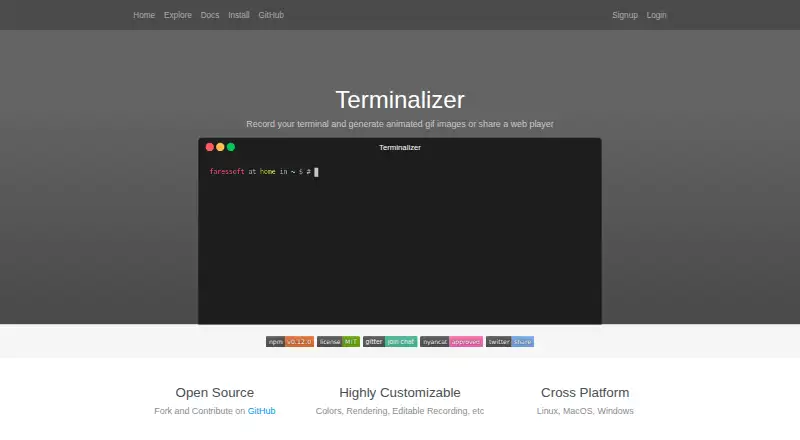
What Terminalizer is
Terminalizer records terminal sessions and renders them as animated GIFs or web players that can be embedded on a website. Each recording is saved in an editable YAML file, and users can change frames and delays before rendering. Customization options include colors, fonts, window frames, and CSS styles. Rendering settings include GIF quality and repetition, frame skipping, cursor styles, and watermarks. The share command uploads a recording to terminalizer.com and returns a web-player link; an account is used for this online sharing option. The maker describes Terminalizer as open source, and its GitHub repository is under the MIT license. It is available for Linux, macOS, and Windows, and its pricing model is free. GIF compression is not implemented, so the documentation recommends an external compressor. Support links point to Gitter and GitHub Issues. Terminalizer is focused on capturing terminal activity, editing the resulting recording, and presenting it as a GIF or shareable player.
Who it suits
Terminalizer suits people who want to record terminal sessions and share or embed them as GIFs or web players. It may also suit users who want editable YAML recordings and control over visual presentation.
What it does well
- Free to use.
- Saves recordings as editable YAML files.
- Offers GIF and embeddable web-player output.
- Available for Linux, macOS, and Windows.
What to know first
- GIF compression is not implemented.
- Online sharing uses an account.
- External compressor is recommended for GIF compression.
Limits
GIF compression is not implemented, and the documentation recommends an external compressor. An account is used to share recordings online.
Getting started
- Visit https://www.terminalizer.com/ for the project information.
- Install Terminalizer for Linux, Windows, or macOS.
- Record a terminal session and save it as an editable YAML file.
- Adjust frames, delays, or appearance, then render a GIF or generate a web player.
- Create an account to share a recording online through terminalizer.com.
Verdict
Terminalizer provides a free way to capture and present terminal sessions, with editable recordings and visual customization. Plan to use an external compressor if you need GIF compression.
Questions
Is Terminalizer free?
Yes. It is listed as free and has a free plan.
Is Terminalizer open source?
Yes. The maker describes it as open source, and the GitHub repository is under the MIT license.
Which operating systems does it support?
Terminalizer is available for Linux, Windows, and macOS.
What can I make with a recording?
You can render it as an animated GIF or generate a web player that can be embedded in a website.
Can I share a recording online?
Yes. The share command uploads a recording to terminalizer.com and provides a web-player link. An account is used for this sharing option.
Does Terminalizer compress GIFs?
GIF compression is not implemented. The documentation recommends using an external compressor.
Facts from Terminalizer's own pages
- Account
- The signup page says an account is used to share recordings online. · terminalizer.com, 4 Oct 2026
- Customization
- Recordings can be styled with custom colors, fonts, CSS, window frames, and watermarks. · terminalizer.com, 11 Oct 2026
- Frame editing
- Users can edit frames, adjust delays, and skip frames to reduce the number rendered. · terminalizer.com, 11 Oct 2026
- GIF compression
- GIF compression is not implemented, and the documentation recommends using gifcompressor.com. · terminalizer.com, 11 Oct 2026
- GIF output
- Terminalizer can render a recording as an animated GIF. · terminalizer.com, 4 Oct 2026
- Installation
- Installation requires Node.js and uses the global Yarn command `yarn global add terminalizer`. · terminalizer.com, 11 Oct 2026
- Known limitation
- The documentation says GIF compression is not implemented and recommends an external compressor. · terminalizer.com, 4 Oct 2026
- License
- The project is open source under the MIT license. · github.com, 11 Oct 2026
- Node.js compatibility
- The installation page says setup should be smooth with Node.js v4–v16; newer versions may require development tools to build C++ add-ons. · terminalizer.com, 11 Oct 2026
- Online sharing
- The share command uploads a recording to terminalizer.com and provides a web-player link. · terminalizer.com, 4 Oct 2026
- Open source
- The maker describes Terminalizer as open source, and the site says the GitHub repository is under the MIT license. · terminalizer.com, 4 Oct 2026
- Platforms
- The site lists Linux, macOS, and Windows as supported platforms. · terminalizer.com, 4 Oct 2026
- Playback
- Saved recordings can be replayed in the terminal. · terminalizer.com, 11 Oct 2026
- Purpose
- Terminalizer records terminal sessions and generates animated GIFs or a shareable web player. · terminalizer.com, 11 Oct 2026
- Recording
- A recording session saves to an editable YAML file. · terminalizer.com, 4 Oct 2026
- Recording format
- A recording session is saved as an editable YAML file. · terminalizer.com, 11 Oct 2026
- Rendering
- Terminalizer renders recordings as animated GIFs with configurable quality and repeat behavior. · terminalizer.com, 11 Oct 2026
- Rendering options
- The documentation lists GIF quality and repetition settings, frame skipping, cursor styles, and watermarks. · terminalizer.com, 4 Oct 2026
- Sharing
- The share command uploads a recording and returns a link to an online player. · terminalizer.com, 11 Oct 2026
- Shell support
- The recording command can be configured for shells or commands such as bash, PowerShell, or a user-provided command. · terminalizer.com, 11 Oct 2026
- Support
- The site links to Gitter and GitHub Issues for support. · terminalizer.com, 4 Oct 2026
- Web player
- The generate command creates a web player that can be embedded on a website. · terminalizer.com, 11 Oct 2026
Where Terminalizer stands on Freedom251
- GIF Maker Software#28 of 33
- GIF makers#47 of 54