Freedom251 › GIF Maker Software
ScreenToGif
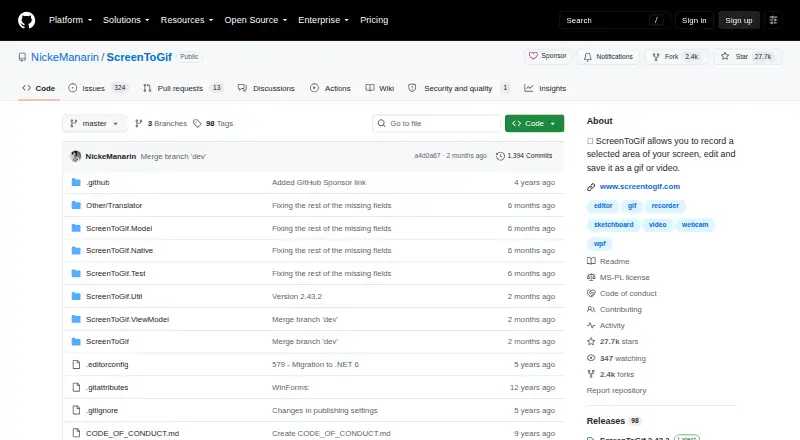
What ScreenToGif is
ScreenToGif is a free Windows app for recording and editing short screen captures. It can capture a selected part of the screen, a webcam feed, or drawings made live on a sketchboard. After recording, you can edit and save the result as GIF, APNG, video, PSD, or PNG, and it also supports video import. It runs on Windows 10 and 11 and requires .NET 9 Desktop Runtime or later. ScreenToGif is open source under the MS-PL license, and its public GitHub project says the code can be copied into another project. The app is distributed through Chocolatey, FossHub, and the Microsoft Store; FossHub offers installers and portable editions for 64-bit, 32-bit, and ARM64 Windows. Its author describes it as suitable for recordings of up to a few minutes, rather than large recordings. The project also welcomes bug reports, ideas, and contributions to localization.
Who it suits
It suits Windows users who want to record and edit brief screen captures, webcam footage, or sketchboard drawings. Its export formats and portable editions may be useful for people who need flexible output or installation options.
What it does well
- Free, open-source program under the MS-PL license
- Captures screen areas, webcam feeds, and sketchboard drawings
- Exports GIF, APNG, video, PSD, and PNG
- Supports video import
- Installers and portable versions for several Windows architectures
What to know first
- Requires .NET 9 Desktop Runtime or later
- Author advises against using it for large recordings
- Supports Windows 10 and 11 only
Limits
The author considers ScreenToGif suitable for recordings of up to a few minutes, rather than large recordings. It requires .NET 9 Desktop Runtime or above and supports Windows 10/11.
Plans
| Plan | Billed and limits | Price |
|---|---|---|
| ScreenToGif | Free, open-source program · Windows · installer or portable version | Free |
As github.com lists them, read 11 Oct 2026. The maker's own page has the final word.
Getting started
- Open the ScreenToGif GitHub website
- Choose Chocolatey, FossHub, or Microsoft Store distribution
- Select a Windows installer or portable build for your architecture
- Install .NET 9 Desktop Runtime or later
- Launch ScreenToGif and select screen, webcam, or sketchboard recording
Verdict
ScreenToGif combines several capture sources, editing, and multiple export formats in a free Windows app. Its stated suitability is limited to short recordings, and it requires the .NET 9 Desktop Runtime or later.
Questions
Is ScreenToGif free?
Yes. The listed ScreenToGif plan costs nothing and is described as a free, open-source program.
Which platforms does ScreenToGif support?
It supports Windows 10 and 11.
What can ScreenToGif record?
It can record a selected screen area, a webcam feed, or live drawings from a sketchboard.
Which export formats are available?
Edited recordings can be saved as GIF, APNG, video, PSD, or PNG.
Is ScreenToGif open source?
Yes. Its public GitHub repository describes source code that can be copied for use in another project and links to the MS-PL license.
How can I install it?
The creator distributes it through Chocolatey, FossHub, and the Microsoft Store. FossHub lists installers and portable versions for Windows 64-bit, 32-bit, and ARM64.
Facts from ScreenToGif's own pages
- Distribution
- The creator also distributes the app through Chocolatey, FossHub, and the Microsoft Store. · github.com, 11 Oct 2026
- Export formats
- The README says recordings can be edited and saved as GIF, APNG, video, PSD, or PNG. · github.com, 11 Oct 2026
- Install options
- FossHub lists Windows 64-bit and 32-bit installers, ARM64 installer, and portable versions for 64-bit, 32-bit, and ARM64. · fosshub.com, 11 Oct 2026
- Intended use
- FossHub’s description says the author considers the program suitable for small recordings of up to a few minutes, but not large ones. · fosshub.com, 11 Oct 2026
- Localization
- The README says anyone can contribute to localization of the app, website, and installer. · github.com, 11 Oct 2026
- Maker identity
- The GitHub repository is owned by the NickeManarin account and links to screentogif.com. · github.com, 11 Oct 2026
- Open source
- The repository is public and describes ScreenToGif as a tool whose source code can be copied for use in another project. · github.com, 11 Oct 2026
- Project feedback
- The README invites users to report bugs and share ideas as feedback. · github.com, 11 Oct 2026
- Project license
- The GitHub repository links to the MS-PL license. · github.com, 11 Oct 2026
- Recording sources
- It can record a webcam feed or live drawings from a sketchboard as well as the screen. · github.com, 11 Oct 2026
- Runtime requirement
- The README says ScreenToGif requires .NET 9 Desktop Runtime or above. · github.com, 11 Oct 2026
- Screen recording
- ScreenToGif records a selected area of the screen. · github.com, 11 Oct 2026
Where ScreenToGif stands on Freedom251
- GIF Maker Software#26 of 33
- GIF makers#45 of 54