Freedom251 › Spend Management Software
Teampay by Paystand
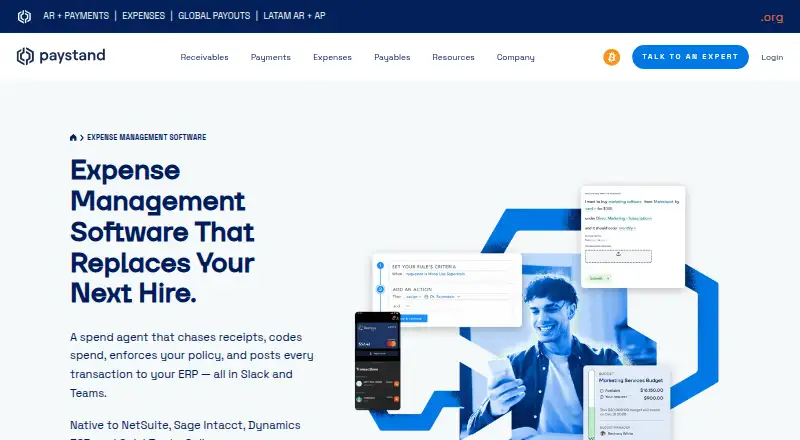
What Teampay by Paystand is
Teampay by Paystand gives employees, managers, and finance teams a way to manage company spend through an agent in Slack and Microsoft Teams. It covers issued cards, connected Amex cards, reimbursements, and vendor purchases, with spending limits, merchant restrictions, budgets, and approval workflows. Employees can request spend in chat, while managers can approve or reject requests without a separate app, portal, or login for that workflow.
The agent can prompt for receipts, capture and match them to transactions, code them, and attach them. Receipt coding can include general ledger, department, class, location, and subsidiary details. Employees can also upload reimbursement receipts on web or mobile, where expenses are automatically filled and coded. For accounting, the product names NetSuite, Sage Intacct, Microsoft Dynamics 365, and QuickBooks Online as two-way ERP integrations. Transactions sync already coded; card transactions post as vendor-matched bills and bill payments, with sync respecting accounting periods. Teampay supports multiple subsidiaries with separate card programs, reimbursement rules, and ledger mapping, and logs actions from request through posting. Paystand lists Android, iOS, and web support. Pricing is on request and is not tied to spend volume.
Who it suits
Teampay suits companies whose employees request spending, managers approve it in Slack or Teams, and finance teams need controls across cards, reimbursements, and vendor purchases. It is also relevant to multi-subsidiary organizations using one of its named ERP integrations.
What it does well
- Chat-based requests and approvals work in Slack and Microsoft Teams.
- Controls cover limits, merchants, approvals, and budgets.
- Receipt capture, matching, and coding can be automated.
- Supports multiple subsidiaries with separate rules and ledger mapping.
- Integrates with four named accounting platforms.
- Logs activity from requests through accounting posting.
What to know first
- Pricing is available only on request.
Limits
Pricing is on request, and the product page says pricing is not tied to spend volume.
Getting started
- Visit the Paystand expenses website.
- Use the web, Android, or iOS platform.
- Request pricing from Paystand.
- Arrange guided onboarding, mapping, and testing with the Paystand team.
- Connect one of the named ERP integrations and configure spend workflows.
Verdict
Choose Teampay if your team wants to manage card spend, reimbursements, and vendor purchases through chat workflows linked to accounting. Look elsewhere if you need a published price.
Questions
How much does Teampay cost?
Pricing is on request. Paystand says spend management pricing is not tied to spend volume.
Which platforms does Teampay support?
The listed platforms are Android, iOS, and web.
Which accounting integrations are named?
Paystand names NetSuite, Sage Intacct, Microsoft Dynamics 365, and QuickBooks Online.
Can employees request spending and managers approve it in chat?
Yes. Employees can request spend and managers can approve or reject requests in Slack or Microsoft Teams, without a separate app, portal, or login for that workflow.
Does Teampay support multiple subsidiaries?
Yes. Each can have separate card programs, reimbursement rules, and general-ledger mapping.
What security measures does Paystand describe?
Paystand says its platform uses TLS 1.2 or higher, supports two-factor authentication, and undergoes regular external SOC 2 and PCI DSS audits.
Facts from Teampay by Paystand's own pages
- Accounting sync
- The page names NetSuite, Sage Intacct, Microsoft Dynamics 365, and QuickBooks Online as ERP integrations, with transactions synced to the general ledger already coded. · paystand.com, 8 Oct 2026
- Audit trail
- The product page says it logs every action from request through posting and records approvals, messages, and receipts. · paystand.com, 8 Oct 2026
- Chat workflow
- Employees can request spend and managers can approve or reject requests in Slack or Teams, with no separate app, portal, or login required for that workflow. · paystand.com, 8 Oct 2026
- Collaboration tools
- Employees can request spend and managers can approve or reject requests in Slack or Microsoft Teams. · paystand.com, 8 Oct 2026
- Company history
- Paystand says it began reinventing commercial finance in 2013. · paystand.com, 8 Oct 2026
- ERP posting
- Card transactions post to the ERP as vendor-matched bills and bill payments, and the page says sync respects accounting periods. · paystand.com, 8 Oct 2026
- ERP sync
- Paystand lists native two-way integrations with NetSuite, Sage Intacct, Microsoft Dynamics 365, and QuickBooks Online, with transactions posted already coded. · paystand.com, 8 Oct 2026
- Headquarters
- California, United States · paystand.com, 28 Sept 2026
- Intended users
- The product page describes employees making requests, managers approving them, and finance teams controlling spend and workflows. · paystand.com, 8 Oct 2026
- Mobile receipts
- Employees can upload reimbursement receipts on web or mobile, where the product auto-fills and codes the expense. · paystand.com, 8 Oct 2026
- Mobile use
- Employees can upload reimbursement receipts on web or mobile. · paystand.com, 8 Oct 2026
- Multi-entity
- The product supports multiple subsidiaries with separate card programs, reimbursement rules, and general-ledger mapping. · paystand.com, 8 Oct 2026
- Pricing limit
- The expense product pages provide no numeric price; the spend management page says pricing is not tied to spend volume. · paystand.com, 8 Oct 2026
- Product
- Teampay provides a spend agent in Slack and Microsoft Teams for managing issued cards, connected Amex cards, and reimbursements. · paystand.com, 8 Oct 2026
- Receipt automation
- The spend agent can prompt for, capture, match, code, and attach receipts to transactions. · paystand.com, 8 Oct 2026
- Receipts and coding
- The spend agent captures, matches, codes, and attaches receipts, and can automatically assign general ledger, department, class, location, and subsidiary details. · paystand.com, 8 Oct 2026
- Security
- Paystand says its platform uses TLS 1.2 or higher, supports two-factor authentication, and undergoes regular external SOC 2 and PCI DSS audits. · support.paystand.com, 8 Oct 2026
- Spend controls
- It applies spending limits, merchant restrictions, approval workflows, and budget controls across cards, reimbursements, and vendor purchases. · paystand.com, 8 Oct 2026
- Support and onboarding
- The integrations page says its team provides guided onboarding, mapping, and testing, and that most businesses are live within weeks. · paystand.com, 8 Oct 2026
- What it does
- Teampay by Paystand provides a spend agent in Slack and Microsoft Teams for managing issued cards, connected Amex cards, and reimbursements. · paystand.com, 8 Oct 2026
Where Teampay by Paystand stands on Freedom251
- Spend Management Software#26 of 29
- Payment Processing Software#65 of 71