Freedom251 › Teleprompter Software
TalkPrompter
What TalkPrompter is
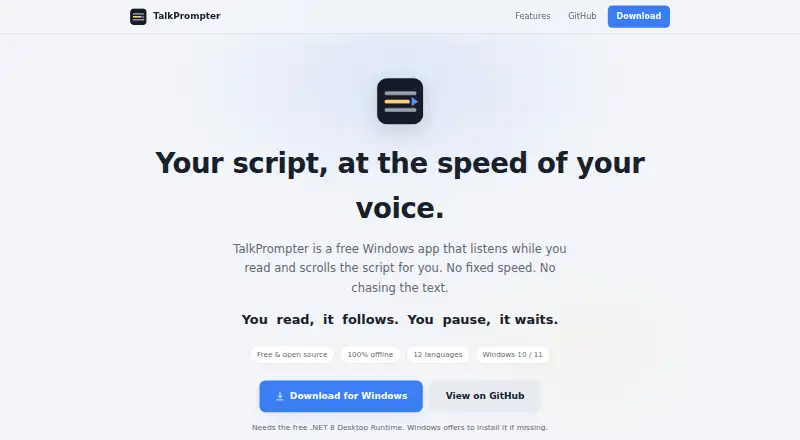
TalkPrompter is a free Windows teleprompter for recording that moves a script along with your speech and pauses when you stop. You can reread a sentence from another part of the script, and the display follows you back rather than continuing at a fixed pace. It opens .docx and .txt files and reloads a Word document after you save it. Recording tools include camera and mirror modes, global hotkeys, a countdown, and an estimate of reading time remaining. Speech recognition runs on your PC; the maker says there is no cloud processing, account, or subscription, and that your voice stays on your machine. It supports 12 languages: English, Czech, Dutch, French, German, Indonesian, Italian, Polish, Portuguese, Russian, Spanish, and Turkish. On first launch, it downloads a 30–70 MB voice pack for the selected language. Windows installer and portable ZIP versions are available. TalkPrompter is open source under the MIT License and requires the .NET 8 Desktop Runtime.
Who it suits
TalkPrompter suits Windows users recording tutorials or other material from a script. It may also suit readers who want on-device speech recognition and support for Word and text files.
What it does well
- Follows speech and pauses when the reader stops.
- Supports .docx and .txt files.
- Includes camera and mirror modes and global hotkeys.
- Speech recognition runs on the PC.
- Open source under the MIT License.
What to know first
- Windows only.
- Requires the .NET 8 Desktop Runtime.
- Downloads a 30–70 MB voice pack on first launch.
Limits
The Free plan costs nothing and supports Windows 10/11 with 12 languages. The app requires the .NET 8 Desktop Runtime and downloads a 30–70 MB voice pack for the selected language on first launch.
Plans
| Plan | Billed and limits | Price |
|---|---|---|
| Free | Free and open source · Windows 10/11 · 12 languages · requires .NET 8 Desktop Runtime | Free |
As sven-bo.github.io lists them, read 11 Oct 2026. The maker's own page has the final word.
Getting started
- Open the TalkPrompter website
- Choose the Windows installer or portable ZIP
- Install or run it on Windows 10 or 11
- Ensure the .NET 8 Desktop Runtime is available
- Launch the app and let it download the selected language voice pack
- Open a .docx or .txt script and select recording controls as needed
Verdict
TalkPrompter combines voice-tracked script scrolling with practical recording controls and support for 12 languages. Check the runtime requirement and first-launch voice-pack download before installing.
Questions
Is TalkPrompter free?
Yes. The Free plan costs nothing, and the app is open source under the MIT License.
Which platforms does TalkPrompter support?
TalkPrompter supports Windows 10 and 11.
Does it use cloud speech recognition?
No. Speech recognition runs on your PC, with no cloud, account, or subscription, and the maker says your voice stays on your machine.
Which languages are supported?
Supported languages are English, Czech, Dutch, French, German, Indonesian, Italian, Polish, Portuguese, Russian, Spanish, and Turkish.
What files can it open?
TalkPrompter can open .docx and .txt files, and it reloads a Word document after you save it.
How do I report a bug or request a language?
The maker directs users to open a GitHub issue for bug reports or missing-language requests.
Facts from TalkPrompter's own pages
- File support
- You can open .docx and .txt files, and the app reloads a Word document when it is saved. · github.com, 11 Oct 2026
- Installation
- A Windows installer and a portable ZIP are available; the app requires the .NET 8 Desktop Runtime. · github.com, 11 Oct 2026
- Intended users
- The maker describes TalkPrompter as a tool for recording and says it was built to help with tutorial video recording. · github.com, 11 Oct 2026
- Languages
- The app supports English, Czech, Dutch, French, German, Indonesian, Italian, Polish, Portuguese, Russian, Spanish, and Turkish. · github.com, 11 Oct 2026
- License
- TalkPrompter is open source under the MIT License. · github.com, 11 Oct 2026
- Offline voice packs
- On first launch, the app downloads a 30–70 MB voice pack for the selected language, and languages can be added or switched in Settings. · github.com, 11 Oct 2026
- Privacy
- Speech recognition runs on your PC, with no cloud, account, or subscription; the maker says your voice stays on your machine. · sven-bo.github.io, 11 Oct 2026
- Purpose
- TalkPrompter is a free Windows teleprompter that listens while you read and scrolls your script to match your voice. · sven-bo.github.io, 11 Oct 2026
- Recording tools
- Features include camera and mirror modes, global hotkeys, a countdown, and estimated reading time remaining. · sven-bo.github.io, 11 Oct 2026
- Retakes
- You can reread a sentence from elsewhere in the script and the prompter follows you back. · sven-bo.github.io, 11 Oct 2026
- Support
- The maker directs users to open a GitHub issue to report a bug or request a missing language. · sven-bo.github.io, 11 Oct 2026
- Voice tracking
- The script moves with your speech and pauses when you stop, without a fixed scroll speed. · sven-bo.github.io, 11 Oct 2026
Where TalkPrompter stands on Freedom251
- Teleprompter Software#19 of 32