Freedom251 › Tab Management Software
Tab Stash
What Tab Stash is
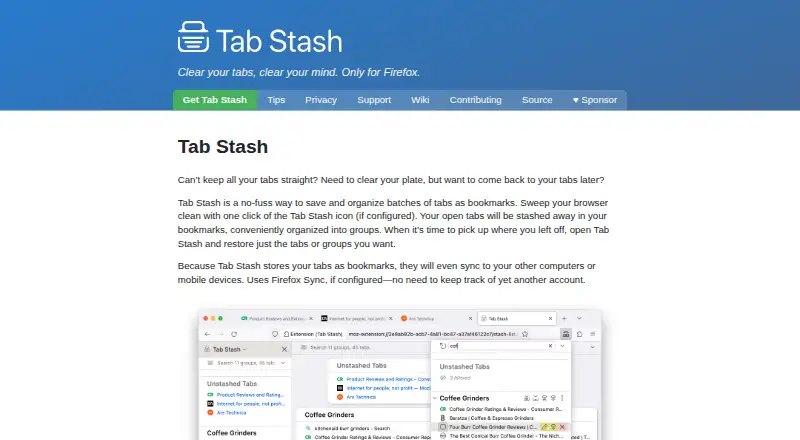
Tab Stash is a free, open-source Firefox extension that saves batches of browser tabs as bookmarks for later restoration. Users can restore a single tab or a group, organize items into groups and sub-groups, rearrange them by dragging, and select multiple items. Stashes can be viewed in Firefox’s sidebar, popup, or a full-browser tab, with quick search for finding saved items.
Recently deleted items can be recovered; by default, they remain on the computer for up to six months. Import and export options include rich text, Markdown, OneTab, and other formats. Version 3.5 supports Firefox’s native tab groups, allowing tabs to move between open groups and the stash. Because stashed tabs are bookmarks, they can sync to other computers or mobile devices through Firefox Sync when configured. The extension has a dark mode that can follow the operating system setting or be switched manually. Its maker says user information is not shared with the developer or third parties except as described in the privacy policy, and stored items remain local rather than in the cloud.
Who it suits
It suits Firefox users who want to save and sort tabs for later, including across devices when Firefox Sync is configured. It is specifically listed for Firefox, not as a general browser extension.
What it does well
- Free forever and open source
- Stores stashes as bookmarks
- Can restore individual tabs or groups
- Supports Firefox Sync when configured
- Deleted items remain on the computer
What to know first
- Available only for Firefox
- Sync depends on Firefox Sync configuration
- Developer does not promise a support response timeframe
Plans
| Plan | Billed and limits | Price |
|---|---|---|
| Free | Free forever · open-source Firefox extension | Free |
As josh-berry.github.io lists them, read 4 Oct 2026. The maker's own page has the final word.
Getting started
- Visit the Tab Stash website.
- Get the Firefox extension.
- Save open tabs into a stash and organize them into groups or sub-groups.
- Use the sidebar, popup, or full-browser tab view to search and restore saved tabs.
- Configure Firefox Sync if you want stashes to sync to other computers or mobile devices.
Verdict
Tab Stash provides grouped tab saving, search, recovery, and import or export options without a listed fee. It is a Firefox-only choice, and cross-device syncing requires Firefox Sync to be configured.
Questions
Is Tab Stash free?
Yes. Tab Stash is free forever and open source.
Which browser does it support?
Tab Stash is a Firefox extension and is described as available only for Firefox.
Can it sync saved tabs across devices?
Yes. Since stashed tabs are stored as bookmarks, they can sync through Firefox Sync when configured.
Where are saved and deleted tabs stored?
Stashed tabs are stored in bookmarks, and deleted items are retained on the user’s computer rather than in the cloud. Recently deleted items are kept for up to six months by default.
Can I import or export a stash?
Yes. Tab Stash supports rich text, Markdown, OneTab, and other formats.
Who makes Tab Stash?
The product page identifies Josh Berry as its maker.
Facts from Tab Stash's own pages
- Appearance
- Tab Stash has dark mode and can match the operating system’s dark mode or be switched manually. · addons.mozilla.org, 4 Oct 2026
- Availability
- The maker describes Tab Stash as a Firefox extension, and the official site says it is only for Firefox. · josh-berry.github.io, 4 Oct 2026
- Firefox Sync
- Because stashed tabs are stored as bookmarks, they can sync to other computers or mobile devices through Firefox Sync when configured. · josh-berry.github.io, 4 Oct 2026
- Firefox tab groups
- Version 3.5 supports Firefox’s native tab groups, letting users organize them and move tabs between the stash and open groups. · addons.mozilla.org, 4 Oct 2026
- Import and export
- It can import and export stashes in rich text, Markdown, OneTab, and other formats. · josh-berry.github.io, 4 Oct 2026
- Local storage
- Stashed tabs are stored in bookmarks, and deleted items are retained on the user’s computer rather than in the cloud. · josh-berry.github.io, 4 Oct 2026
- Maker and location
- The product page identifies Josh Berry as its maker; his GitHub Sponsors profile lists California. · github.com, 4 Oct 2026
- Organization
- The extension supports groups and sub-groups, drag-and-drop reorganization, and multi-selection. · josh-berry.github.io, 4 Oct 2026
- Permissions
- Required permissions cover tabs, recently closed tabs, hiding and showing tabs, bookmarks, and browser settings; the settings permission is read-only. · josh-berry.github.io, 4 Oct 2026
- Privacy
- The developer says Tab Stash does not share user information with the developer or third parties, except as described in its privacy policy. · josh-berry.github.io, 4 Oct 2026
- Search and recovery
- It includes quick search and can recover recently deleted items; deleted items are saved on the computer for up to six months by default. · addons.mozilla.org, 4 Oct 2026
- Support
- Users can search GitHub for existing reports or file an issue; the developer says they cannot promise a response timeframe but try to respond quickly, especially to serious issues. · josh-berry.github.io, 4 Oct 2026
- Views
- Users can view their stash in the Firefox sidebar, a popup, or a full-browser tab view. · josh-berry.github.io, 4 Oct 2026
- What it does
- Tab Stash saves and organizes batches of browser tabs as bookmarks so users can restore individual tabs or groups later. · josh-berry.github.io, 4 Oct 2026
Where Tab Stash stands on Freedom251
- Tab Management Software#20 of 27