Freedom251 › Payment Link Software
SumUp Payment Links
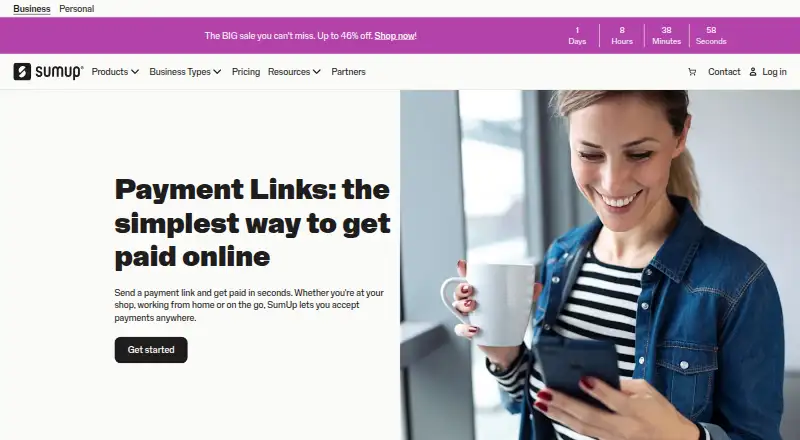
What SumUp Payment Links is
SumUp Payment Links lets businesses collect online payments by sending customers a link, without needing a website or card reader. Merchants can create links for fixed or open amounts, reuse them, set expiration dates, and allow customers to add tips or notes. Links can be shared through Instagram, WhatsApp, SMS, and email, or shown as QR codes. Customers pay on a secure page without downloading an app or opening an account. The SumUp Business App tracks which links are paid or outstanding and lets merchants resend unpaid links; after payment, a push notification appears and the funds show in the merchant’s account. The page lists Mastercard, Visa, American Express, Diners Club, Discover, and UnionPay. SumUp says links are protected by 3D Secure 2. Payment Links is available on Android, iOS, and the web, with creation also supported through POS Lite and SumUp Register. The free plan has no monthly fee and charges 2.50% per transaction; paid plans start at £19/mo.
Who it suits
It suits businesses taking payments for delivery, freelance work, click-and-collect, social media sales, billing, or phone orders. Merchants can create and manage links from a browser, app, POS Lite, or SumUp Register.
What it does well
- No website or card reader is needed.
- Links support fixed or open amounts.
- Customers can pay without an app or account.
- QR codes and several sharing channels are supported.
- Paid and outstanding links are tracked in the app.
What to know first
- Free plan charges 2.50% per transaction.
- Paid plans start at £19/mo.
Limits
The free plan has no monthly fee and charges 2.50% per transaction. Paid plans start at £19/mo.
Plans
| Plan | Billed and limits | Price |
|---|---|---|
| Payment Links | No monthly costs; 2.50% per transaction · No monthly fee · 2.50% transaction fee | Free |
| Pay-as-you-go | No monthly fee; 2.50% per Payment Link transaction · Payment Links · no monthly minimum · online payments | Free |
| Payments Plus annual | £189/year · Payment Links remain 2.50% per transaction · lower in-person rates · priority support | £189 a year |
| Payments Plus | £19/month; free for 7 days · Payment Links remain 2.50% per transaction · lower in-person rates · priority support | £19 a month |
As sumup.com lists them, read 3 Oct 2026. The maker's own page has the final word.
Getting started
- Visit the SumUp Payment Links website.
- Create a payment link in a web browser, the SumUp app, POS Lite, or SumUp Register.
- Choose a fixed or open amount and set link options such as an expiration date, tip, or note.
- Share the link through Instagram, WhatsApp, SMS, or email, or display it as a QR code.
- Track payment status and resend outstanding links in the SumUp Business App.
SumUp Payment Links gives businesses a way to request card payments through a shareable URL instead of building a shop or using a card reader. It is best suited to freelancers, small retailers, delivery services and social sellers who need occasional or remote payment collection. The free entry point is appealing, but the per-transaction cost deserves scrutiny if your payment volume is high.
Customers open a hosted checkout page, pay without an app or account, and merchants can follow the result from SumUp’s business tools. That combination keeps the process practical for businesses selling by message, phone or invoice, though it is less compelling for operations that need a fully customised checkout or very low processing costs.
Overview
Payment Links creates online payment requests without requiring a website or card reader. A merchant can send a link through Instagram, WhatsApp, SMS or email, or present it as a QR code for scanning. SumUp describes applications including home delivery, click-and-collect, freelance work, social-media sales, billing and phone orders, so the product fits transactions that begin away from a conventional online store.
Customers use a secure web page and do not need to download an app or register. SumUp says links are protected by 3D Secure 2, and its software and hardware meet, and often exceed, PCI-DSS security standards. The checkout displays Mastercard, Visa, American Express, Diners Club, Discover and UnionPay, giving the service broad card coverage.
Key features
Flexible links and sharing
Merchants can make fixed-amount links for a defined charge or open-amount links when the customer should enter the value. Links can be reused, given an expiry date, and configured to accept tips or notes. Those controls make one-off requests and repeat campaigns easier to manage, while expiry dates help prevent old payment requests being used unintentionally.
Tracking and follow-up
The SumUp Business App shows which links are paid and which remain outstanding, with an option to resend an unpaid link. A push notification is sent after payment and the transaction appears in the merchant account. This is useful for phone orders and informal invoicing, where manually checking separate messages would create avoidable work.
Creation surfaces and integrations
Links can be created in a web browser, the app, POS Lite or SumUp Register, giving merchants several ways to issue a request. SumUp’s online-payments offering also describes plug-in integrations, APIs and a payment widget. Recurring payments can be enabled through the API, which gives developers a route beyond simple manually shared links, although businesses needing that capability should expect implementation work.
Pricing
The Payment Links plan is free with no monthly costs. Each transaction carries a 2.50% fee, so the plan is well suited to smaller or irregular payment volumes where avoiding a subscription matters. At higher volumes, that percentage can outweigh the benefit of having no fixed monthly charge.
SumUp’s pricing note says paid plans start at £19/mo. No further paid-plan inclusions or limits are given, so businesses should confirm which added tools justify that recurring cost before upgrading. There is no stated seat allowance, quota, trial period or renewal term to factor into the free plan.
Platforms
Payment Links is available on Android, iOS and the web. Link creation is also supported through POS Lite and SumUp Register, making it workable for merchants who combine counter sales with remote requests.
Who it's for
This is a sensible choice for freelancers, home-delivery operators, click-and-collect businesses and merchants selling through social channels. It also suits teams taking orders by phone or sending straightforward payment requests, especially when customers may not want to create an account.
It is a weaker fit for businesses that need a deeply branded checkout, complex commerce workflows or the lowest possible transaction rate. The free plan’s 2.50% charge should be compared with payment providers that price processing differently before committing substantial volume.
Pros and cons
Pros
- No monthly cost on the free plan: suitable for occasional sellers and businesses avoiding fixed software overhead.
- Multiple sharing routes: Instagram, WhatsApp, SMS, email and QR codes cover common remote-selling situations.
- Useful payment controls: fixed or open amounts, expiry dates, reusable links, tips and customer notes handle more than a single rigid payment request.
- Outstanding-payment tracking: the app identifies unpaid links and supports resending them.
- Broad card display and security measures: major card brands are supported, with 3D Secure 2 protection.
Cons
- 2.50% transaction fee on the free plan: costs scale directly with sales and may be significant for frequent payments.
- Paid plans start at £19/mo: the recurring cost may not suit very small operators, particularly when their needs are limited to links.
- Advanced recurring payments require the API: businesses without development resources may find that route less accessible than basic link sharing.
Alternatives
For a broader comparison of link-based services, see Payment Link Software.
Checkout.com is a better candidate for organisations wanting API access and tailored pricing, with a free registered-charity plan in supported countries.
Dojo suits merchants seeking a broader point-of-sale package, including an Essential plan with core tools, major card types and real-time transactions.
HitPay Payment Links may appeal when there is no setup or monthly fee and the listed Payment Links charge is 0.2% plus payment-method processing.
Mollie is worth considering for pay-as-you-go processing with no contract or commitment and published card-rate tiers.
Pay. Pay by Link offers a no-monthly-charge Pioneer plan with Professional transaction rates plus €0.05 per transaction and 0.25% of turnover.
PayPal Invoicing is the alternative when sending formal invoices through PayPal and Venmo is more important than a standalone link workflow.
Cashfree Payment Links provides link creation and reminders at zero charge, with standard payment-gateway charges applying.
DonoLink is designed for donation pages and overlays rather than general merchant payments.
Verdict
Choose SumUp Payment Links if you need a dependable way to collect occasional or remote card payments across messaging, social and email channels, with clear outstanding-link tracking. Its strongest argument is the free plan and flexible link handling; look elsewhere if a 2.50% transaction fee will materially affect your volume or you need a more extensive, customised payment platform.
Verdict
SumUp Payment Links combines link-based checkout with payment tracking and multiple sharing options. Its free plan has no monthly fee, but each transaction carries a 2.50% charge.
Questions
Is SumUp Payment Links free?
A free plan is available with no monthly fee and a 2.50% transaction fee.
What do paid plans cost?
Paid plans start at £19/mo.
Which devices and platforms are supported?
Payment Links is available on Android, iOS, and the web. SumUp lists link creation through a browser, app, POS Lite, and SumUp Register.
Do customers need an account or app to pay?
No. Customers can pay through a secure online page without downloading an app or creating an account.
Which payment methods are listed?
The Payment Links page lists Mastercard, Visa, American Express, Diners Club, Discover, and UnionPay.
Can SumUp Payment Links handle recurring payments?
SumUp says recurring payments can be enabled through its API.
Facts from SumUp Payment Links's own pages
- Amount types
- The creation flow supports fixed-amount links and open-amount links where the customer enters the amount. · help.sumup.com, 15 Oct 2026
- Client SDKs
- The developer portal also points to React Native and Swift Checkout SDKs. · developer.sumup.com, 15 Oct 2026
- Company background
- SumUp says it started in 2012 and that more than 4 million businesses use its tools. · sumup.com, 3 Oct 2026
- Company founded
- LinkedIn states that SumUp was founded in 2012. · linkedin.com, 15 Oct 2026
- Company headquarters and size
- LinkedIn lists London headquarters and a company size of 1,001–5,000 employees. · linkedin.com, 15 Oct 2026
- Company reach
- LinkedIn says SumUp serves more than 4 million merchants in 37 markets. · linkedin.com, 15 Oct 2026
- Customer account requirement
- Customers can pay on a secure page without downloading an app or creating an account. · sumup.com, 15 Oct 2026
- Customer checkout
- Customers can pay through a secure online page without downloading an app or creating an account. · sumup.com, 3 Oct 2026
- Expiration
- Merchants can set an expiration date for a payment link. · help.sumup.com, 15 Oct 2026
- Founded
- 2012 · sumup.com, 28 Sept 2026
- Funding news
- SumUp announced €285 million in funding led by Sixth Street Growth on 11 December 2023. · sumup.com, 15 Oct 2026
- Integration plugins
- Official plugins are documented for WooCommerce, PrestaShop, Wix, Medusa and Vendure. · developer.sumup.com, 15 Oct 2026
- Integrations and API
- SumUp's online payments page describes plug-in integrations, APIs and a payment widget, and says recurring payments can be enabled with its API. · sumup.com, 3 Oct 2026
- Intended users
- SumUp describes use cases including home delivery, freelancers, click-and-collect, social media selling, billing and phone orders. · sumup.com, 3 Oct 2026
- Legal entity
- The UK support footer identifies SumUp Payments Limited as authorised by the Financial Conduct Authority under the Electronic Money Regulations 2011. · help.sumup.com, 15 Oct 2026
- Limit: inventory integration
- A G2 reviewer says SumUp inventory cannot be integrated into their online store. · g2.com, 15 Oct 2026
- Limit: outages and reporting
- Capterra reviewers mention occasional outages and say sales reports can require manual spreadsheet work. · capterra.com, 15 Oct 2026
- Limit: payout delays
- G2 reviewers report that payouts sometimes changed from next-day delivery to three or four days and that cutoff times can delay access to funds. · g2.com, 15 Oct 2026
- Limit: support responsiveness
- G2 reviewers mention slow phone support, while App Store reviews describe support as ineffective during operational problems. · g2.com, 15 Oct 2026
- Link options
- Merchants can create fixed or open amount links, reuse links, set expiration dates, and let customers add tips or notes. · help.sumup.com, 3 Oct 2026
- Link tracking
- The SumUp Business App shows which links are paid or outstanding and lets merchants resend unpaid links. · sumup.com, 3 Oct 2026
- Notifications
- The merchant receives a push notification when a linked payment arrives. · sumup.com, 15 Oct 2026
- One-time links
- Merchants can create links intended for a single payment. · help.sumup.com, 15 Oct 2026
- Payment fee
- The UK help centre states that Payment Links cost 2.5% for every completed transaction. · help.sumup.com, 15 Oct 2026
Where SumUp Payment Links stands on Freedom251
- Payment Link Software#15 of 32