Freedom251 › Daily Planner Apps
StudentFlow
What StudentFlow is
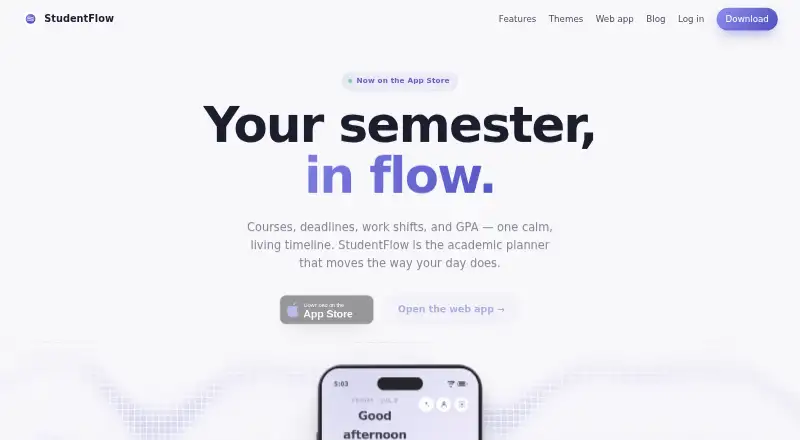
StudentFlow is an academic planner that places courses, deadlines, work shifts, and GPA in one timeline. My Day combines classes, to-dos, and shifts, highlights free-time gaps, and adds task triage with a seven-day focus summary. Calendar 2.0 provides week, month, and three-day views, overlapping-event lanes, and adjustable day zoom. The Flow timer supports customizable Pomodoro, endless, and assignment-guided modes, while Lock-In requires a deliberate hold to end early. A semester view tracks term progress, deadlines, course grades, and cumulative GPA. Users can photograph a posted work schedule; StudentFlow says it reads the image on-device and does not send it off the iPhone. Canvas calendars connect through an ICS URL, and Apple Calendar lets users choose calendars for My Day. Courses, tasks, and calendars sync in real time between iPhone and the web app, including offline edits after reconnection. The free plan includes the core planner, calendar, focus timer, and GPA tracking.
Who it suits
StudentFlow suits students coordinating classes, assignments, work shifts, and grades. It is useful for iPhone users who want a web companion, focus sessions, calendar connections, and on-device study data.
What it does well
- Combines courses, shifts, deadlines, and GPA
- Includes customizable focus modes
- Tracks grades and term progress
- Syncs iPhone and web app in real time
- Free plan includes core planning tools
What to know first
- Requires iOS 26 or later
- No iPad or Mac versions yet
- Canvas setup requires pasting an ICS URL
Plans
| Plan | Billed and limits | Price |
|---|---|---|
| Free | Core planner, calendar, focus timer, and GPA tracking · optional tips do not unlock features | Free |
| StudentFlow Plus | Optional power feature upgrades as they ship; price not stated | On request |
As studentflowapp.com lists them, read 12 Oct 2026. The maker's own page has the final word.
Verdict
StudentFlow combines planning, focus timing, academic tracking, and calendar sync without charging for its core plan. Check the iOS requirement and device limits before relying on it across Apple hardware.
Facts from StudentFlow's own pages
- Apple Calendar
- The App Store version history says users can connect Apple Calendar and choose which calendars appear in My Day. · apps.apple.com, 12 Oct 2026
- Calendar
- Calendar 2.0 includes week, month, and three-day views with overlapping-event lanes and adjustable day zoom. · studentflowapp.com, 12 Oct 2026
- Calendar sync
- Yes · studentflowapp.com, 22 Sept 2026
- Canvas
- The support page explains connecting a Canvas calendar feed by pasting its ICS URL, which remains on the device and is fetched directly from Canvas. · studentflowapp.com, 12 Oct 2026
- Courses and GPA
- The semester view tracks term progress, deadlines, course grades, and cumulative GPA. · studentflowapp.com, 12 Oct 2026
- Daily planning
- My Day combines classes, to-dos, and shifts, highlights free-time gaps, and includes task triage and a seven-day focus summary. · studentflowapp.com, 12 Oct 2026
- Focus sessions
- Yes · studentflowapp.com, 22 Sept 2026
- Focus timer
- Flow offers customizable Pomodoro, endless, and assignment-guided modes, plus Lock-In mode that requires a deliberate hold to end early. · studentflowapp.com, 12 Oct 2026
- Free plan
- Yes · studentflowapp.com, 22 Sept 2026
- Mobile platforms
- ios · studentflowapp.com, 22 Sept 2026
- Planning method
- hybrid · studentflowapp.com, 22 Sept 2026
- Platform limits
- The maker says the app requires iOS 26 or later and the web app works in a modern browser; its support page says iPad and Mac versions are not yet available. · studentflowapp.com, 12 Oct 2026
- Privacy
- The privacy policy says study data stays on-device, Apple sign-in is optional and identity-only, and the app does not use tracking, analytics, or ads. · studentflowapp.com, 12 Oct 2026
- Purpose
- StudentFlow is an academic planner that brings courses, deadlines, work shifts, and GPA into one timeline. · studentflowapp.com, 12 Oct 2026
- Security and deletion
- The privacy policy says the Apple-provided account identifier and email are stored in Supabase, and users can request deletion of that identity record by email within 30 days. · studentflowapp.com, 12 Oct 2026
- Support
- Support is handled by the solo maker via email, with a usual reply time of one or two days. · studentflowapp.com, 12 Oct 2026
- Web app and sync
- The App Store version history says courses, tasks, and calendar sync in real time between iPhone and studentflowapp.com, including catching up offline edits when reconnected. · apps.apple.com, 12 Oct 2026
- Work schedule scanning
- Users can photograph a posted work schedule, which StudentFlow says it reads on-device and does not send off the iPhone. · studentflowapp.com, 12 Oct 2026
Where StudentFlow stands on Freedom251
- Daily Planner Apps#42 of 137
- Student Planner Apps#4 of 12