Freedom251 › Content Calendar Software
Strive Content Calendar
What Strive Content Calendar is
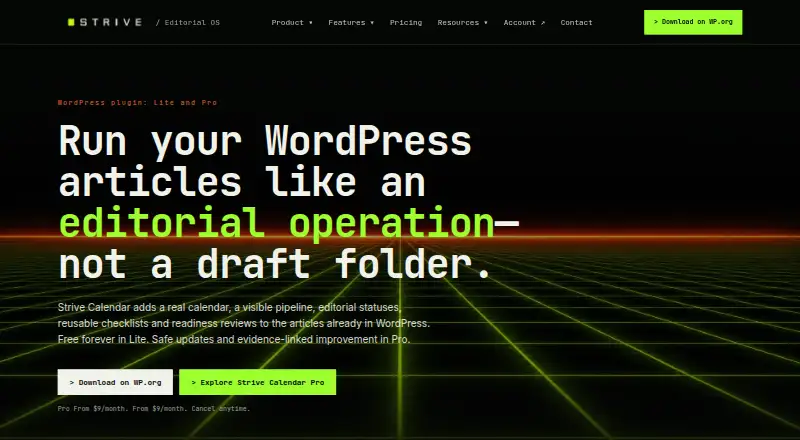
Strive Content Calendar is a WordPress editorial system for planning, reviewing and maintaining articles. Its four-week Calendar view brings scheduled and unscheduled posts together, while a Pipeline tracks each article as Not Started, Writing, Editing or Complete. Reusable checklists and notes help contributors follow work through those stages. Local Editorial Readiness runs deterministic checks inside WordPress without AI, an external account or a usage quota. The free Lite plan includes the calendar, pipeline, editorial statuses, checklists and readiness checks. Pro, from $9/mo, adds private revisions of published articles, enhanced readiness, guided fixes, editorial briefs, internal-link opportunities and Refresh Radar. Its AI features require WordPress 7.0 or later and route proposed changes through human approval; approved writes receive a WordPress revision first. Strive handles built-in WordPress Posts, not Pages, products or custom post types. The WordPress.org package requires WordPress 6.5 or later and PHP 7.4 or later.
Who it suits
Strive suits solo editors and teams managing article workflows within WordPress. It is not intended for managing Pages, products or custom post types.
What it does well
- Four-week view includes scheduled and unscheduled posts
- Pipeline defines four editorial stages
- Reusable checklists track article progress
- Readiness checks run without AI or usage quotas
- Pro supports private revisions and approved changes
What to know first
- Limited to built-in WordPress Posts and articles
- Pro AI features require WordPress 7.0 or later
- Pro starts at $9/mo
Limits
Lite includes core calendar, pipeline, statuses, checklists, notes and Local Editorial Readiness. Private revisions, Enhanced Editorial Readiness, guided fixes, editorial briefs, internal-link opportunities and Refresh Radar are included with Pro, from $9/mo. Pro AI features require WordPress 7.0 or later.
Plans
| Plan | Billed and limits | Price |
|---|---|---|
| Strive Calendar Lite | $0 forever · Calendar · unscheduled drafts · Pipeline Board and List · editorial statuses · checklists and notes · Local Editorial Readiness · Solo and Team Workspace | Free |
| Strive Calendar Pro | From $9/month. Cancel anytime. · Everything in Lite · safe article revisions · Enhanced Editorial Readiness · guided fixes · editorial briefs · internal-link opportunities · Refresh Radar | $9 a month |
As strivecalendar.com lists them, read 30 Sept 2026. The maker's own page has the final word.
Getting started
- Visit strivecalendar.com or find the WordPress.org package.
- Use a WordPress site meeting the package requirements of WordPress 6.5 or later and PHP 7.4 or later.
- Choose Strive Calendar Lite or Strive Calendar Pro.
- Use the four-week Calendar to view scheduled posts and unscheduled drafts.
- Move article work through the Pipeline and track progress with checklists.
Strive Content Calendar is a WordPress editorial workflow tool for publishers managing articles as built-in Posts. It is strongest when planning, review handoffs and publishing checks need to stay inside WordPress. The focused scope and lack of broader SEO or content-type management make it a poor fit for more varied content operations.
Overview
Strive puts a four-week visual calendar, workflow tracking and article maintenance in the WordPress editing environment. The Calendar shows both scheduled and unscheduled posts, while the Pipeline presents Not Started, Writing, Editing and Complete stages in Board or List form. Reusable checklists, notes and progress tracking turn recurring editorial tasks into a visible process rather than a collection of reminders.
This focus is also the main constraint. Strive handles built-in WordPress Posts and articles, not Pages, products or custom post types. It is not a rank tracker, keyword-volume tool, backlink crawler or live web crawler, so organizations needing research, link intelligence or a broad content-operations hub should look elsewhere.
Key features
Planning and workflow
The combination of calendar and pipeline suits a publication with regular assignments and clear handoffs. A four-week horizon is useful for near-term scheduling, while the four named stages provide a simple shared status language. Reusable checklists help standardize briefs, editing and release steps; article-level tracking shows whether those steps are complete.
Readiness and revisions
Local Editorial Readiness runs deterministic checks inside WordPress without AI, an external account or a usage quota. That makes it a predictable baseline for pre-publication review. Pro adds Enhanced Editorial Readiness and guided fixes for teams wanting more direction.
Pro also supports private revisions of published articles. Editors can work on an untouched copy, then republish without changing the URL or its history, which is valuable for refresh programs where continuity matters. Its AI features use the provider connected through WordPress, require WordPress 7.0 or later, and avoid pasting provider API keys into Strive. AI changes remain proposals for inspection; approved writes are preceded by a WordPress revision. Internal-link opportunities are drawn from the site's published article library and require approval before insertion, keeping automated changes reviewable.
Privacy and security
With Strive Free, article titles, bodies, editorial notes, checklist text and Local Readiness results remain in WordPress. Optional Freemius communication requires consent. The 1.35 release added post-specific permission checks, capability enforcement, validation, sanitization, nonce checks and escaping improvements. WordPress.org lists WordPress 6.5 or later and PHP 7.4 or later as requirements.
Pricing
Strive Calendar Lite — free
Lite is billed at $0 forever and includes the Calendar, unscheduled drafts, Pipeline Board and List views, editorial statuses, checklists, notes, Local Editorial Readiness, and Solo and Team Workspace options. It is the sensible choice for individuals and teams that need structured scheduling and review without private revision or advanced assistance.
Strive Calendar Pro — $9 a month
Pro is billed from $9/month and can be canceled anytime. It includes everything in Lite plus safe article revisions, Enhanced Editorial Readiness, guided fixes, editorial briefs, internal-link opportunities and Refresh Radar. Choose it when maintaining published articles and managing refresh opportunities justify a recurring fee; Lite users give up those Pro-only tools. A free trial is offered, while the paid starting price is $9 per month.
Platforms
Strive is a web-based WordPress system, delivered through a self-hosted WordPress installation. The WordPress.org package requires WordPress 6.5 or higher and PHP 7.4 or higher; Pro AI features require WordPress 7.0 or later. Its supported channel is blog publishing.
Who it's for
Choose Strive if your editorial inventory is made up of WordPress Posts and you want calendar visibility, explicit workflow stages, repeatable checklists and approval-aware readiness checks in one place. Pro is aimed at publishers that regularly revise live articles or want internal-link suggestions and guided editorial fixes.
Do not choose it as the central system for Pages, products or custom post types, or as a replacement for SEO ranking, keyword, backlink or live-web crawling tools. Those requirements exceed its deliberately article-focused workflow.
Pros and cons
Pros
- Useful free foundation: Calendar, pipeline, checklists and deterministic readiness checks cost $0 forever.
- WordPress-native data handling: Core article and checklist data stays in WordPress on Free.
- Controlled automation: AI suggestions and internal-link insertions require approval, with a revision made before approved writes.
- Safe refresh workflow: Pro can revise published articles privately without changing their URL or history.
Cons
- Narrow content scope: Pages, products and custom post types are outside the system.
- Not an SEO research suite: It does not provide rank tracking, keyword-volume data, backlink crawling or live-web crawling.
- Pro-only maintenance tools: Private revisions, guided fixes, briefs, link opportunities and Refresh Radar require the $9/month plan.
- Version requirements: Pro AI needs WordPress 7.0 or later, above the WordPress.org package's 6.5 minimum.
Alternatives
For a broader social and cross-platform marketing calendar, consider CoSchedule, which offers Android, iOS, web and extension access, a free plan and a Starter plan at $29 a month when billed annually.
StoryChief Broadcasts is a better direction when social-media, website and SEO analytics are central and you do not need a free plan; its Starter plan is €49.00 per month billed yearly.
Pick Narranta for a small publishing operation needing up to three articles on its free plan, one publication and basic analytics.
Nelio Content suits WordPress users seeking social-profile and automation-group plans across one or more sites.
Choose PublishPress Planner when a free WordPress planner with content calendar, board, notifications and Google Calendar export is the priority; its Business plan is $129 a year.
Sheetlane is the alternative for spreadsheet-style workspaces, with a free tier for one workspace, three users and 1,000 AI credits per month.
Storyflow is another option for shared boards and object-based planning.
Uix Page Builder is a free self-hosted WordPress page-building alternative.
For a wider comparison, see Content Calendar Software.
Verdict
Strive is a strong choice for WordPress publishers whose work is concentrated in Posts and who want a free, structured editorial workflow with dependable readiness checks. Pro earns its $9/month when private revisions, guided fixes and approved internal-link suggestions matter. Look elsewhere if your operation spans other WordPress content types or needs SEO research, social distribution and broader marketing analytics.
Verdict
Strive combines article scheduling, workflow tracking and readiness checks in WordPress, with a free Lite plan and additional Pro capabilities. Its content scope is limited to built-in Posts, so it may not fit sites that need to manage other WordPress content types.
Questions
Is Strive Content Calendar free?
Yes. Strive Calendar Lite is free, billed at $0 forever. Calendar Pro starts at $9/mo and can be cancelled anytime.
What platforms does Strive support?
Strive is web-based and is designed for WordPress. The WordPress.org package requires WordPress 6.5 or later and PHP 7.4 or later.
What content can Strive manage?
It manages built-in WordPress Posts and articles. It does not manage Pages, products or custom post types.
What does Pro add?
Pro adds private revisions of published articles, Enhanced Editorial Readiness, guided fixes, editorial briefs, internal-link opportunities and Refresh Radar.
How do Strive’s AI features work?
Pro AI uses the provider connected through WordPress and requires WordPress 7.0 or later. Proposed changes require inspection and approval, and an approved write is preceded by a WordPress revision.
Where does Strive Free keep article information?
Article titles, bodies, editorial notes, checklist text and Local Readiness results remain in WordPress when using Strive Free. Optional Freemius communication requires consent.
Facts from Strive Content Calendar's own pages
- AI connection
- Pro AI features use the provider connected through WordPress, require WordPress 7.0 or later and do not require pasting provider API keys into Strive. · strivecalendar.com, 30 Sept 2026
- Calendar
- The visual Calendar shows scheduled and unscheduled WordPress posts in a four-week editorial view. · en-gb.wordpress.org, 30 Sept 2026
- Checklists
- Users can create reusable editorial checklists and track progress on each article. · strivecalendar.com, 30 Sept 2026
- Content scope
- Strive manages built-in WordPress Posts/articles and does not manage Pages, products or custom post types. · en-gb.wordpress.org, 30 Sept 2026
- Data handling
- Article titles, bodies, editorial notes, checklist text and Local Readiness results remain in WordPress when using Strive Free; optional Freemius communication requires consent. · en-gb.wordpress.org, 30 Sept 2026
- Human approval
- AI-assisted changes are proposals that require inspection and approval, and approved writes are preceded by a WordPress revision. · strivecalendar.com, 30 Sept 2026
- Internal links
- Pro finds internal-link opportunities from the site's own published article library and requires approval before insertion. · strivecalendar.com, 30 Sept 2026
- Limits
- Strive states that it is not a rank tracker, keyword-volume tool, backlink crawler or live web crawler. · strivecalendar.com, 30 Sept 2026
- Local readiness
- Local Editorial Readiness runs deterministic checks inside WordPress without AI, an external account or a usage quota. · strivecalendar.com, 30 Sept 2026
- Pipeline
- The Pipeline provides four editorial stages: Not Started, Writing, Editing and Complete. · en-gb.wordpress.org, 30 Sept 2026
- Product
- Strive is a WordPress editorial system for planning, reviewing and maintaining articles. · strivecalendar.com, 30 Sept 2026
- Pro revisions
- Pro lets users revise published articles privately while leaving the live version untouched, then republish without changing the URL or history. · strivecalendar.com, 30 Sept 2026
- Requirements
- The WordPress.org package lists WordPress 6.5 or higher and PHP 7.4 or higher as requirements. · en-gb.wordpress.org, 30 Sept 2026
- Security
- The 1.35 release added post-specific permission checks, capability enforcement, validation, sanitization, nonce checks and escaping improvements. · strivecalendar.com, 30 Sept 2026
- Support
- Documentation and product information are provided on strivecalendar.com, and WordPress.org users can use the plugin support forum. · en-gb.wordpress.org, 30 Sept 2026
Where Strive Content Calendar stands on Freedom251
- Content Calendar Software#7 of 24