Freedom251 › Content Calendar Software
PublishPress Planner
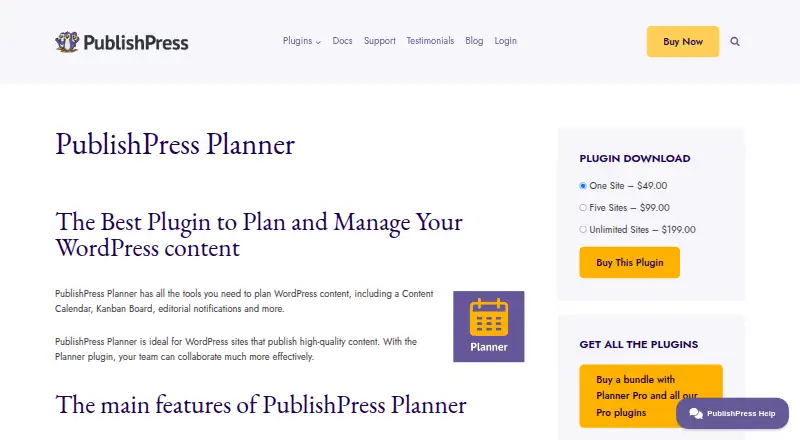
What PublishPress Planner is
PublishPress Planner helps teams plan, manage, and schedule content for WordPress sites. Its Content Calendar displays planned and published items, lets users create content, and supports moving an item to another publication date by dragging it. The Content Overview organizes work by status, category, or user and can produce a printable view. A Content Board lays out statuses in columns so posts can be moved between stages. Teams can configure editorial notifications, choosing when they are sent, who receives them, and which details they contain. The calendar can export schedules to Google Calendar or other software that supports iCal, but changes made in those external calendars do not sync back to WordPress. Planner Pro adds reminder notifications, post metadata in notifications, removal of PublishPress ads and branding, and priority personal support. A free plan is available; annual bundles start at $129/yr. PublishPress says Planner is intended for WordPress sites publishing high-quality content and teams collaborating on content.
Who it suits
Planner suits editorial teams collaborating on content for WordPress sites. It is useful for teams that want calendar, status-board, overview, and configurable notification tools for their publishing work.
What it does well
- Calendar displays planned and published content.
- Content can be moved to new dates by dragging.
- Overview groups items by status, category, or user.
- Notifications can be configured by timing and recipient.
- Schedules can be exported to iCal-compatible calendars.
What to know first
- External calendar changes do not sync to WordPress.
- Email notifications are not advised for large user groups.
- Paid annual bundles start at $129/yr.
Limits
Planner Free includes the core calendar, overview, board, notifications, and Google Calendar export. Planner Pro features are part of paid annual bundles; Business is limited to one site and one support user, Agency to five sites and up to five support users, and Unlimited to unlimited sites and up to ten support users.
Plans
| Plan | Billed and limits | Price |
|---|---|---|
| Planner Free | Content Calendar · Content Overview · Content Board · notifications · Google Calendar export | Free |
| Business | annually · All PublishPress Pro plugins including Planner Pro · 1 site · 1 support user | $129 a year |
| Agency | annually · All PublishPress Pro plugins including Planner Pro · 5 sites · up to 5 support users | $299 a year |
| Unlimited | annually · All PublishPress Pro plugins including Planner Pro · unlimited sites · up to 10 support users | $499 a year |
As publishpress.com lists them, read 2 Oct 2026. The maker's own page has the final word.
Getting started
- Open the PublishPress Planner website.
- Use Planner Free for the calendar, overview, board, notifications, and Google Calendar export.
- Choose a paid annual bundle if you need Planner Pro features or broader site and support coverage.
- Install and use Planner on a self-hosted WordPress site.
Overview
PublishPress Planner is a WordPress content-planning plugin for teams managing a publishing schedule. It suits editorial teams that want several ways to organize WordPress work, though its paid plans bundle Planner with every PublishPress Pro plugin rather than selling Planner Pro alone.
Key features
The Content Calendar shows planned and published posts, and lets editors create items or move them to another publication date by dragging. That makes it useful for coordinating a schedule at a glance; exporting that schedule to Google Calendar or other iCal-compatible software is also possible, but edits made in the external calendar do not return to WordPress.
For a different view, the Content Overview groups work by status, category, or user and can produce a printable overview. The Content Board puts each status in its own column and lets users move posts between them. These complementary views suit teams that need to track both the calendar and the stage of each piece.
Editorial notifications can be tailored by timing, recipients, and included details. Planner Pro adds reminders, post meta in notifications, Slack channel alerts with replies that do not require a WordPress login, removal of PublishPress branding, and priority personal support. PublishPress advises against sending Planner email notifications to large groups, so it is a weaker fit when broad email distribution is central to the workflow.
Planner supports proofing comments. Its changelog records a September 28, 2026 update addressing Dependabot dependency alerts, part of its security and dependency maintenance.
Pricing
| Plan | Price | Includes |
|---|---|---|
| Planner Free | free | Content Calendar, Content Overview, Content Board, notifications, and Google Calendar export |
| Business | $129 a year, billed annually | All PublishPress Pro plugins, including Planner Pro; 1 site and 1 support user |
| Agency | $299 a year, billed annually | All PublishPress Pro plugins, including Planner Pro; 5 sites and up to 5 support users |
| Unlimited | $499 a year, billed annually | All PublishPress Pro plugins, including Planner Pro; unlimited sites and up to 10 support users |
The free plan covers the core planning views and notifications, but does not include Planner Pro’s added reminder and Slack features, branding removal, or priority support. Business is the entry point for a single site; Agency raises the site and support-user limits, while Unlimited removes the site cap. Each paid tier includes all PublishPress Pro plugins, which makes the bundle most relevant to buyers who want that wider set rather than Planner Pro alone. PublishPress says member tickets are aimed to receive a response within 24 hours Monday to Friday; non-member questions may take several days.
Platforms
Planner is for self-hosted WordPress and runs on the web. It is not presented as a standalone planning app for other publishing platforms.
Who it's for
PublishPress describes Planner as ideal for WordPress sites publishing high-quality content and teams collaborating on that work. It is a natural fit when editors need shared schedule and status views alongside configurable notifications. A solo publisher or a team working outside self-hosted WordPress has less reason to choose it.
Pros and cons
- Pros: Calendar, status-based overview, and board views give editorial teams distinct ways to coordinate the same WordPress content.
- Pros: The free plan includes all three planning views, notifications, and Google Calendar export.
- Cons: Calendar export is one-way, so changes in an external calendar will not update WordPress.
- Cons: Email notifications are not recommended for large groups, limiting their usefulness for broad announcements.
- Cons: Planner Pro comes within an all-plugins bundle, so paid buyers also pay for the wider PublishPress suite.
Alternatives
For a broader comparison, see Content Calendar Software. Choose CoSchedule instead if Android or iOS access matters, or if you want a free plan and a free trial; its Starter plan is $29 a month billed annually, with a monthly option at $39/month and one user seat. StoryChief Broadcasts is another option for readers prioritizing mobile access and social media or website and SEO analytics; it has a free trial but no free plan.
Narranta is an alternative for a solo creator who can work within its free plan’s cap of three articles and one publication. Nelio Content is another self-hosted, web-based alternative with a free plan. Sheetlane may suit teams seeking a free spreadsheet workspace with up to three users and 1,000 AI credits per month, plus a free trial.
Strive Content Calendar is a web alternative with a free calendar, pipeline board, editorial statuses, checklists, and notes. Storyflow is a web-based paid product with no free plan. Uix Page Builder is a free self-hosted WordPress page builder rather than an editorial planning tool.
Verdict
PublishPress Planner is a strong choice for teams coordinating WordPress publishing who want calendar, overview, and status-board views in one plugin, including at no cost. Look elsewhere if you need two-way calendar sync, large-group email notifications, or a paid Planner Pro plan without the full PublishPress Pro bundle.
Verdict
Planner provides several ways to organize WordPress editorial work, including a calendar, overview, and status board. Note that calendar exports are one-way, and PublishPress advises against using its email notifications for large groups.
Questions
Is there a free plan?
Yes. Planner Free costs nothing and includes the Content Calendar, Content Overview, Content Board, notifications, and Google Calendar export.
How much do the paid plans cost?
Business is $129 a year, billed annually; Agency is $299 a year, billed annually; Unlimited is $499 a year, billed annually.
What is included in the paid plans?
Each paid plan includes all PublishPress Pro plugins, including Planner Pro. Business includes one site and one support user, Agency includes five sites and up to five support users, and Unlimited includes unlimited sites and up to ten support users.
Which platforms does Planner support?
Planner is for self-hosted WordPress sites and is available on the web.
Does Planner connect with Google Calendar?
It can export content schedules to Google Calendar or other software that supports iCal. Changes made in those external calendars do not sync back to WordPress.
Who makes PublishPress Planner?
PublishPress makes Planner and describes itself as a US-based company with a remote team working from several locations.
Facts from PublishPress Planner's own pages
- Audience
- PublishPress describes Planner as ideal for WordPress sites that publish high-quality content and teams that collaborate on content. · publishpress.com, 2 Oct 2026
- Calendar
- The Content Calendar shows planned and published content and lets users create content or drag it to a new publication date. · publishpress.com, 2 Oct 2026
- Calendar integration
- The calendar can export content schedules to Google Calendar or other calendar software that supports iCal; changes made in the external calendar do not sync back to WordPress. · publishpress.com, 2 Oct 2026
- Content overview
- The Content Overview organizes content by status, categories, or users and can produce a printable overview. · publishpress.com, 2 Oct 2026
- Kanban board
- The Content Board has a column for each status and supports dragging posts between statuses. · publishpress.com, 2 Oct 2026
- Maker and location
- PublishPress describes itself as a US-based company with a remote team working from several locations. · publishpress.com, 2 Oct 2026
- Notification limit
- PublishPress advises against using Planner email notifications to send messages to a large number of users. · publishpress.com, 2 Oct 2026
- Notifications
- Users can configure editorial notifications, including when they are sent, who receives them, and what details they contain. · publishpress.com, 2 Oct 2026
- Pro features
- Planner Pro includes reminder notifications, use of post meta in notifications, removal of PublishPress ads and branding, and priority personal support. · publishpress.com, 2 Oct 2026
- Purpose
- Planner helps teams plan, manage, and schedule WordPress content. · publishpress.com, 2 Oct 2026
- Security maintenance
- The Planner changelog lists a September 28, 2026 update addressing Dependabot dependency alerts to improve plugin security and dependency maintenance. · publishpress.com, 2 Oct 2026
- Slack integration
- Planner Pro can send notifications to Slack channels and lets recipients reply without logging into WordPress. · publishpress.com, 2 Oct 2026
- Support
- PublishPress says member support tickets are aimed to be answered within 24 hours Monday to Friday, while non-member questions may take several days. · publishpress.com, 2 Oct 2026
Where PublishPress Planner stands on Freedom251
- Content Calendar Software#4 of 24